
Capcom B0016NRS28
Dark Void - Xbox 360 User Manual
Capcom
1. Khoom Tshajview
Dark Void is a sci-fi action-adventure game developed by Capcom for the Xbox 360 platform. It combines aerial and on-foot combat within a parallel universe known as "The Void." Players assume the role of Will, a pilot who becomes trapped in this dimension and joins a group of survivors battling a mysterious alien race.
The game features a unique blend of third-person shooter mechanics with a vertical combat system, allowing players to utilize a jetpack for fierce in-air combat and gravity-defying maneuvers. Key elements include seamless transitions between ground and air combat, a unique grip system for scaling walls and hijacking enemy vehicles, and encounters with large bosses.

Figure 1: Front cover of the Dark Void game for Xbox 360.
2. Teeb tsa
2.1 Kev teeb tsa Console
Ensure your Xbox 360 console is properly connected to your television and power source. Verify that all necessary cables (HDMI or AV) are securely plugged in.
2.2 Game Installation
- Insert the Dark Void game disc into the Xbox 360 disc drive.
- Follow the on-screen prompts to install the game to your console's hard drive. Installation is recommended for optimal performance.
- Ensure your console has sufficient storage space for the game installation and any potential updates.
3. Operating the Game
3.1 Basic Controls
Dark Void utilizes standard third-person shooter controls with additional mechanics for aerial combat and vertical movement. Familiarize yourself with the Xbox 360 controller layout.
- Kev txav mus los: Sab laug Analog Stick
- Lub koob yees duab tswj: Txoj cai Analog Stick
- Fire Weapon: Txoj Kev Ntsuas
- Aim Weapon: Sab laug Trigger
- Jump/Activate Jetpack: Khawm
- Melee Attack: B Khawm
- Interact/Reload: X Khawm
- Npog: Y Button (contextual)
- Switch Weapons: D-Pad
3.2 Gameplay Mechanics
The core gameplay revolves around transitioning between ground combat and aerial combat using the jetpack. The unique vertical combat system allows for strategic engagements from different elevations.
- Jetpack Flight: Once acquired, the jetpack allows for rapid movement and dogfighting. Controls for flight may differ from ground movement and can be customized in the game options.
- Vertical Cover: Utilize environmental elements for cover in vertical spaces, allowing you to shoot enemies above or below you.
- Grip System: This system enables Will to scale walls by jumping between surfaces and to hijack UFOs mid-flight.
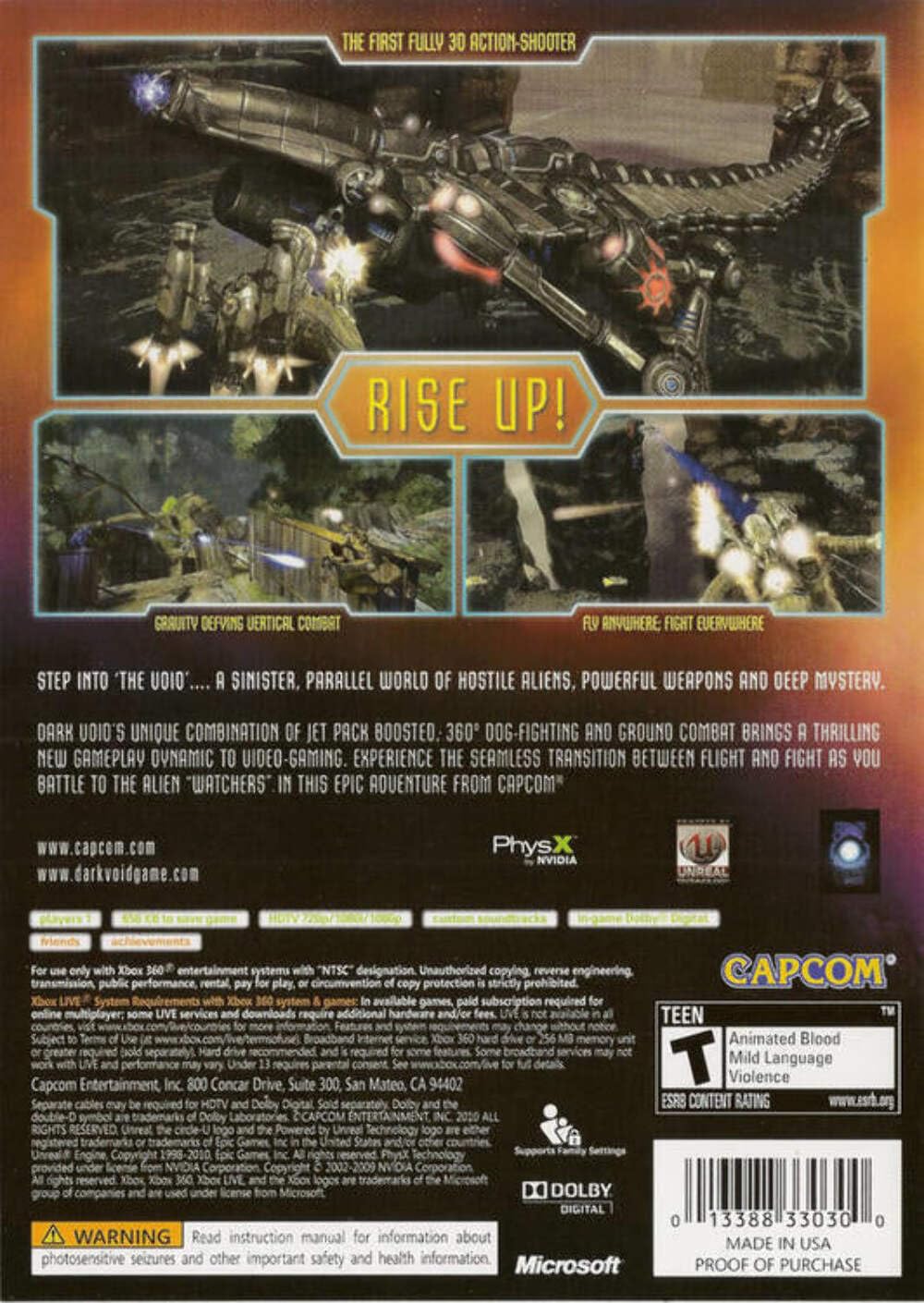
Figure 2: Back cover illustrating key gameplay features like vertical combat and aerial action.
3.3 Weapon Upgrades
Collect Tech Points by defeating enemies to upgrade your weapons. Each weapon can be upgraded in three stages, improving their effectiveness in combat.
4. Kev tu
For optimal performance and longevity of your game disc and console, consider the following:
- Keep the game disc clean and free of scratches. Store it in its original case when not in use.
- Ensure your Xbox 360 console has adequate ventilation to prevent overheating.
- Regularly check for and install system updates for your Xbox 360 to ensure compatibility and performance.
5. Kev daws teeb meem
If you encounter issues while playing Dark Void, refer to the following common solutions:
| Teeb meem | Kev daws |
|---|---|
| Game freezes or crashes | Ensure the game disc is clean. Restart the console. Check for console system updates. If issues persist, try reinstalling the game. |
| Disc nyeem yuam kev | Clean the game disc with a soft, lint-free cloth. Ensure the disc is inserted correctly. |
| Tswj tsis teb | Check controller battery levels. Re-sync the controller with the console. |
| Audio/Video issues | Verify all audio/video cables are securely connected. Check console display settings. |
6. Cov lus qhia tshwj xeeb
- Number of Players: 1
- Platform: Xbox 360
- Hnub tso tawm: Lub Ib Hlis 19, 2010
- Lus: Lus Askiv
- Rated: Hluas
- Qauv nab npawb: 013388330096
- Chaw tsim tshuaj paus: Capcom USA
- Khoom Dimensions: 0.56 x 5.37 x 7.6 po
- Yam khoom hnyav: 3.67 hli
7. Official Product Videos
Below are official product videos related to Dark Void, provided by the seller.
No official product videos from the seller are available for this manual.
8. Warranty thiab Support
Information regarding product warranty and customer support for Dark Void is typically provided within the game packaging or on the official Capcom website. Please refer to those resources for detailed warranty terms and support contact information.
For general inquiries or technical assistance, you may visit the Capcom Official Store on Amazon los yog lawv official webqhov chaw.
Ask a question about this manual
Ask about setup, troubleshooting, compatibility, parts, safety, or missing instructions. Manuals+ will review the question and use this page’s manual context to help answer it.