
Khoom Tshajview
The Karlsson One Bell Alarm Clock, Model KA5340BK, is a classic-style alarm clock designed for reliable timekeeping and a clear alarm function. It features a matte black metal case, a black dial with white numbers, and silver-colored hands. This clock operates on a single AA battery.
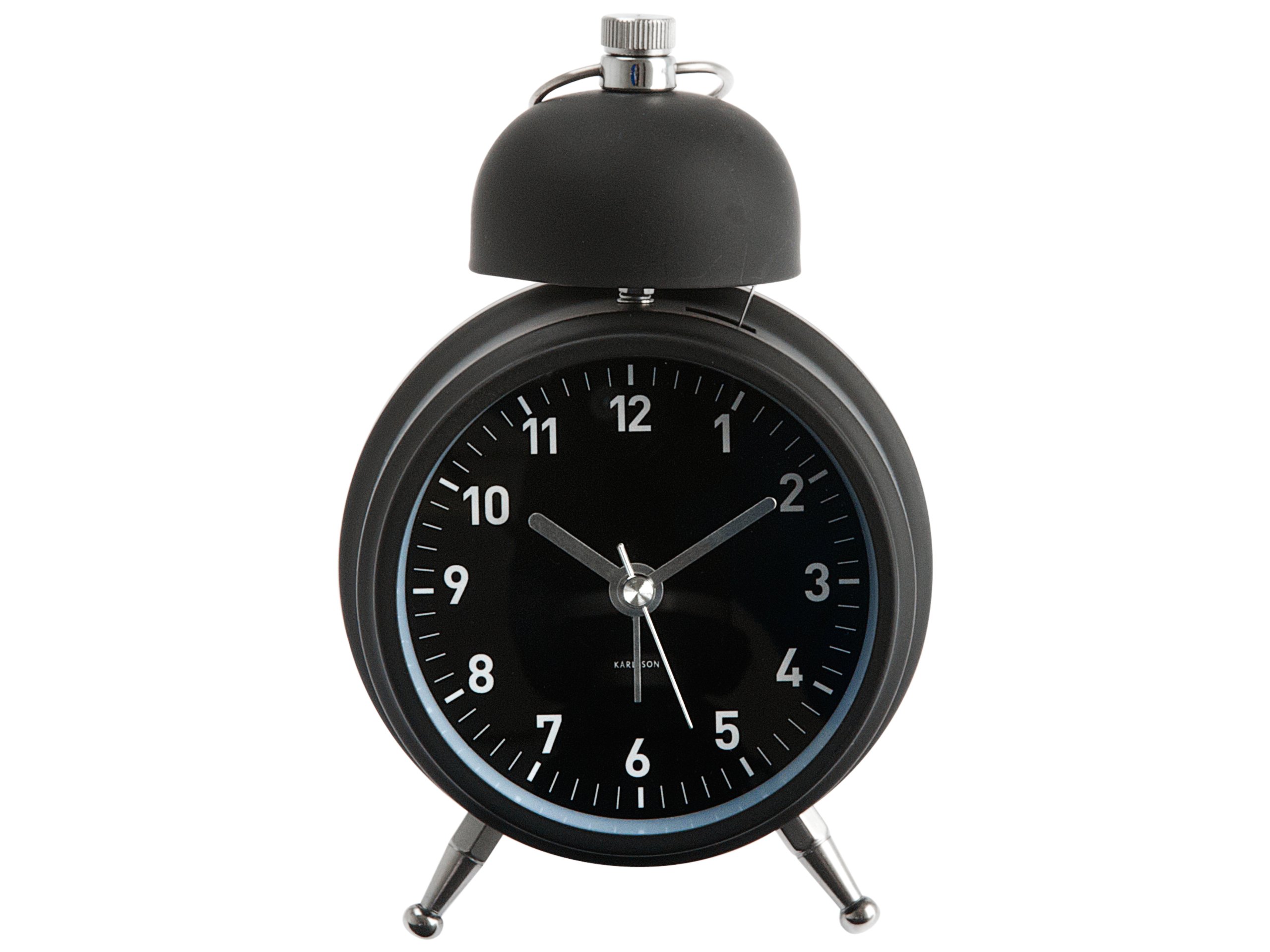
Duab 1: Pem hauv ntej view of the Karlsson One Bell Alarm Clock, Model KA5340BK. The image displays the clock's matte black finish, white numbers, and silver hands. Dimensions are indicated as 6 inches in height and 2.5 inches in width.
Teeb tsa
1. Kev teeb tsa roj teeb
- Locate the battery compartment cover on the back of the alarm clock.
- Tshem lub hau.
- Insert one (1) AA battery, ensuring the correct polarity (+/-) as indicated inside the compartment. (Battery not included).
- Hloov lub roj teeb npog npog.
2. Teem Sij Hawm
- Locate the time setting knob on the back of the clock, typically labeled "TIME SET" or similar.
- Tig lub pob qhov rooj mus rau sab xis lossis sab laug kom txog thaum cov tes teev thiab feeb qhia lub sijhawm raug.
3. Teem Lub Tswb
- Locate the alarm setting knob on the back of the clock, typically labeled "ALARM SET" or similar.
- Rotate this knob to move the small alarm hand to your desired alarm time.
- Ensure the alarm ON/OFF switch (usually a small lever or button) is in the "ON" position to activate the alarm.
Cov lus qhia ua haujlwm
Kev Ncua Sij Hawm
Once the battery is installed and the time is set, the clock will begin keeping time. The second hand moves in a continuous sweeping motion, ensuring silent operation.
Tswb muaj nuj nqi
- When the alarm time is reached, the bell will ring loudly.
- To stop the alarm, locate the alarm ON/OFF switch on the back of the clock and move it to the "OFF" position.
- Note: This model does not feature a snooze function.
Teeb pom kev zoo
Some models may include a small button, often located on the top or back, which activates a temporary light to illuminate the clock face in low-light conditions. Press and hold this button for illumination.
Kev tu
Hloov roj teeb
When the clock begins to lose time or the alarm weakens, it is an indication that the battery needs to be replaced. Follow the "Battery Installation" steps in the Setup section to replace the AA battery.
Ntxuav
To clean the clock, gently wipe the exterior with a soft, dry cloth. Do not use abrasive cleaners, solvents, or immerse the clock in water.
Kev daws teeb meem
- Clock is running slow or stops:
This is typically due to a low battery. Replace the AA battery with a fresh, high-quality alkaline battery. Some users have reported better performance with specific battery brands.
- Lub tswb ceeb toom tsis nrov:
Ensure the alarm ON/OFF switch on the back of the clock is in the "ON" position. Verify that the alarm time is correctly set. Check the battery level.
- Physical damage or loose parts:
If the clock bell or internal components appear loose or damaged upon arrival, contact the retailer or manufacturer for assistance. Do not attempt to repair it yourself, as this may void any potential warranty.
Specifications
| Feature | Paub meej |
|---|---|
| Hom | Karlsson |
| Qauv nab npawb | KA 5340 BK |
| Xim | Matte Dub |
| Qhov Loj ntawm Khoom (W x H) | 2.5 "x 6" |
| Hwj chim Source | Roj teeb Powered |
| Hom roj teeb | 1 AA roj teeb (tsis suav nrog) |
| Ncej Khoom | Hlau |
| Hom kev ua haujlwm | Neeg kho tshuab |
| Lub tswb moos | Yog lawm |
Warranty thiab Support
Specific warranty information for the Karlsson One Bell Alarm Clock (Model KA5340BK) is not provided in this manual. Please refer to the product packaging or the retailer's website where you purchased the item for details regarding warranty coverage.
For further assistance or support, please contact the retailer or visit the official Karlsson brand webqhov chaw. Khaws koj daim ntawv yuav khoom ua pov thawj ntawm kev yuav khoom.