
Cov lus qhia txog kev nyab xeeb tseem ceeb
Thaum siv cov khoom siv hluav taws xob, yuav tsum tau ua raws li kev ceev faj txog kev nyab xeeb, suav nrog cov hauv qab no:
- Nyeem tag nrho cov lus qhia ua ntej siv lub cuab yeej.
- To reduce the risk of fire, electric shock, or injury to persons, do not operate the oven when empty.
- Tsis txhob ua kom sov cov kua lossis lwm yam khoom noj hauv cov thawv ntim khoom vim tias lawv yuav tsum tau tawg.
- Tsis txhob sim ua lub qhov cub no nrog lub qhov rooj qhib vim tias qhov qhib qhov rooj tuaj yeem ua rau muaj kev phom sij rau lub zog microwave.
- Cov khoom no muaj cov tshuaj uas paub txog hauv Xeev California los ua rau mob qog noj ntshav thiab yug me nyuam los yog lwm yam kev ua me nyuam raug mob.
Always ensure proper ventilation and placement as described in the setup section.
Khoom Tshajview
The Oster OGZD0701 Microwave Oven is a compact 0.7 cubic foot appliance designed for countertop use. It features 700 watts of power, 10 power levels, and 6 pre-set cooking menus for various food types. The LED display includes a kitchen timer, and a child safety lock is integrated for secure operation.
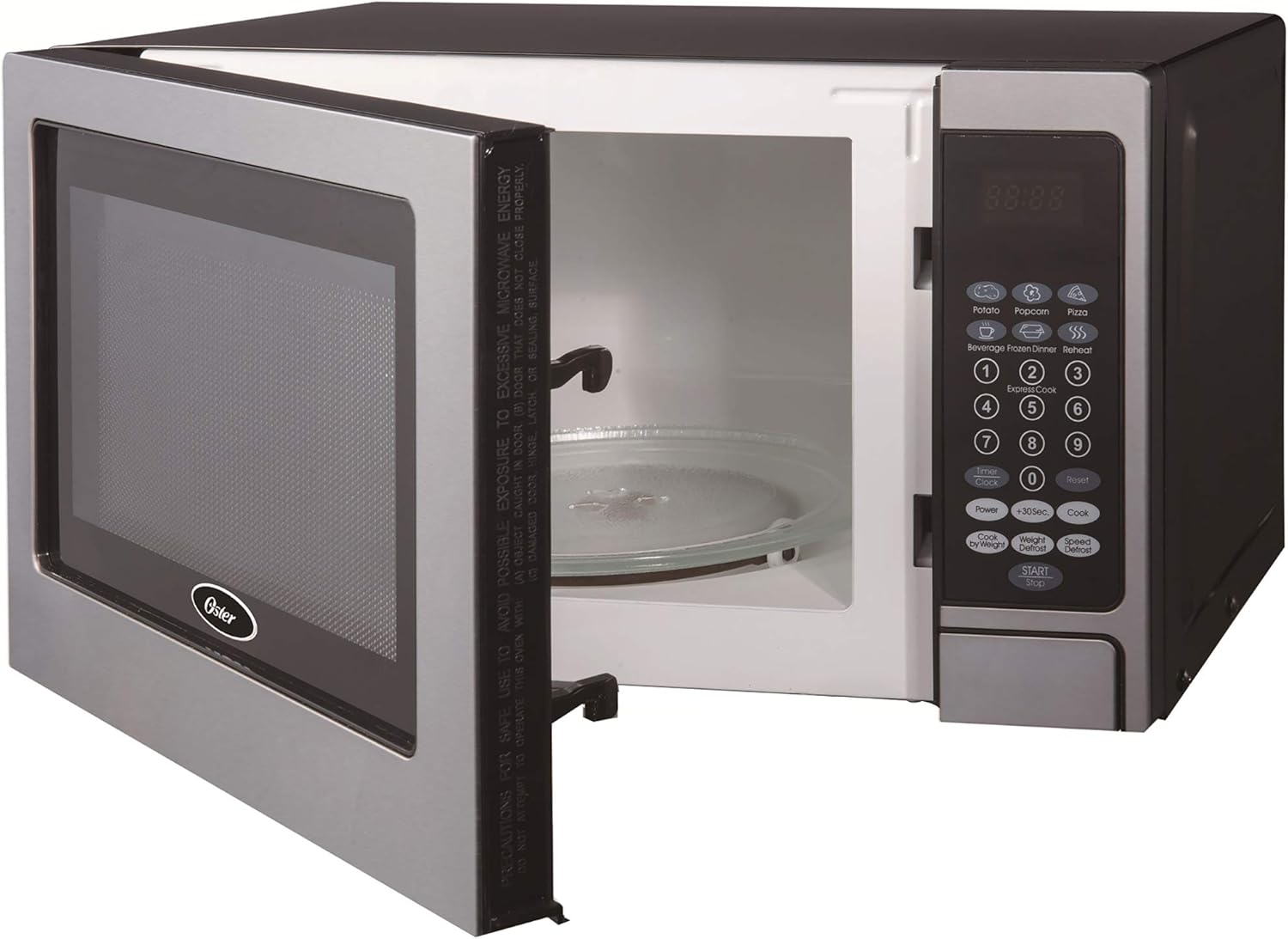
Pem hauv ntej view of the Oster OGZD0701 Microwave Oven with the door open, showing the interior cavity and control panel.
Cheebtsam
- Qhov cub Cavity: The interior space where food is placed for heating.
- iav Turntable: A removable glass tray that rotates to ensure even cooking.
- Turntable Nplhaib: Supports the glass turntable and allows it to rotate.
- Tswj Vaj Huam Sib Luag: Features an LED display, numeric keypad, and function buttons.
- Cub Qhov Rooj: Equipped with a safety lock system.
Teeb tsa
Unpacking
- Tshem tag nrho cov khoom ntim ntawm sab hauv thiab sab nraum lub qhov cub.
- Xyuas lub qhov cub kom muaj kev puas tsuaj, xws li dents lossis lub qhov rooj tsis zoo. Tsis txhob ua haujlwm yog tias puas lawm.
- Tshem tawm cov yeeb yaj kiab tiv thaiv ntawm qhov chaw ntawm lub txee.
Turntable los ua ke

The turntable ring, which supports the glass tray and allows it to rotate.
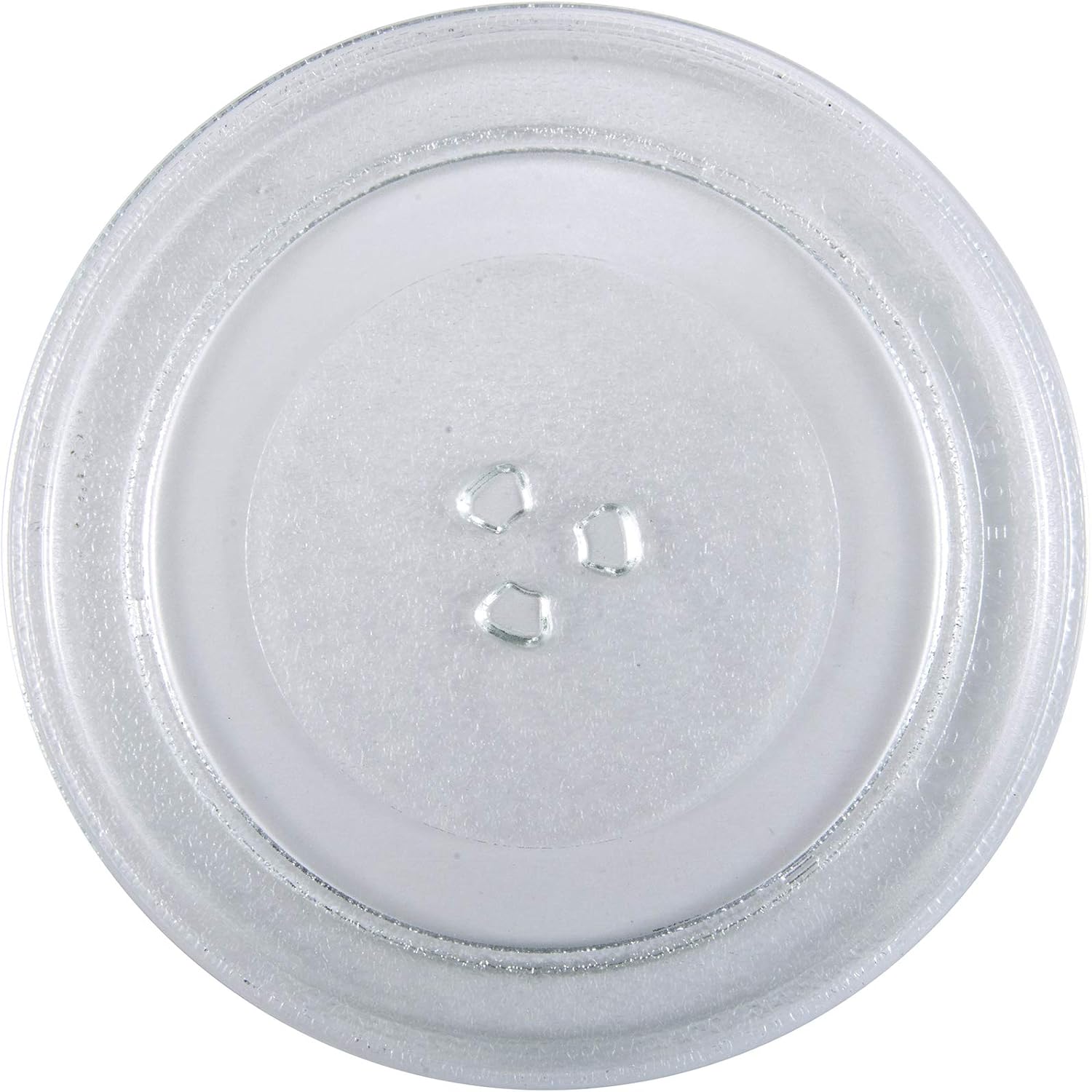
The removable glass turntable tray for even cooking.
- Place the turntable ring securely in the circular indentation on the oven floor.
- Position the glass turntable tray on top of the ring, ensuring it sits properly on the central hub.
Qhov chaw
- Place the oven on a flat, stable surface that can support its weight and the heaviest food item likely to be cooked.
- Ensure at least 3 inches (7.5 cm) of clearance on the top, sides, and rear for proper ventilation.
- Tsis txhob thaiv cov qhov cua.
- Khaws lub qhov cub kom deb ntawm qhov chaw kub thiab muaj zog sib nqus.
- Plug the oven into a dedicated 3-prong grounded outlet. Do not use extension cords.
Cov lus qhia ua haujlwm
Teem lub moos
Teeb lub moos:
- Nias lub pob 'CLOCK' ib zaug.
- Siv tus lej ncoo nkag mus rau lub sijhawm tam sim no (xws li 12:30 rau 12:30 PM).
- Nias lub pob 'CLOCK' dua kom paub meej.
Basic Microwave Cooking
- Muab cov zaub mov tso rau hauv lub thawv microwave-zoo rau ntawm lub iav turntable.
- Kaw lub qhov cub kom ruaj ntseg.
- Nkag mus rau lub sijhawm ua noj xav tau siv tus lej ncoo.
- Press the 'POWER' button to adjust power level if needed (default is 100%). Use the number pad to select a power level from 1 to 10.
- Nias lub pob 'START' kom pib ua noj.
Pre-set Cooking Menus
The oven includes 6 pre-set cooking menus for common foods:
- Popcorn
- Qos yaj ywm
- Pizza
- Haus dej
- Frozen noj hmo
- Rov ua dua
To use a pre-set menu:
- Muab cov zaub mov tso rau hauv qhov cub.
- Press the desired menu button (e.g., 'POPCORN').
- Press 'START' to begin. Some menus may require pressing the button multiple times to select weight or quantity.
Defrost muaj nuj nqi
The oven offers two defrost modes:
- Lub Sijhawm Defrost: Press 'TIME DEFROST', enter the desired defrosting time, then press 'START'.
- Luj Defrost: Press 'WEIGHT DEFROST', enter the food's weight in pounds (e.g., 1.0 for 1 pound), then press 'START'. The oven will automatically calculate the defrosting time.
Child Lock Safety
To activate the child lock, press and hold the 'STOP/CANCEL' button for 3 seconds. The lock indicator will appear on the display. To deactivate, press and hold 'STOP/CANCEL' again for 3 seconds.
Kev tu thiab tu
Kev tu huv
- Ib txwm tshem lub qhov cub ua ntej ntxuav.
- So sab nrauv nrog adamp ntaub thiab xab npum me me. Tsis txhob siv cov tshuaj abrasive.
- Ntxuav cov kab noj hniav sab hauv nrog adamp cloth after each use to prevent food buildup. For stubborn stains, place a bowl of water with lemon slices inside and microwave for a few minutes, then wipe clean.
- Ntxuav cov foob qhov rooj thiab cov khoom sib ze kom zoo zoo nrog kev tshaj tawmamp cloth to ensure proper door closure.
Turntable Care
- Lub iav turntable thiab lub nplhaib turntable tuaj yeem tshem tawm los ntxuav.
- Ntxuav lawv hauv dej sov, xab npum los yog hauv lub tshuab ntxuav tais diav.
- Xyuas kom lawv qhuav tag ua ntej muab lawv rov qab rau hauv qhov cub.
Kev daws teeb meem
| Teeb meem | Ua Tau | Kev daws |
|---|---|---|
| Qhov cub tsis pib | Fais fab qaum tsis ntsaws rau hauv; Qhov rooj kaw tsis zoo; Fuse tshuab los yog Circuit Court breaker tripped. | Xyuas kom lub ntsaws ruaj ruaj hauv qhov hluav taws xob; Kaw qhov rooj ruaj ntseg; Xyuas tsev fuse/circuit breaker. |
| Zaub mov tsis cua sov | Lub sijhawm ua noj tsis raug / qib zog; Qhov rooj kaw tsis zoo. | Adjust time/power; Ensure door is securely latched. |
| Turntable tsis tig | Turntable tsis zoo zaum; Obstruction nyob rau hauv turntable. | Re-seat glass tray and ring; Remove any debris. |
| Clock difficult to set | Unfamiliarity with control panel. | Refer to 'Setting the Clock' instructions in the Operating section. Practice the steps. |
| Start/Stop button unresponsive | Child lock activated; Internal malfunction. | Deactivate child lock (hold 'STOP/CANCEL' for 3 seconds). If issue persists, contact customer support. |
Specifications
| Feature | Paub meej |
|---|---|
| Qauv Lub Npe | OGZD0701 |
| Hom | Oster |
| Muaj peev xwm | 0.7 kub |
| Xim | Stainless hlau |
| Wattage | 700 Watts |
| Qib Fais Fab | 10 |
| Cov kev pab ua noj ua haus | 6 |
| Tswj hom | Kov Pad |
| Tshwj xeeb nta | Child Safety Lock, LED Display, Kitchen Timer |
| Hom kev teeb tsa | Countertop |
| Khoom siv | Stainless hlau |
| Defrost System Hom | Nws Pib Defrost |
Warranty thiab Support
Warranty Information
This Oster OGZD0701 Microwave Oven comes with a 1-xyoo txwv warranty from the date of purchase. This warranty covers defects in materials and workmanship under normal household use. It does not cover damage resulting from misuse, accident, alteration, or commercial use.
Thov khaws koj cov ntaub ntawv pov thawj ntawm kev yuav khoom rau kev lees paub.
Kev Pab Txhawb Cov Neeg Siv Khoom
For technical assistance, warranty service, or to inquire about replacement parts, please contact Oster customer support. Refer to the contact information provided in your product packaging or visit the official Oster website rau cov ntsiab lus txhawb nqa tam sim no.
When contacting support, please have your model number (OGZD0701) and purchase date available.