
Taw qhia
Welcome to the Bonacell NP-F970/NP-F960 Replacement Battery User Manual. This guide provides essential information for the safe and effective use of your new batteries. These high-capacity lithium-ion batteries are designed as replacements for various Sony NP-F series batteries, offering extended power for compatible cameras, camcorders, and LED video lights.

Image: Bonacell NP-F970/NP-F960 batteries highlighting their key specifications for extended use.
Cov ntaub ntawv kev nyab xeeb
Please read and follow all safety instructions carefully to prevent damage to the batteries, your devices, and to ensure personal safety.
General Safety Precautions:
- Tsis txhob disassemble lub roj teeb.
- Tsis txhob muab lub roj teeb pov tseg rau hauv hluav taws.
- Do not store the battery in temperatures over 60°C (140°F).
- Keep batteries away from water and moisture.
- Tsis txhob siv luv luv-circuiting lub roj teeb terminals.
- Khaws kom deb ntawm cov menyuam yaus.
Kev tiv thaiv built-in:
The batteries feature multiple layers of protection, including short-circuit, over-charge, over-voltage, over-current, and high-temperature protection, ensuring safety for both the batteries and your devices.
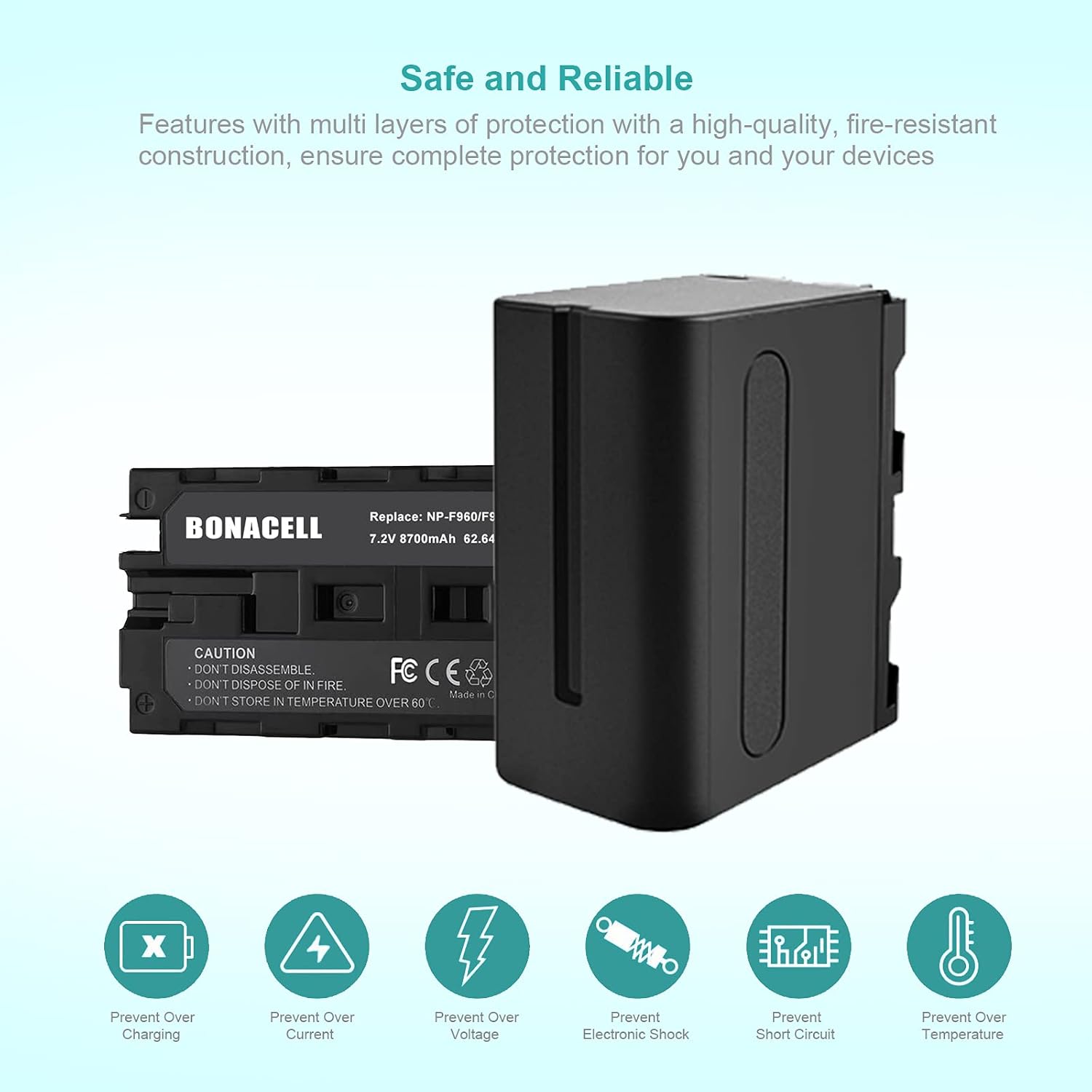
Image: Illustration of the multiple safety protections integrated into the Bonacell batteries.
Ntim Cov Ntsiab Lus
Your Bonacell NP-F970/NP-F960 Replacement Battery package includes:
- 2 x Bonacell NP-F970/NP-F960 Replacement Batteries
Teeb tsa
Kev them nqi pib:
Before first use, fully charge both batteries. Charging times can vary depending on the charger used; some users report initial charges taking up to 20 hours, while subsequent charges may be shorter (e.g., 14 hours or 6 hours from 50% charge). Always use a compatible charger.

Image: A Bonacell battery being charged, illustrating the charging process.
Kev teeb tsa:
Align the battery with the battery compartment of your compatible device (camera, camcorder, or LED light) and slide it in until it clicks securely into place. Ensure correct polarity for proper function.
Cov lus qhia ua haujlwm
Compatibility:
These batteries are compatible with devices that use Sony NP-F mount batteries. This includes, but is not limited to, the following models:
- Sony Camcorders/Cameras: DCR-VX2100, DSR-PD150, DSR-PD170, FDR-AX1, HDR-AX2000, HDR-FX1, HDR-FX7, HDR-FX1000, HVL-LBPB, HVR-HD1000U, HVR-V1U, HVR-Z1P, HVR-Z1U, HXR-MC2000U, MVC-FDR1, NEX-EA50UH, NEX-FS100U, NEX-FS700U.
- Replacement for Sony Battery Models: NP-F990, NP-F980, NP-F975, NP-F960, NP-F950, NP-F930, NP-F770, NP-F750, NP-F750SP, NP-F730, NP-F570, NP-F550, NP-F530, NP-F330.
- Lwm yam khoom siv: SAMTIAN, Neewer, YONGNUO, VILTROX series LED video lights, ring lights, Atomos recorders, and other devices using NP-F mount batteries.

Image: Visual representation of compatible camcorder models with Bonacell NP-F batteries.

Image: A list of Sony NP-F series battery models that the Bonacell batteries are designed to replace.
Tsis muaj kev cuam tshuam rau kev nco:
The advanced lithium technology ensures that the batteries can be charged or discharged as needed without losing capacity. This allows for flexible charging without negative effects on battery life or performance.
Kev tu
Kev them nyiaj yug:
Always use a compatible charger. While the batteries have built-in overcharge protection, it is good practice to remove the battery once fully charged to prolong its lifespan.
Cia:
Store batteries in a cool, dry place, away from direct sunlight and extreme temperatures. For long-term storage, charge batteries to approximately 50-60% capacity to maintain cell health.
Ntxuav:
Periodically clean the battery terminals with a dry, clean cloth to ensure good electrical contact with your device and charger.
Kev daws teeb meem
Roj teeb tsis them:
- Xyuas kom tseeb tias lub charger txuas nrog lub zog fais fab thiab lub roj teeb kom zoo.
- Verify the charger is compatible with NP-F series batteries.
- Saib seb puas muaj kev puas tsuaj rau lub roj teeb lossis lub charger.
Battery Not Powering Device:
- Paub meej tias lub roj teeb tau them tag nrho.
- Ensure the battery is correctly inserted into the device's battery compartment.
- Verify that your device is listed as compatible. Some devices, such as the Sony Z5U, may display compatibility warnings with third-party batteries, even if they function for a short period.
Short Operating Time:
- Ensure the battery was fully charged before use.
- Operating in cold environments can significantly reduce battery performance and lifespan.
- Devices with high power consumption will drain the battery faster.
Specifications
| Feature | Paub meej |
|---|---|
| Qauv | NP-F970/NP-F960 Replacement Battery |
| Hom Cell | Lithium-ion |
| Voltage | 7.2v dc ua |
| Muaj peev xwm | 8700mAh (62.64Wh) |
| Qhov ntev | Kwv yees. 2.78 x 2.36 x 1.51 nti |
| Yam Nyhav | Approx. 11.2 ounces (per battery) |
| Chaw tsim tshuaj paus | Bonacell |
| ASIN | B0789HXHT9 |

Image: Detailed dimensions of the Bonacell NP-F970/NP-F960 battery.
Warranty thiab Support
For any questions, technical support, or warranty inquiries regarding your Bonacell NP-F970/NP-F960 Replacement Batteries, please contact Bonacell customer service. Refer to your purchase documentation for specific warranty terms and contact information.
You can typically find support contact details on the product packaging or the retailer's webqhov chaw uas cov khoom tau yuav.