
Taw qhia
This manual provides detailed instructions for the setup, operation, and maintenance of your VTech VT1301-3 Triple Cordless Phone system. Please read this guide thoroughly to ensure optimal performance and longevity of your device. This system features digital enhanced clarity for clear communication and includes three handsets for convenience.
1. Teeb tsa
1.1 Unpacking thiab Cheebtsam
Ua tib zoo tshem tawm tag nrho cov khoom ntawm lub thawv. Xyuas kom meej tias tag nrho cov khoom muaj nyob:
- Lub hauv paus unit
- Three cordless handsets
- Three charging cradles
- Three power adapters
- Ib txoj kab xov tooj
- Rechargeable batteries (pre-installed or separate)

Image: The VTech VT1301-3 triple cordless phone system, showing the blue, red, and green handsets with their respective charging bases and power adapters.
1.2 Txuas lub Base Unit
- Connect one end of the telephone line cord to the TEL LINE jack on the back of the main base unit.
- Txuas lwm qhov kawg ntawm txoj hlua xov tooj rau lub qhov txuas xov tooj ntawm phab ntsa.
- Plug the power adapter into the POWER jack on the main base unit.
- Txuas lub lwm kawg ntawm lub hwj chim nruab rau hauv lub tso hluav taws xob.
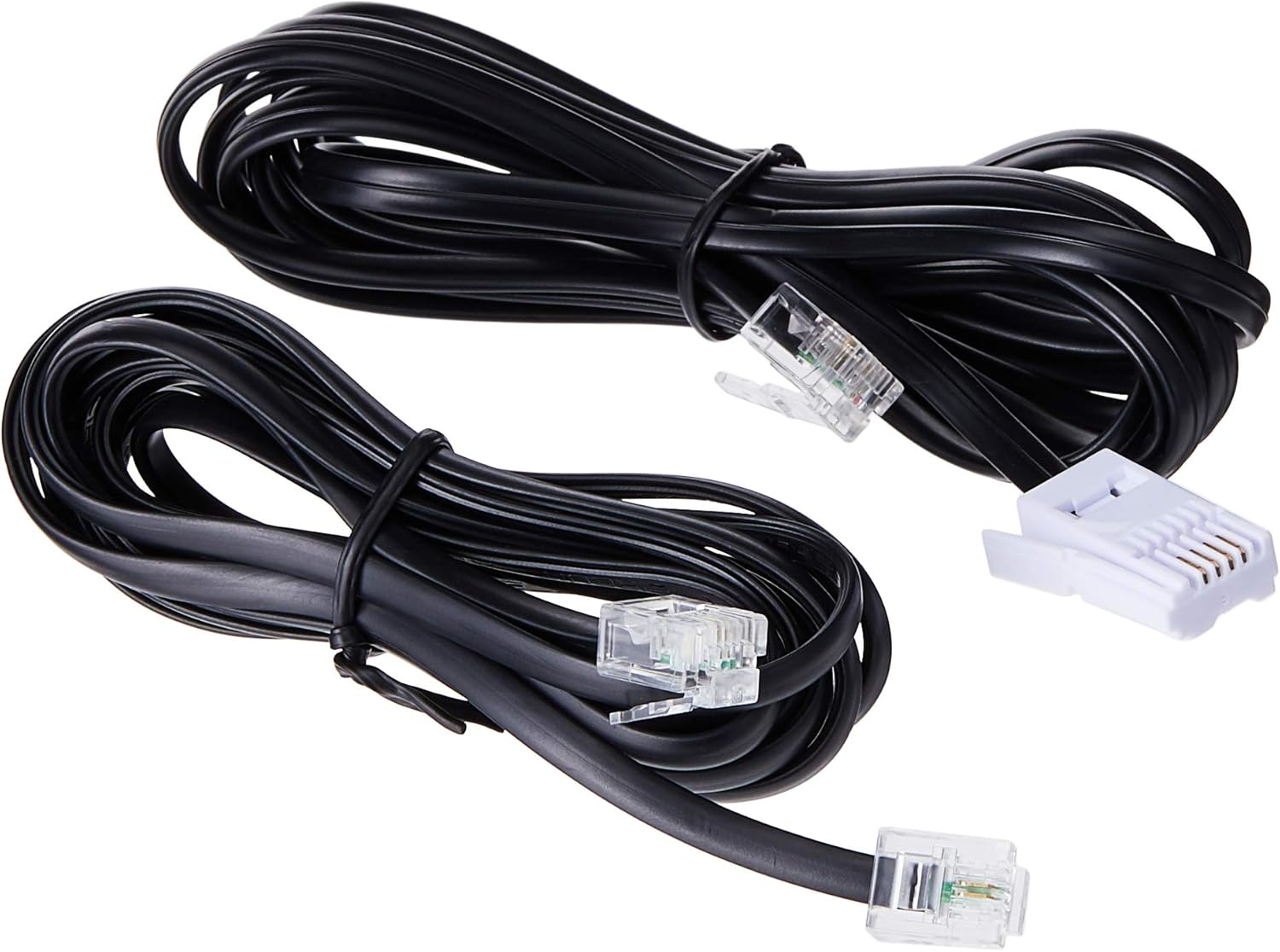
Image: Two black telephone line cords, essential for connecting the base unit to a telephone wall jack.
1.3 Charging the Handsets
Before initial use, charge each handset for at least 16 hours. Place each handset face forward in its respective charging cradle. The charge indicator on the handset or base will illuminate to confirm proper placement and charging.
- Ensure the power adapters for all charging cradles are plugged into electrical outlets.
- Place each handset securely in its cradle.
- A full charge ensures optimal battery performance.
2. Cov lus qhia ua haujlwm
2.1 Basic Call Functions

Duab: Ib qho ntxaws view of the VTech VT1301-3 handset, highlighting its large character blue backlit LCD display and functional keypad.
- Hu rau: Xovxwm Tham, then dial the number. Alternatively, dial the number first and then press Tham.
- Teb ib Hu: Thaum lub xov tooj nrov nrov, nias Tham or any dialing key (0-9, #, *).
- Xaus Kev Hu: Xovxwm OFF or place the handset back in its charging cradle.
- Handset Speakerphone: Thaum lub sijhawm hu, nias lub Speakerphone button (often integrated with TALK or a separate icon) to activate or deactivate the speakerphone.
2.2 Advanced Features
- Phau Ntawv Teev Npe: Store up to 20 names and numbers. Access via the HLOOV / OK button and navigate to the Phonebook option.
- Hu rau ID: The phone displays the last 10 caller numbers. Press CID (Caller ID) to review lis.
- Liab: Xovxwm LIAB rau view and redial the last 5 numbers called.
- Hu rau Hloov: Thaum lub sijhawm hu xov tooj sab nraud, nias HLOOV / OK, select 'Transfer', and choose the internal handset to transfer the call to.
- Hu rau sab hauv: Make calls between handsets by pressing the INT or HLOOV / OK button and selecting the desired handset.
- 3-Way Conference Call: Initiate a 3-way conference call involving two internal handsets and one external line.
- Page/Handset Locator: Nias lub PAGE button on the main base unit to locate a misplaced handset.
- Ringer Melodies: Choose from 10 ringer melodies (5 polyphonic and 5 standard) in the handset settings.
- Keypad Xauv: Nias thiab tuav lub # key to lock/unlock the keypad.
- Tswb: Set an alarm through the handset menu.
3. Kev tu
3.1 Ntxuav koj lub xov tooj
Txhawm rau kom koj lub xov tooj huv si, so nws nrog mos, me ntsis damp cloth. Do not use cleaning sprays or harsh chemicals as they may damage the finish or electrical components. Ensure the phone is disconnected from power before cleaning.
3.2 Roj Teeb Kho
- Always use the VTech approved rechargeable batteries provided with your phone.
- For optimal battery life, avoid placing the phone in direct sunlight or in areas with extreme temperatures.
- Yog tias lub xov tooj yuav tsis siv rau lub sijhawm ntev, tshem cov roj teeb kom tiv thaiv kom tsis txhob tawg.
4. Kev daws teeb meem
If you experience any issues with your VTech VT1301-3 phone, please refer to the following common solutions:
- Tsis muaj dial tone: Ensure the telephone line cord is securely connected to both the base unit and the wall jack. Check if the power adapter is properly connected to the base unit and an electrical outlet.
- Tsis tuaj yeem hu lossis txais xov tooj: Verify that the handset batteries are charged. Check the telephone line connection. If you have a DSL service, ensure a DSL filter is installed.
- Lub suab tsis zoo: Move closer to the base unit. Ensure there are no large metal objects or other electronic devices interfering with the signal. Check for any loose connections.
- Handset not charging: Ensure the handset is correctly seated in the charging cradle. Verify that the charging cradle's power adapter is plugged into a working electrical outlet. Clean the charging contacts on both the handset and cradle with a dry cloth.
- Handset displays "Out of Range" or "No Link": Move the handset closer to the main base unit. If the issue persists, try resetting the base unit by unplugging its power adapter for a few minutes, then plugging it back in.
5. Cov lus qhia tshwj xeeb
| Feature | Kev piav qhia |
|---|---|
| Qauv nab npawb | VT1301-3 |
| Hom xov tooj | Cordless (DECT) |
| Tham Range | Up to 300m (outdoor)* |
| Radiation Mode | Ultra-low Radiation Mode** |
| Zaub | Large character with blue backlit LCD display |
| Phau Ntawv Teev Xov Tooj | 20 Name and Number entries |
| Tus Hu Xov Tooj ID | 10 caller number display |
| Kawg Tooj Liab | 5 last number redial |
| Ringer Melodies | 10 (5 polyphonic and 5 standard) |
| Kev Sib Tham Hu | 3-Way conference call capability |
| Hwj chim Source | Corded Electric |
| UPC | 735078040251 |
* The actual talk range may vary depending on environmental conditions.
** Ultra-low Radiation Mode operates with the lowest radiation.
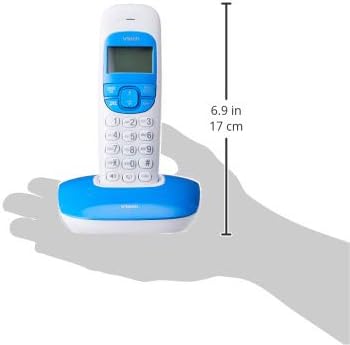
Image: Dimensions of a VTech cordless phone handset in its charging cradle, showing a height of 17 cm.
6. Warranty thiab Support
For specific warranty terms and conditions, please refer to the warranty card included in your product packaging. This document outlines the coverage period and conditions for service.
For technical support, frequently asked questions, or to download the latest version of this manual, please visit the official VTech website or contact their customer service department using the contact information provided in your product documentation.