
1. Taw qhia
The AUTOOL LM120 Digital Manifold Gauge is an intelligent electronic instrument designed to assist in the installation, testing, and maintenance of refrigeration equipment. This includes systems such as air conditioners, refrigerators, and cold storage units. It provides precise measurements for pressure, temperature, and vacuum, along with advanced diagnostic capabilities.

Image 1.1: AUTOOL LM120 Digital Manifold Gauge in use, connected to an automotive air conditioning system.
2. Cov ntaub ntawv kev nyab xeeb
Please read and understand all safety instructions before operating the device. Failure to follow these instructions may result in injury or damage to the equipment.
- Always wear appropriate personal protective equipment (PPE), including safety glasses and gloves, when working with refrigeration systems and refrigerants.
- Ensure adequate ventilation in the work area to prevent the accumulation of refrigerant gases.
- Do not expose the device to extreme temperatures, direct sunlight, or corrosive environments.
- Handle refrigerant hoses and connections with care to prevent leaks and accidental discharge.
- Refer to local regulations and industry standards for the safe handling, recovery, and disposal of refrigerants.
- Do not attempt to repair or modify the device. Contact qualified personnel for service.
3. Khoom Tshajview thiab Cheebtsam
The LM120 Digital Manifold Gauge features a robust design with an intuitive interface. Familiarize yourself with the components shown below.

Image 3.1: Detailed diagram of the LM120 Digital Manifold Gauge components.
- Hook
- Clamp-on Temperature Probe Socket
- LCD zaub
- Khawm khawm
- Khiav / Nres Khawm
- Xoom khawm
- R+/R- Refrigerant Type Selection Buttons
- Dimming Khawm
- Unit khawm
- ° C / ° F Lub Pob
- Lub hwj chim khawm
- Tsis tshua muaj siab Valve
- Refrigerant Observation Window
- Siab Siab Valve
- 1/4 inch Low Pressure Inlet
- Relief Valve
- 1/4 inch High Pressure Inlet
- Refrigerant Inlet / Vacuum Pump Inlet
4. Teeb tsa
Before first use, ensure the device is ready for operation.
4.1 Pib Fais Fab
- Nias thiab tuav lub Lub hwj chim khawm (11) kom qhib lub cuab yeej.
- The LCD Display (3) will illuminate and show the initial readings.
4.2 Txuas Cov Yeeb Nkab
Connect the appropriate refrigeration hoses to the inlets on the manifold gauge.
- Connect the low-pressure hose to the 1/4 inch Low Pressure Inlet (15).
- Txuas lub high-pressure hose rau lub 1/4 inch High Pressure Inlet (17).
- Connect the service hose (for vacuum pump or refrigerant tank) to the Refrigerant Inlet / Vacuum Pump Inlet (18).
- Xyuas kom txhua qhov kev sib txuas yog nruj kom tiv thaiv kom tsis txhob xau.
4.3 Connecting Temperature Probes (Optional)
For dual temperature measurement, connect compatible clamp-on temperature probes (not included) to the Clamp-on Temperature Probe Socket (2).
5. Cov lus qhia ua haujlwm
This section details the various functions and how to operate the AUTOOL LM120.
5.1 Zaub Tshajview
The large LCD provides clear, real-time data for pressure, temperature, and other parameters.

Image 5.1: The smart digital display provides clear readings for various parameters.
5.2 Chav tsev xaiv
To change pressure or temperature units:
- Nias lub Unit khawm (9) to cycle through available pressure units (e.g., Kpa, Psi, Bar).
- Nias lub ° C / ° F Lub Pob (10) to switch between Celsius and Fahrenheit temperature displays.
5.3 Refrigerant Type Setting
The device has a built-in database of 89 refrigerants. Select the correct refrigerant type for accurate calculations.

Image 5.2: Setting the refrigerant type on the LM120 display.
- Siv cov R+/R- Refrigerant Type Selection Buttons (7) to scroll through the available refrigerant types.
- Paub meej tias koj xaiv.
5.4 Kev ntsuas siab
The LM120 measures both high and low pressures simultaneously.
- Ensure hoses are correctly connected to the high and low-pressure ports of the system.
- The display will show the current high and low pressure readings.
5.5 Kev ntsuas kub
With optional clamp-on temperature probes, the device can measure dual temperatures.

Image 5.3: High/Low pressure temperature test display.
- Attach the temperature probes to the desired measurement points (e.g., suction line, liquid line).
- The display will show T1 and T2 temperature readings.
5.6 Evaporation Pressure & Temperature Test
This function measures the maximum pressure when the refrigerant changes from liquid to gas and the lowest temperature when the liquid becomes gaseous.
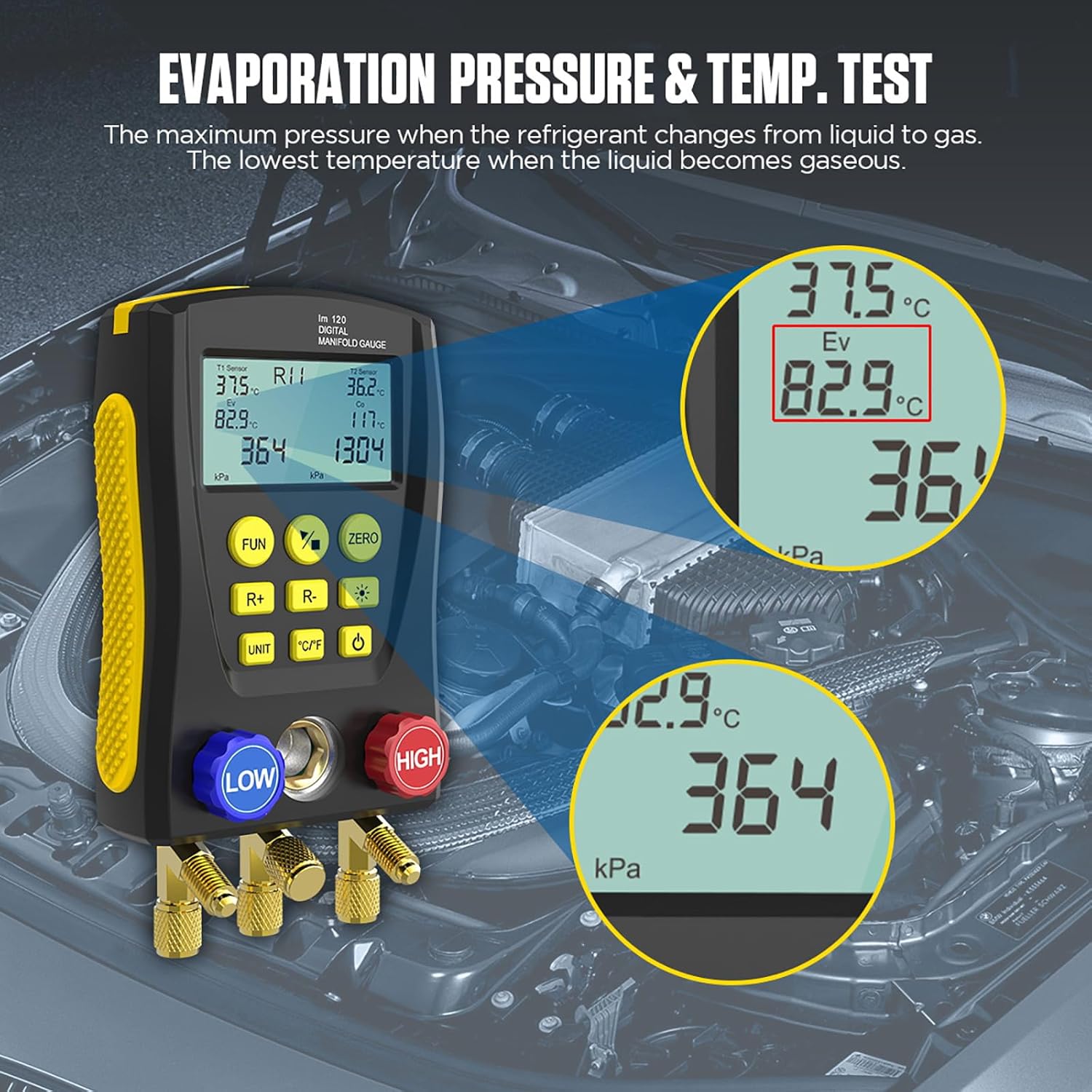
Image 5.4: Evaporation pressure and temperature test results on the display.
5.7 Condensing Pressure & Temperature Test
This function measures the minimum pressure when the refrigerant changes from gas to liquid and the maximum temperature when the gas changes to liquid.

Image 5.5: Condensing pressure and temperature test results on the display.
5.8 Pressure Leakage Test
The device can perform a pressure leakage test, recording leak time and speed.
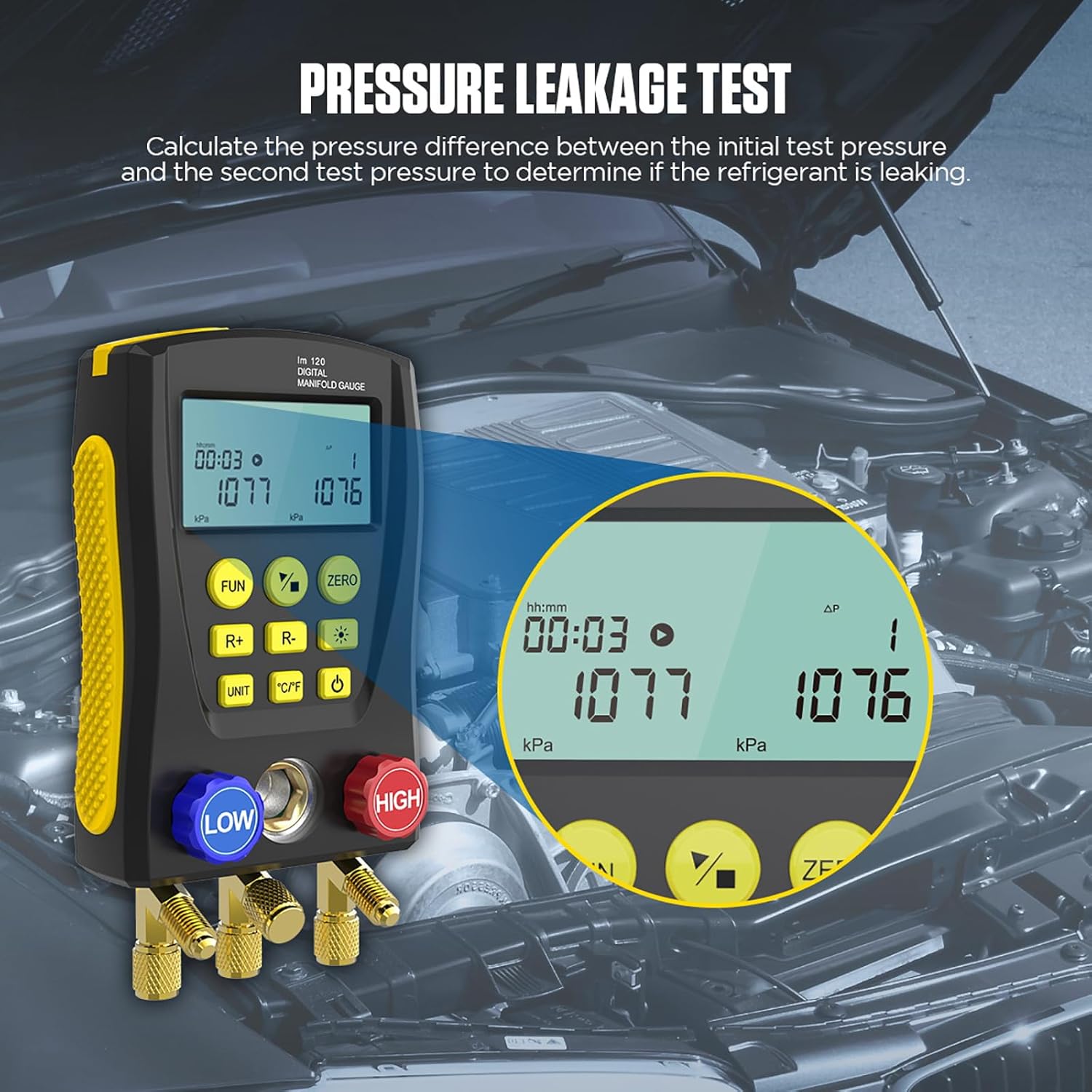
Image 5.6: Pressure leakage test in progress, showing initial and current pressure values over time.
- Connect the gauge to the system to be tested.
- Nias lub Khawm khawm (4) to navigate to the leakage test mode.
- Follow the on-screen prompts to start and monitor the test. The device calculates the pressure difference between the initial and second test pressures to determine if refrigerant is leaking.
5.9 Kev ntsuas lub tshuab nqus tsev
The LM120 can measure the percentage of vacuum achieved in a system.
- Connect the vacuum pump to the Refrigerant Inlet / Vacuum Pump Inlet (18).
- Activate the vacuum pump and monitor the vacuum percentage ntawm cov zaub.
5.10 Superheat and Subcooling Calculation
Leveraging its integrated 89-type refrigerant database, the LM120 can automatically calculate superheat and subcooling temperatures.

Image 5.7: Built-in database of 89 refrigerant types for accurate calculations.
- Ensure the correct refrigerant type is selected (refer to Section 5.3).
- With pressure and temperature probes connected, the device will display calculated superheat and subcooling values.
6. Kev tu
Proper maintenance ensures the longevity and accuracy of your LM120 Digital Manifold Gauge.
- Ntxuav: So lub cuab yeej nrog ib daim ntaub mos, qhuav. Tsis txhob siv cov tshuaj abrasive los yog cov kuab tshuaj.
- Cia: Store the gauge in its original case or a protective container in a cool, dry place away from direct sunlight and extreme temperatures.
- Kev Tshuaj Xyuas Hose: Regularly inspect refrigerant hoses for cracks, wear, or damage. Replace damaged hoses immediately.
- Kev txheeb xyuas: Ensure all connections and valves are clean and free of debris.
7. Kev daws teeb meem
If you encounter issues with your LM120, refer to the following common problems and solutions.
| Teeb meem | Ua Tau | Kev daws |
|---|---|---|
| Cov cuab yeej tsis siv hluav taws xob | Low or depleted internal battery; power button not pressed correctly. | Ensure the device is charged or has sufficient power. Press and hold the Power Button firmly. |
| Inaccurate pressure/temperature readings | Incorrect refrigerant selected; loose hose connections; faulty probes; sensor calibration needed. | Verify the correct refrigerant type. Check all hose connections for tightness. Ensure temperature probes are clean and properly connected. Perform a zero calibration if available (using Zero Button). |
| Zaub yog dim los yog nyeem tsis tau | Backlight off; low battery. | Press the Dimming Button (8) to adjust backlight. Ensure the device is charged. |
| Leakage test shows false positive/negative | Improper connection; external temperature fluctuations; insufficient test duration. | Ensure all connections are absolutely leak-free. Conduct the test in a stable environment. Allow sufficient time for the test to complete. |
8. Cov lus qhia tshwj xeeb
Detailed technical specifications for the AUTOOL LM120 Digital Manifold Gauge.
| Feature | Specification |
|---|---|
| Chaw tsim tshuaj paus | AUTOOL |
| Qauv nab npawb | LWM 120 |
| Khoom siv | High-strength Engineering Plastic |
| Siab Test Range | 0 Kpa – 6000 Kpa |
| Kev ntsuas siab daws teeb meem | 1kp ua |
| Kev ntsuas qhov tseeb | +/- 0.5 %(FS) + 5dgt |
| Siab tshaj qhov txwv | 10000 Kpa (10 Mpa; 100 bar) |
| Number of Refrigerants in Database | 89 yam |
| Interface Standard | 1/4 nti |
| Qhov Loj (L x W x H) | 20.32 x 7.62 x 12.7 cm (8 x 3 x 5 nti) |
| Qhov hnyav | 59.53 g (2.1 Ounces) |
| Cov Cheebtsam suav nrog | 1 set of LM120 Digital Refrigeration Manifold Gauge |
| Yuav tsum tau roj teeb | No (implies internal rechargeable or power source) |
| UPC | 733810026709, 733810026198 |
9. Warranty thiab Support
AUTOOL is committed to providing high-quality products and customer satisfaction.
- Peb-xyoo Warranty: For damage caused by non-human factors, AUTOOL promises to resend parts free of charge within 3 years from the date of purchase.
- Permanent Maintenance: The product is covered by permanent maintenance support.
- Kev Pab Txhawb Cov Neeg Siv Khoom: For any inquiries, technical assistance, or warranty claims, please contact AUTOOL customer support. You can expect a response within 24 hours.