
1. Taw qhia
This manual provides essential information for the safe and efficient use of your TCL 32B400 32-inch HD LCD TV. Please read it thoroughly before operating the television and retain it for future reference.
The TCL 32B400 features a direct-lit LED backlight for uniform high brightness and image quality. Its VA panel technology delivers superior contrast, allowing for natural expression of subtle light and dark details. Equipped with a dual tuner, this TV supports terrestrial digital, BS digital, and 110-degree CS digital broadcasts, enabling simultaneous recording of one program while watching another. It supports various recording functions including instant, scheduled, daily/weekly repeat, and event recording. Connectivity options include two HDMI Ver1.4a input terminals (Port 1 supports ARC) and one USB2.0 input/output terminal, allowing connection to Blu-ray/DVD players/recorders and external speakers via ARC.

Daim duab 1: Pem hauv ntej view of the TCL 32B400 TV.
2. Teeb tsa
2.1 Unboxing thiab Component Check
Ua tib zoo tshem tag nrho cov khoom ntawm lub ntim. Xyuas kom meej tias tag nrho cov khoom teev hauv qab no muaj nyob:
- Chaw taws teeb tswj x1
- AAA roj teeb x 2
- miniB-CAS card x1
- Lub cev muaj zog x 1
- Tip-over prevention parts set x1
- sawv x2
- Screws (ST4, 20mm) x4 (for 32-inch model)
- Phau ntawv qhia
- Qhia ceev
- Warranty card

Daim duab 2: suav nrog accessories.
2.2 Stand Installation
- Muab lub TV tso rau ntawm qhov chaw mos, tiaj tus kom tiv thaiv kev puas tsuaj.
- Align the stands with the corresponding slots on the bottom of the TV.
- Secure each stand using the provided screws (ST4, 20mm).
2.3 Txuas Cables
Connect the necessary cables to the appropriate ports on the TV. Refer to the connection diagram below.
- Fais fab Cord: Txuas cov hlua hluav taws xob mus rau TV lub zog hluav taws xob thiab tom qab ntawd mus rau lub qhov hluav taws xob phab ntsa.
- Kav hlau txais xov: Connect your terrestrial digital antenna cable to the 'Antenna Input' port. For BS/CS broadcasts, connect the satellite antenna cable to the 'BS/CS 110°' port.
- HDMI Devices: Connect external devices like Blu-ray players or game consoles to the HDMI input ports. HDMI Port 1 supports Audio Return Channel (ARC).
- USB Devices: Connect external USB storage devices for recording to the USB port.
- miniB-CAS Card: Insert the miniB-CAS card into its dedicated slot.

Figure 3: Connection terminals overview.
2.4 Kev teeb tsa thawj zaug
After connecting all cables and powering on the TV, follow the on-screen instructions to complete the initial setup, including channel tuning and network configuration (if applicable).
3. Cov lus qhia ua haujlwm
3.1 Kev ua haujlwm yooj yim
- Fais fab / Off: Nias lub pob fais fab ntawm lub chaw taws teeb tswj lossis lub TV.
- Kev xaiv Channel: Use the 'CH +/-' buttons or number buttons on the remote control.
- Volume Kho: Use the 'VOL +/-' buttons on the remote control.
- Input Source: Press the 'Input' button on the remote to select between HDMI, TV, and other connected sources.
3.2 Cov Kev Pabcuam Sau
Your TCL 32B400 TV supports recording to an external USB Hard Disk Drive (HDD) thanks to its dual tuner. This allows you to record one program while watching another.
- Connect a compatible external USB HDD to the TV's USB port.
- Format the HDD if prompted by the TV.
- To record, select the desired program and use the recording options in the TV menu (e.g., instant recording, scheduled recording via EPG).

Figure 4: Dual tuner allows watching one program while recording another.
3.3 Duab thiab suab chaw
Access the TV's menu to adjust picture (brightness, contrast, color, sharpness) and sound (bass, treble, balance, sound mode) settings to your preference.
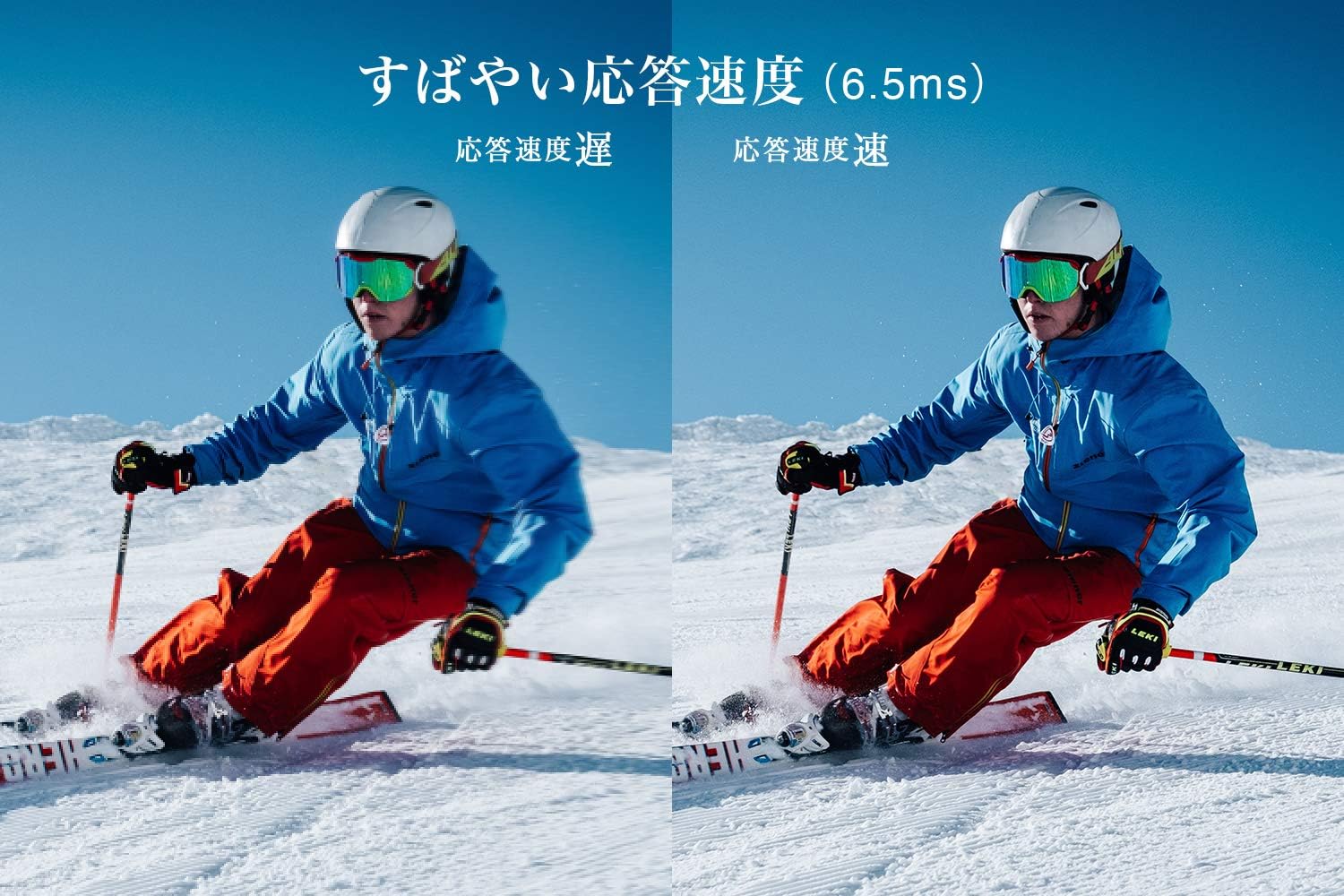
Figure 5: The TV features a fast response speed of 6.5ms for clear motion.
4. Kev tu
4.1 Ntxuav lub vijtsam
Maj mam so lub vijtsam nrog ib daim ntaub mos, qhuav, tsis muaj lint. Rau cov cim tawv tawv, maj mam dampen the cloth with water or a specialized screen cleaner (ensure it's suitable for LCD screens) and wipe carefully. Avoid applying excessive pressure.
4.2 Ntxuav lub cev TV
Wipe the TV body with a soft, dry cloth. Do not use abrasive cleaners, waxes, or solvents as they can damage the finish.
4.3 Kev Saib Xyuas Ib Leeg
- Tsis txhob muab lub TV tso rau hauv tshav ntuj ncaj qha lossis qhov kub thiab txias heev.
- Xyuas kom muaj cua txaus nyob ib ncig ntawm lub TV kom tsis txhob muaj cua sov.
- Tshem lub TV ntawm lub qhov hluav taws xob thaum muaj cua daj cua dub lossis thaum nws yuav tsis siv ntev.
5. Kev daws teeb meem
If you encounter issues with your TV, refer to the following common troubleshooting steps. If the problem persists, contact customer support.
5.1 Tsis muaj zog
- Check if the power cord is securely connected to both the TV and the wall outlet.
- Xyuas kom tseeb tias lub qhov hluav taws xob ntawm phab ntsa ua haujlwm los ntawm kev ntsaws lwm lub cuab yeej.
- Nias lub pob fais fab ntawm lub TV nws tus kheej, tsis yog nias lub chaw taws teeb xwb.
5.2 No Picture/No Signal
- Xyuas kom tseeb tias qhov chaw nkag tau raug xaiv (piv txwv li, HDMI 1, TV).
- Check all cable connections (HDMI, antenna) for looseness or damage.
- Yog tias siv lub cuab yeej sab nraud, xyuas kom tseeb tias nws qhib thiab ua haujlwm tau zoo.
- Perform a channel scan if you are watching broadcast TV.
5.3 Tsis muaj suab
- Txheeb xyuas qib ntim thiab xyuas kom lub TV tsis kaw.
- Yog tias siv cov neeg hais lus sab nraud, xyuas kom lawv muaj kev sib txuas zoo thiab siv tau.
- Check audio settings in the TV menu.
5.4 Chaw taws teeb tswj tsis ua haujlwm
- Hloov cov roj teeb nrog cov tshiab.
- Xyuas kom tsis txhob muaj kev cuam tshuam ntawm cov chaw taws teeb thiab TV's IR sensor.
6. Cov lus qhia tshwj xeeb
| Feature | Specification |
|---|---|
| Zaub Loj | 32cm ua |
| Zaub Technology | LCD |
| Kev daws teeb meem | HD (1366 x 768) |
| Refresh Rate | 60 Hz |
| Aspect Ratio | 16:9 ua |
| Qhov sib piv piv | 3000:1 ua |
| Viewhauv Angle | 178/178 degrees (JEITA standard, CR>=10) |
| Backlight Hom | Ncaj-lit LED |
| Teb ceev | 6.5ms ib |
| Dimensions (nrog rau sawv ntsug) | W 731 x H 491 x D 186 mm |
| Dimensions (tsis sawv ntsug) | W 731 x H 436 x D 76 mm |
| Luj (nrog rau sawv ntsug) | 4.4 Kg |
| Luj (tsis sawv ntsug) | 4.3 Kg |
| Wall Mount (VESA) | 100 x 100 mm |
| Kev siv hluav taws xob txhua xyoo | 45 kWh/m² |
| HDMI Ports | 2 (HDMI Ver1.4a, Port 1 supports ARC) |
| USB Ports | 1 (USB 2.0) |
| Hom Tuner | Terrestrial Digital, BS Digital, 110-degree CS Digital (Dual Tuner) |
| Qauv Xyoo | 2019 |

Figure 6: TV dimensions and recommended viewnyob deb li cas.

Figure 7: VA panel technology provides superior contrast and depth.
7. Warranty thiab Support
7.1 Chaw tsim tshuaj paus Warranty
Cov khoom no muaj 1 xyoo warranty los ntawm lub chaw tsim khoom txij li hnub koj yuav. Thov khaws koj daim ntawv pov thawj yuav khoom rau kev thov warranty.
7.2 Kev Pabcuam Cov Neeg Siv Khoom
For any inquiries, technical assistance, or repair requests, please contact TCL customer support. Our dedicated Japanese staff are available to assist you.
- Xov tooj: 0120-955-517 Ib
- Lub Sijhawm Ua Haujlwm: 9:00 - 18:00 (Weekdays and Holidays, excluding year-end and New Year holidays)
- Webqhov chaw: https://www.tcl.com/jp/ja/services.html
Nationwide repair service is available.
Figure 8: TCL Customer Support details.