
1. Taw qhia
Thank you for choosing the CREATE NETBOT S15 Robot Vacuum Cleaner. This manual provides essential information for the safe operation, maintenance, and troubleshooting of your device. Please read it thoroughly before first use and retain it for future reference.
Khoom Tshajview

The image above displays the CREATE NETBOT S15 Robot Vacuum Cleaner, its dedicated remote control, and a smartphone screen showing the companion application interface. The robot is black with a textured top surface and a central green power button. The remote control features a digital display and various control buttons. The app shows a map of a cleaned area.
The NETBOT S15 is designed to simplify your cleaning routine, offering multiple cleaning modes and smart features for efficient floor maintenance.
2. Cov lus qhia kev nyab xeeb
Txhawm rau kom muaj kev nyab xeeb thiab tiv thaiv kev puas tsuaj, thov ua raws li cov lus qhia hauv qab no:
- Nyeem tag nrho cov lus qhia ua ntej siv lub cuab yeej.
- Tsis txhob tso cai rau menyuam yaus ua haujlwm lub tshuab nqus tsev. Saib xyuas menyuam yaus thiab tsiaj thaum lub tshuab ua haujlwm.
- Ensure the charging base is placed against a wall on a hard, level surface, with adequate clear space around it.
- Khaws cov plaub hau, khaub ncaws xoob, ntiv tes, thiab txhua qhov ntawm lub cev kom deb ntawm qhov qhib thiab txav mus.
- Do not pick up large objects, sharp objects, liquids, or burning/smoking materials.
- Tsis txhob siv cov neeg hlau hauv qhov chaw ntub dej lossis ntawm qhov chaw ntub dej.
- Remove power cords, small objects, and fragile items from the floor before operation to prevent entanglement or damage.
- Use only the original charger and battery provided by the manufacturer.
- Do not modify or attempt to repair the robot vacuum yourself. Contact qualified service personnel for repairs.
3. Cov ntsiab lus ntawm pob
Xyuas kom tseeb tias tag nrho cov khoom muaj nyob hauv pob:

The image shows the retail box for the CREATE NETBOT S15 Robot Vacuum Cleaner, indicating the product and its key features.
- Tsim NETBOT S15 neeg hlau nqus tsev vacuum
- Charge Base
- Fais fab Adapter
- Chaw taws teeb tswj
- Dustbin (600 ml capacity)
- Lub Taub Dej (muaj peev xwm 400 ml)
- Side Brushes (2 + 2 replacements)
- HEPA Filter (1 + 1 replacement)
- Cleaning Mop (1 + 1 replacement)
- Ntxuav Txhuam
- Hlau nplaum sawb
- Cov neeg siv phau ntawv
4. Teeb tsa
4.1 Charging Base Placement

The image shows the CREATE NETBOT S15 Robot Vacuum Cleaner correctly docked on its charging station, indicating proper placement for recharging.
- Place the charging base against a wall in an open area.
- Ensure there is at least 1 meter (3 feet) of clear space on both sides of the charging base and 2 meters (6 feet) in front of it.
- Txuas lub hwj chim adapter rau lub hauv paus them thiab ntsaws rau hauv lub qhov hluav taws xob phab ntsa.
- Ensure the power indicator light on the charging base is illuminated.
4.2 Pib Them Nqi

This image depicts the CREATE NETBOT S15 Robot Vacuum Cleaner positioned near its charging dock in a room, ready for or undergoing charging.
Before first use, fully charge the robot vacuum. Place the robot onto the charging base, ensuring the charging contacts align. The indicator light on the robot will show charging status. A full charge typically takes 4-5 hours.
4.3 App Installation thiab txuas
The CREATE NETBOT S15 can be controlled via a smartphone application, compatible with Alexa and Google Home.
- Download the official CREATE app from your smartphone's app store.
- Sau npe tus account thiab nkag mus.
- Follow the in-app instructions to add your NETBOT S15 device. This typically involves putting the robot into pairing mode and connecting it to your home Wi-Fi network.
- Once connected, you can program cleaning schedules, select cleaning modes, and monitor the robot's status from your phone.
- For voice control, link the CREATE app with your Alexa or Google Home account through their respective applications.
5. Cov lus qhia ua haujlwm
5.1 Hom kev ntxuav
The NETBOT S15 offers four cleaning functions:
- cheb: Uses side brushes to gather debris.
- Lub tshuab nqus tsev: Utilizes suction power to collect dust and dirt. Features up to 1500 Pa suction power with adjustable levels.
- Mop: Wipes floors with a damp cloth from the water tank.
- Ntxuav: Combines sweeping, vacuuming, and mopping for comprehensive cleaning.

This image illustrates the CREATE NETBOT S15 Robot Vacuum Cleaner actively cleaning under a sofa, demonstrating its ability to reach confined spaces. Two dogs are visible in the foreground, suggesting a pet-friendly environment.
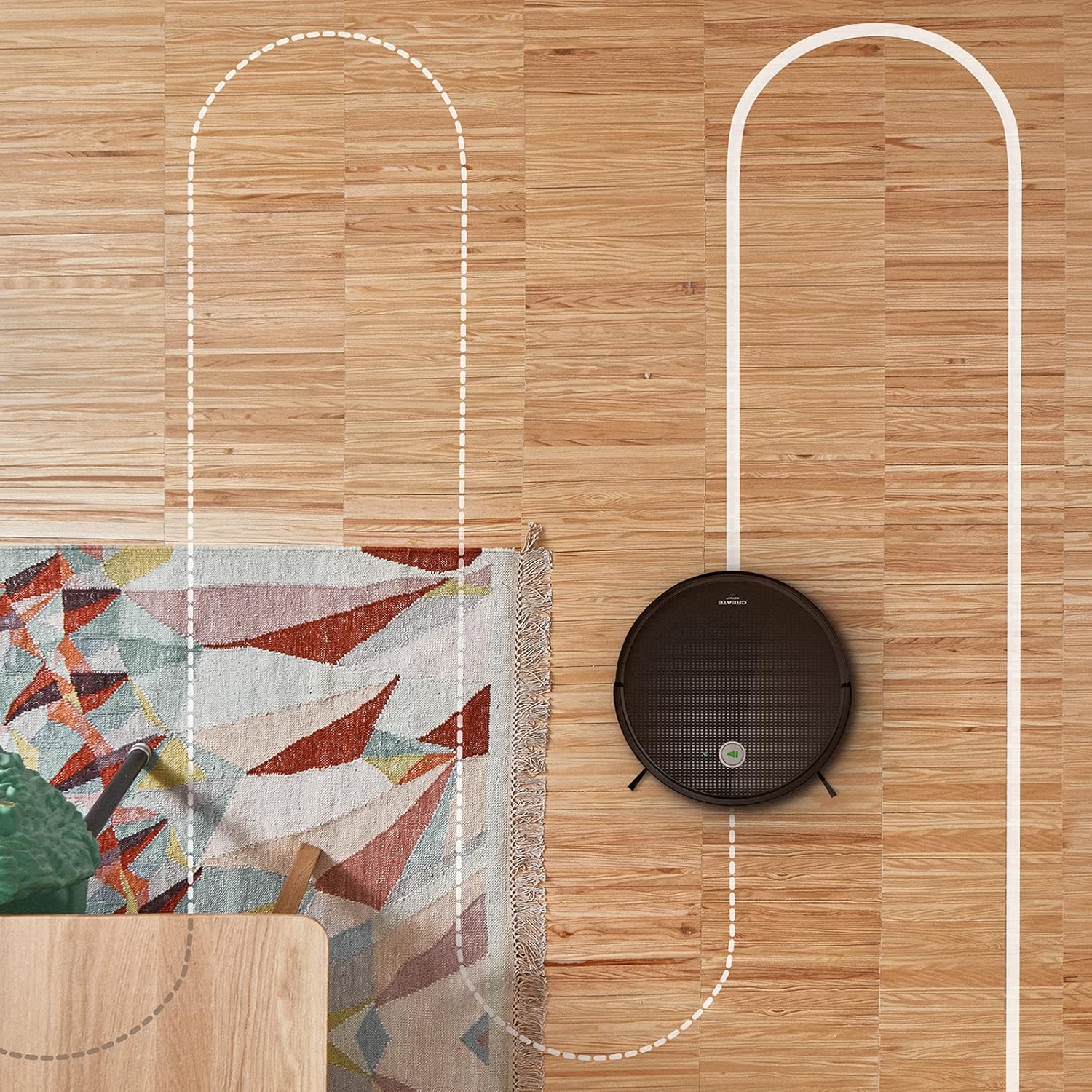
Lub dav hlau view shows the CREATE NETBOT S15 Robot Vacuum Cleaner moving across a wooden floor, with a dotted line indicating its systematic cleaning path, highlighting its gyroscopic navigation.
5.2 Siv Cov Chaw Taws Teeb
The included remote control allows for direct operation of the robot vacuum. Refer to the remote control diagram in your quick start guide for button functions. Common functions include:
- Pib / Ncua Kev Tu
- Rov qab mus Rau Qhov Chaw Them Nqi
- Directional Control (manual steering)
- Kev ntxuav qhov chaw
- Ntug Ntxuav
- Teem Sij Hawm
5.3 Magnetic Strip Usage
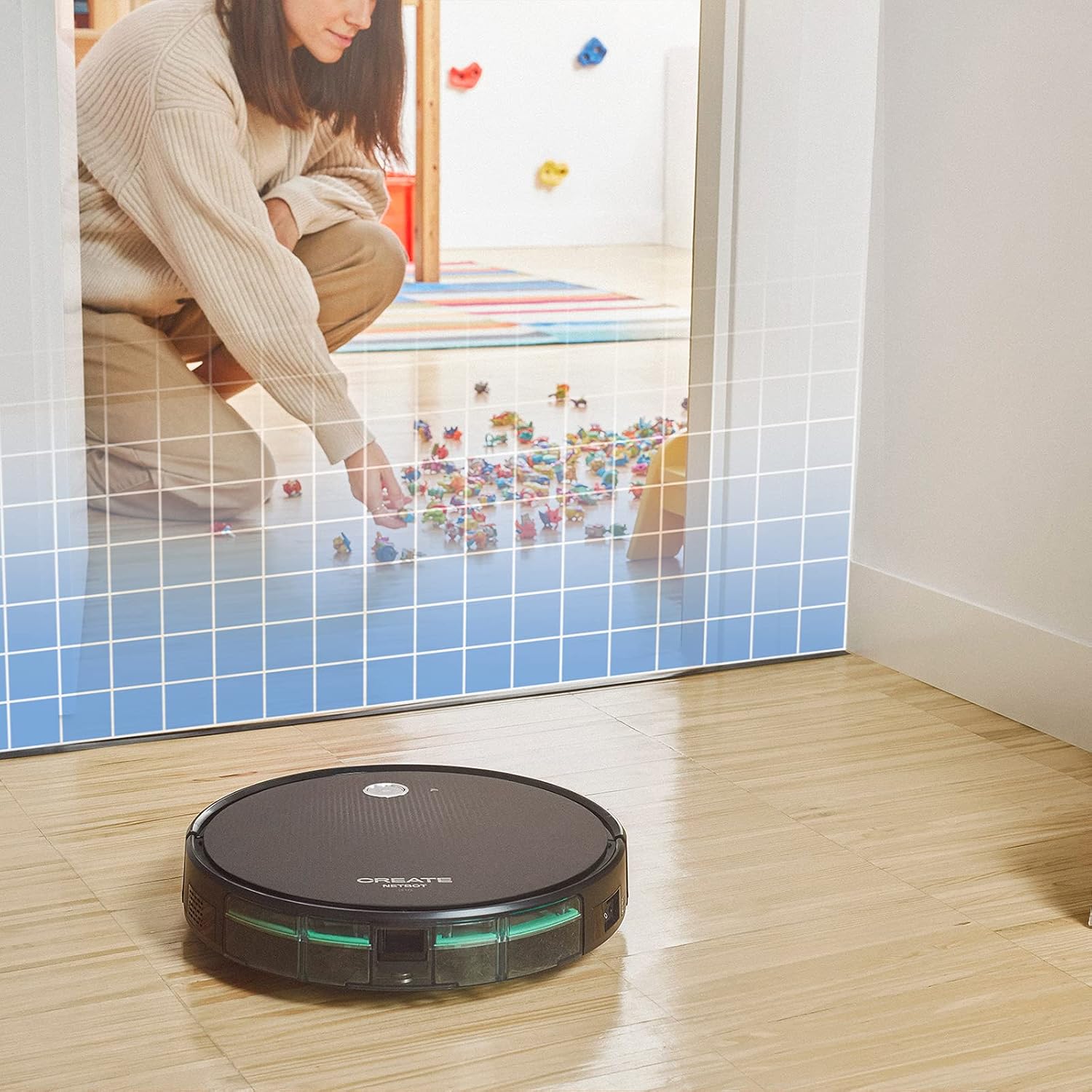
This illustration demonstrates the CREATE NETBOT S15 Robot Vacuum Cleaner approaching a virtual boundary, represented by a grid, which prevents it from entering a specific area, such as where toys are located.
Use the provided magnetic strip to create virtual boundaries that the robot will not cross. Place the strip on the floor to delimit areas where the robot should not enter, such as pet feeding zones or areas with delicate items.
5.4 Roj teeb Lub neej
The NETBOT S15 is equipped with a long-lasting LG Lithium battery, providing up to 120 minutes of cleaning autonomy on a single charge, depending on the selected power mode.
6. Kev tu
Kev saib xyuas tsis tu ncua ua kom pom kev ua tau zoo thiab txuas ntxiv lub neej ntawm koj lub tshuab nqus tsev neeg hlau.
6.1 Dustbin and Water Tank Cleaning
Empty the dustbin after each use. The 600 ml dustbin is easily removable. If using the mopping function, empty and rinse the 400 ml water tank after each use to prevent mold or odors.
6.2 Kev Ntxuav Txhuam

Qhov ze-up view of the CREATE NETBOT S15 Robot Vacuum Cleaner's side brush, showing its design for sweeping debris into the main suction path.
- Sab Txhuam Txhuam: Regularly check for hair or debris entanglement. Remove and clean as needed. Replace worn brushes with the provided spares.
- Main Txhuam: Remove the main brush cover and lift out the brush. Use the cleaning tool to remove tangled hair and debris.
6.3 Lim Ntxuav / Hloov
The robot uses a double filter system: a sponge filter and a HEPA filter. Tap the filters to remove loose dirt. Do not wash HEPA filters with water. Replace filters every 3-6 months, or more frequently with heavy use, to maintain suction performance.
6.4 Sensor Ntxuav
Wipe the cliff sensors (located on the bottom of the robot) and the bumper sensors (on the front) with a clean, dry cloth to ensure proper navigation and obstacle detection.
7. Kev daws teeb meem
If you encounter issues with your NETBOT S15, refer to the following common problems and solutions:
| Teeb meem | Ua Tau | Kev daws |
|---|---|---|
| Neeg hlau tsis pib lossis teb. | Tsawg roj teeb; Fais fab tuag; Neeg hlau daig. | Them lub tshuab kom ruaj khov; Xyuas kom lub qhov hluav taws xob nyob ON; Tshem tawm txhua yam kev cuam tshuam. |
| Kev tu tsis zoo. | Full dustbin; Clogged brushes/filters; Worn brushes. | Empty dustbin; Clean brushes and filters; Replace brushes/filters. |
| Robot cannot find charging base. | Charging base obstructed; Robot too far from base; Base not powered. | Ensure clear space around base; Manually place robot closer; Check power connection to base. |
| Neeg hlau tau daig ntau zaus. | Cables/small objects on floor; Uneven surfaces; Dark colored carpets. | Clear floor of obstacles; Use magnetic strips for problem areas; Robot may struggle on very dark surfaces. |
| Wi-Fi kev twb kev txuas teeb meem. | Incorrect Wi-Fi password; Router too far; 5GHz network. | Verify password; Move robot closer to router; Ensure connection to a 2.4GHz Wi-Fi network. |
8. Cov lus qhia tshwj xeeb
Key technical specifications for the CREATE NETBOT S15 Robot Vacuum Cleaner:
- Hom Tshuaj: Tsim
- Qauv nab npawb: Netbot S15
- Xim: Black - Turquoise
- Qhov Loj (L x W x H): 33 x 33 x 7.5 cm
- Qhov hnyav: 3 kg ib
- Lub zog: 25 Watts
- Suction zog: Mus txog 1500 Pa
- Lub suab nrov: 62dB ua
- Hom roj teeb: Lithium-ion
- Roj teeb lub neej: Txog li 120 feeb
- Dustbin Peev Xwm: 600 ml
- Dej Tank Capacity: 400 ml
- Filter System: Double sponge Clean + HEPA filter
- Kev sib txuas: Wi-Fi, App Control
- Voice Assistant Compatibility: Google Home, Alexa
- Tshwj xeeb nta: Gyroscopic navigation, Magnetic strip boundary, 4 cleaning modes (sweep, vacuum, mop, wash)
9. Warranty thiab Support
For warranty information, technical support, or service inquiries, please refer to the warranty card included with your product or visit the official CREATE webqhov chaw. Khaws koj daim ntawv yuav khoom ua pov thawj ntawm kev yuav khoom.