
Taw qhia
This manual provides detailed instructions for the installation, operation, and maintenance of your APIELE 19mm Momentary Push Button Switch. This high-quality switch features a 12V LED 'Angel Eye' illumination, a durable aluminum alloy shell, and an IP65 waterproof rating, making it suitable for various applications in wet or dusty environments. Please read this manual thoroughly before installation and use.
Khoom nta
- Momentary Action: The switch activates when pressed and held, and deactivates upon release.
- 12V LED Illumination: Integrated 'Angel Eye' LED ring operates on 12V, providing clear visual feedback.
- Kev tsim kho ruaj khov: Manufactured with a black aluminum alloy shell for enhanced longevity and resistance.
- IP65 Waterproof ntsuas: Designed to withstand dust and water splashes, suitable for outdoor and marine applications.
- High Life Expectancy: Rated for 200,000 electrical cycles and 1,000,000 mechanical cycles.
- Independent LED Wiring: The LED can be wired separately from the switch contacts, allowing for flexible indicator light control.
Specifications
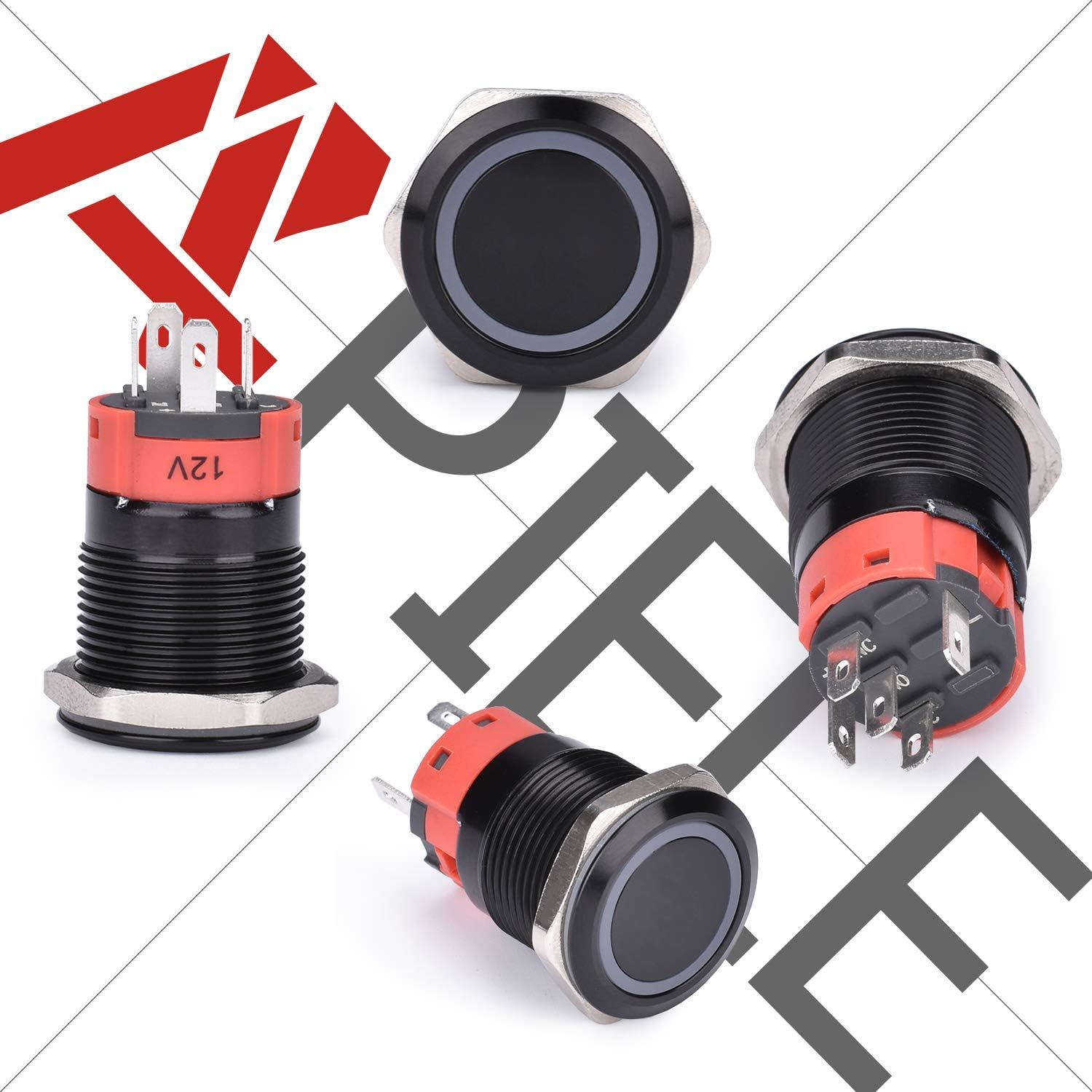
Image: Detailed dimensions and specifications of the APIELE 19mm Momentary Push Button Switch, showing mounting hole size, operation type, lamp color options, shell material, and lamp voltage.
| Mounting Qhov Loj | 19mm (3/4 nti) |
| Hom kev ua haujlwm | Momentary (Push & Hold ON, Release OFF) |
| Hu rau Configuration | 1NO (Qhib Ib Txwm) |
| Kev tiv thaiv qib | IP65 (Waterproof thiab Dustproof) |
| Rated Tam sim no | 5A |
| Lamp Voltage | 12v dc ua |
| Plhaub Khoom | Aluminium Alloy |
| Hluav taws xob lub neej | 200,000 cycles |
| Neeg kho tshuab lub neej | 1,000,000 cycles |
| Yam khoom Dimensions (L x W x H) | 40 x 30 x 10 mm |

Image: Illustration of the switch's mechanical and electrical life cycles, highlighting its durability.
Installation thiab teeb
Mounting
- Ensure the mounting surface is clean and free of obstructions.
- Drill a 19mm (3/4 inch) diameter hole in the desired mounting location.
- Insert the switch body through the drilled hole from the front.
- Secure the switch in place by tightening the included nut onto the threaded body from the rear. Do not overtighten.
Kev xaim
The switch comes with a wire socket plug for convenient connection. Refer to the diagram below for proper wiring. The LED and switch contacts are independent, allowing for various wiring configurations.
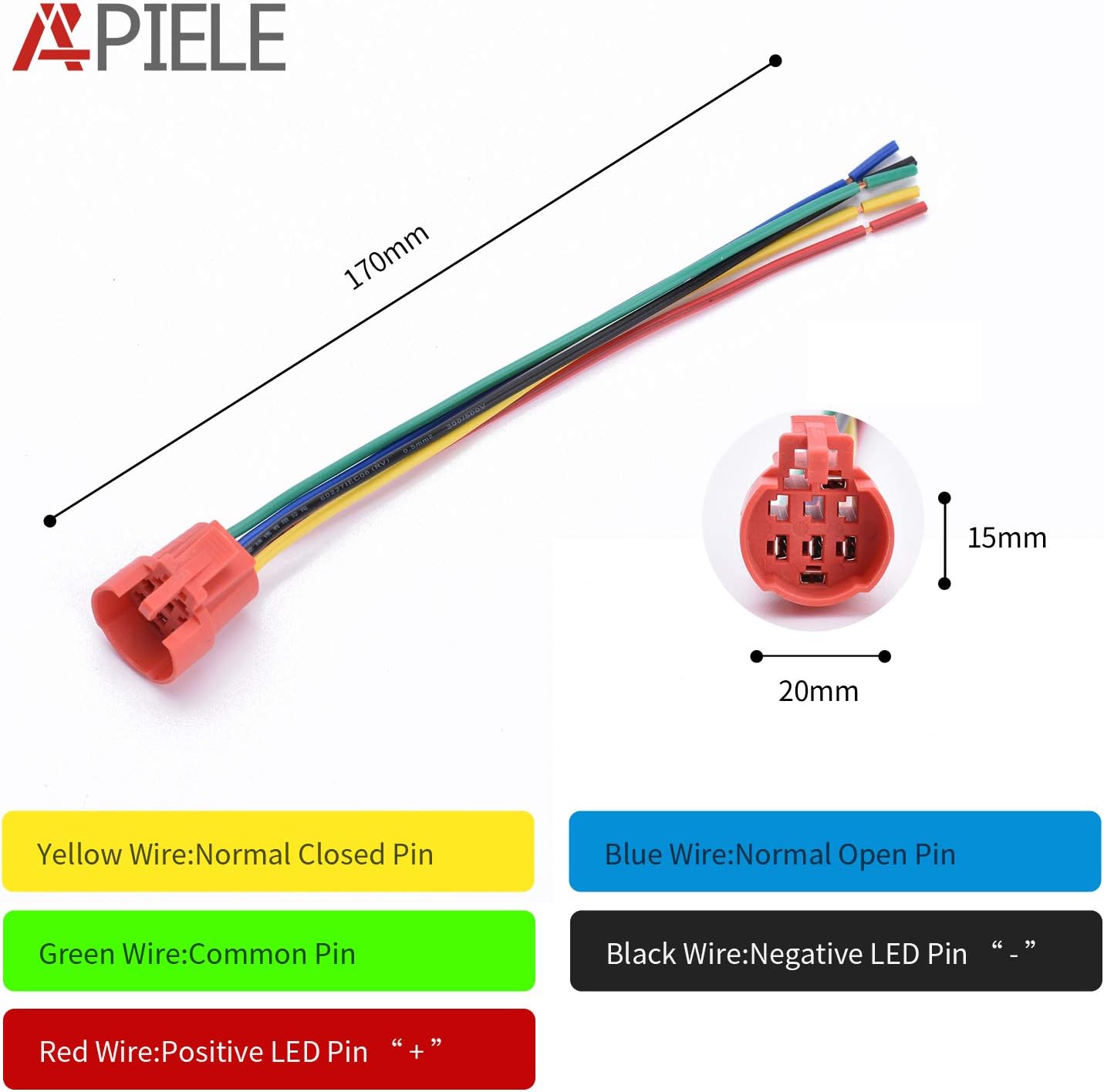
Image: Detailed wiring diagram illustrating the function of each wire color (Yellow: Normal Closed Pin, Blue: Normal Open Pin, Green: Common Pin, Red: Positive LED Pin, Black: Negative LED Pin).
- Ntsuab Hlau: Common Pin (C) for the switch contacts.
- Hlau xiav: Normally Open Pin (NO). Connect this to your load's positive input if you want the circuit to close when the button is pressed.
- Yellow Hlau: Normally Closed Pin (NC). This contact opens when the button is pressed. (Note: This specific model is listed as 1NO, so the yellow wire might not be present or functional for this configuration).
- Hlau Hlau: Positive (+) terminal for the 12V LED.
- Hlau Hlau: Negative (-) terminal for the 12V LED.
Typical Wiring for Momentary ON (Load activates when pressed):
- Connect the positive power supply to the Green (Common) hlau.
- Txuas lub Blue (Normally Open) wire to the positive input of your device/load.
- Connect the negative power supply to the negative input of your device/load.
- For LED illumination, connect the Liab wire to a 12V positive source and the Dub wire to a 12V negative (ground) source. The LED can be powered independently or in conjunction with the switch operation.

Image: The APIELE 19mm Momentary Push Button Switch shown with its corresponding wire socket plug, facilitating easy and secure connections.
Kev ua haujlwm
This is a momentary push button switch. To operate:
- Nias thiab tuav: When the button is pressed and held, the internal contacts close (for the NO configuration), activating the connected device or circuit.
- Tso Tawm: When the button is released, the internal contacts open, deactivating the connected device or circuit.
- Qhov taw qhia LED: The 12V LED ring can be wired to illuminate continuously, only when the switch is pressed, or under separate control, depending on your wiring configuration.
Kev tu
The APIELE push button switch is designed for durability and requires minimal maintenance.
- Ntxuav: Periodically wipe the switch surface with a soft, damp daim ntaub los tshem cov hmoov av thiab cov av qias neeg. Tsis txhob siv cov tshuaj lom neeg hnyav lossis cov tshuaj ntxuav uas ua rau tawv.
- Kev txheeb xyuas: Ensure all wire connections remain secure, especially in environments with vibration or frequent movement.
- Kev tiv thaiv ib puag ncig: While rated IP65, prolonged submersion or exposure to high-pressure water jets is not recommended.

Image: The APIELE switch demonstrating its IP65 waterproof capabilities, suitable for challenging environments.
Kev daws teeb meem
- Switch Not Activating Device:
- Verify all wiring connections are correct and secure, especially the Common (Green) and Normally Open (Blue) wires.
- Ensure the power supply to the switch and device is active.
- Check the device itself to ensure it is functioning correctly.
- LED tsis pom kev:
- Confirm that 12V power is supplied to the LED's Red (+) and Black (-) wires.
- Check for any breaks in the LED wiring.
- While the LED is generally tolerant, ensure correct polarity for optimal performance.
- Loose Switch in Mounting Hole:
- Ensure the mounting hole diameter is exactly 19mm (3/4 inch).
- Tighten the securing nut firmly from the rear of the mounting panel.
Warranty thiab Support
This APIELE push button switch comes with a 3 xyoo warranty. If the product experiences a non-man-made failure within this period, please contact APIELE customer support for assistance or a replacement.
For any technical inquiries, installation questions, or support needs, please contact APIELE directly through the retailer's platform or the official APIELE webqhov chaw.