
1. Taw qhia
Ua tsaug rau kev yuav khoomasing the boAt Stone 190 Bluetooth Speaker. This manual provides essential information for setting up, operating, and maintaining your speaker. Please read it carefully before use to ensure optimal performance and longevity of your device.

Image: The boAt Stone 190 speaker showcasing its portable and lightweight design, ideal for on-the-go use.
2. Cov ntsiab lus ntawm pob
Thov kos lub thawv rau cov khoom hauv qab no:
- boAt Pob zeb 190 Bluetooth Speaker
- USB Charging Cable
- Cov neeg siv phau ntawv
3. Khoom Tshajview thiab Tswj
Familiarize yourself with the speaker's layout and control buttons.

Duab: Top-down view of the boAt Stone 190 speaker, highlighting its integrated control buttons for easy operation.
- Lub zog khawm: Nias thiab tuav kom lub hwj chim qhib / tawm.
- Ua si / Pause khawm: Nias mus ua si lossis nres suab paj nruag.
- Volume Up (+): Nias kom nce lub suab. Nias thiab tuav rau zaj nkauj tom ntej.
- Volume Down (-): Nias kom txo qhov ntim. Nias thiab tuav rau zaj nkauj dhau los.
- Hom Khawm (M): Press to switch between modes (if applicable).
- Charging Chaw nres nkoj: Rau kev txuas lub USB them cable.
4. Them nyiaj rau tus hais lus
Before first use, fully charge the speaker. Use the provided USB charging cable.
- Connect the small end of the USB cable to the charging port on the speaker.
- Connect the larger end of the USB cable to a USB power adapter (not included) or a computer's USB port.
- Lub teeb LED yuav qhia txog qhov xwm txheej them. Nws yuav tua lossis hloov xim thaum them tag.
A full charge provides up to 4 hours of playback time with its 800mAh battery capacity.

Image: The boAt Stone 190 speaker, illustrating its 800mAh battery capacity and up to 4 hours of playback time.
5. Bluetooth khub
Follow these steps to connect your boAt Stone 190 speaker to a Bluetooth-enabled device.

Image: The boAt Stone 190 speaker, highlighting its instant wireless connectivity via Bluetooth V5.0.
- Hwj chim On: Press and hold the Power button on the speaker until you hear an audible prompt and the LED indicator flashes, indicating it's in pairing mode.
- Qhib Bluetooth: On your smartphone, tablet, or other Bluetooth device, go to the Bluetooth settings and enable Bluetooth.
- Xaiv Ntaus Ntaus: In the list of available devices, search for and select "boAt Stone 190".
- Confirm kev twb kev txuas: Once paired, you will hear a confirmation tone, and the LED indicator will stop flashing and remain solid.
- Txuas dua: Tus neeg hais lus yuav cia li sim rov txuas mus rau lub cuab yeej ua ke kawg thaum lub tshuab hluav taws xob.
6. Ua haujlwm tus neeg hais lus
Ua Nkauj Rov Ua Si
- Ua si / Pause: Nias lub pob ua si/Pause.
- Ntim Tuaj: Luv nias lub '+' khawm.
- Ntim Cia: Luv nias lub khawm '-'.
- Next Track: Ntev nias lub '+' khawm.
- Yav dhau los khiav: Ntev nias lub khawm '-'.
Hu rau Functions
- Teb / Xaus Hu: Nias lub pob ua si/Pause.
- Tsis kam hu: Nias thiab tuav lub khawm Play/Pause.
7. Dej tsis kam (IPX7)
The boAt Stone 190 speaker features an IPX7 water resistance rating.
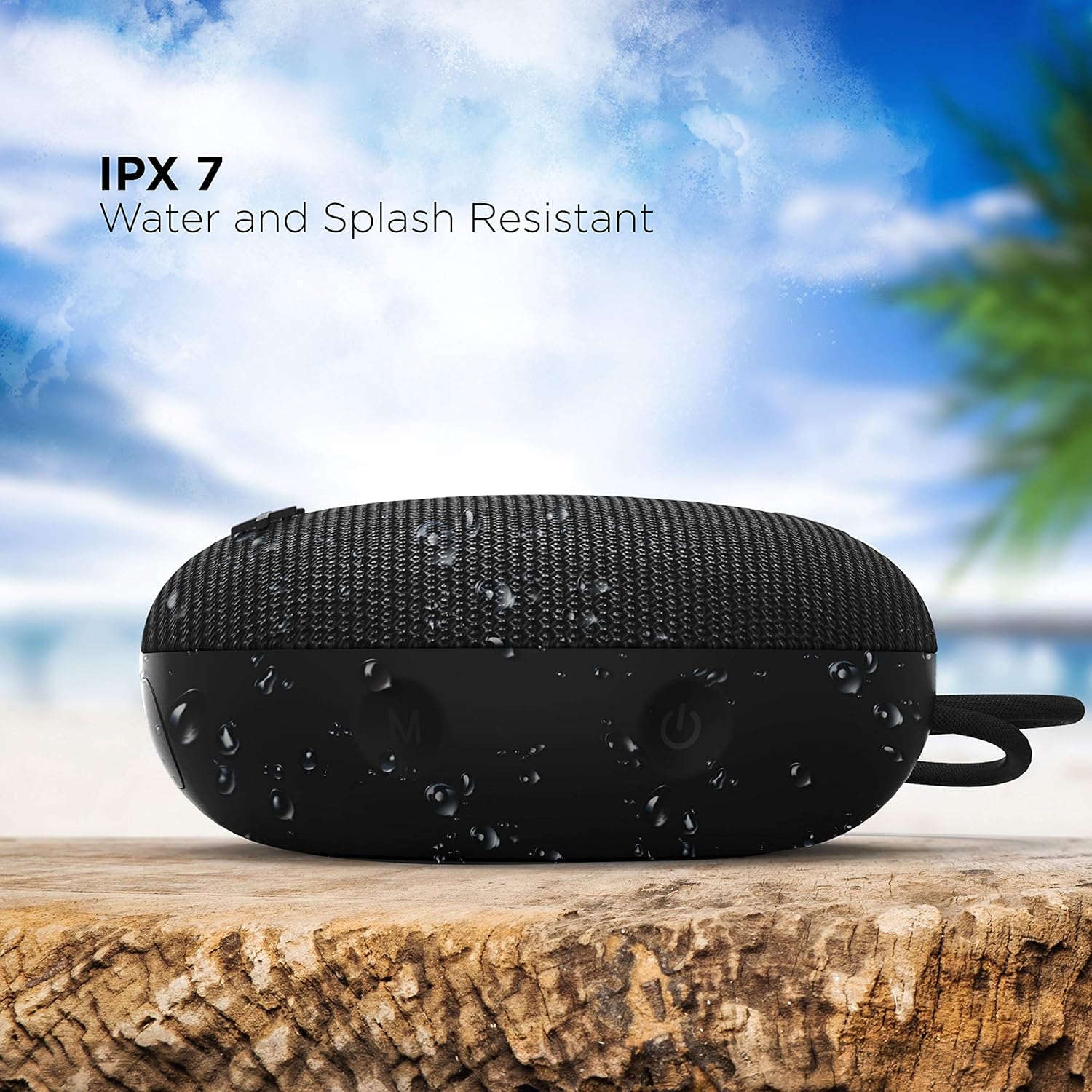
Image: The boAt Stone 190 speaker, demonstrating its IPX7 water and splash resistant capabilities, suitable for outdoor use.
- IPX7 means the speaker can be immersed in water up to 1 meter for 30 minutes.
- It is resistant to splashes, rain, and accidental submersion.
- Xyuas kom tseeb tias lub hau ntawm qhov chaw them hluav taws xob kaw ruaj ruaj ua ntej muab lub tso suab tso rau hauv dej.
- Do not intentionally submerge the speaker for extended periods or in water deeper than 1 meter.
8. Kev tu thiab tu
- Ntxuav: So tus neeg hais lus nrog mos, damp daim ntaub. Tsis txhob siv cov tshuaj hnyav los yog cov tshuaj abrasive.
- Cia: Khaws lub tshuab hais lus rau hauv qhov chaw txias, qhuav uas tsis muaj qhov kub thiab txias heev thiab tshav ntuj ncaj qha.
- Charging Chaw nres nkoj: Keep the charging port free from dust and debris.
- Roj teeb: Yuav kom lub roj teeb siv tau ntev, them lub tso suab tsawg kawg ib zaug txhua peb lub hlis yog tias tsis siv tas li.
9. Kev daws teeb meem
| Teeb meem | Kev daws |
|---|---|
| Speaker tsis muaj hwj chim rau. | Ensure the speaker is charged. Connect it to a power source and try again. |
| Tsis tuaj yeem ua ke nrog Bluetooth ntaus ntawv. | Make sure the speaker is in pairing mode (flashing LED). Turn off and on Bluetooth on your device. Ensure the speaker is within range (10 meters). Forget previous pairings on your device and try again. |
| Tsis muaj suab nrov lossis tsis muaj suab nrov. | Ua kom lub suab nrov dua rau ntawm lub tso suab thiab koj lub cuab yeej txuas nrog. Xyuas kom lub tso suab tau txuas nrog zoo. Xyuas seb lub tso suab puas ua si. |
| Suab distortion. | Move the speaker closer to your device. Reduce volume on either the speaker or the connected device. Ensure there are no obstructions causing interference. |
10. Cov lus qhia tshwj xeeb
Technical details of the boAt Stone 190 Bluetooth Speaker.

Image: The boAt Stone 190 speaker, highlighting its 5 Watt audio output and 52mm full-range driver for clear sound.
| Feature | Paub meej |
|---|---|
| Hom | boAt |
| Qauv Lub Npe | Pob zeb 190 |
| Speaker Maximum Output Power | 5 Watts |
| Connectivity Technology | Bluetooth |
| Bluetooth Version | V5.0 (Inferred from image) |
| Suab Tso Tawm Hom | Mono |
| Hom hais lus | Sab nraum zoov |
| Dej Resistance Level | IPX7 (Waterproof) |
| Hais Lus Loj | 52 Millimeters |
| Roj teeb muaj peev xwm | 800mAh (Inferred from image) |
| Roj Teeb Nruab Nrab Lub Neej | 4 teev |
| Hwj chim Source | Roj teeb Powered |
| Yam khoom Dimensions (D x W x H) | 4.9D x 12.5W x 12.5H cm |
| Yam Nyhav | 150 Nws |
| Compatible Devices | Desktop, Laptop, MP3 Player, Smartphone, Tablet |
11. Cov ntaub ntawv kev nyab xeeb
- Do not disassemble, repair, or modify the speaker. This may cause fire, electric shock, or complete damage to the product.
- Do not expose the speaker to extreme temperatures (above 45°C or below -10°C).
- Khaws tus neeg hais lus kom deb ntawm menyuam yaus thiab tsiaj.
- Tsis txhob hnov qab qhov ntim siab rau lub sijhawm txuas ntxiv kom tsis txhob hnov qab.
- Siv tsuas yog muab cov cable them los yog cov ntawv pov thawj sib npaug.
12. Customer Support & Warranty
For product-related queries, support, or warranty information, please contact boAt customer service.
- Hu rau kev txhawb nqa: +91(022)69181920
- Email: info@imaginemarketingindia.com
- Chaw tsim tshuaj paus: Imagine Marketing Ltd.
- Chaw nyob: Unit no. 204 & 205, 2nd floor, D-wing & E-wing, Corporate Avenue, Andheri Ghatkopar Link Road, Mumbai, Maharashtra-400093, India.