
Taw qhia
The cellularline KEY PRO In-Ear Earphones are designed to provide clear audio and versatile connectivity. Featuring Environment Noise Cancelling (ENC) with 4 integrated microphones, these earphones ensure crisp call quality by reducing background noise. With Multipoint Technology, you can connect to two devices simultaneously, and the advanced LED display provides real-time battery status for both the charging case and individual earbuds. Enjoy up to 30 hours of total playtime and intuitive touch controls for managing calls, music, and volume.
1. Teeb tsa
1.1. Dab tsi hauv lub thawv
- cellularline KEY PRO In-Ear Earphones
- Wireless Charging Case
- Cov neeg siv phau ntawv
1.2. Kev them nqi pib
Before first use, fully charge the earphones and the charging case. Place the earphones into the charging case. Connect the charging case to a power source using a compatible USB cable. The LED display on the case will indicate the charging status.
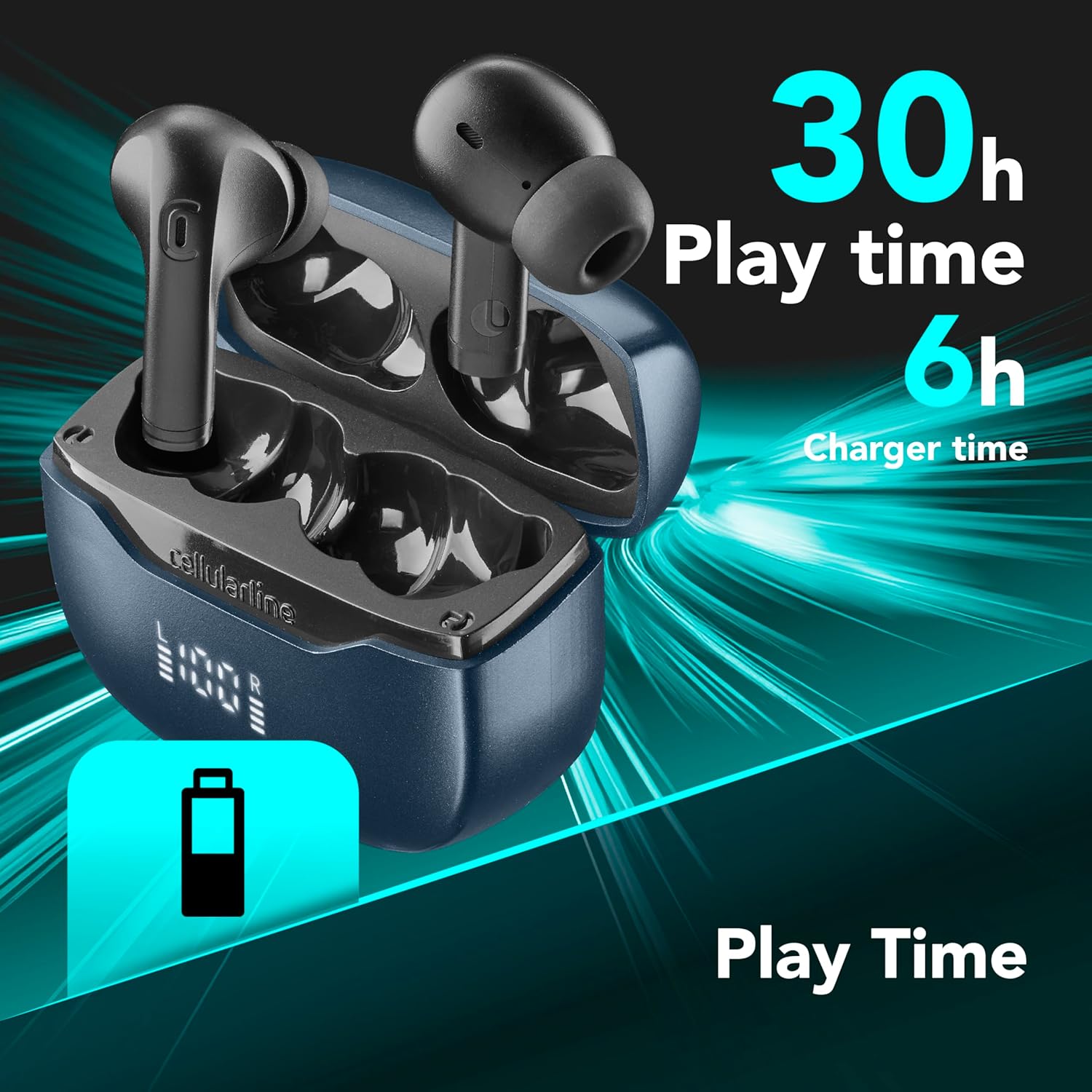
Duab: The earphones and charging case. The image highlights a total playtime of 30 hours and a charger time of 6 hours, indicating battery life and charging duration.
A full charge provides approximately 30 hours of total playtime, with the charging case contributing to this extended battery life.
1.3. Pairing nrog ib lub cuab yeej
Autopairing: Once removed from the charging case, the earphones will automatically connect to each other and enter pairing mode. Look for "cellularline KEY PRO" in your device's Bluetooth settings.
Kev Siv Tshuab Ntau Yam: These earphones support simultaneous connection to two devices. To connect a second device, ensure the earphones are already connected to the first device. Then, put the earphones back into pairing mode (refer to your device's Bluetooth settings or the earphones' touch control guide for specific instructions, if available). Connect the second device. The earphones will intelligently switch between the two connected devices as needed.

Duab: The cellularline KEY PRO earphones are shown alongside a smartphone and a laptop, demonstrating their ability to connect to multiple devices simultaneously via Multipoint Technology.
2. Cov lus qhia ua haujlwm
2.1. Kov Tswj
The KEY PRO earphones feature intuitive touch controls for managing various functions. Specific gestures (single tap, double tap, long press) on either earphone will control playback, calls, and voice assistance.

Duab: A visual representation of the touch control functions on the earphone, including icons for managing calls, playing/pausing music, adjusting volume, skipping tracks, and activating voice assistance.
- Hu rau Management: Teb, xaus, lossis tsis kam hu.
- Suab paj nruag Playback: Ua si, nres, hla cov kab.
- Volume Control: Kho lub ntim ntim.
- Lub Suab Pab: Qhib koj lub cuab yeej lub suab pab.
Refer to the detailed control scheme in the included quick start guide for precise gesture commands.
2.2. Environment Noise Cancelling (ENC)
The KEY PRO earphones are equipped with ENC technology and 4 microphones (2 per earphone) to reduce ambient noise during calls. This ensures your voice is transmitted clearly to the recipient, even in noisy environments.

Duab: Two earphones are depicted with sound wave patterns, symbolizing the active noise cancellation feature during calls, enabled by the four integrated microphones.
2.3. Cov Zaub LED
The charging case features an advanced LED display that shows the battery status of both the case and each individual earphone (Left 'L' and Right 'R') in real-time percentage. This allows for easy monitoring of remaining charge.

Duab: Cov ncauj lus kom ntxaws view of the charging case's LED display, showing the battery levels for the left (L) and right (R) earphones, providing an instant battery-life check.
3. Kev tu
3.1. Kev ntxuav
Regularly clean your earphones and charging case to ensure optimal performance and hygiene. Use a soft, dry, lint-free cloth to wipe the surfaces. For ear tips, gently remove them and clean with a mild soap solution if necessary, then rinse and dry thoroughly before reattaching. Avoid using harsh chemicals or abrasive materials.
3.2. Cia
When not in use, store the earphones in their charging case to protect them from dust, dirt, and physical damage. Store the case in a cool, dry place, away from direct sunlight and extreme temperatures.
3.3. Dej tsis kam
The cellularline KEY PRO earphones are designed to be waterproof. While they can withstand splashes and sweat, avoid submerging them in water for extended periods or exposing them to high-pressure water jets. Ensure the earphones are dry before placing them back in the charging case to prevent damage.
4. Kev daws teeb meem
4.1. Earphones Not Pairing
- Xyuas kom tseeb tias ob lub mloog pob ntseg raug them.
- Place earphones back in the case, close the lid, then open it again to re-initiate autopairing.
- Tua tawm thiab ntawm koj lub cuab yeej Bluetooth.
- Forget the earphones from your device's Bluetooth list and attempt to pair again.
4.2. Tsis muaj suab los yog lub suab qis
- Check the volume levels on both your connected device and the earphones.
- Xyuas kom lub pob ntseg tau zaum hauv koj pob ntseg.
- Clean any debris from the earphone speakers and ear tips.
- Rov txuas lub mloog pob ntseg rau koj lub cuab yeej.
4.3. Teeb meem them nqi
- Xyuas kom tseeb tias lub charger cable thiab lub hwj chim adapter ua haujlwm raug.
- Ensure the charging contacts on both the earphones and the case are clean and free of obstruction.
- Make sure the earphones are correctly seated in the charging case.
4.4. Call Quality Issues
- Xyuas kom lub microphones tsis muaj kev cuam tshuam.
- Move to a quieter environment if ENC is struggling with excessive background noise.
- Tshawb xyuas koj lub cuab yeej network txuas.
5. Cov lus qhia tshwj xeeb
| Hom | cellularline |
| Qauv Lub Npe | BTKEYPROTWSK |
| Xim | Nero (Dub) |
| Pob ntseg tso | Hauv pob ntseg |
| Form Factor | True Wireless |
| Tsis Siv Neeg Tswj | Environment Noise Cancelling (ENC) |
| Connectivity Technology | Wireless (Bluetooth) |
| Bluetooth Version | 5.3 |
| Tswj Txoj Kev | Kov |
| Lub neej roj teeb nruab nrab | 30 Hours (Total Playtime) |
| Ntau zaus | 20 Hz - 20,000 Hz |
| Hom Tsav Tsheb | Balanced Armature Tsav Tsheb |
| Dej Resistance Level | Waterproof |
| Compatible Devices | Mobile Phones, Laptops, Tablets |
| Cov Cheebtsam suav nrog | Earphones, Wireless Charging Case, User Manual |
| Chaw tsim tshuaj paus | Cellularline SpA |
| Lub Tebchaws Keeb Kwm | Tuam Tshoj |
6. Warranty Information
The cellularline KEY PRO In-Ear Earphones come with a 2-xyoo kev tsim khoom warranty. This warranty covers defects in materials and workmanship under normal use. Please retain your proof of purchase for warranty claims. For detailed terms and conditions, refer to the warranty card included in the packaging or visit the official cellularline webqhov chaw.
7. Cov neeg siv khoom txhawb nqa
If you encounter any issues or have questions regarding your cellularline KEY PRO earphones that are not addressed in this manual, please contact cellularline customer support. You can typically find contact information on the official cellularline website lossis los ntawm lub khw muag khoom uas koj yuav khoom.
Yog xav paub ntxiv, thov mus saib: www.cellularline.com