
1. Taw qhia
This manual provides detailed instructions for the installation, operation, and maintenance of your Byron DIC-21525 Wireless Audio Doorbell system for two apartments. Please read this manual thoroughly before installation and use to ensure proper functionality and safety.
The Byron DIC-21525 is a wireless audio intercom system designed for small apartment groups or homes, offering two-way communication, adjustable volume, and multiple melodies. It supports door opening functionality if connected to an electric door opener.
2. Cov ntsiab lus ntawm pob
Xyuas kom tseeb tias tag nrho cov khoom muaj nyob hauv pob:
- 1 x Outdoor Unit (Doorbell Panel)
- 2 x Indoor Units (Receivers)
- 1 x Power Adapter for Indoor Unit
- Mounting Plate for Outdoor Unit
- Screws and Plugs for installation
- Instruction Manual (cov ntaub ntawv no)

Daim duab 2.1: Tshajview of the Byron DIC-21525 system components and key features.
3. Kev teeb tsa thiab kev teeb tsa
3.1 Kev teeb tsa sab nraum zoov
The outdoor unit is weather-resistant (IP44 rated) and designed for outdoor placement. It features an illuminated doorbell button and a nameplate.
- Xaiv qhov chaw: Select a suitable location near your entrance, ensuring it is easily accessible for visitors and within the wireless range of the indoor units (up to 125m in open field).
- Mounting: Use the provided mounting plate, screws, and plugs to securely attach the outdoor unit to a wall or door frame. Ensure it is mounted at an appropriate height for all users.
- Fais fab mov: The outdoor unit can be powered by batteries (not included) or via existing 2-wire doorbell wiring.
- Lub zog roj teeb: Insert the required batteries into the outdoor unit. (Note: Door opening function is not available when using battery power only).
- Wired Power: Connect the outdoor unit to existing 2-wire doorbell wiring (8-24V DC). Always check your existing wiring for compatibility. This method enables the electric door opener function.
- Daim ntawv npe: Insert your name(s) into the illuminated nameplate slot.
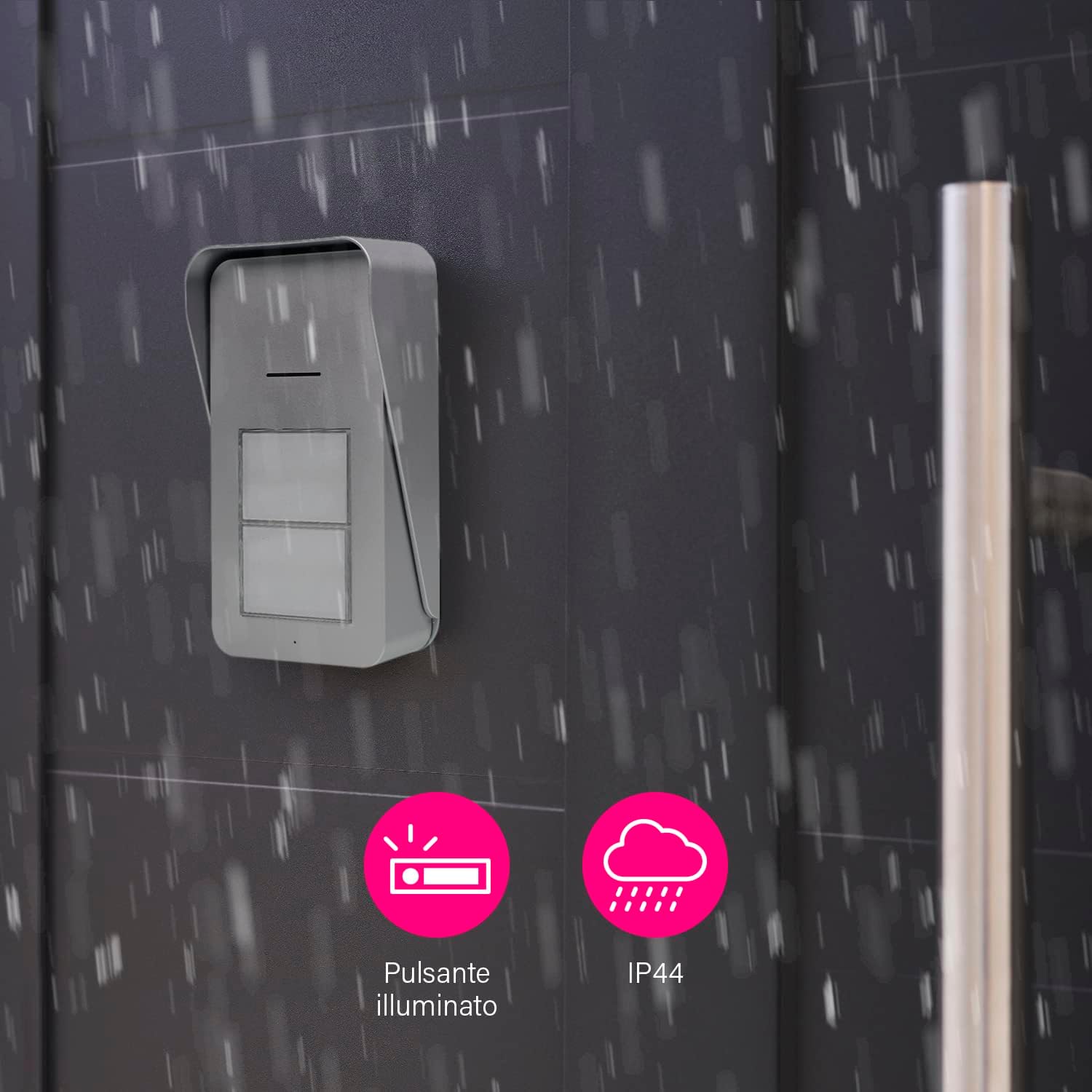
Daim duab 3.1: Outdoor unit with illuminated button and IP44 weather resistance.

Daim duab 3.2: User interacting with the outdoor unit.
3.2 Qhov Chaw Nyob Hauv Tsev
The slim indoor units can be placed anywhere within your apartment, provided they are within range of the outdoor unit.
- Fais fab mov: Connect each indoor unit to a power outlet using the provided adapter.
- Qhov chaw: Position the indoor units in locations where the doorbell chime can be easily heard. Avoid placing them near large metal objects or other electronic devices that might interfere with the wireless signal.
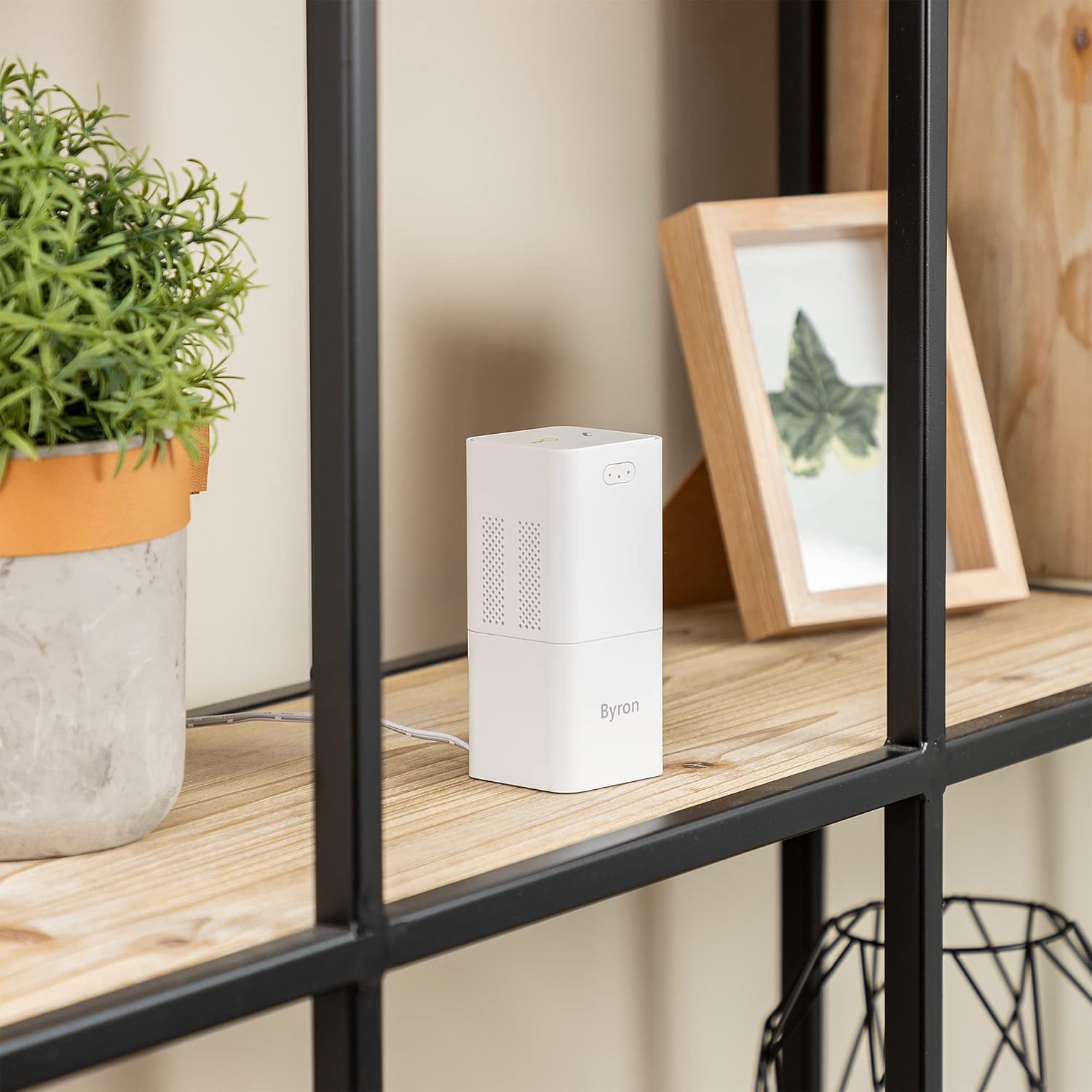
Daim duab 3.3: Indoor unit discreetly placed on a shelf.
3.3 Kev sib txuas (yog tias tsim nyog)
The units are typically pre-paired. If pairing is required or if you add additional units:
- Refer to the specific pairing instructions in the full manual (not provided in this summary). Generally, this involves a pairing button on both units.
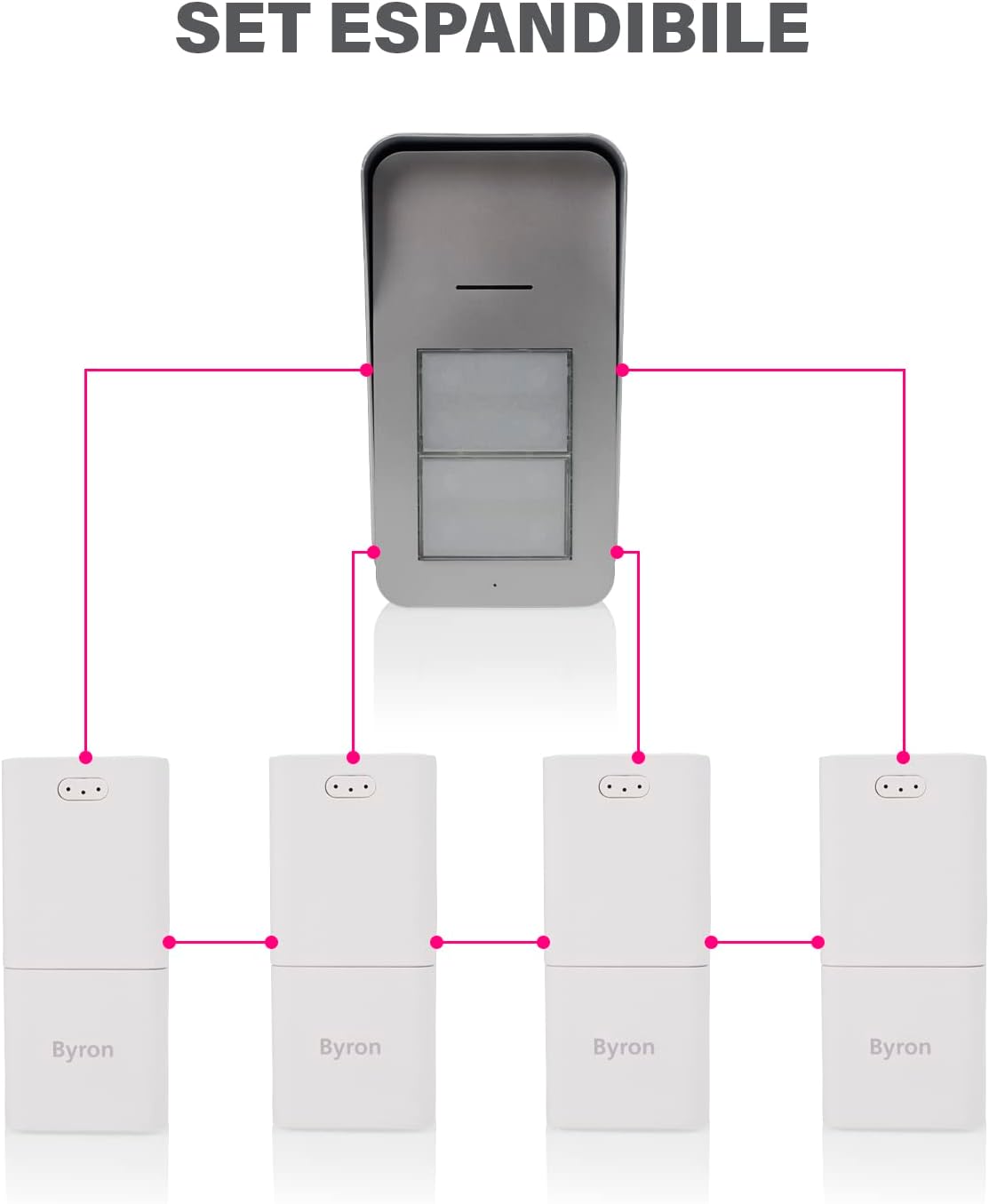
Daim duab 3.4: The system is expandable, allowing connection to multiple indoor units.
4. Cov lus qhia ua haujlwm
4.1 Tau Txais Kev Hu
- When a visitor presses a doorbell button on the outdoor unit, the corresponding indoor unit(s) will chime.
- To answer the call, press the talk button on the indoor unit. You can now engage in two-way audio communication with the visitor.
- To end the conversation, press the talk button again or the call will automatically end after a set period.
4.2 Adjusting Volume and Melody
Each indoor unit allows for customization of its chime settings.
- Volume Control: The indoor unit has 5 volume levels, up to 80 dB. Use the volume buttons to adjust the sound level to your preference.
- Kev xaiv Melody: Choose from 15 available melodies. Refer to your indoor unit's specific buttons for melody selection.

Daim duab 4.1: Indoor unit sound level (80 dB) and outdoor unit IP44 rating.
4.3 Door Opening Function (Optional)
If the outdoor unit is wired to an electric door opener (and powered via 2-wire connection), you can unlock the door from the indoor unit.
- During an active conversation (after pressing the talk button), press the door unlock button on the indoor unit.
- The electric door opener will activate, allowing the visitor to enter.
- Nco tseg: This function is only available when the outdoor unit is powered via a wired connection (8-24V DC) and the indoor unit is in "off-hook" mode (active conversation).
5. Kev tu
- Ntxuav: Clean the outdoor and indoor units with a soft, damp daim ntaub. Tsis txhob siv cov tshuaj abrasive los yog cov kuab tshuaj.
- Battery Replacement (Outdoor Unit): If the outdoor unit is battery-powered, replace batteries when the low battery indicator appears or performance degrades. Use the recommended battery type.
- Kev kuaj xyuas tsis tu ncua: Periodically check the mounting of the outdoor unit to ensure it remains secure.
6. Kev daws teeb meem
| Teeb meem | Ua Tau | Kev daws |
|---|---|---|
| No sound from indoor unit when doorbell is pressed. |
|
|
| Lub suab tsis zoo. |
|
|
| Door opening function not working. |
|
|
7. Cov lus qhia tshwj xeeb
- Qauv: TIAB SA-21525
- Hom Tshuaj: Byron
- Hom: Wireless Audio Intercom System (2 Apartments)
- Wireless zaus: 868 MHz
- Wireless Range: Mus txog 125 meters (qhib teb)
- Outdoor Unit Power: Batteries (not included) or 2-wire (8-24V DC)
- Indoor Unit Power: Mains adapter (included)
- Volume Levels: 5 (up to 80 dB)
- Melodies: 15 xaiv tau
- Weather Resistance (Outdoor Unit): IP44
- Dimensions (Sab nraum zoov Unit): 16.5cm (H) x 9 cm (W) x 5 cm (D)
- Dimensions (Indoor Unit): 11cm (H) x 5 cm (W) x 5 cm (D)
- Cov Cheebtsam suav nrog: 2 x Indoor unit, 1 x Outdoor unit, 1 x Adapter, Mounting plate, Screws and plugs, Manual
8. Warranty thiab Support
For warranty information and technical support, please refer to the documentation provided with your purchase or visit the official Byron webqhov chaw. Khaws koj cov ntaub ntawv pov thawj ntawm kev yuav khoom rau kev lees paub.
Chaw tsim tshuaj paus: Byron