
1. Taw qhia
This manual provides essential instructions for the proper use and maintenance of your LOTUS Smartwatch Model 50003/A. Please read this guide thoroughly before using your smartwatch to ensure optimal performance and longevity.
The LOTUS Smartwatch 50003/A features an intuitive interface and elegant design, offering a variety of smart functions. It is equipped with Bluetooth connectivity, allowing seamless synchronization with your mobile devices. This synchronization enables features such as call and message notifications, music control, and other practical functions for daily life.
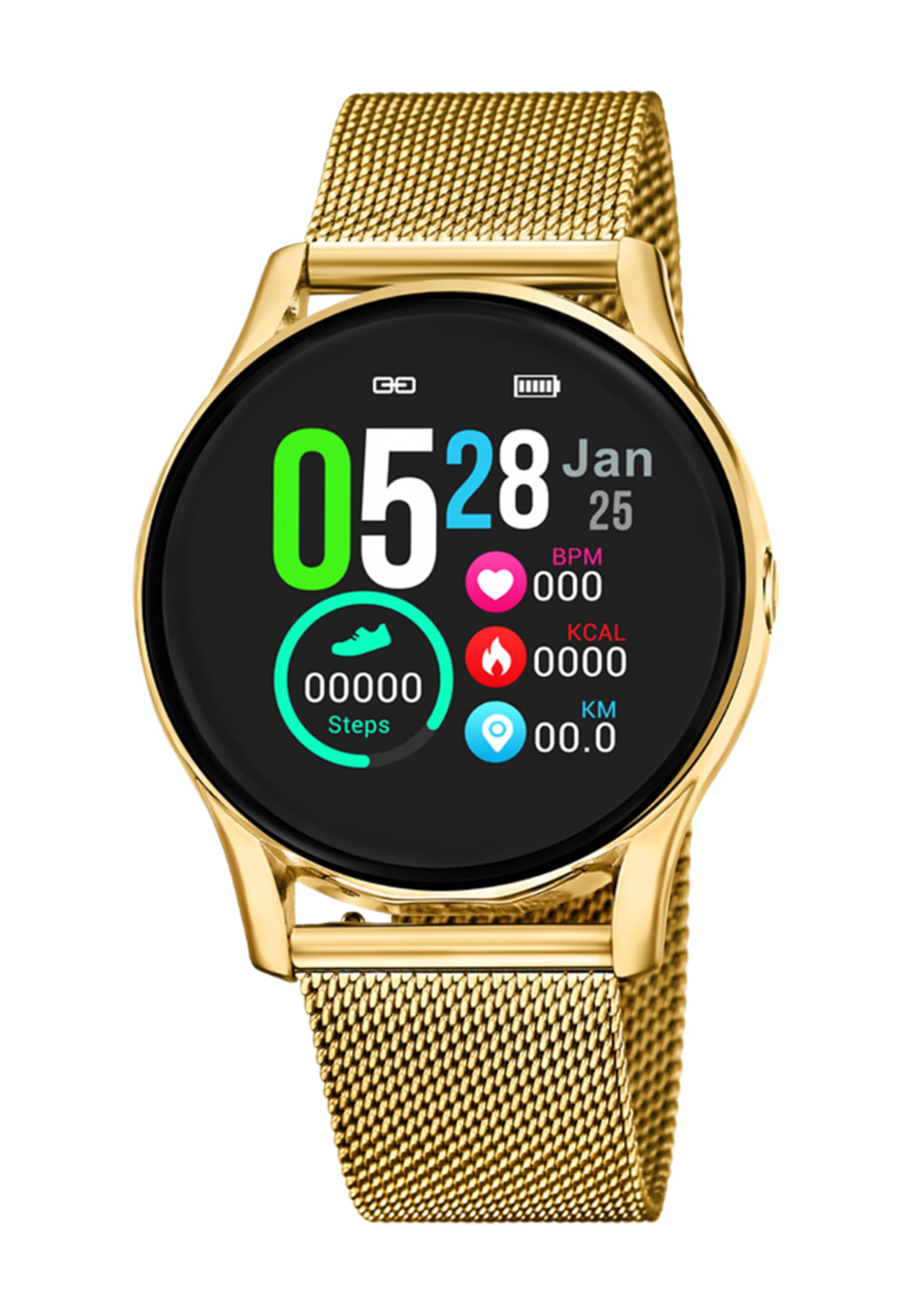
Duab 1.1: Pem hauv ntej view of the LOTUS Smartwatch 50003/A.
2. Cov ntsiab lus ntawm pob
Please check the package contents upon unboxing. The standard package for the LOTUS Smartwatch 50003/A should include:
- LOTUS Smartwatch 50003/A
- Charge Cable
- Tus Neeg Siv Los Siv (cov ntawv no)
3. Teeb Qhia
3.1. Them lub Smartwatch
Before initial use, fully charge your smartwatch.
- Txuas lub charging cable mus rau qhov chaw them nyiaj nyob rau sab nraum qab ntawm lub smartwatch.
- Ntsaws sab tod ntawm txoj hlua them rau hauv lub USB fais fab adapter (tsis muaj) lossis lub computer USB port.
- The watch display will indicate charging status. Allow approximately 2-3 hours for a full charge.
3.2. Installing the Companion App
To unlock all features and synchronize your smartwatch with your smartphone, you need to install the official LOTUS Connected app.
- Scan the QR code provided in the watch packaging or search for "LOTUS Connected" in your smartphone's app store (Google Play Store for Android, Apple App Store for iOS).
- Download tau thiab nruab lub app.
- Ua raws li cov lus qhia on-screen los tsim ib tus account lossis nkag rau hauv.

Image 3.2: Synchronizing the smartwatch with the companion app on a smartphone.
3.3. Pairing nrog koj lub xov tooj smartphone
Ensure Bluetooth is enabled on your smartphone and the smartwatch is charged.
- Open the LOTUS Connected app on your smartphone.
- Follow the app's instructions to add a new device.
- The app will search for available smartwatches. Select "LOTUS 50003/A" from the list.
- Confirm the pairing request on both your smartphone and smartwatch if prompted.
- Thaum twg koj txuas ua ke lawm, lub moos yuav synchronize lub sijhawm thiab cov ntaub ntawv nrog koj lub xov tooj.
4. Cov lus qhia ua haujlwm
4.1. Basic Navigation
- Touchscreen: Swipe sab laug/sab xis, saum toj/hauv qab kom taug kev hla cov ntawv qhia zaub mov thiab cov yam ntxwv. Coj mus rhaub kom xaiv.
- Sab Khawm: The smartwatch may have one or more physical buttons. Typically, one button serves as a power on/off, back, or home button. Refer to the on-screen prompts for specific button functions.

Image 4.1: Example of a smartwatch display showing activity data.
4.2. Cov yam ntxwv tseem ceeb
- Kev ceeb toom: Receive alerts for incoming calls, messages, and app notifications directly on your wrist. Manage notification settings via the LOTUS Connected app.
- Tswj suab paj nruag: Control music playback on your connected smartphone (play, pause, skip tracks, adjust volume).
- Kev Ua Haujlwm Saib Xyuas: Monitor steps, distance, calories burned, and sleep patterns. View detailed statistics in the companion app.
- Dej tsis kam: The smartwatch is water resistant. Avoid prolonged submersion or use in hot water/steam. Refer to specifications for exact water resistance rating.
5. Kev tu
5.1. Kev Ntxuav Koj Lub Smartwatch
- So lub vijtsam saib thiab lub cev nrog cov ntaub mos mos, tsis muaj lint.
- Rau cov av tawv tawv, me ntsis dampen daim ntaub nrog dej. Tsis txhob siv tshuaj hnyav lossis cov khoom siv abrasive.
- Xyuas kom cov hu xov tooj tau huv thiab qhuav ua ntej them.
5.2. Kev kho roj teeb
- Charge the smartwatch regularly. Avoid letting the battery completely drain for extended periods.
- Do not expose the smartwatch to extreme temperatures, as this can affect battery life and performance.
- If the watch will not be used for a long time, charge it to about 50% before storing.
6. Kev daws teeb meem
6.1. Tej teeb meem thiab kev daws teeb meem
- Saib tsis tig rau: Xyuas kom tseeb tias lub moos tau them tag. Txuas nws rau lub charger thiab tos ob peb feeb ua ntej sim qhib nws.
- Tsis tuaj yeem ua ke nrog smartphone:
- Xyuas kom tseeb tias Bluetooth qhib rau ntawm koj lub smartphone.
- Xyuas kom tseeb tias lub smartwatch nyob hauv qhov deb ntawm koj lub xov tooj.
- Rov pib dua koj lub smartphone thiab lub smartwatch.
- Sim unpairing thiab re-pairing lub ntaus ntawv los ntawm lub app.
- Kev ceeb toom tsis tau txais:
- Check notification settings in the LOTUS Connected app.
- Ensure the app has necessary permissions on your smartphone.
- Verify that the smartwatch is properly connected via Bluetooth.
- Lub roj teeb luv luv:
- Txo qhov screen brightness.
- Disable unnecessary notifications or features.
- Xyuas kom tseeb tias lub moos tau them tag ua ntej siv.
6.2. Hoobkas Rov pib dua
If issues persist, a factory reset may resolve them. This will erase all data on the smartwatch and restore it to its original settings.
- Navigate to the "Settings" menu on your smartwatch.
- Look for an option like "System," "Reset," or "Factory Reset."
- Paub meej tias qhov rov pib dua thaum hais kom raug.
- After resetting, you will need to re-pair the smartwatch with your phone and set it up again.
7. Cov lus qhia tshwj xeeb
| Feature | Paub meej |
|---|---|
| Hom | LOTUS |
| Qauv nab npawb | 50003/A |
| Xim | Dub |
| Kev khiav hauj lwm System Compatibility | Android, iOS |
| Qhov Loj | 39.65 hli |
| Tshwj xeeb nta | Dej Resistant |
| Compatible Devices | Smartphone |
| Roj teeb muaj pes tsawg leeg | Lithium hlau |
| Cov Khoom Muag Khoom Muaj | 5 Xyoo |
8. Warranty thiab Support
Your LOTUS Smartwatch 50003/A comes with a manufacturer's warranty. Please refer to the warranty card included in your product packaging for specific terms and conditions.
Cov khoom seem rau cov qauv no muaj txog li 5 xyoos txij li hnub ntawm kev yuav khoom.
For technical support, service, or warranty claims, please contact LOTUS customer service through their official webqhov chaw lossis cov ntaub ntawv tiv tauj tau muab rau hauv koj cov ntaub ntawv pov thawj.