
DOOMAY 5293UK
DOOMAY Digital Tswb Clock User Manual
Qauv: 5293UK
Brand: DOOMAY
1. Taw qhia
Ua tsaug rau kev yuav khoomasing the DOOMAY Digital Alarm Clock. This compact and versatile alarm clock is designed for convenience and readability, featuring an adjustable LCD display, snooze function, weekend mode, and temperature display. This manual will guide you through the setup, operation, and maintenance of your new alarm clock to ensure optimal performance.
2. Cov ntaub ntawv kev nyab xeeb
- Khaws lub cuab yeej kom deb ntawm dej thiab cov av noo ib puag ncig.
- Avoid exposing the clock to direct sunlight or extreme temperatures.
- Tsis txhob sim disassemble lossis kho lub cuab yeej koj tus kheej. Xa mus rau cov neeg ua haujlwm tsim nyog rau kev pabcuam.
- Use only the specified battery type (2 x AAA batteries).
- Tshem tawm cov roj teeb yog tias lub cuab yeej yuav tsis siv rau lub sijhawm ntev los tiv thaiv kev xau.
- Khaws cov roj teeb kom deb ntawm cov menyuam yaus.
3. Cov ntsiab lus ntawm pob
- DOOMAY Digital Alarm Clock (1 unit)
- AAA Batteries (2 units)
- Tus Neeg Siv Los Siv (cov ntawv no)
4. Khoom Tshajview
Familiarize yourself with the components and controls of your DOOMAY Digital Alarm Clock.
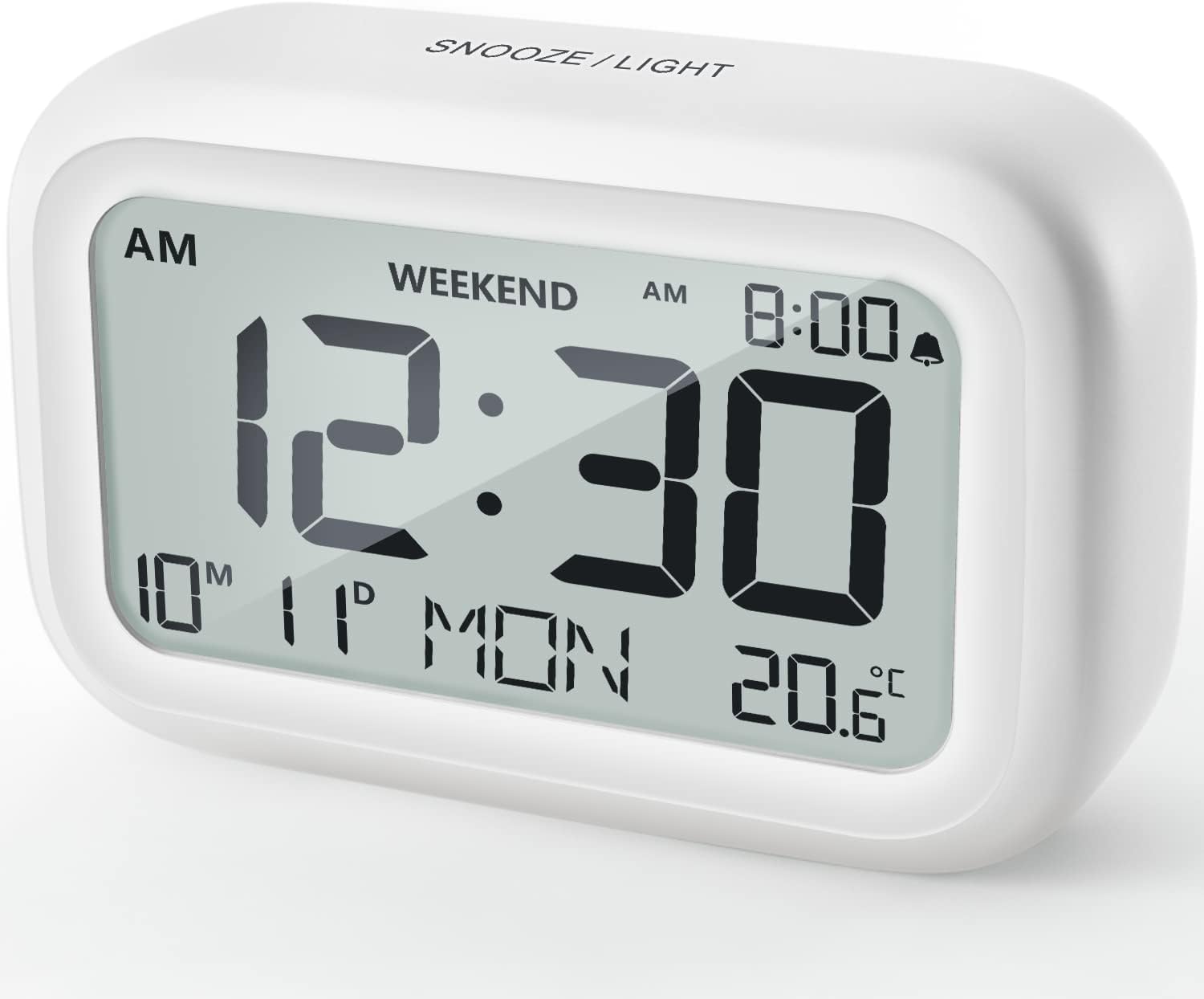
Daim duab 4.1: Pem hauv ntej View ntawm Lub Moos Ceeb Toom
This image displays the front of the DOOMAY Digital Alarm Clock, highlighting its large, clear LCD screen. The screen shows the current time (12:30), AM indicator, day of the week (MON), date (10th month, 11th day), and indoor temperature (20.6°C). The top of the clock has a "SNOOZE/LIGHT" button.

Daim duab 4.2: Cov Nta Tseem Ceeb Tshajview
This diagram illustrates the main functionalities of the alarm clock: 12/24H time display, calendar, alarm setting, adjustable volume, snooze function, backlight, weekend mode, and temperature display. The clock itself is shown on a wooden table, displaying 7:00 AM, Friday, and 28.8 degrees.

Figure 4.3: Back Panel Controls
This image shows the rear of the alarm clock, detailing the various control buttons and the battery compartment. Buttons are clearly labeled for: 12/24H time format, Alarm setting, Weekend mode, Date setting, Minus (-) for decreasing values, Plus (+) for increasing values, and °C/°F for temperature unit selection. The battery compartment is visible, designed for two AAA batteries.
Tswj thiab tso saib:
- LCD zaub: Shows time, date, day of week, AM/PM indicator, alarm status, and temperature.
- Khawm SNOOZE/TEEB (Sab Saum Toj): Activates snooze function during alarm; illuminates backlight for 5 seconds.
- Khawm 12/24H (Tom qab): Hloov pauv ntawm hom sijhawm 12-teev thiab 24-teev.
- Khawm Ceeb Toom (Rov Qab): Nkag mus rau hom teeb tsa lub tswb ceeb toom.
- Khawm WEEKEND (Tom qab): Activates/deactivates weekend mode.
- Khawm DATE (Tom qab): Nkag mus rau hom teeb hnub tim.
- Khawm MINUS (-) (Tom qab): Decreases values during setting; adjusts alarm volume.
- Khawm PLUS (+) (Tom qab): Increases values during setting; adjusts alarm volume.
- Khawm °C/°F (Tom qab): Hloov pauv ntawm Celsius thiab Fahrenheit qhov kub thiab txias.
5. Teeb tsa
5.1 Kev teeb tsa roj teeb
- Qhib lub roj teeb lub hau npog uas nyob hauv qab ntawm lub moos.
- Ntxig ob (2) lub roj teeb AAA, xyuas kom meej tias polarity raug (+ thiab -).
- Kaw lub roj teeb lub hau npog kom ruaj ntseg.
- The display will light up, and the clock will be ready for initial setup. A low battery symbol will appear when batteries need replacement. If the display shows "8888" flashing, it's also an indication to change batteries.
5.2 Kev Teeb Lub Sijhawm thiab Hnub Tim Pib
- Teem sijhawm:
- Nias lub 12/24 H button to switch between 12-hour (with AM/PM) and 24-hour formats.
- Nias thiab tuav lub 12/24 H button for 3 seconds to enter time setting mode. The hour digits will flash.
- Siv cov + or - nyees khawm los kho lub sij hawm.
- Nias lub 12/24 H nias dua kom paub meej tias teev thiab txav mus rau qhov teeb tsa feeb. Cov lej feeb yuav ci ntsa iab.
- Siv cov + or - nyees khawm los kho lub feeb.
- Nias lub 12/24 H button one more time to exit time setting.
- Hnub tim:
- Nias thiab tuav lub DATE button for 3 seconds to enter date setting mode. The year digits will flash.
- Siv cov + or - nyees khawm los kho lub xyoo.
- Nias lub DATE button again to confirm the year and move to month setting.
- Adjust the month using + or -.
- Xovxwm DATE again to move to day setting.
- Adjust the day using + or -.
- Xovxwm DATE one more time to exit date setting. The day of the week will automatically adjust.
6. Cov lus qhia ua haujlwm
6.1 Teeb Tswb
- Nias thiab tuav lub Tswb button for 3 seconds. The alarm hour digits will flash.
- Siv cov + or - cov nyees khawm los teeb tsa lub sijhawm ceeb toom uas koj xav tau.
- Nias lub Tswb button again to confirm the hour and move to minute setting. The alarm minute digits will flash.
- Siv cov + or - buttons to set the desired alarm minute.
- Nias lub Tswb button one more time to exit alarm setting. The alarm icon (bell symbol) will appear on the display, indicating the alarm is active.
- To turn the alarm ON/OFF, simply press the Tswb button once. The bell icon will appear/disappear.
6.2 Qhib Ua Haujlwm
When the alarm sounds, gently tap the large SNOOZE / TEEB button on the top of the clock. The alarm will pause for 9 minutes and then sound again. This can be repeated multiple times.

Daim Duab 6.1: Qhib Snooze
This image demonstrates how to activate the snooze function by touching the top of the alarm clock. The text highlights that this action provides an additional 9 minutes of sleep after the alarm sounds.
To completely turn off the alarm after it sounds (without snoozing), press any button on the back of the clock.
6.3 Hom Hnub So
The weekend mode allows the alarm to sound only from Monday to Friday, preventing it from ringing on Saturday and Sunday.

Figure 6.2: Weekend Mode Activated
This image shows the alarm clock display with the "WEEKEND" indicator prominently displayed, signifying that the weekend mode is active. The accompanying text clarifies that in this mode, the alarm will only sound from Monday to Friday, ensuring undisturbed weekends.
- To activate Weekend Mode, press the WEEKEND button once. The "WEEKEND" indicator will appear on the display.
- To deactivate Weekend Mode, press the WEEKEND button again. The "WEEKEND" indicator will disappear.
6.4 Adjustable Alarm Volume
The alarm clock offers two volume levels: Low (70 dB) and High (85 dB).

Figure 6.3: Alarm Volume Levels
This image visually represents the two available alarm volume settings: L01 (85 dB) for a louder alarm and L02 (70 dB) for a softer alarm. The alarm clock is shown in a bedroom setting, emphasizing its use as a bedside device.
- Thaum nyob rau hauv hom zaub sijhawm ib txwm, nias lub + or - buttons to cycle between the two alarm volume levels. The current volume level will be briefly displayed.
6.5 Kev Ua Haujlwm ntawm Lub Teeb Ci
To illuminate the display in low light conditions, simply tap the SNOOZE / TEEB button on the top of the clock. The backlight will activate for approximately 5 seconds, providing clear visibility of the time and other information.
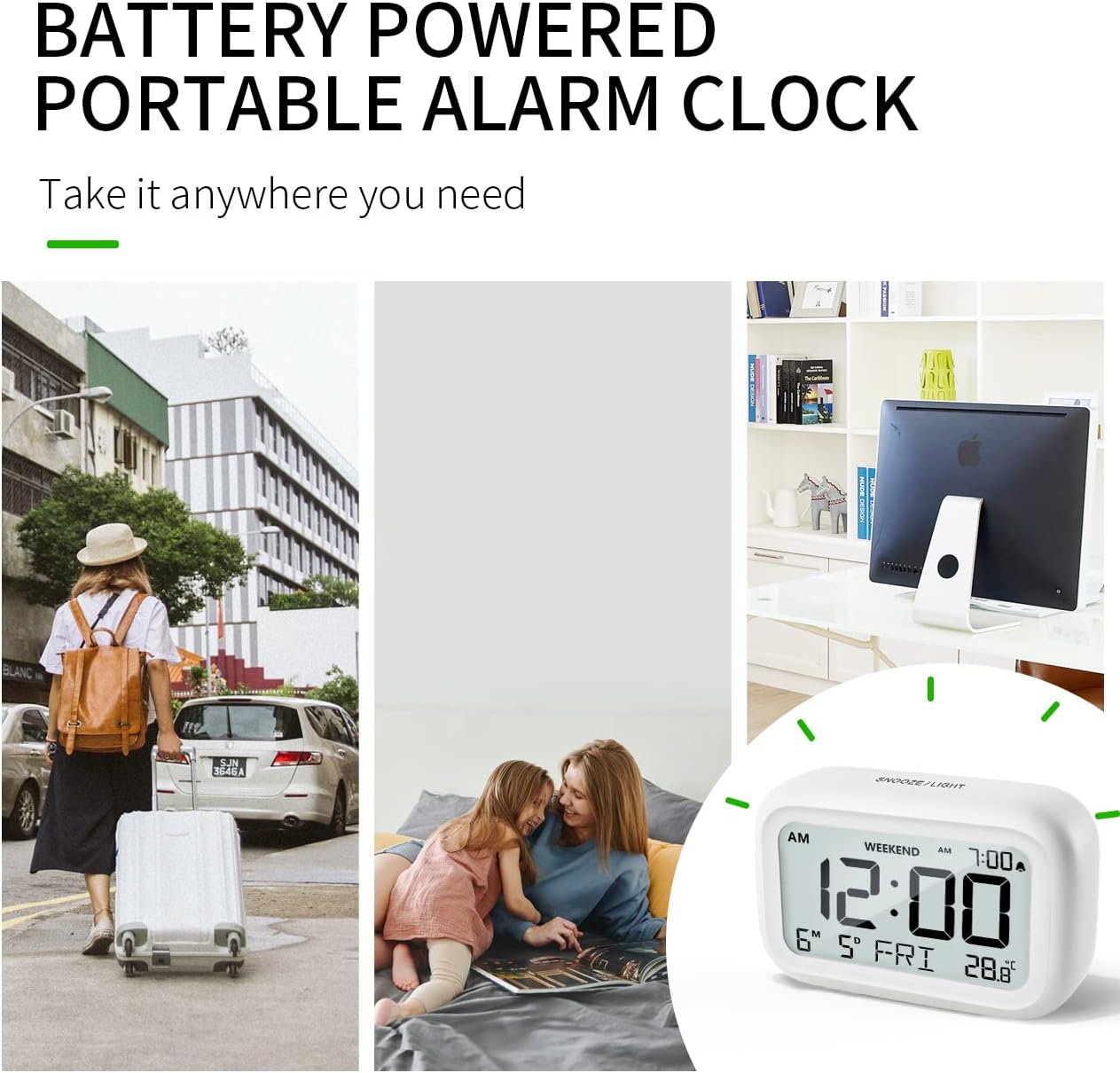
Figure 6.4: Backlight in Action
This image provides a side-by-side comparison of the alarm clock's display. On the left, the clock is shown in a well-lit environment. On the right, the same clock is shown in a dark setting with its 5-second backlight activated, demonstrating how the display becomes clearly visible at night.
6.6 Temperature Display
The clock displays the indoor temperature. You can switch between Celsius (°C) and Fahrenheit (°F) units.
- To change the temperature unit, press the ° C/° F. khawm nyob tom qab ntawm lub moos.
7. Kev tu
7.1 Kev ntxuav
Wipe the clock with a soft, dry cloth. Do not use abrasive cleaners or solvents, as they may damage the surface.
7.2 Hloov roj teeb
When the low battery indicator appears on the display, or if the display shows "8888" flashing, it is time to replace the batteries. Follow the steps in Section 5.1 Battery Installation to replace the two AAA batteries.
8. Kev daws teeb meem
| Teeb meem | Ua Tau | Kev daws |
|---|---|---|
| Cov zaub yog dawb los yog dim. | Cov roj teeb tuag los yog teeb tsa tsis raug. | Hloov cov roj teeb nrog AAA roj teeb tshiab, kom ntseeg tau qhov tseeb polarity. |
| Tswb tsis suab. | Alarm is not activated, or Weekend Mode is ON. | Ensure the alarm icon is displayed. Check if Weekend Mode is active and deactivate if necessary. |
| Snooze function not working. | Not tapping the SNOOZE/LIGHT button correctly. | Ensure a firm, brief tap on the top SNOOZE/LIGHT button when the alarm is sounding. |
| Sijhawm/hnub tim tsis raug. | Not set correctly or batteries were removed. | Refer to Section 5.2 Initial Time and Date Setting to re-set. |
9. Cov lus qhia tshwj xeeb
| Feature | Paub meej |
|---|---|
| Qauv nab npawb | 5293 ua |
| Hom | DOOMAY |
| Qhov Loj (L x W x H) | 10.9 x 3.81 x 6.9 cm (4.29 x 1.5 x 2.72 nti) |
| Qhov hnyav | 127.01 grams (0.28 lbs) |
| Khoom siv | Acrylonitrile Butadiene Styrene (ABS) |
| Hwj chim Source | 2 x AAA roj teeb (nrog) |
| Hom zaub | Cov LCD |
| Cov Qib Ceeb Toom | Low (70 dB), High (85 dB) |
| Npog Duration | 9 feeb |
| Backlight Duration | 5 vib nas this |
| Chav ntsuas kub | Celsius (° C) / Fahrenheit (° F) |
10. Warranty thiab Support
DOOMAY products are designed for reliability and performance. For any questions, technical support, or warranty claims, please contact your retailer or visit the official DOOMAY website for assistance. Please retain your proof of purchase for warranty purposes.
For further information, you may visit the brand's Amazon store page: DOOMAY Store on Amazon
Ask a question about this manual
Ask about setup, troubleshooting, compatibility, parts, safety, or missing instructions. Manuals+ will review the question and use this page’s manual context to help answer it.