
1. Taw qhia
Ua tsaug rau kev yuav khoomasing the Muse M-308 BT Bluetooth Speaker. This manual provides essential information for the safe and correct use of your device. Please read it thoroughly before use and keep it for future reference.
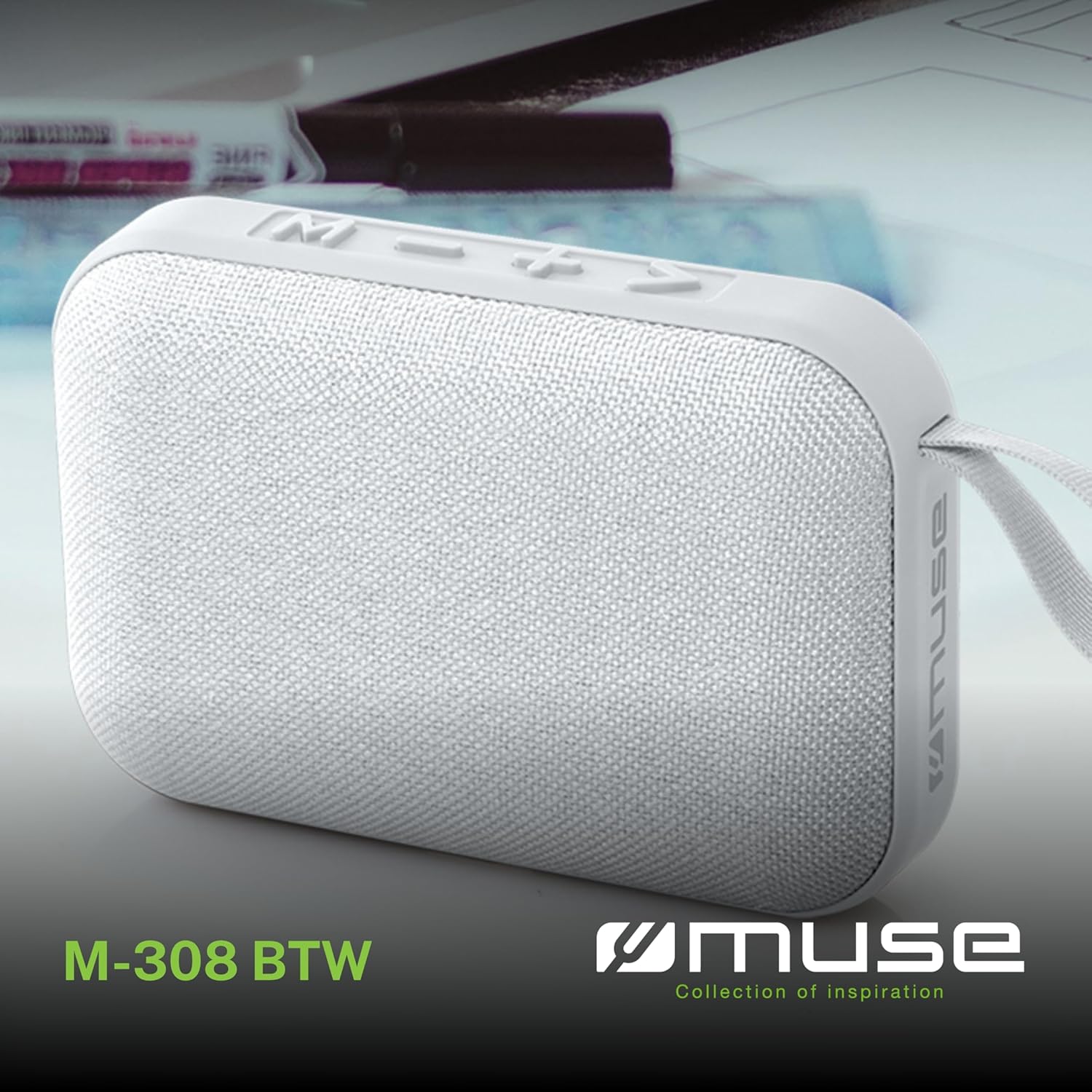
Duab 1.1: Pem hauv ntej view of the Muse M-308 BT Bluetooth Speaker.
2. Khoom Nta
- Bluetooth txuas: Stream audio wirelessly from compatible devices.
- Hands-free Function: Integrated microphone for taking calls.
- Rov qab ua si: Supports music playback from USB and MicroSD (TF) cards.
- Stereo Pairing: Connect two M-308 BT speakers for enhanced stereo sound.
- Qhov taw qhia LED: Provides visual feedback for Bluetooth pairing and charging status.
- Compact thiab Lightweight: Designed for portability, weighing approximately 200g.
- Built-in Rechargeable Roj teeb: 1200mAh capacity for up to 10 hours of playback.
- Tso zis zog: 5 Watts for clear audio.

Image 2.1: Key features of the Muse M-308 BT speaker.

Image 2.2: Additional functionalities of the Muse M-308 BT speaker.
3. Cov ntsiab lus ntawm pob
Xyuas kom tag nrho cov khoom muaj nyob rau hauv unpacking:
- Muse M-308 BT Bluetooth Speaker
- USB Charging Cable
- Tus Neeg Siv Los Siv (cov ntawv no)
4. Kev Tswj Xyuas thiab Kev Sib Txuas
Familiarize yourself with the speaker's controls and connection ports:

Image 4.1: Top panel with various connections.
- USB Chaw nres nkoj: Rau kev ua si suab paj nruag los ntawm USB flash drive.
- Micro-USB Chaw nres nkoj: Rau them tus hais lus.
- Micro SD (TF) Card Slot: Rau kev ua si suab paj nruag los ntawm Micro SD card.
- ON/OFF Hloov: To power the speaker on or off.

Image 4.2: Side panel with control buttons.
- M Button (Mode): Press to switch between Bluetooth, USB, and Micro SD modes.
- - Button (Volume Down / Previous Track):
- Nias luv luv: Txo qhov ntim.
- Long press: Go to the previous track.
- + Button (Volume Up / Next Track):
- Nias luv luv: Ua kom ntim ntau dua.
- Long press: Go to the next track.
- > Button (Play / Pause / Call):
- Short press: Play or pause music.
- Short press (during incoming call): Answer call.
- Long press (during incoming call): Reject call.
- Short press (during call): End call.
5. Teeb tsa
5.1 Them tus hais lus
- Connect the supplied USB charging cable to the Micro-USB port on the speaker.
- Txuas lwm qhov kawg ntawm USB cable mus rau USB fais fab adapter (tsis suav nrog) lossis lub khoos phis tawj USB.
- LED qhov taw qhia yuav teeb kom pom cov xwm txheej them nyiaj. Nws yuav tua lossis hloov xim thaum them tag nrho.
5.2 Hwj chim Rau/Tawm
- To power on, slide the ON/OFF switch to the 'ON' position. You will hear an audible prompt.
- Txhawm rau tua hluav taws, xaub lub ON / OFF hloov mus rau 'OFF' txoj hauj lwm.
5.3 Bluetooth Pairing
- Ensure the speaker is powered on and in Bluetooth mode (indicated by a flashing LED). If not, press the 'M' button to switch to Bluetooth mode.
- Qhib Bluetooth ntawm koj lub smartphone, ntsiav tshuaj, lossis lwm yam khoom siv tau tshaj.
- Nrhiav rau available Bluetooth devices and select "M-308 BT" from the list.
- Thaum twg koj ua khub lawm, lub teeb LED yuav tsis ntsais thiab tseem nyob ruaj khov, thiab koj yuav hnov lub suab lees paub.
- The speaker will automatically connect to the last paired device when powered on, if it is within range.
5.4 Stereo Pairing (TWS Function)
To pair two M-308 BT speakers for true wireless stereo sound:
- Ensure both speakers are powered on and in Bluetooth pairing mode (LED flashing).
- On one of the speakers (this will be the primary speaker), double-press the 'M' button. The speaker will search for another M-308 BT speaker.
- Once connected, both speakers will emit a confirmation tone, and the LED on the primary speaker will flash slowly, while the LED on the secondary speaker will remain solid.
- Tam sim no, txuas koj lub cuab yeej rau lub hais lus tseem ceeb ntawm Bluetooth raws li tau piav qhia hauv ntu 5.3.
6. Cov lus qhia ua haujlwm
6.1 Cov Ua Si Lom Zem
- Hom Bluetooth: After successful pairing, start playing music on your connected device. The audio will stream through the speaker.
- USB / Micro SD Hom: Insert a USB flash drive or Micro SD card into the respective port. The speaker will automatically switch to the corresponding mode and begin playing music. If it doesn't, press the 'M' button to cycle through modes.
6.2 Volume Control
- Nias lub pob '+' kom nce lub ntim.
- Nias lub pob '-' kom txo qhov ntim.
6.3 Track Navigation
- Long press the '+' button to skip to the next track.
- Long press the '-' button to go back to the previous track.
6.4 Hu Tsis Pub Hu
- When a call comes in, the music will pause. Press the '>' button to answer the call.
- To end a call, press the '>' button again.
- To reject an incoming call, long press the '>' button.
7. Kev tu
- Khaws tus neeg hais lus kom deb ntawm qhov kub thiab txias, ncaj qha tshav ntuj, thiab noo noo.
- Do not expose the speaker to water or other liquids. This model is not water-resistant.
- Ntxuav tus neeg hais lus nrog ib daim ntaub mos, qhuav. Tsis txhob siv cov tshuaj abrasive los yog cov kuab tshuaj.
- Do not attempt to disassemble or repair the speaker yourself. This will void the warranty.
- When not in use for extended periods, charge the battery at least once every three months to maintain battery health.
8. Kev daws teeb meem
| Teeb meem | Ua Tau | Kev daws |
|---|---|---|
| Speaker tsis muaj hwj chim rau. | Roj teeb yog depleted. | Charge the speaker using the supplied USB cable. |
| Tsis tuaj yeem ua khub ntawm Bluetooth. | Bluetooth is not enabled on your device or speaker is not in pairing mode. Speaker is too far from the device. | Ensure Bluetooth is active on both devices. Make sure the speaker is in Bluetooth pairing mode (flashing LED). Move the speaker closer to your device (within 10 meters). |
| Tsis muaj suab. | Volume is too low. Speaker is not connected. Incorrect mode selected. | Increase the volume on both the speaker and your connected device. Re-pair the Bluetooth connection. Press the 'M' button to cycle through modes (Bluetooth, USB, Micro SD). |
| Music playback from Micro SD card is erratic or "screaming". | Corrupted files on Micro SD card. Incompatible file hom ntawv. | Xyuas kom lub suab files are in a compatible format (e.g., MP3). Try using a different Micro SD card or reformatting the current one and reloading files. |
| Speaker switches between modes (e.g., SD and BT) unexpectedly. | Interference or a temporary software glitch. | Power off the speaker, wait a few seconds, then power it back on. Ensure no other devices are causing interference. If the issue persists, try removing the Micro SD card if it's inserted. |
9. Cov lus qhia tshwj xeeb
| Qauv Lub Npe | M-308 IB |
| Hom | Muse |
| Connectivity Technology | Bluetooth, Wired |
| Wireless Kev Sib Txuas Lus Technology | Bluetooth |
| Speaker Maximum Output Power | 5 Watts |
| Suab Tso Tawm Hom | Lub tso suab |
| Hom hais lus | Portable Bluetooth Speaker |
| Tshwj xeeb nta | Bluetooth |
| Compatible Devices | Smartphone, ntsiav tshuaj |
| Hwj chim Source | Roj teeb |
| Roj teeb lub neej | 10 teev |
| Roj teeb muaj peev xwm | 1200 mivampib teev |
| Khoom Dimensions (D x W x H) | 118D x 30B x 76H millimeters (11.8 x 3 x 7.6 cm) |
| Yam Nyhav | 200 Nws |
| Khoom siv | Plastic rubber material |
| Is Water Resistant | Tsis muaj |
| Cov Cheebtsam suav nrog | USB Charging Cable |
Image 9.1: Dimensions of the Muse M-308 BT speaker.
10. Warranty thiab Support
The Muse M-308 BT Bluetooth Speaker comes with a 2 xyoo warranty txij hnub ntawm kev yuav khoom.
For technical support, warranty claims, or further assistance, please contact your retailer or visit the official MUSE website rau cov ntaub ntawv tiv tauj.