
Taw qhia
Thank you for choosing the Dpofirs Portable MP3 Player. This device is designed to provide high-quality, lossless audio playback in a compact and durable form factor. This manual will guide you through the setup, operation, and maintenance of your new MP3 player.
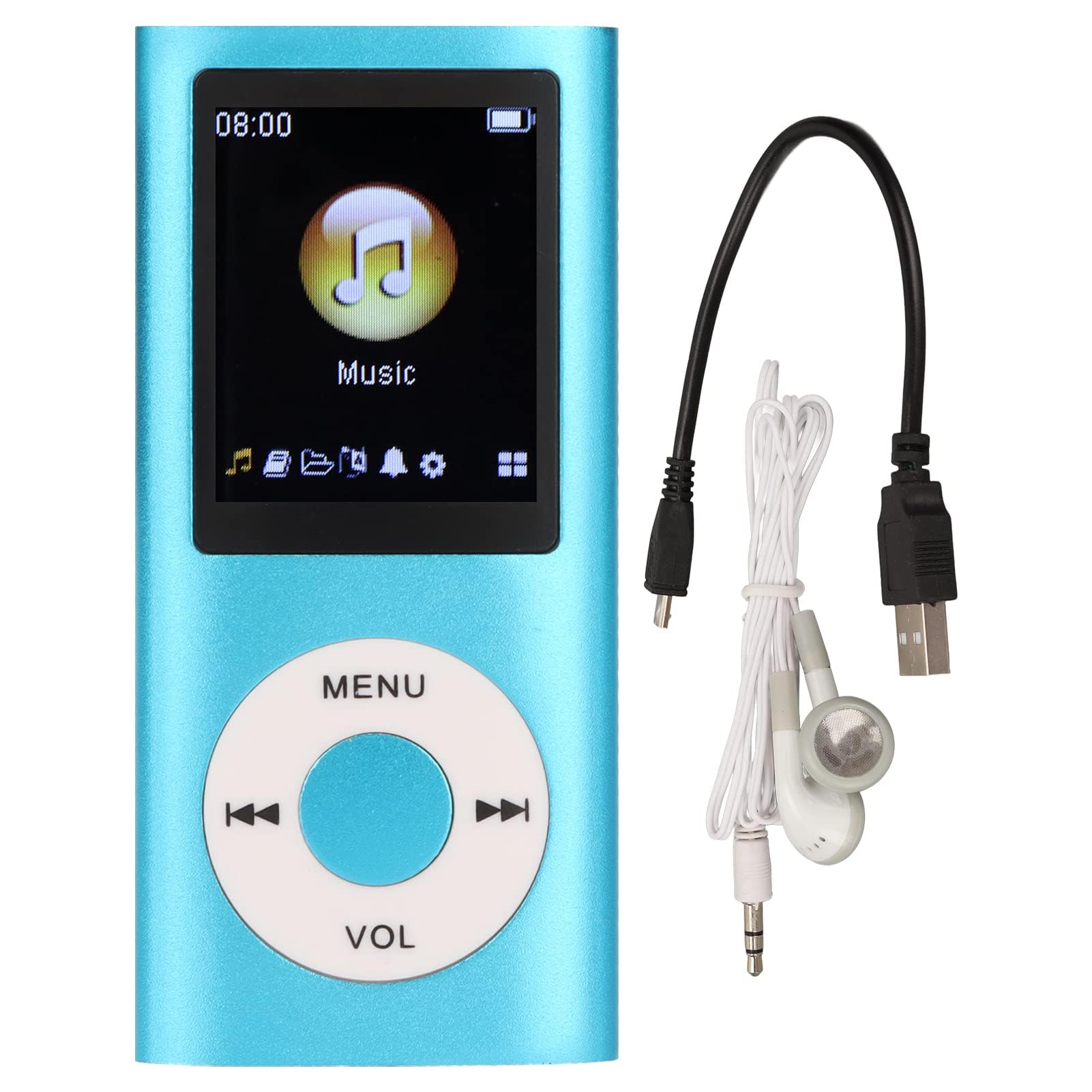
Image: The Dpofirs Portable MP3 Player, featuring a blue aluminum alloy casing and a circular control pad. A person is visible in the background, enjoying music with headphones.
Ntim Cov Ntsiab Lus
Thov kos lub pob rau cov khoom hauv qab no:
- 1 x Dpofirs MP3 Player
- 1 x Charging Cable
- 1 x Earphones
Cov yam ntxwv tseem ceeb
- Lossless Sound Quality: Supports MP3, WMA, FLAC, APE, AAC, OGG, and ACELP audio formats.
- Expandable Nco: Supports up to 64GB memory card (not included). MYMAHDI memory cards are recommended.
- Tus neeg siv-phooj ywg interface: Easy navigation for selecting songs, creating playlists, and managing playback.
- Lub neej roj teeb ntev: Txog li 8 teev ntawm kev ua si tas li ntawm tus nqi tag nrho.
- Kev tsim qauv ruaj khov: Constructed from premium aluminum alloy for enhanced durability.
- Playback hom: Supports sequential and random playback, and sleep shutdown function.
Teeb tsa
1. Kev them nyiaj yug ntaus ntawv
Ua ntej siv thawj zaug, them koj lub MP3 player kom tag.
- Connect the provided charging cable to the MP3 player's charging port.
- Txuas lwm qhov kawg ntawm lub cable mus rau USB fais fab adapter (tsis suav nrog) lossis lub khoos phis tawj USB.
- The device will indicate charging status. A full charge typically takes approximately 2 hours.
Tseem ceeb: Ensure the charging cable is functioning correctly. If the device does not charge, try a different USB port or adapter.
2. Ntxig ib daim npav nco
The MP3 player requires a memory card for storing music.
- Locate the memory card slot on the side of the MP3 player.
- Gently insert a microSD card (up to 64GB, not included) into the slot until it clicks into place.
- Yuav tshem tawm, thawb daim npav me ntsis kom txog thaum nws dhia tawm.
Nco tseg: A memory card is not included with the player. MYMAHDI brand memory cards are recommended for optimal performance.
3. Txuas pob ntseg
Connect the provided earphones or your preferred 3.5mm audio headphones to the headphone jack on the MP3 player.
Cov lus qhia ua haujlwm
1. Fais fab / Off
- To power on, press and hold the power button (usually the Play/Pause button or a dedicated power button) until the screen lights up.
- Yuav kom tua hluav taws xob, nias thiab tuav lub pob hluav taws xob dua kom txog thaum lub vijtsam tua.
2. Basic Navigation
The MP3 player features a circular control pad with several buttons:
- CEEB TOOM: Access the main menu or go back to the previous screen.
- VOL (+/-): Kho qhov ntim qib.
- Ua si / Pause: Pib lossis ncua kev ua si.
- Tom ntej / Previous: Skip to the next track or go back to the previous track. Long press to fast forward/rewind.
3. Transferring Music Files
To transfer music to your MP3 player:
- Connect the MP3 player to your computer using the charging cable.
- The player should appear as a removable disk drive on your computer.
- Luag thiab tso koj lub suab seev files (MP3, WMA, FLAC, APE, AAC, OGG, ACELP) into the player's memory card folder.
- Ua ntej tshem lub cable, tshem lub cuab yeej tawm ntawm koj lub computer kom zoo.
4. Ua Yeeb Yam
- From the main menu, navigate to the "Music" or "Audio" section.
- Xauj koj cov suab paj nruag los ntawm tus kws kos duab, album, hom ntawv, lossis txhua zaj nkauj.
- Xaiv ib zaj nkauj los pib playback.
- Use the Play/Pause, Next/Previous, and VOL buttons to control playback.
5. Playback Options
- Playlists: Create and manage custom playlists directly on the device.
- Shuffle/Repeat: Toggle between sequential playback, shuffle, and repeat modes.
- Pw tsaug zog kaw: Set a timer for the device to automatically power off.
Kev tu
- Khaws lub cuab yeej kom qhuav. Cov dej noo tuaj yeem ua rau cov kab hluav taws xob sab hauv.
- Tsis txhob kub siab heev.
- Clean the device with a soft, dry cloth. Do not use harsh chemicals or cleaning agents.
- Protect the screen from scratches.
- Khaws lub cuab yeej hauv qhov chaw nyab xeeb thaum tsis siv.
Kev daws teeb meem
Device tsis muaj zog rau:
- Ensure the battery is charged. Connect the player to a power source and allow it to charge for at least 30 minutes.
- Try pressing and holding the power button for an extended period (5-10 seconds).
Cannot hear any sound:
- Check if the earphones are properly connected to the headphone jack.
- Ua kom lub suab nrov dua los ntawm kev siv lub pob VOL+.
- Test with a different pair of earphones to rule out faulty headphones.
- Xyuas kom lub suab files are not corrupted and are in a supported format.
Suab paj nruag files are not recognized:
- Ensure the memory card is properly inserted and recognized by the device.
- Xyuas kom meej tias cov suab paj nruag files are in one of the supported formats (MP3, WMA, FLAC, APE, AAC, OGG, ACELP).
- Try reformatting the memory card (this will erase all data) and re-transferring the music.
- Ensure the memory card is not full.
Device freezes or becomes unresponsive:
- Nias thiab tuav lub khawm fais fab li 10-15 vib nas this kom yuam kom rov pib dua.
- If available, use a small pin to press the reset button (if present on the device).
Specifications
| Hom | Dpofirs |
| Qauv nab npawb | Dpofirs5yhtvp70d23123-13 |
| Khoom siv | Aluminium Alloy |
| Roj teeb | Built-in 200mAh Lithium roj teeb |
| Them sij hawm | Kwv yees li. 2 teev |
| Sijhawm Playback | Txog li 8 teev (them them tag nrho) |
| Kev them nyiaj yug Memory Card | Up to 64GB (microSD, not included) |
| Txhawb suab tawm tswv yim | MP3, WMA, FLAC, APE, AAC, OGG, ACELP |
| Connectivity Technology | Auxiliary, Bluetooth, Wi-Fi (Note: Bluetooth/Wi-Fi functionality not detailed in product description, focusing on core MP3 player features) |
| Xim | Xiav |
| Lub Tebchaws Keeb Kwm | Tuam Tshoj |
Warranty thiab Support
Specific warranty information for this product is not provided in the available documentation. Please refer to the retailer's return policy or contact the seller directly for details regarding warranty coverage.
For technical support or further assistance, please contact Dpofirs customer service through the platform where you purchased the product.