
1. Taw qhia
Thank you for choosing the BIKECOMM BK-S2 Motorcycle Bluetooth Intercom Headset. This device is designed to enhance your riding experience by providing clear communication, music playback, and GPS navigation audio directly to your helmet. The BK-S2 features Bluetooth V5.0 for stable connections, a 7mm extra-slim speaker design for comfort, and advanced noise filtering for clear audio.

Image 1.1: The BIKECOMM BK-S2 Motorcycle Bluetooth Intercom Headset unit.
2. Cov ntaub ntawv kev nyab xeeb
Please read all safety information carefully before using the BK-S2 headset to ensure safe and proper operation. Failure to follow these instructions may result in injury or damage to the device.
- Txoj Kev Nyab Xeeb: Always prioritize road safety. Do not operate the device in a way that distracts you from riding. Keep your attention on the road and traffic conditions.
- Volume Levels: Avoid listening at excessively high volume levels for prolonged periods, as this can cause hearing damage. Maintain a volume that allows you to hear ambient sounds and traffic.
- Kev Tiv Thaiv Dej: While the device is IPX7 waterproof, avoid submerging it in water for extended periods or exposing it to high-pressure water jets. Ensure the charging port cover is securely closed.
- Kev kho roj teeb: Do not attempt to replace the battery yourself. Do not expose the device to extreme temperatures, direct sunlight, or open flames. Dispose of batteries according to local regulations.
- Ntxuav: Siv daim ntaub mos mos thiab qhuav los ntxuav. Tsis txhob siv cov tshuaj lom neeg lossis cov tshuaj ntxuav uas ua rau tawv.
3. Cov ntsiab lus ntawm pob
The BK-S2 package includes the following components:
- BK-S2 Bluetooth Intercom Unit
- Helmet Speakers (7mm extra slim)
- Microphone (boom or wire, depending on helmet type)
- Mounting Brackets (clip and adhesive)
- USB Charging Cable
- Cov neeg siv phau ntawv
- Cawv Prep Pad
- Speaker Velcro Pads
- Microphone Velcro Pads
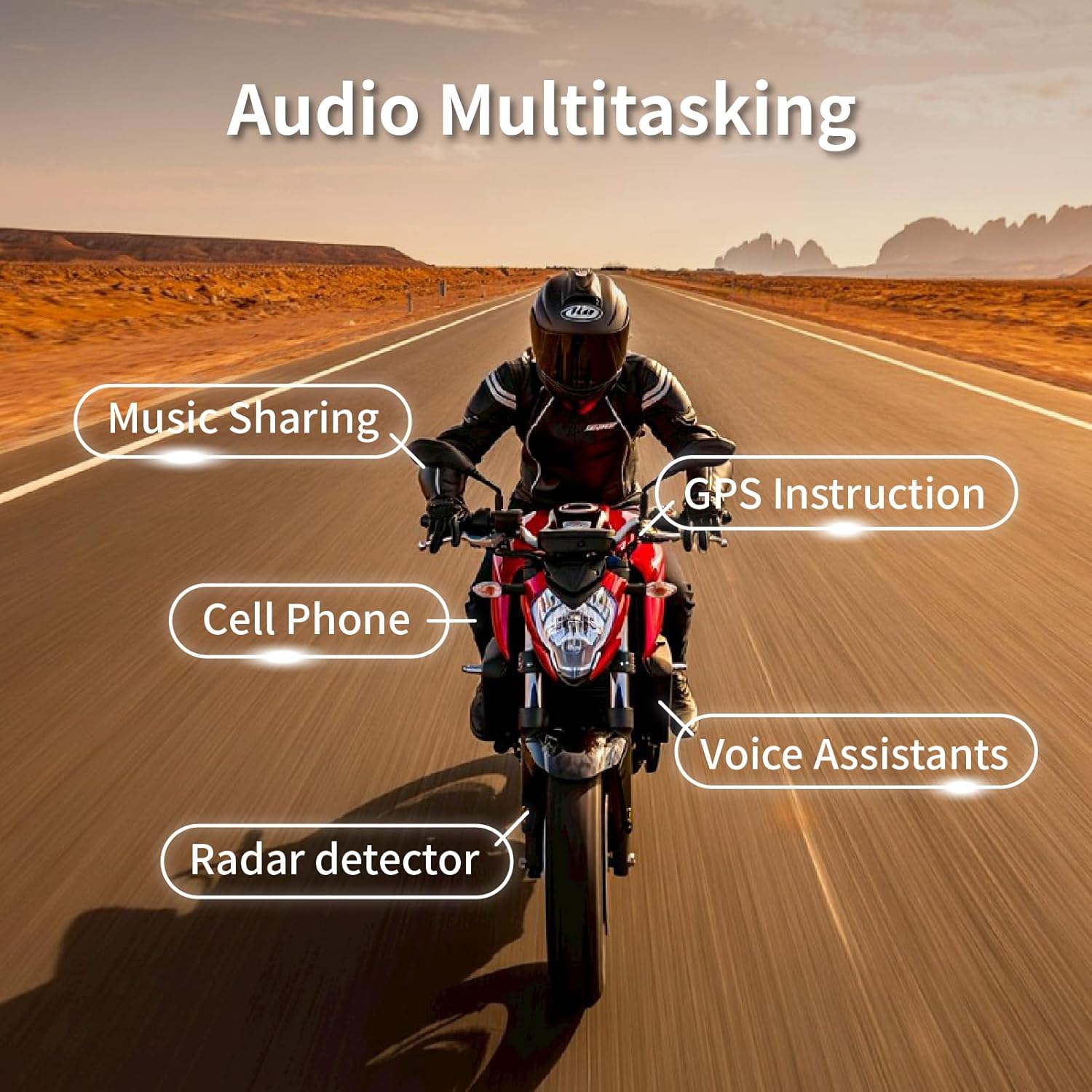
Image 3.1: All components included in the BK-S2 package.
4. Kev teeb tsa thiab kev teeb tsa
4.1 Kev them nyiaj yug ntaus ntawv
Before first use, fully charge the BK-S2 unit. Connect the provided USB charging cable to the charging port on the unit and to a USB power source. The charging time is approximately 2.5 to 3 hours.
4.2 Kev txhim kho kaus mom hlau
- Xaiv qhov chaw Mounting: Select a suitable flat surface on the left side of your helmet for the main unit.
- Txuas Mounting Bracket: Use either the clip-on bracket (for helmets with a suitable edge) or the adhesive bracket (for smooth surfaces). Ensure the surface is clean and dry before applying adhesive.
- Nruab Cov Neeg Hais Lus: Place the 7mm extra-slim speakers inside the helmet's ear pockets. Use the provided Velcro pads to secure them. Ensure they are positioned directly over your ears for optimal sound quality.
- Nruab Lub Microphone: Attach the microphone to the inside of the helmet, near your mouth. For full-face helmets, use the wire microphone. For open-face or modular helmets, use the boom microphone.
- Txuas Cables: Route the speaker and microphone cables neatly under the helmet padding and connect them to the main BK-S2 unit.
- Mount BK-S2 Unit: Slide the BK-S2 unit onto the installed mounting bracket until it clicks securely into place.

Image 4.1: The 7mm extra-slim speakers designed for comfortable helmet fit.

Image 4.2: The BK-S2 features large buttons for easy operation, even with gloves.
4.3 Initial Pairing (Bluetooth)
- Hwj chim On: Press and hold the Power button until the LED indicator flashes, indicating the device is on.
- Nkag Hom Pairing: Refer to your device's specific instructions for entering Bluetooth pairing mode (usually involves holding a button until the LED flashes rapidly or changes color).
- Search on Phone: On your smartphone or GPS device, go to Bluetooth settings and search for new devices.
- Select BK-S2: Select "BK-S2" from the list of available devices.
- Kev lees paub: Once paired, the LED indicator will change, and you may hear an audio confirmation.
5. Cov lus qhia ua haujlwm
5.1 Fais fab / Off
- Hwj chim On: Nias thiab tuav lub hwj huam khawm li 3 vib nas this.
- Fais fab tawm: Nias thiab tuav lub hwj huam khawm li 5 vib nas this.
5.2 Volume Control
- Ua Kom Ntim: Nias lub pob Volume Up (+).
- Txo Ntim: Nias lub Volume Down (-) khawm.
5.3 Kev Hu Xov Tooj
- Teb Hu rau: Nias lub Multi-function khawm ib zaug.
- Xaus Hu: Nias lub khawm Multi-function ib zaug thaum hu.
- Tsis kam hu: Nias thiab tuav lub Multi-function khawm rau 2 vib nas this.
- Suab Pab: Double-press the Multi-function button to activate your phone's voice assistant (Siri, Google Assistant).
5.4 Intercom muaj nuj nqi
The BK-S2 supports Instant Link Fleet Mode Conference Group Intercom for up to six motorcycle helmets, with an increased range of up to 1200 meters (approximately 0.75 miles) in open terrain.

Image 5.1: The BK-S2 supports group intercom for up to 6 riders.
- Pib Intercom: Follow the specific pairing instructions in the full manual for multi-unit intercom setup.
- Xaus Intercom: Press the Intercom button once.
5.5 Music Playback & Audio Mixing
The BK-S2 features an Audio Mixer and Duo Music Chatting, allowing you to listen to FM Radio, Map Navigation/GPS, or music while in intercom mode. It also supports two headsets listening to the same music simultaneously.

Image 5.2: The BK-S2 offers Audio Mix, DSP, and CVC Noise Reduction for clear audio.
Image 5.3: Audio multitasking allows simultaneous use of music, GPS, and communication.
- Play/Pause Music: Nias lub Multi-function khawm ib zaug.
- Next Track: Press the Volume Up (+) button for 2 seconds.
- Yav dhau los khiav: Press the Volume Down (-) button for 2 seconds.
5.6 Noise Cancellation
The BK-S2 features a Dual Noise Filtering Process with both microphone and DSP (Digital Signal Processing). This technology eliminates low-frequency noise, such as wind noise, and filters out non-human audio like motorcycle engine sounds, ensuring crystal clear communication.
6. Kev tu thiab tu
Proper maintenance will extend the lifespan of your BK-S2 headset.
- Ntxuav: So lub tsev nrog qhov muag muag, damp cloth. Do not use harsh detergents or solvents.
- Dej tsis kam: The BK-S2 is IPX7 waterproof, meaning it can withstand immersion in up to 1 meter of water for 30 minutes. However, always ensure the charging port cover is sealed tightly to prevent water ingress.
- Cia: Khaws cov khoom siv no rau qhov chaw txias thiab qhuav thaum tsis siv. Tsis txhob cia kub dhau heev.
- Roj teeb lub neej: For optimal battery longevity, avoid fully discharging the battery frequently. Charge the device regularly, even if not in constant use.

Image 6.1: The BK-S2 is IPX7 waterproof, designed to withstand various weather conditions.
7. Kev daws teeb meem
If you encounter issues with your BK-S2 headset, refer to the following common problems and solutions:
| Teeb meem | Ua Tau | Kev daws |
|---|---|---|
| Cov cuab yeej tsis siv hluav taws xob. | Tsawg roj teeb. | Them lub cuab yeej tsawg kawg yog 3 teev. |
| Tsis muaj suab los ntawm cov neeg hais lus. | Speakers not connected properly or volume too low. | Check speaker connections. Increase volume. Ensure device is paired. |
| Cannot pair with phone/device. | Device not in pairing mode or too far from phone. | Ensure BK-S2 is in pairing mode. Move devices closer. Turn Bluetooth off/on on phone. |
| Intercom connection unstable. | Tawm ntawm thaj chaw los yog obstructions. | Reduce distance between intercom units. Move to an area with fewer obstructions. |
| Poor microphone clarity. | Microphone not positioned correctly or wind noise. | Adjust microphone closer to mouth. Ensure wind noise reduction is active. |
If the problem persists after trying these solutions, please contact BIKECOMM customer support.
8. Cov lus qhia tshwj xeeb
| Feature | Paub meej |
|---|---|
| Qauv nab npawb | BK-S2 |
| Bluetooth Version | v 5.0 |
| Intercom Range | Up to 1200 meters (approx. 0.75 miles) for 6 riders |
| Waterproof Rating | IPX7 |
| Hom hais lus | 7mm Extra Slim High Sound Quality Helmet Speakers |
| Kev tshem tawm suab nrov | Dual Noise Filtering Process (Microphone & DSP) |
| Them sij hawm | Kwv yees li. 2.5-3 hnub |
| Tham Sijhawm | Kwv yees li. 14-15 teev |
| Nkauj Muam Nrauj Tag Sij Hawm | Kwv yees li. 16-17 teev |
| Hom roj teeb | 1 Lithium Polymer roj teeb (nrog) |
| Yam Nyhav | 1.92 hli |
| Khoom Dimensions | 1.69 x 1.1 x 3.82 po |
| Cov ntawv pov thawj | FCC, ROHS, BQB |
9. Warranty Information
BIKECOMM products are manufactured to high-quality standards. This product is covered by a limited warranty against defects in materials and workmanship from the date of purchase. Please retain your proof of purchase for warranty claims. The warranty does not cover damage caused by misuse, accident, unauthorized modification, or normal wear and tear. For specific warranty terms and conditions, please refer to the warranty card included in your package or contact BIKECOMM customer support.
10. Cov neeg siv khoom txhawb nqa
For further assistance, technical support, or warranty inquiries, please contact BIKECOMM customer service. You can typically find contact information on the BIKECOMM official website lossis los ntawm lub khw muag khoom uas koj yuav khoom.
Cov ntaub ntawv online: Visit the official BIKECOMM website for FAQs, updated manuals, and software/firmware updates.
Tiv tauj xov tooj: Refer to your product packaging or the BIKECOMM weblub xaib rau cov ntaub ntawv tiv tauj kev pabcuam cov neeg siv khoom tshiab tshaj plaws.