
Taw qhia
This manual provides detailed instructions for the proper setup, operation, and maintenance of your Geevon TX19 Wireless Remote Outdoor Sensor. Please read this manual thoroughly before use to ensure optimal performance and longevity of the device.
The Geevon TX19 sensor is designed to measure outdoor temperature and humidity, transmitting data wirelessly to a compatible Geevon weather station or indoor/outdoor thermometer. It is an essential component for monitoring environmental conditions in various outdoor settings.
Khoom Tshajview
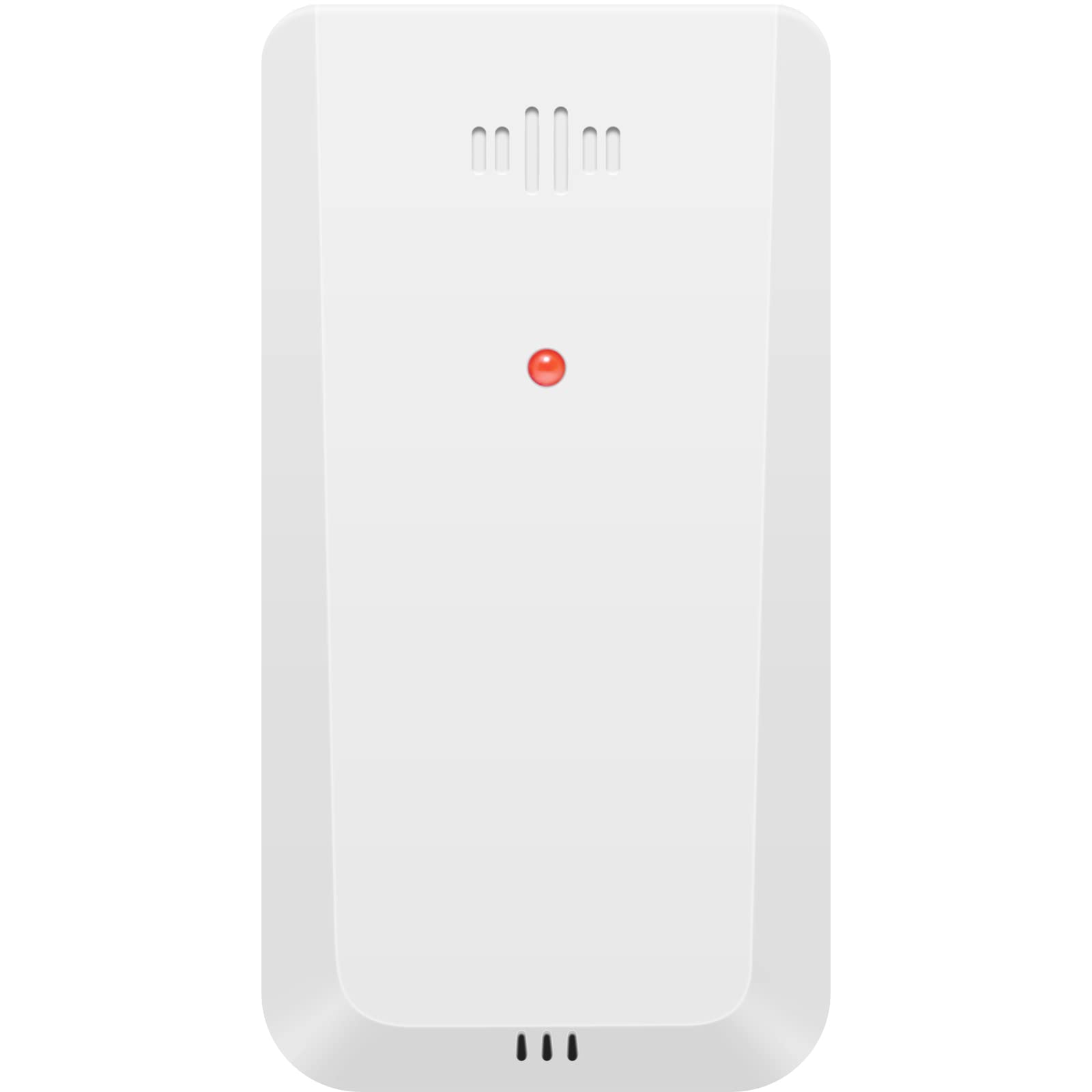
Duab: pem hauv ntej view of the Geevon TX19 Wireless Remote Outdoor Sensor. The sensor is white with a red indicator light and ventilation slots at the top and bottom.
Cov yam ntxwv tseem ceeb:
- Ntsuas qhov kub thiab av noo sab nraum zoov.
- Wireless transmission via 433 MHz signal.
- Transmission range up to 200 feet (60 meters).
- Data transmitted every 30 seconds.
- Supports up to 3 channels for monitoring multiple locations with additional sensors.
- Compatible with specific Geevon weather stations and thermometers (models 208270, 208667, 208664, 215019, 8688, and 228646).
Cov Cheebtsam suav nrog:
- 1 x Geevon TX19 Wireless Remote Outdoor Sensor
Teeb tsa
- Kev teeb tsa roj teeb:
Open the battery compartment on the back of the sensor. Insert two (2) AAA batteries, ensuring correct polarity (+/-). Close the battery compartment securely.
Cov Lus Cim Tseem Ceeb Roj Teeb: Do not use heavy-duty or rechargeable batteries. For low-temperature conditions, lithium batteries are recommended as alkaline batteries may perform improperly. Do not mix old and new batteries.
- Kev xaiv Channel:
Locate the channel switch inside the battery compartment or on the sensor. Select the desired channel (1, 2, or 3). If using multiple sensors, assign a unique channel to each sensor.
- Pairing with Main Unit:
Once batteries are installed and a channel is selected, the sensor will automatically begin transmitting data. Ensure your compatible Geevon weather station or thermometer is powered on and within range to receive the signal. Refer to your main unit's manual for specific pairing instructions if needed.
- Qhov chaw Sensor:
For accurate readings, place the sensor in a ventilated outdoor environment. Avoid direct sunlight, as this can cause artificially high temperature readings. Keep the sensor away from heat sources (e.g., vents, appliances) and moisture sources (e.g., sprinklers, gutters).
Ensure the sensor is within 200 feet (60 meters) of the main unit. Maintain a distance of at least 3 feet (1 meter) from electronic devices that may cause wireless interference, such as TVs, microwaves, computers, or radios.
Compatibility Note: This sensor is compatible with Geevon Weather Station models 208270, 208667, 208664, 215019, 8688, and Indoor/Outdoor Thermometer model 228646. Please verify your main unit's compatibility before purchasing or using this sensor.
Cov lus qhia ua haujlwm
The Geevon TX19 sensor operates automatically once properly set up. It continuously monitors outdoor temperature and humidity and transmits this data wirelessly to your compatible Geevon weather station or thermometer.
- Kev xa cov ntaub ntawv: The sensor transmits updated data every 30 seconds.
- Multi-Location Monitoring: If you are using multiple TX19 sensors (up to three), your main weather station will display temperature and humidity readings for each assigned channel, allowing you to monitor different outdoor locations simultaneously.
No user interaction is required for daily operation beyond initial setup and periodic battery replacement.
Kev tu
- Hloov roj teeb: The sensor requires two (2) AAA batteries. Replace batteries approximately every 6 months, or when the low battery indicator appears on your main weather station. Follow the battery installation guidelines in the Setup section.
- Ntxuav: Periodically wipe the exterior of the sensor with a soft, damp cloth. Do not use abrasive cleaners or immerse the sensor in water. Ensure no water or other liquids enter the sensor's internal components.
- Optimal Placement: Regularly check the sensor's placement to ensure it remains in a ventilated area, away from direct sunlight, heat sources, and excessive moisture, to maintain accurate readings.
Kev daws teeb meem
| Teeb meem | Ua Tau | Kev daws |
|---|---|---|
| No readings on main unit / Sensor not connecting |
|
|
| Kev nyeem tsis raug kub / av noo |
|
|
| Lub roj teeb luv luv |
|
|
Specifications
| Qauv nab npawb | TX19-W (Manufacturer Part Number: GN-TX19-CA) |
| Hom | Geevon |
| Hwj chim Source | Battery Powered (2 x AAA batteries required) |
| Roj teeb lub neej | Kwv yees li 6 lub hlis |
| Connectivity Technology | 433 MHz Wireless |
| Hloov Khoom Siv Ntau Yam | Mus txog 200 ko taw (60 meters) |
| Teb Sijhawm | 30 vib nas this |
| Kev siv sab hauv / sab nraum zoov | Sab nraum zoov |
| Kev ntsuas kub siab | 60 Tau Degree Celsius |
| Khoom Dimensions | 4 x 2 x 12 cm |
| Yam Nyhav | 40 Nws |
| Khoom siv | Yas |
| Tshwj xeeb nta | Pre-Calibrated, Wireless |
| Lub Tebchaws Keeb Kwm | Tuam Tshoj |
Warranty Information
The Geevon TX19 Wireless Remote Outdoor Sensor comes with a 1 Xyoo Warranty txij hnub ntawm kev yuav khoom. Qhov kev lees paub no suav nrog kev tsim khoom tsis raug thiab ua haujlwm tsis zoo raws li kev siv ib txwm. Thov khaws koj cov ntaub ntawv pov thawj ntawm kev yuav khoom rau kev lees paub.
The warranty does not cover damage caused by misuse, accident, unauthorized modification, improper installation, or use with incompatible devices. For detailed warranty terms and conditions, please contact customer support.
Kev Pab Txhawb Cov Neeg Siv Khoom
For any questions, technical assistance, or warranty inquiries regarding your Geevon TX19 Wireless Remote Outdoor Sensor, please contact our customer support team:
Email: support@geevon.com
Please provide your product model (TX19-W) and a detailed description of your issue when contacting support for faster service.