
Taw qhia
Thank you for choosing the NOKLEAD Indoor Digital Hygrometer Thermometer. This device is designed to provide accurate and reliable measurements of indoor temperature and humidity, helping you maintain a comfortable and healthy living environment. Please read this manual carefully before use to ensure proper operation and to maximize the product's lifespan.
Ntim Cov Ntsiab Lus
- 1 x NOKLEAD Digital Hygrometer Thermometer (Model NK5275)
- 2 x AAA roj teeb
- 1 x User Manual
Khoom Tshajview
The NOKLEAD Digital Hygrometer Thermometer features a large, easy-to-read LCD display and intuitive controls. It provides real-time temperature and humidity readings, along with MAX/MIN records, time, and date.

Duab: Diagram illustrating key features of the NOKLEAD digital monitor: Temperature, Humidity, Switchable °C/°F, Backlight, Comfort Indicator, MAX/MIN Record, 10s Update, AAA Batteries, Large Digits.

Duab: Close-up of the large, easy-to-read digits on the thermometer's LCD screen, highlighting its clarity.
Teeb tsa
1. Kev teeb tsa roj teeb
- Qhib lub roj teeb lub npog rau sab nraum qab ntawm lub cuab yeej.
- Ntxig ob lub roj teeb AAA, xyuas kom meej polarity (+/-).
- Close the battery compartment cover. The device will power on automatically.
2. Teem sijhawm thiab hnub tim
- Press the 'SET' button (usually located on the side or back) to enter time/date setting mode.
- Use the '+' or '-' buttons to adjust the values (e.g., hour, minute, year, month, day).
- Press 'SET' again to confirm each setting and move to the next.
- The device supports 12-hour and 24-hour time formats.
3. Hloov qhov ntsuas kub (° C / ° F)
Press the '°C/°F' button (usually located on the side or back) to toggle between Celsius and Fahrenheit temperature displays.
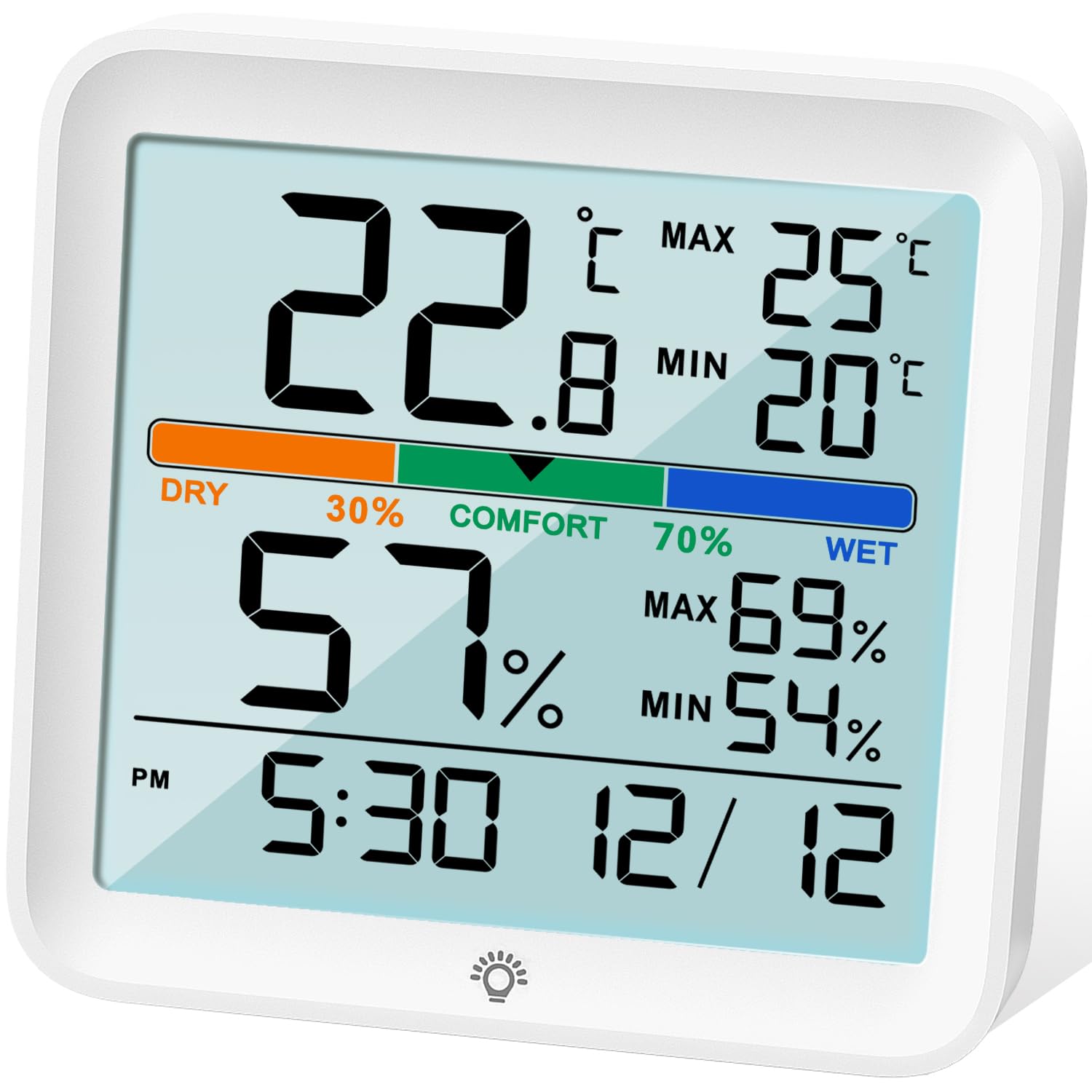
Duab: Pem hauv ntej view of the NOKLEAD Indoor Digital Hygrometer Thermometer, showing the backlit LCD display and touch button for illumination.
Cov lus qhia ua haujlwm
1. Real-time Readings
The device continuously displays the current indoor temperature and humidity. Readings are updated approximately every 10 seconds for accurate monitoring.
2. MAX/MIN Records
The thermometer automatically records the maximum and minimum temperature and humidity values over the last 24 hours. These values are displayed on the screen.
- To reset the MAX/MIN records, long press the '°F/°C' button.

Duab: Diagram illustrating the MAX/MIN temperature and humidity records displayed on the screen and how to reset them using the °F/°C button.
3. Comfort Level Indicator
The device features a comfort level indicator with three levels: DRY, COMFORT, and WET. This indicator helps you understand the current air quality based on humidity levels.
- DRY: Humidity qis dua 30%
- COMFORT: Humidity ntawm 30% thiab 70%
- Ntub dej: Humidity tshaj 70%

Duab: The display showing the comfort level indicator (DRY, COMFORT, WET) with associated humidity ranges, and visual cues for potential health impacts of extreme conditions.
4. Backlight Function
The LCD screen has a white backlight for easy reading in low-light conditions. Touch the backlight icon on the screen once to activate it. The backlight will automatically turn off after 15 seconds.
Calibration
The device includes an enhanced calibration function to ensure accuracy. If you suspect the readings are inaccurate due to placement or environmental factors, you can calibrate the sensors.
- Kub Calibration: Adjusts temperature readings by up to ±5°C (±41°F).
- Humidity Calibration: Adjusts humidity readings by up to ±10% RH.
Refer to the detailed instructions in the included paper manual for the specific steps to perform calibration, as this process typically involves a sequence of button presses.
Mounting Options
The NOKLEAD Hygrometer Thermometer offers versatile placement options:
- Durable Stand: Use the integrated foldable stand to place the device on any flat surface, such as a desk, shelf, or countertop.
- Hanging Qhov: Utilize the hanging hole on the back to mount the device on a wall or hook.

Duab: The thermometer displayed with its two mounting options: a durable stand for tabletop use and a hanging hole for wall mounting.
Kev tu
- Clean the device with a soft, dry cloth. Do not use abrasive cleaners or immerse in water.
- Tsis txhob tso lub cuab yeej rau qhov kub thiab txias, tshav ntuj ncaj qha, lossis cov av noo siab.
- Tshem tawm cov roj teeb yog tias lub cuab yeej yuav tsis siv rau lub sijhawm ntev los tiv thaiv kev xau.
- Hloov cov roj teeb thaum lub ntsuas roj teeb qis tshwm rau ntawm cov zaub.
Kev daws teeb meem
| Teeb meem | Ua Tau | Kev daws |
|---|---|---|
| Tsis muaj zaub lossis faint zaub | Cov roj teeb tsawg lossis kev teeb tsa roj teeb tsis raug. | Hloov cov roj teeb nrog AAA roj teeb tshiab, kom ntseeg tau qhov tseeb polarity. |
| Kev nyeem tsis raug | Device placed near heat/cold sources, or sensor needs calibration. | Relocate the device to a stable environment. Perform calibration as per the manual. |
| Backlight tsis ua haujlwm | Low batteries or touch sensor issue. | Replace batteries. Ensure the touch area is clean and dry. |
Specifications
| Feature | Paub meej |
|---|---|
| Qauv | NK 5275 |
| Hom | NOKLEAD |
| Xim | Dawb |
| Khoom Dimensions | 9.1L x 8.6H cm (3.6L x 3.4H inches) |
| Qhov kub thiab txias | -9.9 ° C txog 60 ° C (14.18 ° F txog 140 ° F) |
| Kub qhov tseeb | ± 1 ° C |
| Vaum Khwv | 10% RH txog 95% RH |
| Humidity Qhov tseeb | ± 3% RH |
| Hloov tshiab tus nqi | Txhua 10 vib nas this |
| Hwj chim Source | 2 x AAA Batteries (3 Volts) |
| Mounting Hom | Tabletop (stand) or Wall-mount (hanging hole) |
Warranty thiab Support
NOKLEAD provides a 24-lub hlis warranty tsis muaj kev txhawj xeeb for this product, covering manufacturing defects and malfunctions under normal use. For technical support, warranty claims, or any questions regarding your device, please contact NOKLEAD customer service through the retailer where you purchased the product or visit the official NOKLEAD website rau cov ntaub ntawv tiv tauj.
Thov khaws koj cov ntaub ntawv pov thawj ntawm kev yuav khoom rau lub hom phiaj warranty.
Kev siv Scenarios
The NOKLEAD Indoor Digital Hygrometer Thermometer is suitable for a variety of indoor environments to help you monitor and maintain optimal conditions.

Duab: A collage of images demonstrating the thermometer's versatility in different indoor settings, including an office, bedroom, baby room, greenhouse, warehouse, and wine cellar.