
1. Taw qhia
This manual provides detailed instructions for the setup, operation, maintenance, and troubleshooting of your NUCOUN VC-3 Mixed Denomination Money Counter Machine and its accompanying 58mm Thermal Receipt Printer. Please read this manual thoroughly before operating the device to ensure correct usage and optimal performance.
2. Khoom Tshajview
The NUCOUN VC-3 is an advanced money counting machine designed for mixed denomination counting and counterfeit detection. It features a 3.5-inch TFT touch screen for intuitive operation and supports multiple currencies including USD, EURO, CAD, and MXN. The machine can be connected to a 58mm thermal receipt printer for printing counting results and allows data export to a PC.

Image: The NUCOUN VC-3 Money Counter Machine shown connected to a laptop and a 58mm thermal receipt printer, illustrating its connectivity features.
3. Teeb cov lus qhia
- Unpacking: Carefully remove the money counter and all accessories from the packaging. Retain packaging for future transport or storage.
- Kev sib txuas fais fab: Connect the power adapter to the machine's power input port and then to a suitable power outlet.
- Kev sib txuas ntawm lub tshuab luam ntawv: Connect the 58mm thermal receipt printer to the money counter using the provided cable. Ensure the printer has paper loaded.
- Pib Pib Pib: Press the power button. The machine will perform a self-diagnosis at start-up to detect any internal issues.
- Kev teeb tsa software (Optional): If you intend to export counting data to a PC, install the provided PC software on your computer. Connect the money counter to your PC via a USB cable.
4. Operating the Money Counter
4.1. Kov Screen Interface
The VC-3 features a 3.5-inch TFT touch screen for easy navigation and operation. All functions and settings are accessible through this interface.

Duab: Ib qho ntxaws view of the 3.5-inch TFT touch screen on the NUCOUN VC-3, showing its clear menu and operational display.
4.2. Counting Modes and Functions
The VC-3 offers six primary functions for various counting needs:
- Mix: Counts mixed denominations and provides a total value.
- Auto: Automatically detects currency and denomination for counting.
- Xaiv: Sorts bills by denomination.
- Ntau: Allows counting of mixed currencies.
- Pawg: Counts bills into user-defined batches.
- Kev sib sau: Adds multiple counting results together.
- Suav: Simple piece counting without denomination recognition.

Image: A visual representation of the six operational modes (Mix, Sort, Multi, Batch, Auto, Count) available on the NUCOUN VC-3, demonstrating their respective display outputs.
4.3. Loading and Counting Bills
- Select the desired counting mode from the touch screen.
- Place the stack of bills neatly into the hopper. Ensure bills are aligned and not folded or crumpled.
- The machine will automatically start counting. The improved money receiving wheel and anti-static stacker design ensure smooth operation and prevent jams.
- View the counting results on the TFT screen.
5. Kev txheeb xyuas cuav
The NUCOUN VC-3 incorporates advanced counterfeit detection technologies to ensure the authenticity of banknotes. These include:
- UV (Ultraviolet) Detection: Checks for UV security features.
- MG (Magnetic) Detection: Verifies magnetic ink patterns.
- IR (Infrared) Detection: Scans for infrared security marks.
- CIS (Contact Image Sensor): Scans the entire banknote for detailed analysis.
- Safety Thread Detection: Identifies embedded security threads.
- RGB Detection: Analyzes color spectrum.
- Size Detection: Measures banknote dimensions.
The machine is designed to identify all versions of the US dollar in circulation and supports detection for EURO, CAD, and MXN.

Image: An illustration detailing the comprehensive counterfeit detection capabilities of the NUCOUN VC-3, including Magnetic, Ultraviolet, Security Line, Variable Ink, Spectrum, Infrared, Fluorescence, and Dimensional detection.
6. Kev Tswj Xyuas Cov Ntaub Ntawv
6.1. Printing Counting Results
After counting, you can print a detailed receipt of the transaction using the connected 58mm thermal receipt printer. Select the 'Print' option on the touch screen.
6.2. Exporting Data to PC
The VC-3 allows you to save counting data to a computer using the dedicated PC software. This feature enables detailed analysis and record-keeping.
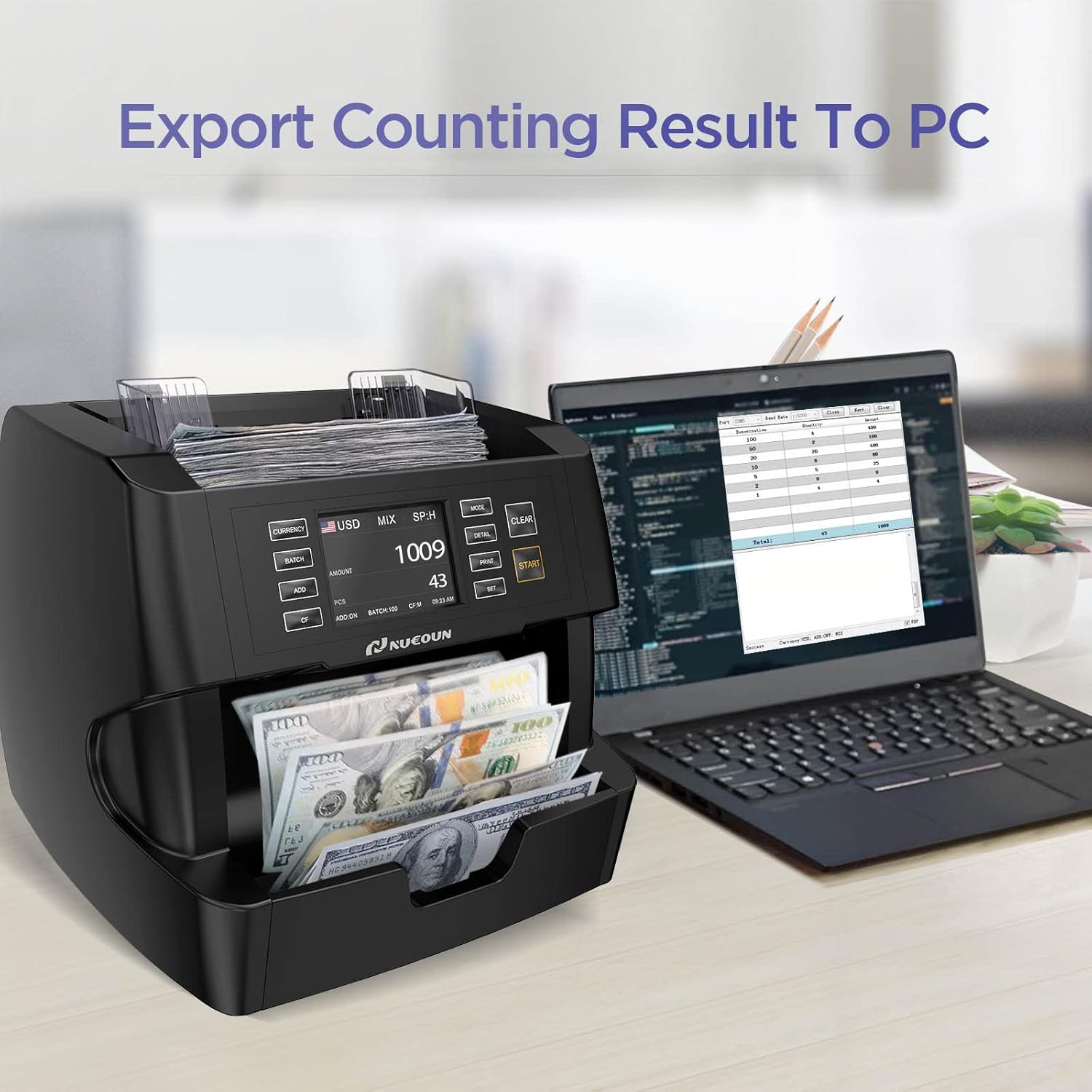
Image: The NUCOUN VC-3 money counter shown connected to a laptop, illustrating its capability to export counting results to a personal computer for further analysis.
7. Kev tu
- Kev ntxuav tu tsis tu ncua: Periodically clean the dust and debris from the bill pathways, sensors, and the hopper using a soft brush or compressed air. Ensure the machine is powered off before cleaning.
- Kev Ntsuas Sensor: The machine performs a self-diagnosis at start-up. If any issues are detected, refer to the troubleshooting section.
- Software hloov tshiab: Keep the machine's software updated to ensure compatibility with new bill releases and currency developments. Information on updates will be provided by NUCOUN support.
8. Kev daws teeb meem
If you encounter issues with your NUCOUN VC-3, please refer to the following common problems and solutions:
- Bills Jamming: Ensure bills are neatly stacked and not folded or damaged. Clean the bill pathways for any obstructions.
- Inaccurate Counts: Verify that the correct counting mode is selected. Clean the sensors to ensure proper detection.
- Counterfeit Detection Errors: Ensure bills are placed correctly. Clean the detection sensors. If issues persist, update the software.
- Lub tshuab tsis muaj zog: Txheeb xyuas qhov txuas fais fab cable thiab lub qhov hluav taws xob hluav taws xob.
- Lub tshuab luam ntawv tsis luam ntawv: Ensure the printer is properly connected, powered on, and has sufficient paper.
For persistent issues not resolved by these steps, please contact NUCOUN customer support.
9. Cov lus qhia tshwj xeeb
| Hom | NUCOUN |
| Qauv | HWV-3 |
| Suav Ceev | Txog li 1500 daim nqi ib feeb |
| Zaub | 3.5-nti TFT Touch Screen |
| Txhawb Cov Nyiaj Txiag | USD, EURO, CAD, MXN |
| Kev Tshawb Nrhiav | UV, MG, IR, CIS, Safety Thread, RGB, Size |
| Hom khoom | Polycarbonate |
| ASIN | B0CD1DF5B6 |
| Hnub Ua Ntej Muaj | Lub Xya hli ntuj 28, 2023 |
10. Warranty thiab Support
The NUCOUN VC-3 Money Counter Machine comes with a two-year quality protection warranty. This warranty includes software upgrades for new bill releases, new currency developments, and the addition of new currencies to the original software.
For technical support, warranty claims, or any operational questions, please contact NUCOUN customer service through the official website lossis koj lub platform yuav khoom.