
Taw qhia
Thank you for choosing the VGR V-353 Professional Electric Shaver. This manual provides essential information for the safe and effective use, maintenance, and troubleshooting of your new shaver. Please read these instructions carefully before first use and retain them for future reference.
Dab tsi nyob hauv lub thawv
- VGR V-353 Electric Shaver Unit
- Tiv thaiv Cap
- USB Charging Cable
- Ntxuav Txhuam

Image: The VGR V-353 shaver in green and black, alongside its accessories: a clear protective cap, a small cleaning brush, and a USB charging cable.
Cov lus qhia kev nyab xeeb
To reduce the risk of electric shock, injury, or damage, please observe the following safety precautions:
- Nyeem tag nrho cov lus qhia ua ntej siv lub cuab yeej no.
- Do not immerse the shaver in water or use it in a shower or bath if not explicitly stated as waterproof. This model is designed for wet and dry use, but avoid prolonged submersion.
- Khaws cov khoom kom deb ntawm cov menyuam yaus.
- Do not disassemble the shaver. Refer all servicing to qualified personnel.
- Siv tsuas yog muab USB them cable.
- Do not use the shaver if the foil or blades are damaged, as this may cause injury.
- Avoid using on irritated, damaged, or infected skin.
- Unplug lub shaver ua ntej ntxuav.
Teeb tsa
Kev them nqi pib
Before first use, fully charge the shaver. Connect the USB charging cable to the shaver's charging port and plug the other end into a compatible USB power source (e.g., computer, laptop, power bank, or USB wall adapter).
- Kev them nqi tag nrho yuav siv li 8 teev.
- A fully charged shaver provides up to 60 minutes of cordless operation.
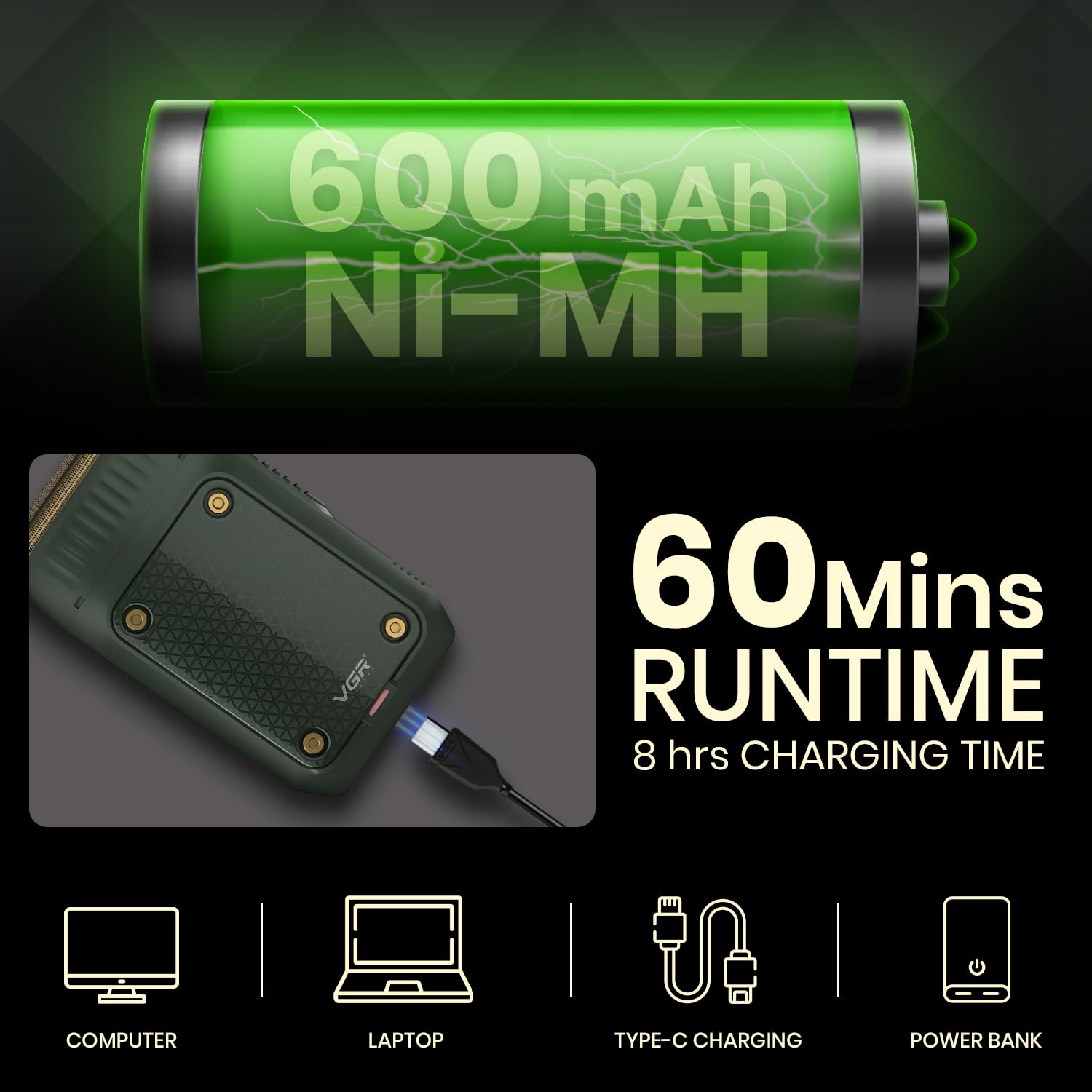
Image: The VGR V-353 shaver being charged via USB, highlighting its 600mAh Ni-MH battery, 60 minutes runtime, and 8 hours charging time.
Cov lus qhia ua haujlwm
Hwj chim On/Off
Locate the On/Off switch on the side of the shaver. Slide the switch to turn the shaver on or off.

Duab: Ib qho ntxaws view of the VGR V-353 shaver, pointing out the foil shaver, pop-up trimmer, on/off switch, and USB charging port.
Kev siv Foil Shaver
The VGR V-353 features a high-strength ultra-thin metal net slice combined with an ultra-thin reciprocating floating blade for a close and comfortable shave. It supports both wet and dry shaving.
- Dry Shave: Ensure your face is clean and dry. Hold the shaver at a right angle to your skin and move it against the direction of hair growth.
- Wet Shave: Apply shaving foam or gel to your face. Shave as you would with a dry shave, then rinse your face and the shaver head thoroughly.

Image: The shaver's foil blades are highlighted, with two inset images demonstrating a man performing a wet shave and a dry shave.

Image: A man shaving his face with the VGR V-353 shaver, demonstrating its use for a close and clean shave.
Siv lub Pop-Up Trimmer
The integrated pop-up trimmer is ideal for shaping sideburns, moustaches, and achieving perfect edges.
- To activate the trimmer, slide the trimmer release button upwards.
- Carefully trim desired areas.
- Push the trimmer back down to retract it when finished.

Duab: Close-up views demonstrating the pop-up trimmer mechanism and its application for fine-tuning facial hair.
Kev tu
Ntxuav lub Shaver
Kev tu tsis tu ncua ua kom pom kev ua haujlwm zoo thiab kev nyiam huv.
- Tom qab txhua qhov kev siv: Turn off the shaver. Remove the foil head. Use the provided cleaning brush to brush away any loose hair from the foil and the inner blade assembly.
- Wet Cleaning (for wet/dry use): After dry brushing, you can rinse the foil head and blade assembly under running water. Ensure the shaver is turned off and unplugged before rinsing. Allow parts to air dry completely before reassembling or storing.
- Tsis txhob siv cov tshuaj abrasive los yog tshuaj hnyav.
Cia
When not in use, store the shaver with its protective cap on to prevent damage to the foil and blades. Keep it in a dry place, away from direct sunlight and extreme temperatures.
Kev daws teeb meem
| Teeb meem | Ua Tau | Kev daws |
|---|---|---|
| Shaver does not turn on | Roj teeb yog depleted | Them lub tshuab txiav plaub hau rau 8 teev. |
| Kev ua haujlwm shaving tsis zoo | Foil or blades are dirty or worn | Clean the shaver head thoroughly. Consider replacing the foil and blades if performance does not improve. |
| Shaver tsis them | USB cable los yog lub hwj chim qhov teeb meem | Xyuas kom tseeb tias lub USB cable txuas ruaj khov. Sim siv lwm lub USB port lossis lub adapter fais fab. |
Specifications
- Qauv: V-353
- Roj teeb: 600mAh Ni-MH
- Lub sijhawm ua haujlwm: Txog li 60 feeb
- Lub sij hawm them nqi: Kwv yees li 8 teev
- Lub zog Source: Battery Powered (USB Charging)
- Hniav Khoom: Stainless hlau
- Lub taub hau hom: Ntawv nyiaj
- Tus naj npawb ntawm li: 1
- Khoom Dimensions (LxWxH): 12.5 x 8.3 x 3.5 cm
- Yam khoom hnyav: 200 g ib
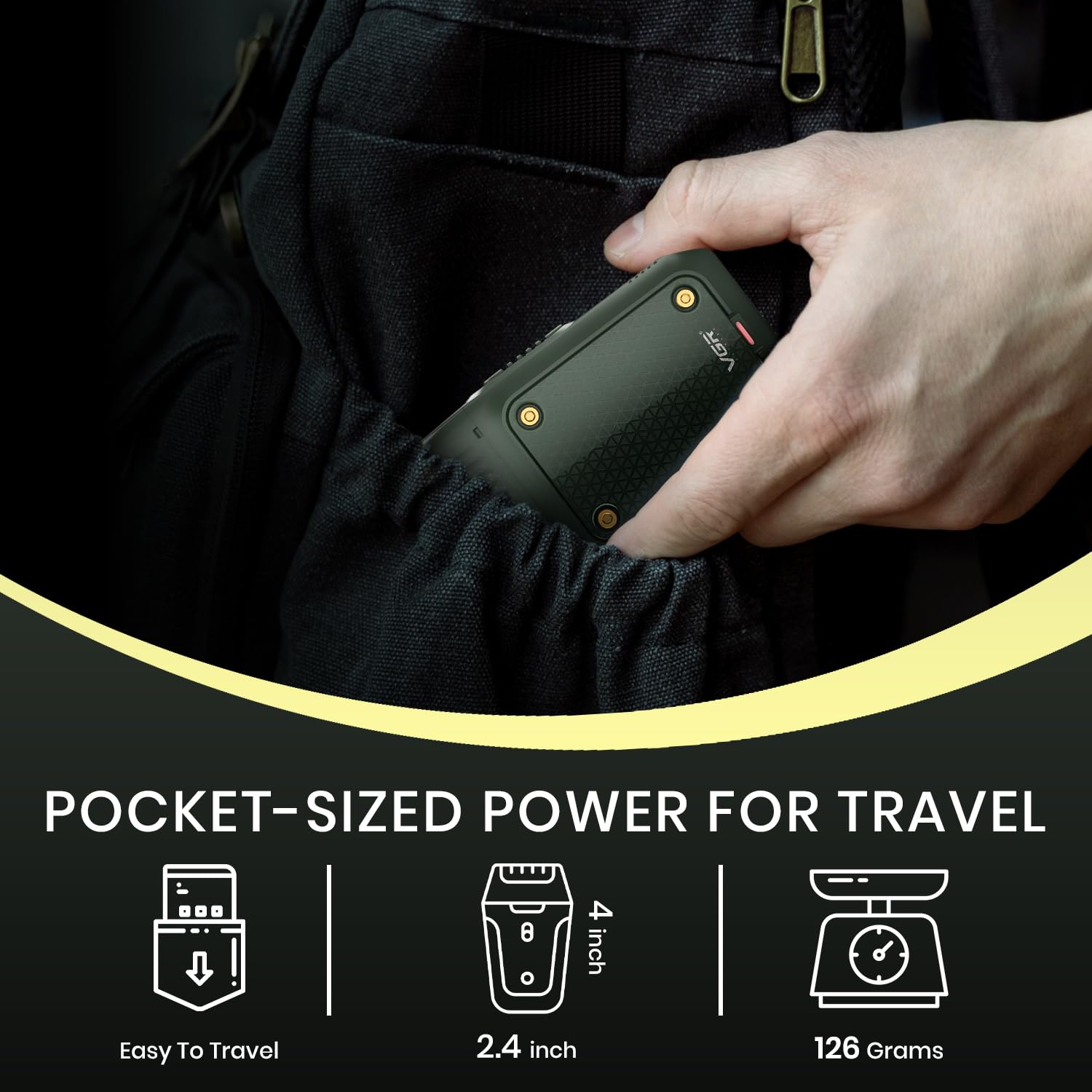
Image: The VGR V-353 shaver being slipped into a pocket, illustrating its compact, travel-friendly size and approximate dimensions.
Warranty thiab Support
Warranty Information
The VGR V-353 Electric Shaver comes with a 12-hli zoo warranty from the date of original purchase (invoice required). This warranty covers defects in materials and workmanship. It does not cover intentional or unintentional damage caused by the user.
For more information regarding warranty claims, please visit www.vgrofficial.in.
Pib qhov kev thov Warranty
To initiate a warranty claim, contact VGR customer support with a clear description of your concern, associated pictures or videos, and a copy of your original invoice. Our dedicated customer support team will assist you.
Upon verification, the company will either repair or exchange the product at its discretion. Doorstep pickup of your defective product and delivery of the repaired or exchanged product are provided free of charge under the warranty claim policy.
Cov ntaub ntawv tiv tauj
- Email: customercare@vgrofficial.in
- Phone (Whatsapp): 9667796722
- Hu dawb: 18002578939
- Webqhov chaw: www.vgrofficial.in
- Lub Sijhawm Ua Haujlwm: Monday to Saturday, 10:00 AM to 6:00 PM