
Taw qhia
Ua tsaug rau kev yuav khoomasing the MUSE M-19 GL Alarm Clock Radio. This manual provides essential information for the safe and efficient operation of your device. Please read it thoroughly before use and retain it for future reference.
Cov lus qhia kev nyab xeeb
- Tsis txhob tso lub tsev los nag lossis dej kom tiv thaiv hluav taws los yog hluav taws xob poob.
- Xyuas kom muaj qhov cua kom zoo; tsis txhob thaiv qhov qhib qhov cua.
- Muab lub tsev tso rau ntawm qhov chaw ruaj khov, tiaj tus.
- Tsis txhob tso lub tsev nyob ze rau qhov chaw kub xws li lub tshuab hluav taws xob, lub tshuab hluav taws xob, lub qhov cub, lossis lwm yam khoom siv (xws li amplifiers) uas ua kom sov.
- Tsuas yog siv cov ntawv txuas / khoom siv tau teev tseg los ntawm cov chaw tsim khoom.
- Tshem tawm cov cuab yeej no thaum muaj cua daj cua dub lossis thaum tsis siv rau lub sijhawm ntev.
- Xa tag nrho cov kev pabcuam rau cov neeg ua haujlwm tsim nyog.
- Pov tseg cov roj teeb kom zoo. Tsis txhob cia cov roj teeb kub dhau.
Ntim Cov Ntsiab Lus
- MUSE M-19 GL Alarm Clock Radio
- AC Zog Adapter
- Cov neeg siv phau ntawv
Khoom Tshajview
The MUSE M-19 GL is a compact alarm clock radio featuring a clear 1.8-inch LCD display. It includes an FM tuner and multiple alarm functions, designed for bedside use.
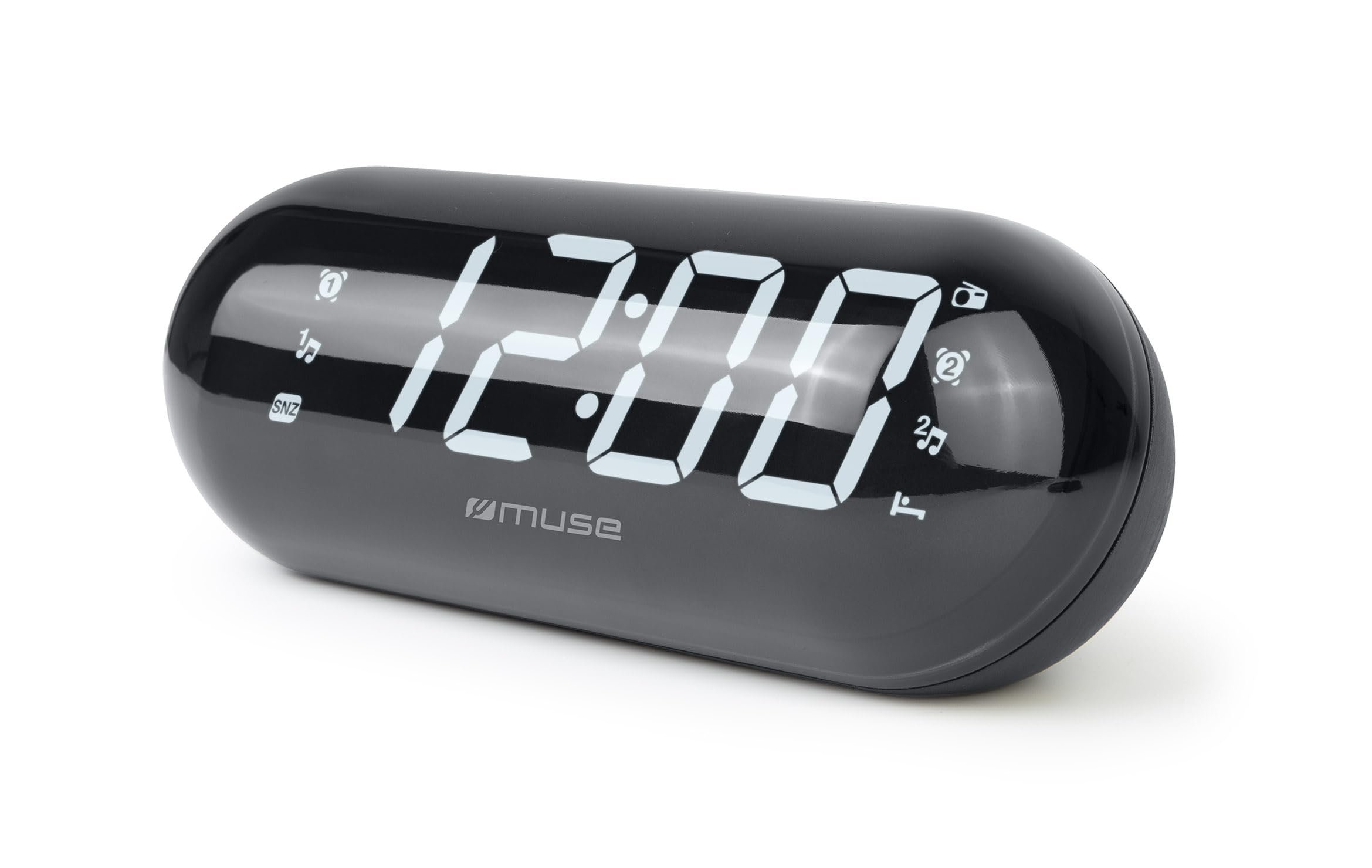
Image: The MUSE M-19 GL Alarm Clock Radio with its digital display showing '12:00', positioned on a wooden bedside table next to a bed.
Familiarize yourself with the buttons and display indicators for optimal use. Specific button functions will be detailed in the 'Operating' section.
Teeb tsa
1. Fais fab lub cuab yeej
- AC zog: Connect the provided AC power adapter to the DC IN jack on the back of the unit, then plug the adapter into a standard wall outlet. The display will light up.
- Roj teeb thaub qab: For time and alarm settings retention during a power outage, insert 2 x AAA batteries (not included) into the battery compartment on the bottom of the unit. Ensure correct polarity (+/-).
2. Teem Sij Hawm
- Nias thiab tuav lub LUB SIJ HAWM TXHEEJ button (location may vary, refer to device diagram if available) until the hour digits flash.
- Siv cov HOS thiab MINUTE nyees khawm los kho lub sijhawm.
- Xovxwm LUB SIJ HAWM TXHEEJ dua kom paub meej thiab tawm ntawm hom teeb tsa sijhawm.
Kev khiav haujlwm
1. Radio Operation (FM Tuner)
- Qhib / Off: Nias lub Xov tooj cua ON/OFF khawm tig lub xov tooj cua rau lossis tawm.
- Tune Frequency: Siv cov TUNE + or LUB NEEJ - buttons to manually adjust the FM frequency. Press and hold for automatic scanning to the next available station.
- Teem Presets: To save a station, tune to the desired frequency, then press and hold the PRESET nias lub khawm kom txog thaum tus lej teeb tsa ua ntej ci ntsa iab. Siv TUNE + or LUB NEEJ - xaiv tus naj npawb preset (1-20), ces nias PRESET dua kom paub meej.
- Recall Presets: Luv luv nias lub PRESET button to cycle through saved stations.
2. Tswb muaj nuj nqi
The M-19 GL features dual alarms (Alarm 1 and Alarm 2).
- Teem lub tswb:
- Nias thiab tuav lub TSHUAB 1 or TSHUAB 2 khawm kom txog thaum tus lej teev flash.
- Siv cov HOS thiab MINUTE cov nyees khawm los teeb lub sijhawm ceeb toom xav tau.
- Nias lub TSHUAB 1 or TSHUAB 2 button again to select the alarm source (Buzzer or Radio). An indicator will appear on the display.
- Nias lub TSHUAB 1 or TSHUAB 2 khawm ib zaug ntxiv kom paub meej thiab qhib lub tswb.
- Pw tsaug zog muaj nuj nqi: Thaum lub tswb nrov nrov, nias lub pob SNOOZE nias lub pob kom nws ntsiag to ib ntus li ntawm 9 feeb.
- Nres Tswb: To turn off the alarm for the day, press the ALARM ON / OFF button. The alarm icon will disappear from the display.
- Disable Alarm Permanently: Nias lub ALARM ON / OFF button repeatedly until the alarm icon for the respective alarm (1 or 2) is no longer displayed.
Kev tu
Ntxuav
Wipe the unit with a soft, dry cloth. Do not use abrasive cleaners or solvents, as they may damage the finish.
Hloov roj teeb
If the time display is blank or incorrect after a power outage, the backup batteries may need replacement. Open the battery compartment on the bottom of the unit, remove the old AAA batteries, and insert new ones, observing correct polarity.
Kev daws teeb meem
| Teeb meem | Ua Tau | Kev daws |
|---|---|---|
| Tsis muaj fais fab/Tso saib | AC adapter tsis txuas nrog lossis fais fab tawmtage. | Ensure AC adapter is securely plugged in. Check power outlet. Replace backup batteries if needed. |
| Kev txais xov tooj cua tsis zoo | Weak signal or antenna not extended. | Txuas lub FM kav hlau txais xov tag nrho. Reposition chav tsev rau kev txais tos zoo dua. |
| Tswb tsis suab | Tswb tsis teem lossis ntim tsawg dhau. | Verify alarm time and activation (alarm icon on display). Increase radio volume if alarm source is radio. |
| Lub sij hawm tsis raug | Time not set or backup batteries are depleted. | Reset the time. Replace backup batteries. |
Specifications
- Qauv: M19GL
- Zaub: 1.8-inch LCD, Digital
- Xov tooj cua Tuner: FM with 20 Presets
- Lub zog Source: AC (main), 2 x AAA batteries (backup, not included)
- Qhov Loj (L x W x H): 15 x 3.81 x 10 cm (5.9 x 1.5 x 3.9 nti)
- Qhov hnyav: 300 grams (0.66 lbs)
- Khoom siv: Plastic (structure), LCD (display)
- Xim: Dub
- Tshwj xeeb nta: Alarm, Snooze, Integrated Speaker
Warranty thiab Support
This MUSE M-19 GL Alarm Clock Radio comes with a ob xyoos warranty tiv thaiv kev tsim khoom tsis zoo txij li hnub ntawm kev yuav khoom. Thov khaws koj cov ntaub ntawv pov thawj ntawm kev yuav khoom rau kev lees paub.
For technical support or warranty inquiries, please refer to the contact information provided with your purchase documentation or visit the official Muse webqhov chaw.