
1. Taw qhia
The SMSL DO300EX is a versatile MQA DAC, Bluetooth 5.1 balanced headphone amplifier, and preamplifier designed for high-fidelity audio systems. It integrates advanced audio technologies to deliver exceptional sound performance across various input and output options.
This manual provides detailed instructions for setting up, operating, and maintaining your DO300EX to ensure optimal performance and longevity.
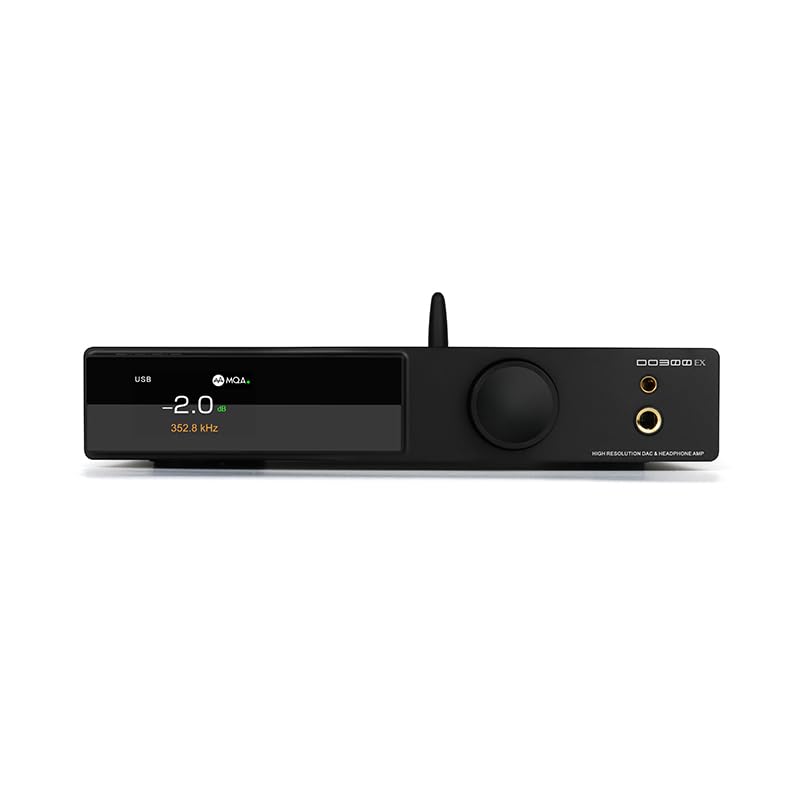
Figure 1: SMSL DO300EX MQA DAC Headphone Amplifier Preamplifier with included remote control.
2. Cov yam ntxwv tseem ceeb
- Advanced DAC Chips: Equipped with AK4191+AK4499EX and XMOS XU-316 chips, supporting up to 32bit/768kHz PCM and DSD512.
- MQA & MQA-CD Decoding: Full support for MQA and MQA-CD audio signal decoding, restoring original studio sound quality.
- Ntau qhov kev nkag: Features USB, optical, coaxial, and I2S inputs for broad compatibility with various audio sources.
- Versatile Outputs: Offers 4.4mm and 6.35mm headphone outputs, alongside balanced XLR and RCA line outputs.
- High-Quality Display: Suspended display window with tempered glass, full-laminated color IPS display, and DOP independent display function.
- Premium Components: Constructed with chamfered high-grade aluminum, 9 high-end dual op amps, audiophile components, and a self-developed CK-03 clock processing circuit for reduced jitter.
- Bluetooth 5.1: Cov Integrated Qualcomm Bluetooth 5.1 chip supporting LDAC 24bit/96kHz, APTX-HD, SBC, and AAC codecs.

Daim duab 2: Tshajview of the SMSL DO300EX highlighting its core features and technologies.
3. Teeb Qhia
3.1 Unpacking thiab Initial Inspection
Carefully remove the DO300EX from its packaging. Inspect the unit for any signs of damage. Ensure all accessories are present:
- SMSL DO300EX Unit
- AC fais fab Cable
- USB Cable
- Chaw taws teeb tswj
- Bluetooth Kav hlau txais xov
- Cov neeg siv phau ntawv
- Warranty Card

Figure 3: Included accessories for the SMSL DO300EX.
3.2 Connecting Audio Sources and Outputs
The DO300EX offers a wide range of input and output options. Refer to the diagram below for proper connection guidance.

Figure 4: Detailed diagram of the input and output ports on the SMSL DO300EX, illustrating connections to various audio devices.
- Cov tswv yim: Connect your digital audio sources (PC, CD/DVD player, TV, other audio devices) to the USB, Optical, Coaxial, or I2S input ports. For Bluetooth, ensure the antenna is connected and pair your mobile device.
- Lub mloog pob ntseg Outputs: Use the 4.4mm balanced or 6.35mm single-ended jacks on the front panel for headphones.
- Cov Kab Tawm: Txuas rau lub zog amplifier or active speakers using the balanced XLR or unbalanced RCA outputs on the rear panel.
- Lub zog: Connect the AC power cable to the DC 12V input on the rear panel and then to a power outlet.
4. Cov lus qhia ua haujlwm
4.1 Pem hauv ntej vaj huam sib luag tswj
The front panel features a multi-functional knob and an IPS display for intuitive control and status monitoring.
- Multi-functional Knob: This knob controls volume, input selection, and menu settings. Rotate to adjust volume or navigate menus. Press to confirm selections or switch inputs.
- IPS zaub: Shows current volume level, active input, sampling rate, and other operational parameters. Supports DOP independent display for decoding format.
- Headphone Jacks: 4.4mm balanced and 6.35mm single-ended outputs for direct headphone connection.

Figure 5: Front panel design of the SMSL DO300EX, highlighting the display and multi-functional knob.
4.2 Kev Tswj Chaw Taws Teeb
Lub chaw taws teeb tswj uas muab nrog rau muab kev nkag mus rau txhua yam haujlwm yooj yim los ntawm qhov deb.

Figure 6: Layout of the full-function remote control for the SMSL DO300EX.
- Fais fab ON/OFF: Tig lub unit rau lossis tawm.
- Ntim +/-: Kho cov zis ntim.
- Input Xaiv: Voj voog los ntawm cov chaw nkag uas muaj.
- Menu/OK: Nkag mus rau hauv cov ntawv qhia zaub mov thiab paub meej tias koj xaiv dab tsi.
- Suab nrov: Mutes los yog unmute lub suab tso zis.
- FN (Define in the menu): Khawm ua haujlwm tau raws li koj xav tau.
4.3 MQA Playback
The DO300EX supports MQA and MQA-CD decoding. Ensure your audio source is providing a genuine MQA-CD signal and that the fiber optic or coaxial signal output by the CD player is unprocessed source code for optimal MQA experience.

Figure 7: MQA-CD decoding is supported via Coaxial and Optical inputs, ensuring high-quality audio playback.
5. Cov lus qhia tshwj xeeb
| Feature | Paub meej |
|---|---|
| Qauv | DO 300 EX |
| DAC Chips | AK4191 + AK4499EX |
| USB Chip | XMOS XU-316 |
| USB SampLing Tus Nqi | PCM 32 ntsis / 768kHz, DSD512 |
| Optical / Coaxial SampLing Tus Nqi | PCM 24 ntsis / 192kHz |
| Cov tswv yim | USB, Optical, Coaxial, I2S |
| Lub mloog pob ntseg Outputs | 4.4mm Balanced, 6.35mm Single-Ended |
| Kab Tawm Khoom | XLR Balanced, RCA Unbalanced |
| Bluetooth Version | 5.1 (LDAC, APTX-HD, SBC, AAC) |
| Headphone Output Power (4.4mm) | 2570mW x 2 (32Ω/THD+N < 1%) |
| Headphone Output Power (6.35mm) | 640mW x 2 (32Ω/THD+N < 1%) |
| Dynamic Range (XLR) | 132dB ib |
| Dynamic Range (RCA) | 127dB ib |
| THD+N (XLR) | 0.00006% (-124dB) |
| Kev siv fais fab | <20 W |
| Standby Fais Fab | <0.5 W |

Figure 8: Comprehensive product parameters and specifications for the SMSL DO300EX.
6. Kev tu
To ensure the longevity and optimal performance of your SMSL DO300EX, follow these maintenance guidelines:
- Ntxuav: Use a soft, dry cloth to clean the exterior of the unit. Avoid using harsh chemicals or abrasive materials, which can damage the finish.
- Qhov cua: Ensure the unit is placed in a well-ventilated area to prevent overheating. Do not block any ventilation openings.
- Fais fab tawm: Always power off the unit and disconnect it from the power source before cleaning or when not in use for extended periods.
- Ib puag ncig: Tsis txhob tso lub tsev mus rau qhov kub, av noo, lossis tshav ntuj ncaj qha.
7. Kev daws teeb meem
If you encounter any issues with your DO300EX, please refer to the following common troubleshooting steps:
- Tsis muaj zog:
- Check if the power cable is securely connected to both the unit and the power outlet.
- Xyuas kom lub qhov hluav taws xob ua haujlwm.
- Tsis muaj suab tso zis:
- Verify that the correct input source is selected on the DO300EX.
- Check all audio cable connections (USB, Optical, Coaxial, I2S, XLR, RCA, headphone jacks).
- Xyuas kom lub suab tsis txhob nrov dhau los yog teeb tsa qis dhau.
- Confirm that your connected headphones or speakers are working correctly.
- Distorted suab:
- Tshawb xyuas qhov zoo ntawm koj lub qhov chaw suab thiab cov cables.
- Xyuas kom sampling rate settings on your source device match the capabilities of the DO300EX.
- Reduce the volume level to check if distortion is due to overdriving.
- Cov teeb meem kev sib txuas Bluetooth:
- Ensure the Bluetooth antenna is properly installed.
- Verify that Bluetooth is enabled on your source device and the DO300EX is in pairing mode.
- Sim unpairing thiab re-pairing lub cuab yeej.
If the issue persists after following these steps, please contact customer support.
8. Warranty thiab Support
The SMSL DO300EX comes with a 12-lub hlis warranty from the date of purchase. Additionally, the product can be returned within 30 hnub from the date of purchase if you are not satisfied.
For any questions or technical assistance, our customer service team provides Kev pabcuam online 24 teev. Please feel free to contact us through the official channels provided with your product or on the manufacturer's webqhov chaw.
9. Cov yeeb yaj kiab khoom
No official product videos specifically for the SMSL DO300EX were found from the seller in the provided data. The available videos are for a different product (Fosi Audio ZH3) and are therefore not included in this manual to maintain relevance and accuracy.


