
Taw qhia
The JLab Nightfall Wired Gaming Headset is designed to provide an immersive audio experience for gamers across multiple platforms. Featuring 50mm drivers, cloud foam cushions, and a sound-isolating inner shelf, this headset ensures clear communication and comfortable wear during extended gaming sessions.
Ntim Cov Ntsiab Lus
- JLab Nightfall Wired Gaming Headset
- Phau ntawv qhia
Kev teeb tsa thiab kev sib txuas
The Nightfall headset offers universal compatibility through its wired 3.5mm connection cable, making it suitable for a wide range of gaming and multimedia devices.
Txuas koj lub mloog pob ntseg
- Locate the 3.5mm audio jack on your device (PC/Mac, Xbox, PlayStation 4 & 5, Nintendo Switch).
- Insert the 3.5mm connector from the headset cable firmly into the device's audio jack.
- Adjust your device's audio settings to ensure the headset is selected as the input and output device.

Image: The JLab Nightfall Wired Gaming Headset in use, connected to a gaming setup, demonstrating its universal compatibility.
Cov lus qhia ua haujlwm
Audio Quality and Immersion
Equipped with 50mm drivers and a sound-isolating inner shelf, the Nightfall headset delivers immersive and powerful sound. This design enhances your gaming experience by providing rich audio with clarity and deep bass, allowing you to hear crucial in-game details.

Duab: Ib qho tawg view diagram highlighting the 50mm audio driver and the sound-isolating inner shelf within the headset's ear cup.
Kev siv lub microphone
The headset features a flip-to-mute rotating boom mic, ensuring clear team communications during gaming sessions. The TeamSpeak Certified near-field directional mic captures your voice while actively eliminating background noise, ensuring your teammates hear you clearly without distractions.
- Hu rau: Flip the microphone boom upwards.
- To Unmute: Flip the microphone boom downwards.
- The rotating design allows for optimal positioning of the mic for better voice pickup.
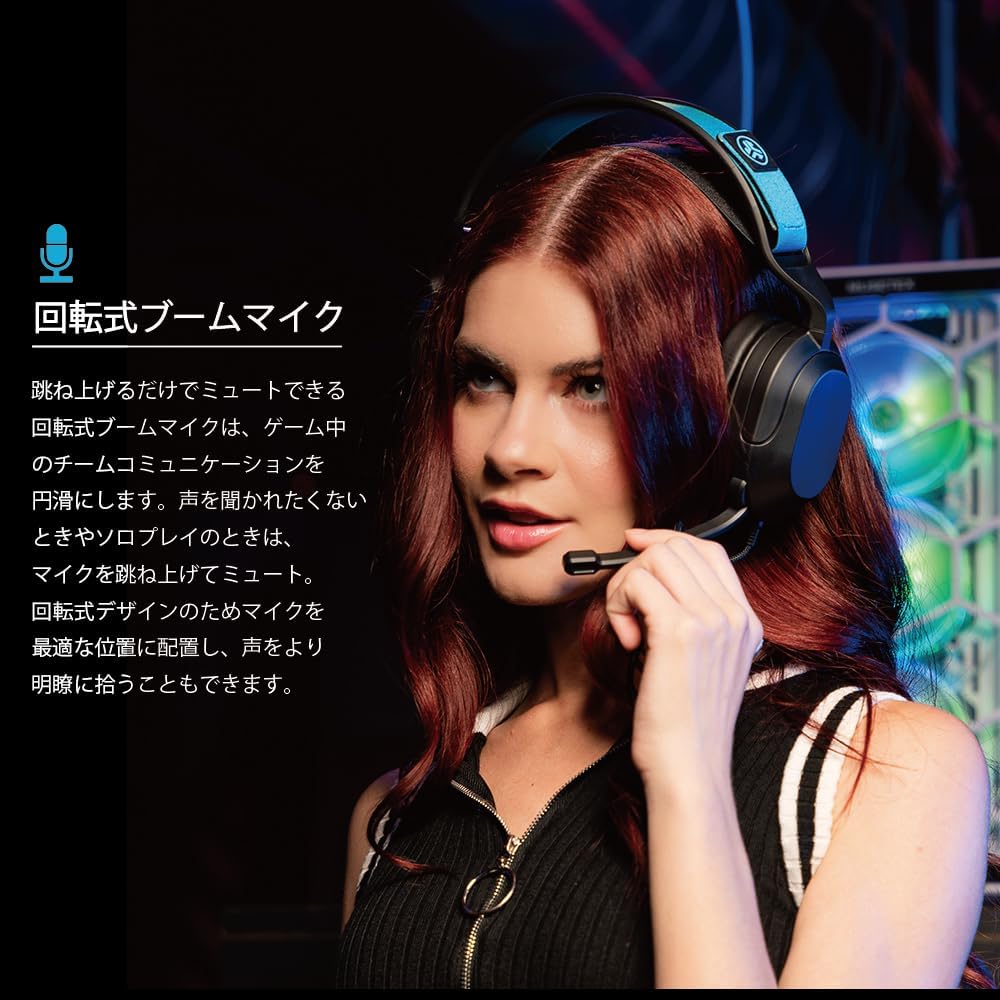
Image: A user wearing the JLab Nightfall headset, demonstrating the flexible and rotating boom microphone in an active position.

Image: A gamer wearing the JLab Nightfall headset, illustrating the effective noise elimination provided by the directional microphone for clear communication.
Kev nplij siab thiab tsim
The Nightfall headset is engineered for all-night comfort. It features super-wide stretchable and adjustable headbands that provide a customizable fit for various head sizes. The cloud foam cushions further enhance comfort, preventing discomfort during long gaming sessions.
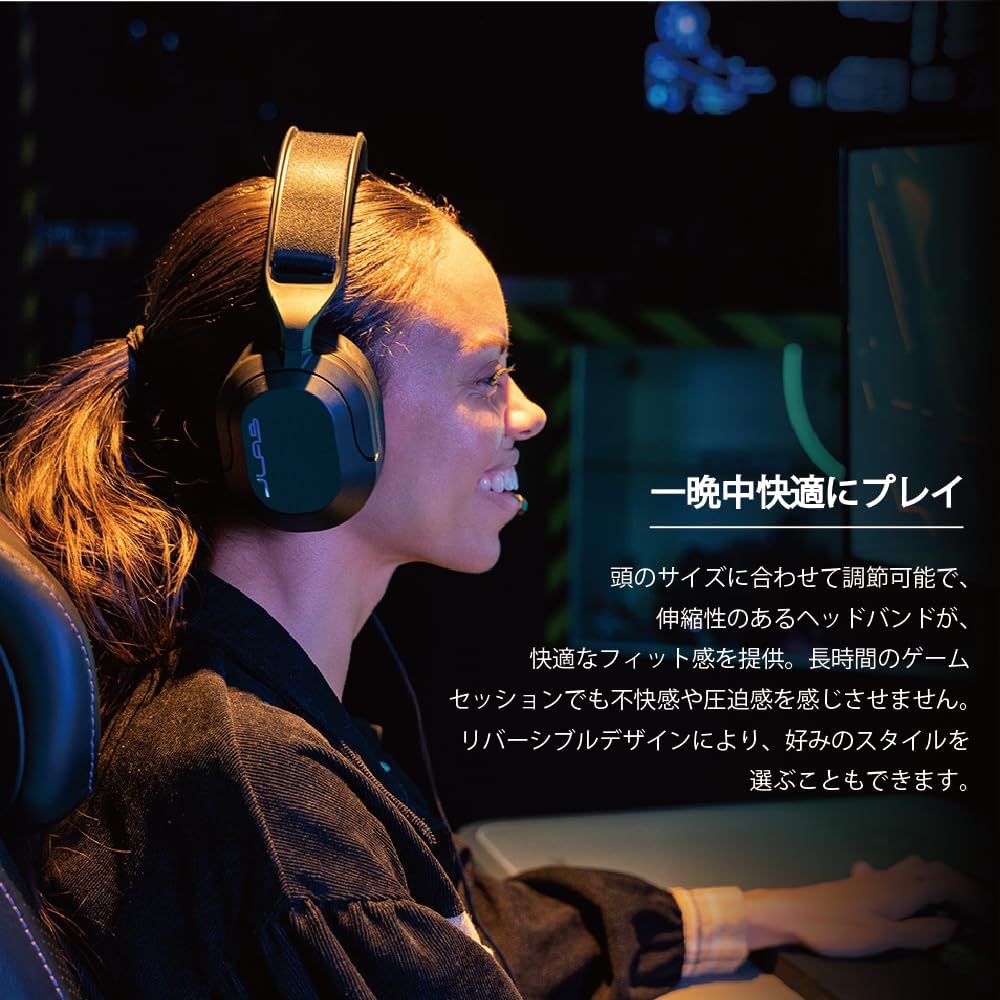
Image: A user wearing the JLab Nightfall headset, showcasing the comfortable over-ear design and adjustable headband for extended wear.

Duab: Ib qho ntxaws view of the JLab Nightfall headset's cloud foam ear cushions, emphasizing their soft and comfortable design.
Specifications
| Feature | Paub meej |
|---|---|
| Hom | JLab |
| Qauv Lub Npe | Nightfall |
| Connectivity Technology | Wired (3.5 hli Jack) |
| Pob ntseg tso | Tshaj pob ntseg |
| Audio Driver Size | 50 hli |
| Impedance | 32 awm |
| rhiab heev | 102dB ua |
| Ntau zaus | 20Hz - 20,000Hz |
| Tsis Siv Neeg Tswj | Suab Isolation |
| Microphone | Flip-to-mute rotating boom mic, TeamSpeak Certified near-field directional |
| Compatible Devices | PC/Mac, Xbox, PlayStation 4, PlayStation 5, Nintendo Switch |
| Yam Nyhav | 0.39 kg ib |
| Khoom siv | Plastic, Metal, Synthetic materials |
| Nta ntxiv | Adjustable Headband, Cloud Foam Cushions |
Kev tu
- Ntxuav: Use a soft, dry cloth to clean the headset. Do not use liquid cleaners or aerosols.
- Cia: Khaws lub mloog pob ntseg hauv qhov chaw txias, qhuav kom deb ntawm tshav ntuj ncaj qha thiab qhov kub thiab txias.
- Cable Care: Tsis txhob khoov ntse los yog rub ntau dhau ntawm lub cable kom tiv thaiv kev puas tsuaj.
Kev daws teeb meem
- Tsis muaj suab:
- Xyuas kom lub 3.5mm jack tau muab tso rau hauv koj lub cuab yeej.
- Check your device's audio settings to confirm the headset is selected as the output device and volume is not muted.
- Kuaj lub mloog pob ntseg nrog lwm lub cuab yeej los txiav txim qhov teeb meem tshwj xeeb ntawm cov cuab yeej.
- Microphone tsis ua haujlwm:
- Ensure the microphone boom is flipped down to the active position (not muted).
- Verify your device's audio settings have the headset microphone selected as the input device and input volume is not muted.
- Check for any in-game or application-specific microphone settings.
- Distorted Audio:
- Lower the volume on your device or the headset.
- Ensure the 3.5mm connection is secure and free from debris.
- Test with another audio source to determine if the issue is with the headset or the source device.
Warranty thiab Support
The JLab Nightfall Wired Gaming Headset comes with a 2-Year Warranty from the manufacturer, JLab Audio. For detailed warranty information, technical support, or service inquiries, please refer to the official JLab website lossis tiv tauj lawv cov neeg siv khoom ncaj qha.
Manufacturer: JLab Audio