
NOPAARD 52-YJ306
NOPAARD 52 Inch Smart Ceiling Fan User Manual
Model: 52-YJ306
Taw qhia
Thank you for choosing the NOPAARD 52 Inch Smart Ceiling Fan. This manual provides detailed instructions for the safe installation, operation, and maintenance of your new ceiling fan. Please read this manual thoroughly before installation and keep it for future reference.
This smart ceiling fan features a quiet DC reversible motor, 5 plywood blades with dual-finish (matte black and walnut), a 3CCT dimmable LED light, and multiple control options including remote, Tuya APP, Alexa, and Google Assistant voice control.
Cov ntaub ntawv tseem ceeb ntawm kev nyab xeeb
Nco ntsoov ua raws li kev ceev faj txog kev nyab xeeb thaum txhim kho thiab ua haujlwm cov cuab yeej no kom txo tau qhov kev pheej hmoo ntawm hluav taws kub, hluav taws xob poob siab, thiab kev raug mob ntawm tus kheej.
- Nyeem tag nrho cov lus qhia ua ntej pib installation.
- Ensure the electrical supply is disconnected at the circuit breaker before installation or servicing.
- Tag nrho cov xaim yuav tsum ua raws li cov cai hauv teb chaws thiab hauv zos.
- The fan must be mounted to a ceiling joist or support capable of withstanding a minimum of 35 lbs (15.9 kg).
- Do not operate the fan with damaged wiring or if the motor is making unusual noises.
- Keep hands, feet, and other objects away from the rotating fan blades.
Ntim Cov Ntsiab Lus
Xyuas kom tseeb tias tag nrho cov khoom muaj nyob ua ntej pib installation.
- Qab nthab Ntxuam Tsav Housing
- 5 Plywood Blades (Dual-finish: Matte Black / Walnut)
- Cov Khoom Siv Hluav Taws Xob
- Chaw taws teeb tswj nrog phab ntsa Mount
- 2 Down-rods (6-inch and 10-inch)
- Mounting Bracket thiab Kho Vajtse
- Phau ntawv qhia

Kev teeb tsa thiab kev teeb tsa
Professional installation is recommended. Ensure power is off at the circuit breaker before proceeding.
1. Mounting Bracket
Secure the mounting bracket to a ceiling joist or a suitable electrical junction box rated for fan support. Use the provided hardware.
2. Assembling the Down-rod and Fan Motor
Choose either the 6-inch or 10-inch down-rod based on your ceiling height and desired fan clearance. Feed the electrical wires through the down-rod and attach it securely to the fan motor housing.

3. Kev Txuas Hluav Taws Xob Rau Lub Tshuab Ntxuam
Connect the fan's electrical wires to your household wiring according to the wiring diagram provided in the separate wiring guide (if applicable) or standard electrical practices. Ensure all connections are secure and insulated.
4. Attaching the Blades
Attach the 5 plywood blades to the fan motor. The blades are dual-finish, allowing you to choose between matte black and walnut to match your decor. Ensure all screws are tightened securely.

5. Installing the LED Light Kit
Connect the LED light kit to the fan motor's designated light wires and secure it to the fan housing.
Cov lus qhia ua haujlwm
Your NOPAARD smart ceiling fan offers multiple control methods.
Tswj txoj kev
- Chaw taws teeb tswj: Use the included remote to control fan speed, light settings, and fan direction.
- Tuya APP Control: Download the Tuya Smart app to control the fan from your smartphone or tablet. Follow the app's instructions for pairing.
- Lub suab tswj: Integrate with Alexa or Google Assistant devices for voice commands. Enable the NOPAARD skill/action in your smart home app.
- Phab ntsa tswj: The fan can also be operated via a standard wall switch (on/off for fan and light together).
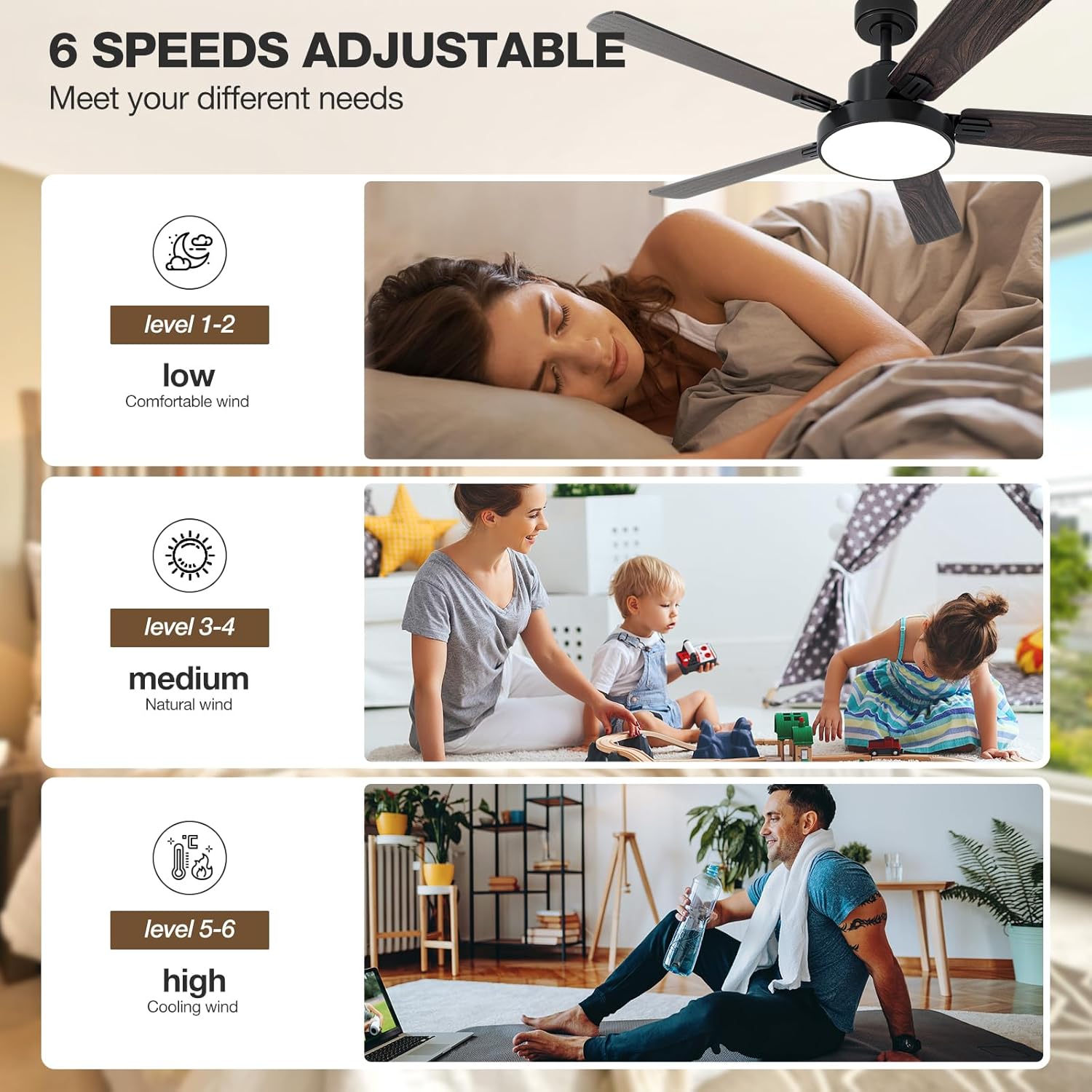
Ntxuam Ceev Kho
The fan features 6 variable speeds to adjust airflow according to your preference. Speeds 1-2 provide a low, comfortable breeze, speeds 3-4 offer a medium, natural wind, and speeds 5-6 deliver high, cooling airflow.

Light Control and Dimming
The integrated LED light offers 3 color temperatures (3000K warm yellow, 4000K bright daylight, 6000K cool white) and is dimmable from 10% to 100% (0-2000 lumens). Use the remote or app to cycle through color temperatures and adjust brightness.

Reversible Motor Function
The DC reversible motor allows the fan to operate in two directions. In summer, the fan rotates counter-clockwise to create a cooling downdraft. In winter, it rotates clockwise to circulate warm air trapped near the ceiling, helping to reduce heating costs.

Kev tu
Kev saib xyuas tsis tu ncua ua kom muaj kev ua haujlwm zoo tshaj plaws thiab ua kom koj lub kiv cua qab nthab siv tau ntev dua.
- Ntxuav: Siv ib daim ntaub mos mos los so cov hniav kiv cua thiab lub cev muaj zog tas li.amp daim ntaub. Tsis txhob siv cov tshuaj abrasive los yog cov kuab tshuaj.
- Blade Tightness: Check blade screws annually to ensure they are tight. Loose blades can cause wobbling and noise.
- Lub teeb khoom siv: The LED light source is designed for long life and typically does not require replacement.
- Lub cev muaj zog: The DC motor is sealed and requires no lubrication.
Always disconnect power to the fan at the circuit breaker before performing any cleaning or maintenance.
Kev daws teeb meem
If you experience issues with your NOPAARD ceiling fan, refer to the following common problems and solutions.
| Teeb meem | Ua Tau | Kev daws |
|---|---|---|
| Ntxuam tsis pib | Tsis muaj fais fab rau lub kiv cua; Cov xov hlau sib txuas xoob; Lub roj teeb tswj chaw taws teeb qis lossis tsis tau txuas ua ke. | Check circuit breaker; Verify all wire connections are secure; Replace remote battery or re-pair remote. |
| Cov kiv cua wobbles | Loose hniav screws; Cov hniav tsis sib npaug; Loose mounting bracket. | Tighten all blade screws; Ensure blades are balanced (use balancing kit if needed); Secure mounting bracket. |
| Lub teeb tsis ua haujlwm | Loose wire connection to light kit; Light kit failure. | Tshawb xyuas cov xov hlau ntawm lub teeb; Hu rau kev pabcuam cov neeg siv khoom yog tias lub teeb tsis zoo. |
| Chaw taws teeb tswj tsis teb | Low battery; Remote not paired; Interference. | Replace battery; Re-pair remote with fan (refer to pairing instructions); Reduce interference sources. |
| Ntxuam yog nrov | Loose screws; Motor issue; Blades hitting an obstruction. | Check all screws; Ensure no obstructions; Contact customer support if motor noise persists. |
| Tsis tuaj yeem txuas rau Wi-nkaus / App | Incorrect Wi-Fi password; Router too far; 5GHz Wi-Fi network (fan requires 2.4GHz). | Verify Wi-Fi password; Move router closer or use Wi-Fi extender; Ensure router is broadcasting 2.4GHz. |
Specifications
| Feature | Paub meej |
|---|---|
| Qauv Lub Npe | 52-YJ 306 |
| Hom | NOPAARD |
| Loj | 52 nti |
| Xim | Black & Walnut (Dual-finish blades) |
| Hom Tsav | Quiet DC Reversible Motor |
| Number of Blades | 5 |
| Hniav Khoom | Plywood |
| Hom Lub Teeb | Integrated LED |
| Lub teeb xim kub | 3000K (Warm Yellow), 4000K (Bright Daylight), 6000K (Cool White) |
| Light Dimming Range | 10%-100% (0-2000 Lumens) |
| Ntxuam Ceev | 6 Variable Speeds |
| Cua Flow Capacity | 12688 Cubic Feet Ib feeb |
| Lub suab nrov | 40dB ua |
| Tswj txoj kev | Remote, Tuya APP, Voice (Alexa, Google Assistant) |
| Down-rod Lengths | 6 ib, 10 |
| Mounting Options | Flat Ceiling, Sloped Ceiling (up to 20°) |
| Kev siv sab hauv / sab nraum zoov | Indoor, Covered Outdoor (Damp- ntsuas) |
| Cov ntawv pov thawj | ETL Sau npe |
Warranty thiab Support
NOPAARD offers a comprehensive warranty for your peace of mind.
- Quality Assurance: 24 months quality assurance from the date of purchase.
- DC Motor Warranty: 10-year warranty for the DC motor.
For product installation assistance, troubleshooting, or quality-related concerns, please contact NOPAARD customer service. Refer to your purchase documentation for contact details or visit the official NOPAARD webqhov chaw.
Note: This warranty does not cover damage caused by improper installation, misuse, or natural disasters.
Ask a question about this manual
Ask about setup, troubleshooting, compatibility, parts, safety, or missing instructions. Manuals+ will review the question and use this page’s manual context to help answer it.