
Svetaecho A100
Svetaecho A100 Dual Controller Charger Station User Manual
Model: A100 | Brand: Svetaecho
Khoom Tshajview
The Svetaecho A100 Dual Controller Charger Station is designed to provide efficient and convenient charging for your Xbox controllers. Featuring a unique robot helmet-inspired design with LED indicators, it ensures your controllers are always ready for extended gaming sessions. This kit includes two high-capacity 5520mWh rechargeable battery packs, eliminating the need for disposable batteries.

Image: The Svetaecho A100 Dual Controller Charger Station, showcasing its design with two Xbox controllers docked and two rechargeable battery packs.
Dab tsi nyob hauv lub thawv
- 2 x 5520mWh Xbox One Rechargeable Batteries
- 1 x Charger Dock for Xbox Series X Rechargeable Battery Pack
- 1 x USB-C Them Rau Cable
- 4 x Battery Covers (for various Xbox controller models)
- 1 x User Manual

Image: Ib qho tiav view of all items included in the package: the charging dock, two rechargeable batteries, a USB-C cable, and four different battery covers.
Teeb cov lus qhia
- Install Battery Packs:
Open the battery compartment on your Xbox controller. Insert one of the provided 5520mWh rechargeable battery packs, ensuring proper alignment with the contacts. Close the compartment with the appropriate battery cover for your controller model.

Image: Visual instructions demonstrating how to remove the old battery cover, insert the new rechargeable battery pack, and attach the compatible battery cover.
- Txuas Chaw Nres Tsheb:
Connect the included USB-C charging cable to the port on the back of the charger dock. Plug the other end of the USB-C cable into a compatible USB power source (e.g., Xbox console, USB wall adapter).
- Place Controllers on Dock:
Carefully place your Xbox controllers onto the charging slots of the dock. Ensure the controllers are seated correctly and the charging contacts align. The robot helmet's LED indicators will illuminate to show the charging status.
Cov lus qhia ua haujlwm
LED Qhov taw qhia
The charger station features clear LED indicators on the robot helmet design to show the charging status of each controller:
- Red Breathing Light: Qhia tias tus maub los tam sim no them.
- Lub teeb ntsuab ntsuab: Indicates that the controller is fully charged or in standby mode.
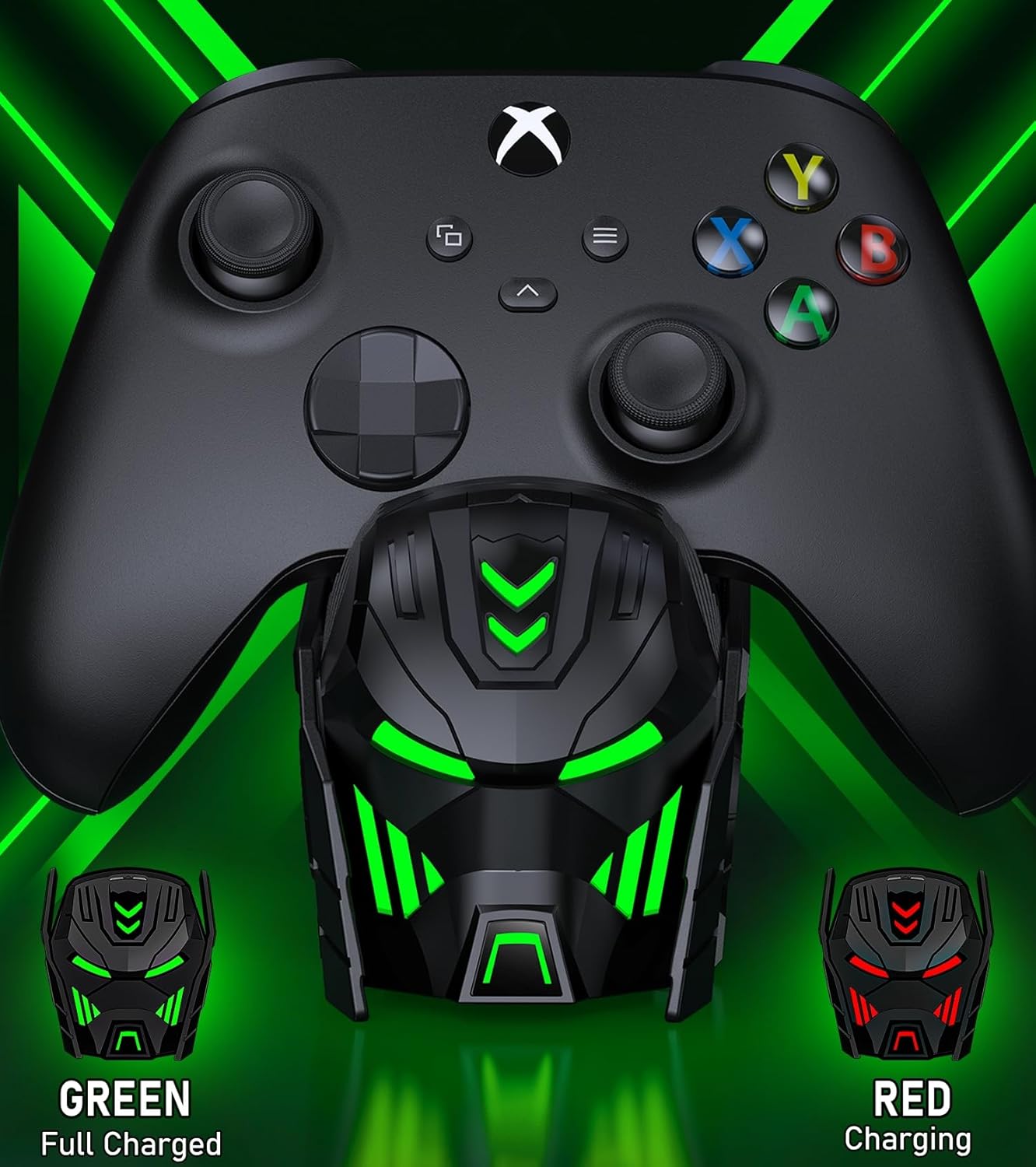
Image: Close-up of the charger station's robot helmet face, illustrating the red light for charging and the green light for a fully charged or standby state.
Lub teeb tswj khawm
A touch button is integrated into the design, allowing you to control the LED ambient light. You can switch between charging indicators (red/green) or turn the LED lights off completely.
Khoom nta thiab cov txiaj ntsig
- Ntxiv sijhawm ua si: Each 5520mWh battery pack provides 18-25 hours of continuous playtime, ensuring uninterrupted gaming sessions.
- Fast Charging: It takes approximately 4-5 hours to fully charge both battery packs simultaneously.
- Lub neej roj teeb ntev: The rechargeable batteries can be recharged up to 2000 times, offering a cost-effective and environmentally friendly alternative to disposable AA batteries.
- Kev Tiv Thaiv Kev Txawj Ntse: Built with an intelligent charging board, the dock provides overheating, short-circuit, over-voltage, and over-current protection to safeguard your batteries and controllers.
- Stylish Tsim: The robot helmet-inspired aesthetic with cool LED ambient light adds a unique and appealing look to your gaming setup.

Image: Key performance metrics of the charger, highlighting its fast charging, high battery capacity, and long playing time.
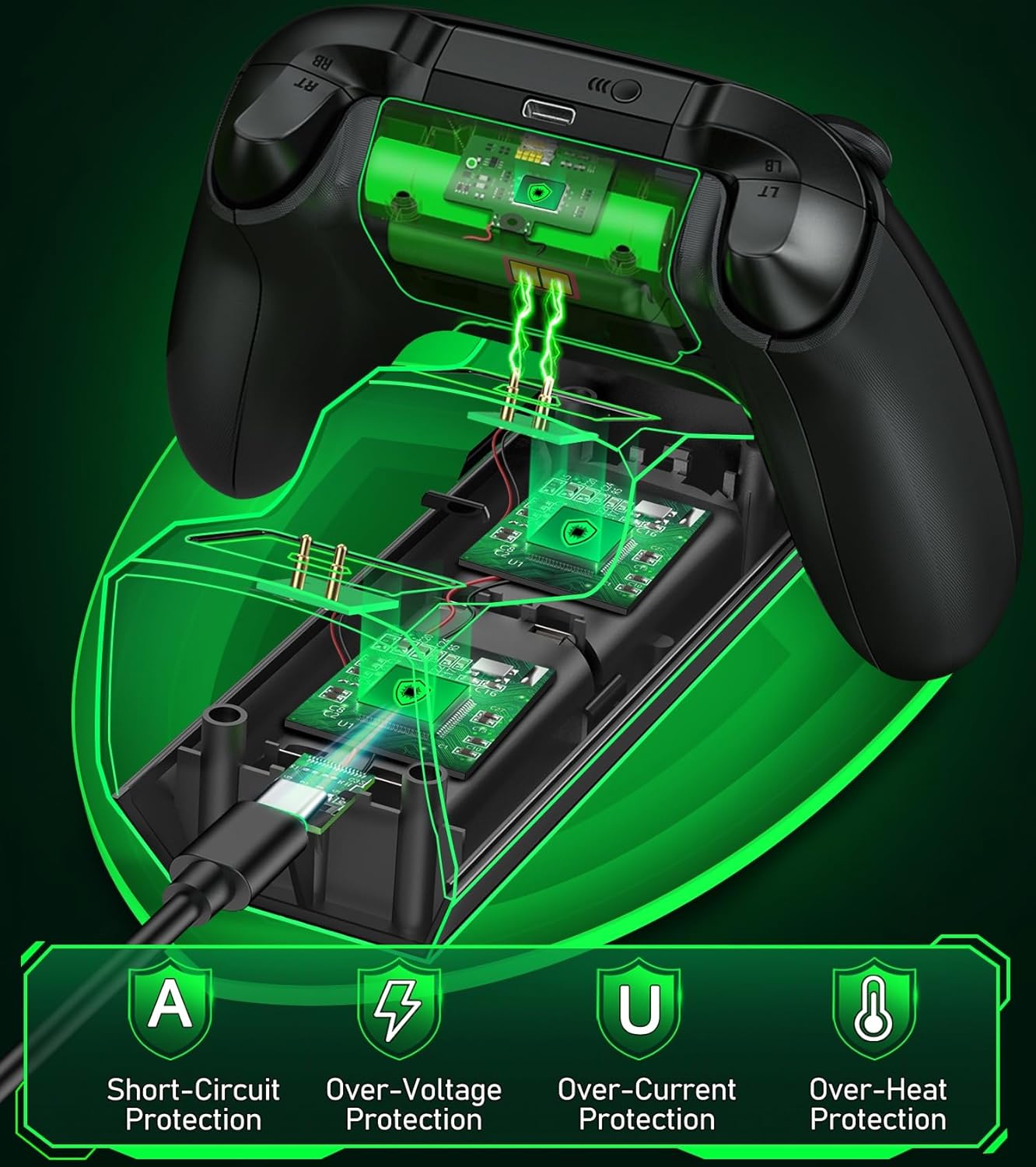
Image: A visual representation of the multiple safety protections integrated into the charging station, including short-circuit, over-voltage, over-current, and over-heat protection.
Kev sib haum xeeb
The Svetaecho A100 Dual Controller Charger Station is compatible with a wide range of Xbox controllers, including:
- Xbox Series X/S Controllers
- Xbox One Controllers
- Xbox One X Controllers
- Xbox One S Controllers
- Xbox Elite Controllers

Image: A compatibility chart illustrating different Xbox controller models and the corresponding battery covers provided for each, ensuring broad compatibility.
Kev tu
- Keep the charging station and batteries dry and clean.
- Wipe surfaces with a soft, dry cloth. Avoid using abrasive cleaners or solvents.
- Khaws rau hauv qhov chaw txias, qhuav kom deb ntawm tshav ntuj ncaj qha thiab kub heev.
- Do not disassemble the product or attempt repairs yourself. Contact customer support if issues arise.
Kev daws teeb meem
- Controllers not charging:
- Ensure the USB-C cable is securely connected to both the charging station and the power source.
- Verify that the power source is active and providing sufficient power.
- Check if the battery packs are correctly inserted into the controllers and the controllers are properly seated on the charging dock.
- Ensure the charging contacts on both the controller and the dock are clean and free of debris.
- LED indicators not working:
- Press the light control button to ensure the LEDs are not turned off.
- Confirm the charging station is receiving power.
- Short battery life after charging:
- Ensure the batteries are fully charged (solid green LED).
- Kev ua haujlwm ntawm lub roj teeb yuav poob qis zuj zus yog tias siv ntau dhau.
Specifications
| Feature | Paub meej |
|---|---|
| Qauv nab npawb | A100 |
| Roj teeb muaj peev xwm | 2 x 5520mWh |
| Them sij hawm | Kwv yees li. 4-5 teev |
| Playtime per Charge | 18-25 teev |
| Rov Qab Siv Dua | Mus txog 2000 zaug |
| Tswv yim | USB-C |
| Khoom Dimensions | 7.99 x 3.5 x 2.83 po |
| Yam Nyhav | 15.2 hli |
| Chaw tsim tshuaj paus | Svetaecho |
Official Product Video
Video: An official product video from Svetaecho demonstrating the features and functionality of the Xbox Controller Charger Station with Robot Helmet design, including LED indicators, battery storage, and fast charging capabilities.
Warranty thiab Support
For warranty information and customer support, please refer to the warranty card included in your package or visit the official Svetaecho store on Amazon:
Cov phiaj xwm kev tiv thaiv kuj muaj rau kev pab txuas ntxiv:
- 2-Year Protection Plan: Muaj rau kev yuav khoom.
- 3-Year Protection Plan: Muaj rau kev yuav khoom.
- Ua tiav Kev Tiv Thaiv: Cov phiaj xwm txhua hli them rau kev yuav khoom yav dhau los thiab yav tom ntej.
Ask a question about this manual
Ask about setup, troubleshooting, compatibility, parts, safety, or missing instructions. Manuals+ will review the question and use this page’s manual context to help answer it.