
Taw qhia
This manual provides essential information for the proper setup, operation, and maintenance of your Supersonic IQ Sound SC-2340BT Portable Bluetooth Speaker. Please read these instructions thoroughly before using the device to ensure optimal performance and safety.
Cov ntaub ntawv kev nyab xeeb
- Tsis txhob tso tus neeg hais lus mus rau qhov kub thiab txias, tshav ntuj ncaj qha, lossis cov av noo siab.
- Tsis txhob tso tseg lossis ua rau tus neeg hais lus raug cuam tshuam.
- Tsis txhob rhuav lossis sim kho lub cuab yeej koj tus kheej. Qhov no yuav ua rau lub warranty tsis muaj txiaj ntsig.
- Khaws lub tso suab kom deb ntawm dej thiab lwm yam kua. Cov khoom no tsis yog dej.
- Siv tsuas yog muab cov cable them los yog cov ntawv pov thawj sib npaug.
- Pov tseg lub roj teeb kom raug cai raws li cov cai hauv zos.
Ntim Cov Ntsiab Lus
Xyuas kom tseeb tias tag nrho cov khoom muaj nyob rau hauv unboxing:
- IQ Sound SC-2340BT Portable Bluetooth Speaker
- USB Charging Cable
- Tus Neeg Siv Los Siv (cov ntawv no)
Khoom Tshajview
Paub koj tus kheej nrog tus neeg hais lus cov khoom thiab kev tswj hwm.
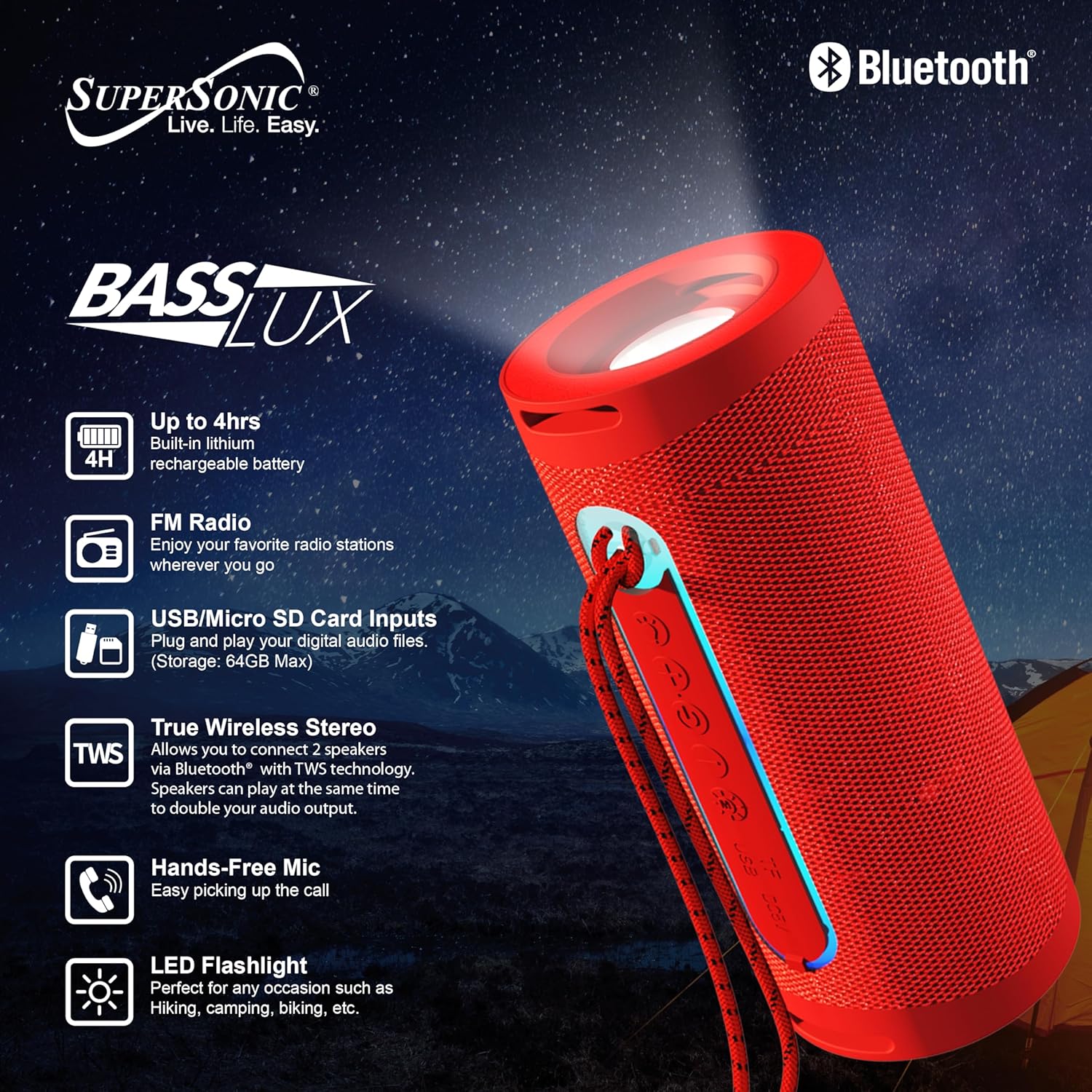
Image: The IQ Sound SC-2340BT speaker, highlighting its key features such as 4-hour battery life, LED flashlight, FM radio, USB/Micro SD card inputs, True Wireless Stereo (TWS) capability, and hands-free microphone.
Tswj thiab Ports:
- Lub zog khawm: Nias thiab tuav kom qhib / tawm.
- Hom Khawm: Switch between Bluetooth, FM Radio, USB, and TF Card modes.
- Ua si / Pause khawm: Ua si lossis ncua lub suab. Teb/xaus kev hu.
- Volume Up / Next Track Button: Nias luv luv rau zaj nkauj tom ntej, nias ntev kom nrov dua.
- Volume Down/Previous Track Button: Nias luv luv rau zaj nkauj dhau los, nias ntev rau lub ntim kom qis.
- USB Chaw nres nkoj: For USB flash drive playback (up to 64GB).
- TF Daim npav qhov: For Micro SD card playback (up to 64GB).
- Charging Chaw nres nkoj: Micro USB or USB-C (depending on model, typically Micro USB for this model).
- LED teeb: Lub teeb ci sib xyaw ua ke.
Teeb tsa
1. Them nyiaj rau tus hais lus
- Txuas lub USB them cable rau tus hais lus lub chaw them nyiaj.
- Ntxig sab kawg ntawm lub USB cable rau hauv lub USB fais fab adapter (tsis muaj) lossis lub computer USB port.
- Lub charger qhia lub teeb yuav illumination.
- Kev them tag nrho yuav siv sijhawm li 3 teev. Lub teeb qhia yuav hloov lossis tua thaum them tiav.
A fully charged battery provides approximately 3-4 hours of playback time.
2. Fais fab / Off
- Txhawm rau Fais Fab: Press and hold the Power button for a few seconds until you hear an audible prompt or see an indicator light.
- Mus Faib Tawm: Press and hold the Power button again for a few seconds until the device shuts down.
Cov lus qhia ua haujlwm
1. Bluetooth khub
- Ensure the speaker is powered on and in Bluetooth mode. If not, press the Mode button until you hear the Bluetooth pairing prompt. The indicator light will flash.
- Qhib Bluetooth ntawm koj lub xov tooj ntse, ntsiav tshuaj, lossis lwm yam khoom siv Bluetooth.
- Nrhiav rau available Bluetooth devices. You should see "SC-2340BT" in the list.
- Select "SC-2340BT" to connect. Once paired, you will hear a confirmation sound, and the indicator light will stop flashing.
- The speaker has a Bluetooth range of up to 10 meters (33 feet).
2. Muaj Tseeb Wireless Stereo (TWS) Muaj nuj nqi
TWS allows you to connect two SC-2340BT speakers wirelessly for a stereo sound experience.

Image: A visual representation of two SC-2340BT speakers connected wirelessly using True Wireless Stereo (TWS) technology, doubling the audio output for an enhanced listening experience.
- Ensure both SC-2340BT speakers are powered on and in Bluetooth mode, but not yet paired with any device.
- On one of the speakers (this will be the primary speaker), press and hold the Play/Pause button for a few seconds until you hear a pairing tone.
- The two speakers will automatically connect to each other. You will hear a confirmation sound once TWS pairing is successful.
- Now, connect your Bluetooth device to the primary speaker as described in the "Bluetooth Pairing" section. Both speakers will play audio simultaneously.
3. Xov tooj cua FM
- Power on the speaker and press the Mode button repeatedly until you enter FM Radio mode.
- Press the Play/Pause button once to automatically scan and save available FM radio stations. The speaker will scan through frequencies and store stations with strong signals.
- Siv cov nyees khawm Volume Up/Next Track thiab Volume Down/Yav dhau los Track kom nrhiav tau cov chaw nres tsheb uas tau khaws cia.
4. USB/TF daim npav ua si
- Insert a USB flash drive or a TF (Micro SD) card (up to 64GB) containing MP3 audio files mus rau hauv qhov chaw nres nkoj.
- The speaker will automatically detect the storage device and begin playing music. If not, press the Mode button to switch to USB or TF Card mode.
- Siv cov nyees khawm Play/Pause, Volume Up/Next Track, thiab Volume Down/Yav dhau los Track los tswj kev ua si.
5. Tes-dawb hu
When your speaker is connected to a smartphone via Bluetooth:
- Teb ib Hu: Nias lub pob Play/Pause ib zaug kom teb tau ib qho kev hu xov tooj tuaj.
- Xaus ib Hu: Nias lub pob Play/Pause ib zaug thaum lub sijhawm hu xov tooj kom xaus nws.
- Tsis kam hu: Nias thiab tuav lub pob Play/Pause ob peb feeb kom tsis txhob hu xov tooj tuaj.
6. LED teeb nyem
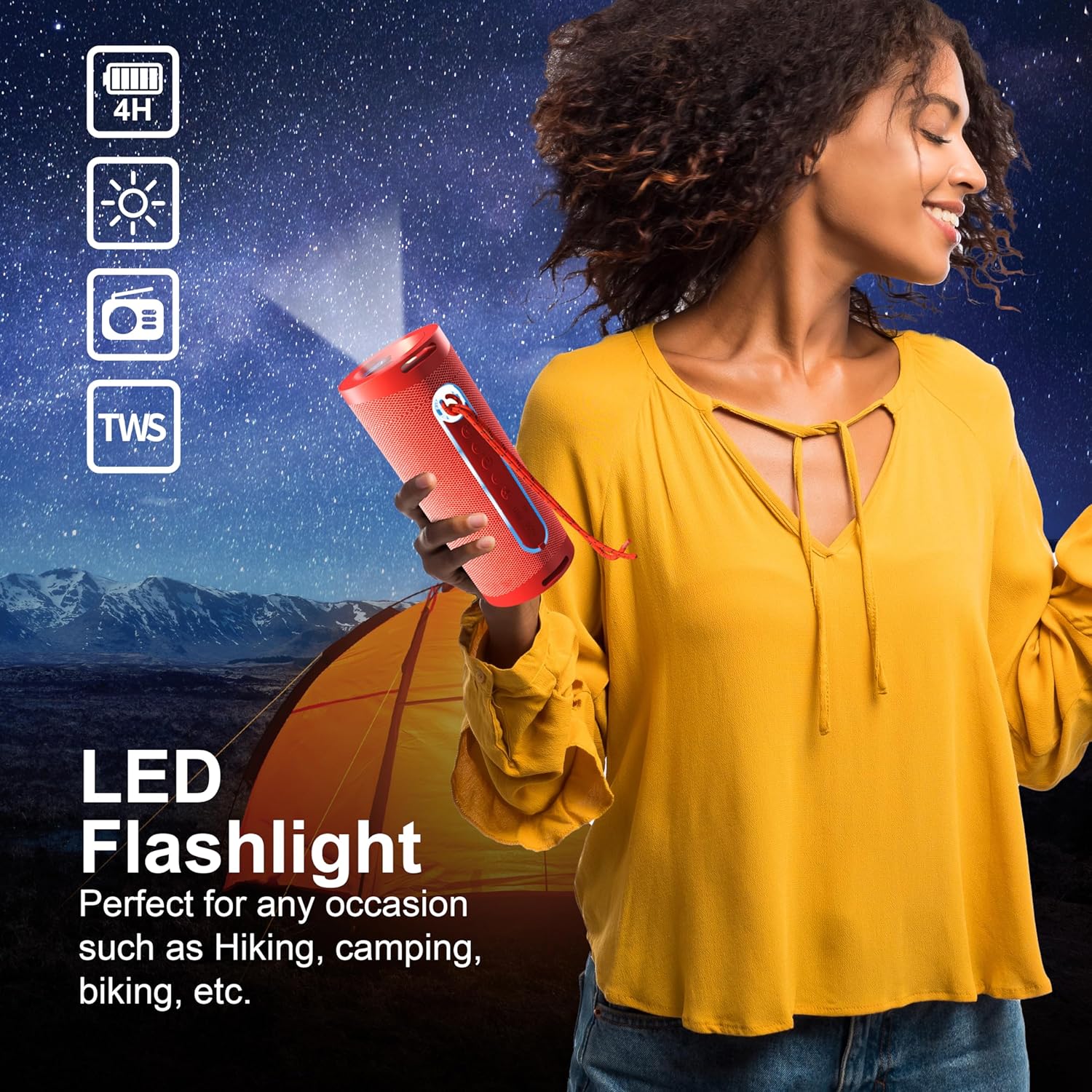
Image: A person holding the SC-2340BT speaker, demonstrating the integrated LED flashlight function, useful for various outdoor or low-light situations.
The speaker features an integrated LED flashlight for convenience.
- Qhib / Off: Locate the dedicated flashlight button (if available) or refer to the product diagram for specific control. Typically, a short press activates the light, and another short press turns it off.
Kev tu
- Ntxuav: Siv ib daim ntaub mos, qhuav los ntxuav tus neeg hais lus sab nrauv. Tsis txhob siv cov tshuaj abrasive los yog cov kuab tshuaj.
- Cia: Store the speaker in a cool, dry place away from direct sunlight when not in use for extended periods.
- Kev kho roj teeb: Txhawm rau kom lub roj teeb lub neej ntev, tsis txhob tso lub roj teeb tas li ntau zaus. Them tus hais lus tsis tu ncua, txawm tias tsis siv, txhawm rau tswj lub roj teeb kev noj qab haus huv.
Kev daws teeb meem
Tsis muaj zog
- Xyuas kom tus hais lus tau them tag nrho.
- Xyuas seb lub xov hluav taws xob thiab lub hwj chim puas txuas tau zoo.
Tsis muaj suab
- Ua kom lub ntim ntawm ob tus neeg hais lus thiab koj lub cuab yeej txuas nrog.
- Ensure the speaker is in the correct mode (Bluetooth, FM, USB, TF).
- If using Bluetooth, ensure the device is properly paired.
Bluetooth Disconnection or Pairing Issues
- Ensure the speaker and your device are within the 10-meter Bluetooth range.
- Turn off and restart both the speaker and your Bluetooth device.
- Forget the speaker from your device's Bluetooth list and attempt to re-pair.
- Xyuas kom tsis muaj lwm yam khoom siv Bluetooth cuam tshuam.
FM Xov tooj cua txais neeg pluag
- Tsiv lub tshuab hais lus mus rau qhov chaw uas muaj kev txais tau lub teeb liab zoo dua.
- Perform an automatic station scan again.
Specifications
| Feature | Specification |
|---|---|
| Qauv Lub Npe | SC-2340 IB |
| Hom | Supersonic |
| Connectivity Technology | Bluetooth |
| Bluetooth Version | v 5.3 |
| Bluetooth Ntau | 10 meters (33 ko taw) |
| Hais lus tso zis zog | 5 Watts |
| Hais lus Impedance | 3 awm |
| Zaus teb | 150Hz-15KHz |
| Hom roj teeb | Built-in 1200mAh Lithium roj teeb |
| Sijhawm Playback | 3-4 teev |
| Them sij hawm | Kwv yees li 3 teev |
| USB/TF Card Max Capacity | 64 GB ua |
| Nta ntxiv | TWS, FM Radio, Hands-Free Mic, LED Flashlight |
| Yam khoom Dimensions (D x W x H) | 2.9" H x 2.9" W x 7.05" H |
| Yam Nyhav | 12.8 hli |
Warranty thiab Support
Cov khoom no los nrog a 90-hnub warranty txij hnub uas koj yuav khoom. Daim ntawv pov thawj no suav nrog cov teeb meem uas tshwm sim los ntawm kev tsim khoom thiab kev ua haujlwm raws li kev siv ib txwm.
The warranty does not cover damage caused by misuse, accident, unauthorized modification, or external causes such as drops or liquid exposure.
For warranty claims or technical support, please contact the retailer or manufacturer's customer service with your proof of purchase. Contact information can typically be found on the product packaging or the brand's official webqhov chaw.