
1. Khoom Tshajview
The Shelly Qubino Wave Pro 1PM is a professional 1-channel Z-Wave smart switch designed for DIN rail mounting. It supports loads up to 16 A and features an integrated power consumption meter, making it ideal for automating lighting or other appliances in various environments, from residential to industrial settings. This device integrates seamlessly into your Z-Wave network, offering advanced control and energy monitoring capabilities.
Cov yam ntxwv tseem ceeb:
- 1 Channel, 16 A Output: Controls a single electrical circuit with a maximum current of 16 Amperes.
- Integrated Power Meter: Provides real-time energy consumption data to help optimize operational costs.
- DIN Rail Mount: Designed for easy installation directly into electrical panels.
- Z-Wave 800 Series Technology: Utilizes the latest Z-Wave standard for enhanced compatibility and performance.
- Kev siv hluav taws xob tsawg: Operates with extremely low power usage, less than 0.3 W.
- Txhim khu kev ruaj ntseg: Features Security 2 (AES128 encryption) and 2-factor authentication (2FA) for optimal network protection.
- SmartStart & OTA Updates: Supports automatic configuration and over-the-air firmware updates.
- Broad Compatibility: Works with certified Z-Wave gateways and over 4,000 Z-Wave devices.
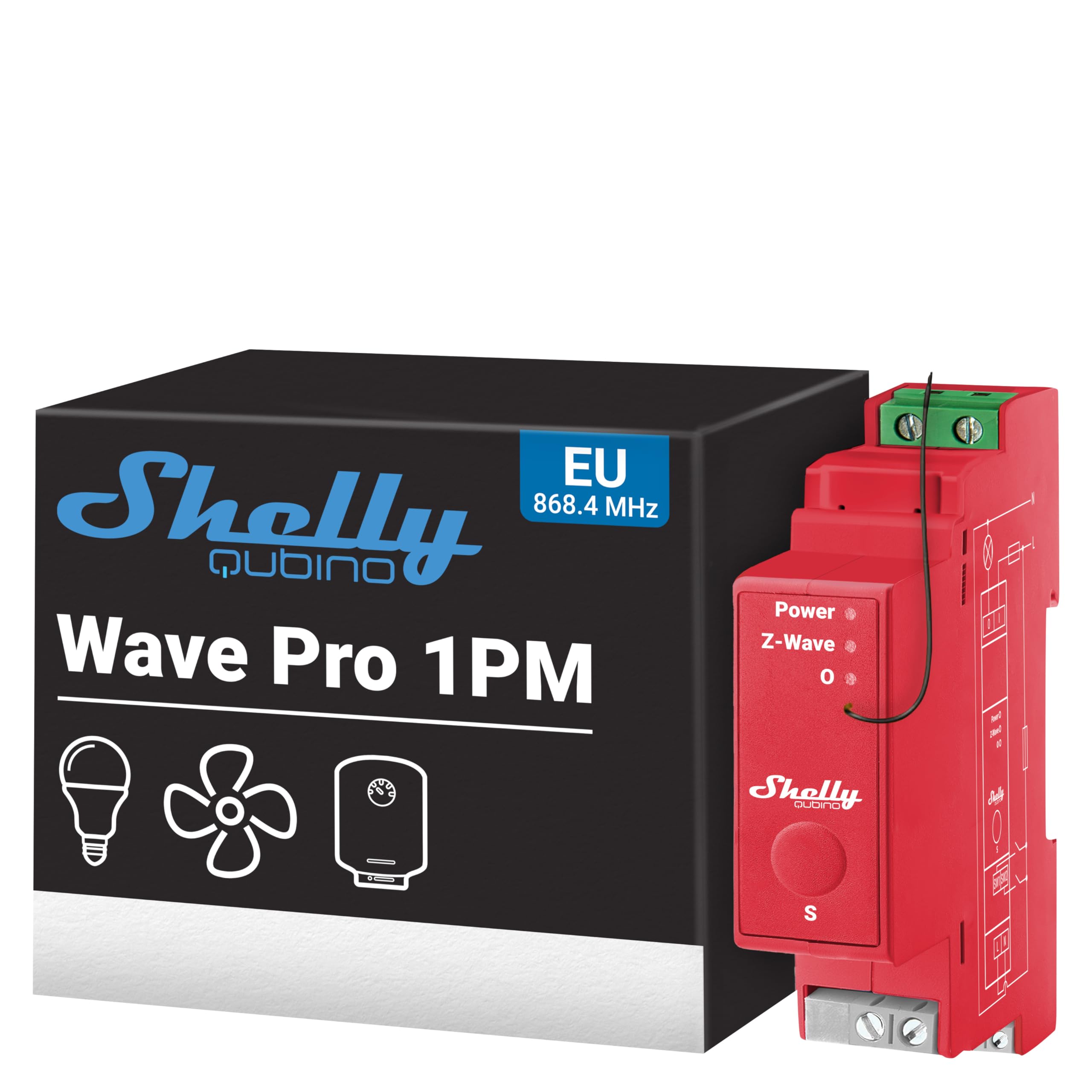
Image 1.1: The Shelly Qubino Wave Pro 1PM Z-Wave Smart Switch.
2. Cov ntaub ntawv kev nyab xeeb
Please read this entire guide carefully before beginning installation or use. Failure to follow these instructions may lead to malfunction, fire, or other hazards. Keep this manual for future reference.
- Kev Nyab Xeeb Hluav Taws Xob: Installation must be performed by a qualified electrician in accordance with local electrical codes and regulations. Always disconnect power before installation or maintenance.
- Kev ua haujlwm ib puag ncig: Do not expose the device to direct sunlight, high humidity, or extreme temperatures. Ensure proper ventilation.
- Load Capacity: Do not exceed the maximum load of 16 A. Overloading can cause damage to the device and create fire hazards.
- Z-Wave Gateway: A Z-Wave gateway (smart hub) is required for remote control and full functionality of the device. This gateway is not included.
- Kev tiv thaiv nta: The device includes built-in protection against overheating, overcurrents, overvoltages, and overpowers. It is also flame retardant (V-0).

Image 2.1: Enhanced security features of the Shelly Wave Pro 1PM, including protection against overheating, overloads, overvoltages, and flame retardant properties.
3. Kev teeb tsa thiab kev teeb tsa
3.1. Physical Installation (DIN Rail Mounting)
The Shelly Wave Pro 1PM is designed for mounting on a standard DIN rail within an electrical panel. Ensure the panel is de-energized before proceeding.
- Fais fab tuag: Turn off the main power supply to the electrical panel. Verify with a voltage tester that no power is present.
- Mounting: Clip the Shelly Wave Pro 1PM onto the DIN rail.
- Kev xaim: Connect the device according to the wiring diagram provided in the product documentation. Ensure all connections are secure. The device features screw-type connectors.

Image 3.1: Shelly Wave Pro 1PM showing wiring connections and key features.

Image 3.2: Physical dimensions of the Shelly Wave Pro 1PM (19mm width, 94mm height).
3.2. Z-Wave Network Inclusion
To integrate the Shelly Wave Pro 1PM into your smart home system, a Z-Wave gateway (hub) is required. Follow the instructions for your specific Z-Wave gateway to add new devices.
- SmartStart: The device supports automatic configuration with SmartStart for easy inclusion.
- Phau ntawv suav nrog: If SmartStart is not used, follow your gateway's manual inclusion process, which typically involves putting the gateway into inclusion mode and then activating the device's inclusion mode (refer to the device's specific button press sequence if applicable).
- Security 2 (AES128): The device uses Security 2 encryption for secure communication within your Z-Wave network.
- 2-Factor Authentication (2FA): For optimal security, the device supports 2FA during setup.

Image 3.3: Diagram of a Z-Wave network, showing the Shelly Wave Pro 1PM connecting to a Z-Wave gateway, router, and smartphone.
4. Cov lus qhia ua haujlwm
4.1. Basic Control
Once successfully included in your Z-Wave network, the Shelly Wave Pro 1PM can be controlled via your Z-Wave gateway's interface or the Shelly Smart Control app (requires a Z-Wave gateway).
- ON/OFF Switching: Use the connected Z-Wave controller or app to turn the connected load ON or OFF.
- Automation: Set up schedules, scenes, and automations through your Z-Wave gateway to control lighting or appliances dynamically.
4.2. Kev saib xyuas lub zog
The integrated power meter provides real-time energy consumption data, which can be accessed through your Z-Wave gateway's interface or the Shelly Smart Control app.
- Cov ntaub ntawv ntawm lub sijhawm: Monitor current power usage of the connected circuit.
- Cov Ntaub Ntawv Keeb Kwm: Track energy consumption over time to identify trends and optimize usage.
- Tus nqi optimization: Use consumption data to make informed decisions about energy usage and reduce operational costs.

Image 4.1: Example of Shelly Wave Pro 1PM used for energy control and monitoring in a commercial setting, with text about automating devices and receiving notifications.
4.3. Preventive Management
The device can assist in preventive management by alerting you to unusual power consumption patterns.
- Anomaly Detection: If a connected electrical appliance is damaged or malfunctioning, the Shelly Wave Pro 1PM can detect an increase in consumption and alert you.
- Kev ceeb toom: Configure your Z-Wave gateway to send notifications for abnormal usage, helping to limit unnecessary expenses and prevent potential issues.

Image 4.2: Shelly Wave Pro 1PM demonstrating preventive management, alerting users to increased consumption from a damaged electrical appliance.
5. Kev tu
The Shelly Wave Pro 1PM requires minimal maintenance.
- Ntxuav: Ensure the device is clean and free from dust. Disconnect power before cleaning. Use a dry, soft cloth.
- Hloov tshiab Firmware: The device supports Over-The-Air (OTA) firmware updates. Regularly check for and apply updates through your Z-Wave gateway or the Shelly Smart Control app to ensure optimal performance and security.
- Ib puag ncig tej yam kev mob: Ensure the operating environment remains within the specified temperature and humidity ranges to prolong the device's lifespan.
6. Kev daws teeb meem
If you encounter issues with your Shelly Wave Pro 1PM, consider the following common problems and solutions:
| Teeb meem | Ua Tau | Kev daws |
|---|---|---|
| Device not responding/connecting to Z-Wave network. | Device not properly included; Z-Wave gateway out of range; network interference. | Ensure Z-Wave gateway is in inclusion mode. Perform a factory reset on the device and try re-inclusion. Check distance to gateway. |
| Device frequently goes into safety mode (e.g., due to overheating). | Continuous high load; insufficient ventilation; ambient temperature too high. | Reduce the connected load if it's consistently near the maximum. Ensure adequate airflow around the device in the electrical panel. Check ambient temperature. |
| Inaccurate power consumption readings. | Cov kab hluav taws xob tsis raug; ntaus ntawv malfunction. | Verify wiring according to the diagram. If the issue persists, contact support. |
| Device cannot be controlled remotely. | No Z-Wave gateway connected; internet connectivity issues (for app control). | Ensure a Z-Wave gateway is properly set up and connected. Check your internet connection if using the Shelly Smart Control app. |
For more complex issues, please refer to the support section or contact technical assistance.
7. Kev qhia tshwj xeeb
| Specification | Tus nqi |
|---|---|
| Hom | Shelly |
| Qauv | Wave Pro 1 PM |
| Kev ntsuas tam sim no | 16 A |
| Qhov siab tshaj plaws hloov tam sim no | 16 A |
| Hwj chim | 3840 Watts |
| Yam tsawg kawg Switching Voltage | 110V (AC) |
| Qhov siab tshaj plaws Hloov Voltage | 240V (AC) |
| Kev ua haujlwm hom | ON-OFF |
| Mounting Hom | DIN Rail Ncej |
| Hom Connector | Ntsia hlau |
| Cov ntaub ntawv tiv tauj | Nyiaj |
| Hu rau hom | Nquag Qhib |
| Tus naj npawb ntawm Terminals | 2 |
| Kub Siab Tshaj Plaws | 40 Tau Degree Celsius |
| Compliant Specification | RoHS |
| Yam Nyhav | 63 Nws |
| Cov Cheebtsam suav nrog | Shelly Qubino Wave Pro 1PM (x1) |
| Tus naj npawb chaw tsim khoom | 910 |
| International Tshooj Code | 03800235269107 |
8. Warranty thiab Support
8.1. Warranty Information
Shelly products typically come with a 3 to 5-year warranty. Please refer to your purchase documentation or the official Shelly weblub vev xaib rau cov nqe lus thiab tej yam kev mob tshwj xeeb uas siv tau rau koj cheeb tsam.
8.2. Kev pab txhawb nqa
For technical assistance, product guides, and tutorials, please visit the official Shelly support portal:
You can also find support through:
- Knowledge base with product guides and tutorials.
- European network of certified installers.
- Facebook support groups for community assistance.

Image 8.1: Scan for support and access Shelly's knowledge base, warranty information, and community resources.