
1. Taw qhia
Thank you for choosing the eWheels EW-10 Electric Mobility Scooter. This manual contains important information regarding the safe operation, maintenance, and care of your new scooter. Please read it thoroughly before operating the scooter and keep it for future reference. The EW-10 is designed for recreational use, offering a long range and high performance for enhanced mobility.
2. Cov ntaub ntawv kev nyab xeeb
Koj qhov kev nyab xeeb yog qhov tseem ceeb. Ib txwm ua raws li cov lus qhia kev nyab xeeb hauv qab no:
- Always wear a helmet and appropriate safety gear when operating the scooter.
- Tsis txhob khiav lub scooter nyob rau hauv cawv los yog yeeb tshuaj.
- Ua tib zoo saib tag nrho cov kev cai lij choj thiab cov cai hauv zos.
- Ensure the battery is fully charged before each use, especially for long trips.
- Tsis txhob tshaj qhov siab tshaj qhov hnyav ntawm 400 lbs.
- Avoid sudden stops or turns, especially at high speeds.
- Paub txog koj qhov chaw nyob ib puag ncig thiab muaj peev xwm txaus ntshai.
- Khaws tes thiab taw kom deb ntawm cov khoom txav mus los.
- Do not attempt to modify the scooter in any way, as this may void the warranty and compromise safety.
3. Khoom Tshajview
The eWheels EW-10 is a high-performance electric mobility scooter designed for comfort and extended travel. It features a robust design and user-friendly controls.

Daim duab 3.1: puv view of the eWheels EW-10 Electric Mobility Scooter in light blue. This image showcases the overall design, including the front wheel, main body, seat, and rear wheels with the integrated storage box.

Daim duab 3.2: An illustrative image highlighting the key performance specifications of the EW-10 scooter, including its 40-mile range, 400 lb weight capacity, 500-watt motor, and the convenience of arriving fully assembled.
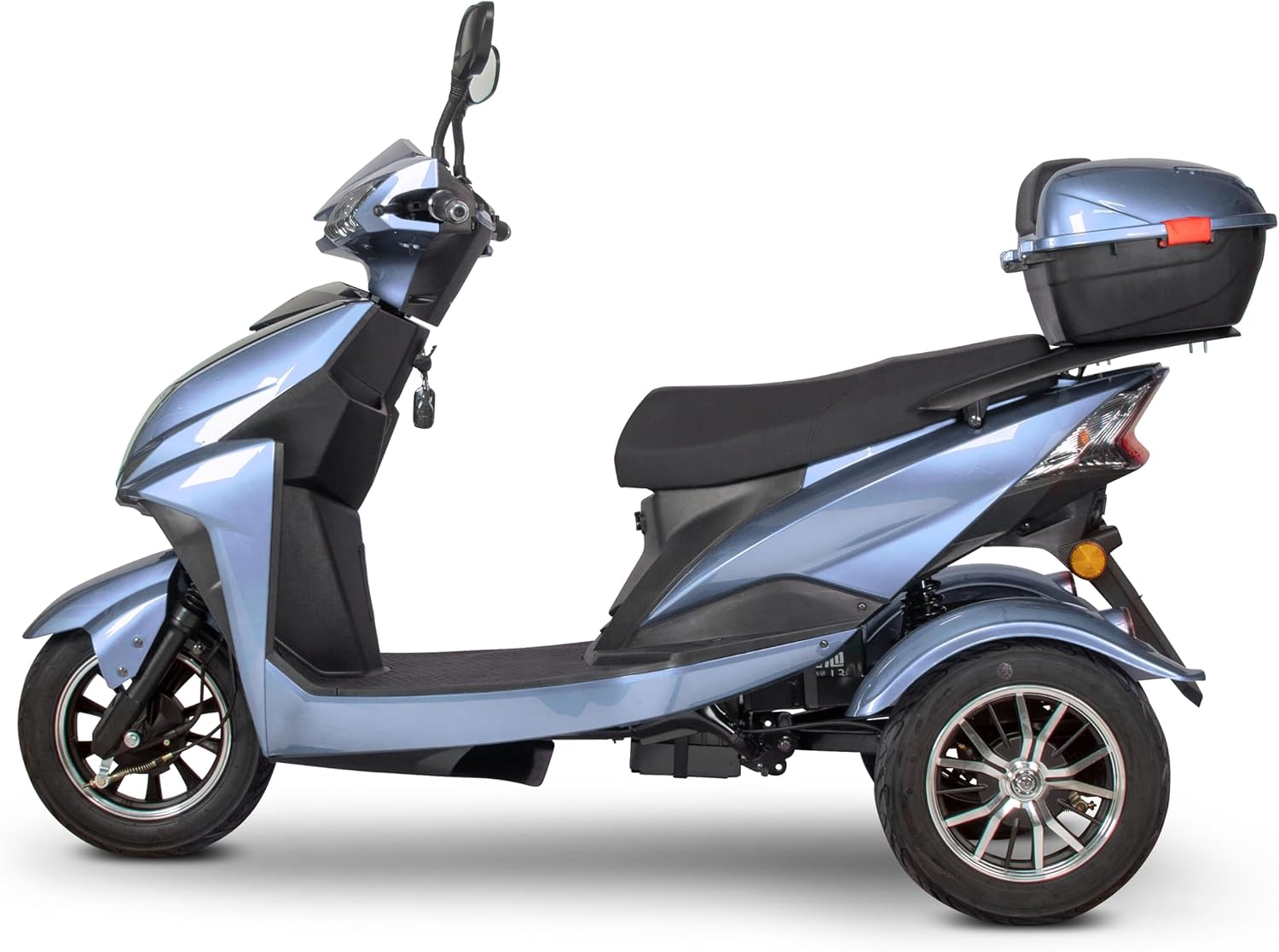
Daim duab 3.3: Sab profile of the EW-10 scooter, emphasizing the spacious saddle seat and the practical rear storage box, which provides convenient space for personal items.

Daim duab 3.4: Qab view of the EW-10 scooter, showcasing its stable dual rear wheel design and the integrated top-case storage compartment, which is ideal for carrying essentials.
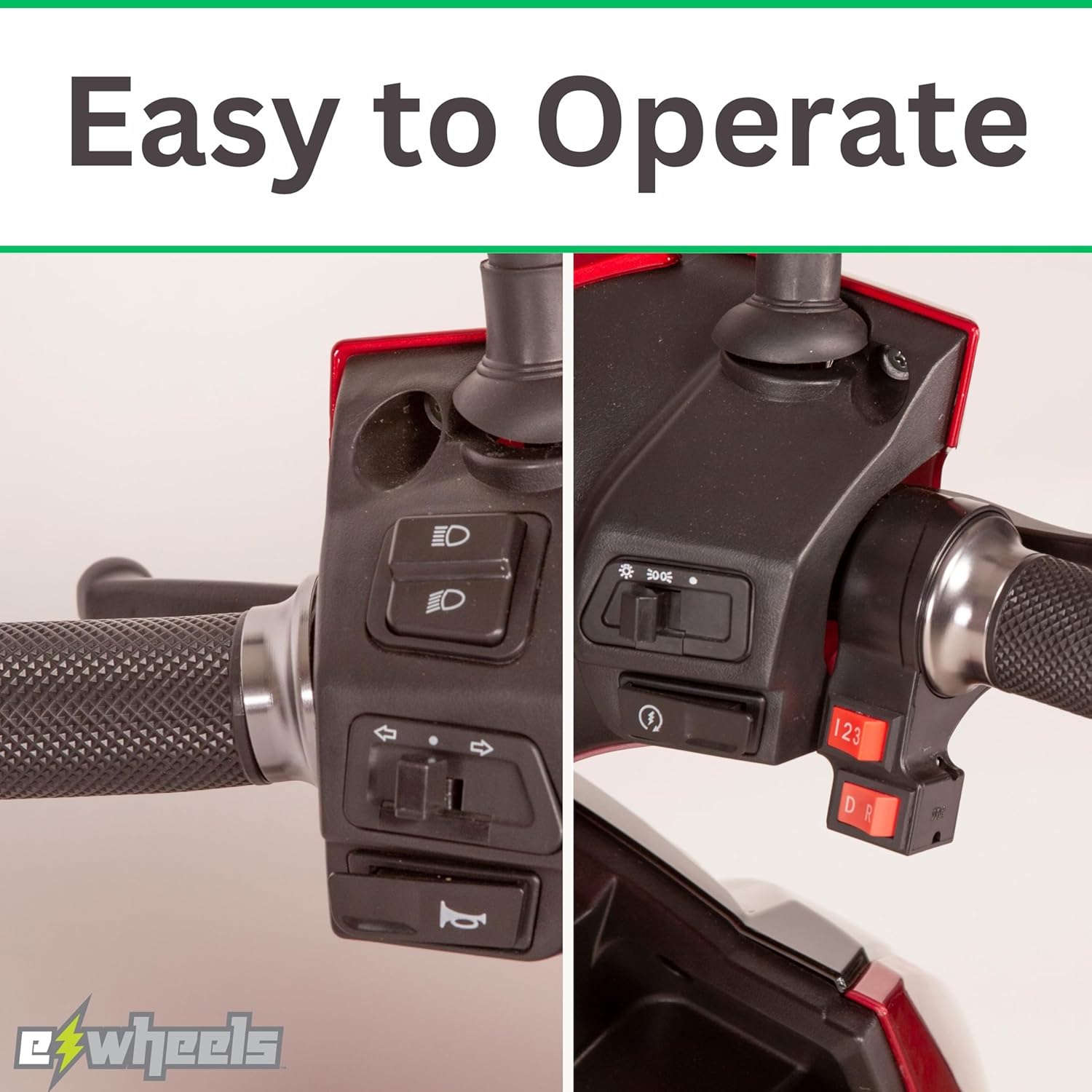
Daim duab 3.5: A detailed close-up of the convenient rear storage box, highlighting its design and capacity for securely storing items during travel.

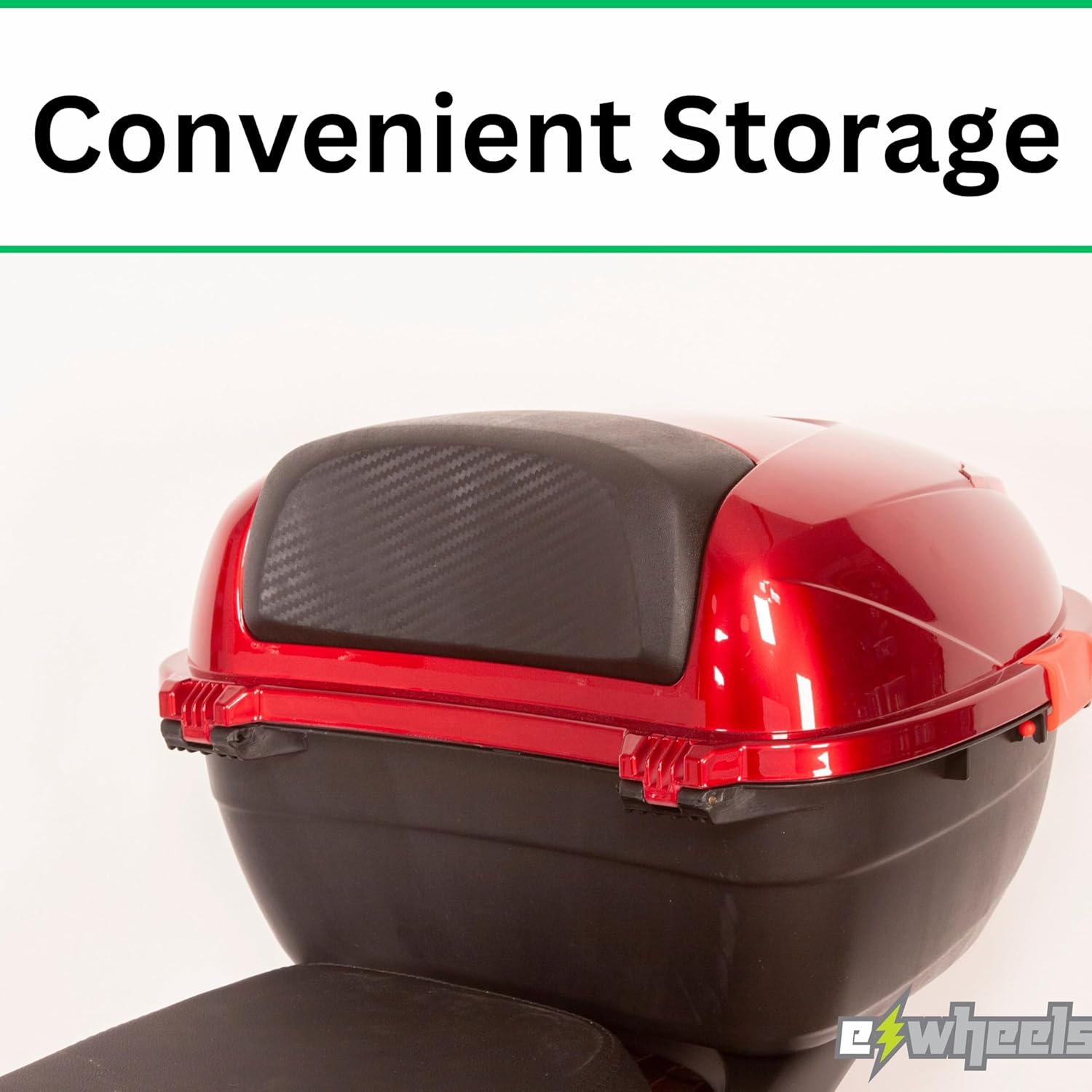
Daim duab 3.6: Qhov ze-up view of the scooter's handlebars and control panel, demonstrating the intuitive layout of switches for lights, horn, and speed settings, designed for easy operation.
Daim duab 3.7: A detailed shot of the scooter's dashboard, featuring an easy-to-read display that provides essential information such as speed and battery level at a glance.
4. Teeb tsa
The EW-10 scooter arrives fully assembled, minimizing setup time. However, some initial steps are necessary before your first ride.
4.1 Pib Them Nqi
- Locate the charging port, typically near the battery compartment.
- Connect the charger to the scooter's charging port, then plug the charger into a standard electrical outlet.
- Allow the scooter to charge completely before its first use. The charging indicator light on the charger will change color (e.g., red to green) when fully charged. This may take several hours.
- Tsis txhob them lub roj teeb ntau dhau. Tshem lub charger thaum them tiav lawm.
4.2 Pre-Ride Checks
- Log tsheb: Check tire pressure before each ride. Refer to the tire sidewall for recommended PSI.
- Nres: Test both front and rear brakes to ensure they are functioning correctly.
- Teeb: Verify that the headlights, taillights, and turn signals are operational.
- Horn: Kuaj lub horn.
- Roj teeb theem: Confirm sufficient battery charge for your intended journey.
5. Cov lus qhia ua haujlwm
5.1 Pib lub Scooter
- Insert the key into the ignition and turn it to the 'ON' position.
- Ensure the kickstand is up (if applicable).
- Gently twist the throttle to accelerate.
5.2 Tsav
- Maintain a comfortable and safe speed.
- Siv cov cim tig thaum hloov kev taw qhia.
- Be mindful of pedestrians and other vehicles.
5.3 nres
Apply both front and rear brakes smoothly and gradually to slow down or stop. Avoid sudden braking, especially at high speeds or on slippery surfaces.
5.4 Chaw nres tsheb
When parking, turn the key to the 'OFF' position and remove it. Engage the kickstand to ensure stability.
6. Kev tu
Regular maintenance ensures the longevity and optimal performance of your EW-10 scooter.
- Kev kho roj teeb: Charge the battery regularly, even if the scooter is not in use for extended periods (e.g., once a month). Store the scooter in a cool, dry place.
- Ntxuav: Ntxuav lub scooter nrog adamp cloth. Avoid using high-pressure washers or harsh chemicals.
- Tyre Maintenance: Check tire pressure weekly and inspect for wear or damage.
- Kev tshuaj xyuas nres: Periodically check brake pads and cables for wear and proper adjustment.
- Fasteners: Xyuas kom tseeb tias txhua lub txiv ntoo, bolts, thiab fasteners nruj nreem.
7. Kev daws teeb meem
This section addresses common issues you might encounter with your EW-10 scooter.
| Teeb meem | Ua Tau | Kev daws |
|---|---|---|
| Scooter does not turn on | Battery is low or dead; Ignition key not fully turned; Circuit breaker tripped. | Charge the battery; Ensure key is fully in 'ON' position; Reset circuit breaker. |
| Txo qhov ntau los yog lub zog | Low tire pressure; Battery not fully charged; Battery degradation. | Inflate tires to recommended PSI; Fully charge battery; Consult service for battery replacement. |
| Cov nres tsis ua haujlwm zoo los yog xoob | Cov xov hlau nres yuav tsum tau kho; Cov ntaub nres uas puas lawm. | Adjust brake cable tension; Replace brake pads. |
| Cov suab nrov txawv txawv thaum ua haujlwm | Loose components; Motor issue; Wheel bearing issue. | Inspect and tighten all visible fasteners; Contact qualified technician for motor/wheel inspection. |
If you encounter issues not listed here or if solutions do not resolve the problem, please contact eWheels customer support or a certified technician.
8. Cov lus qhia tshwj xeeb
Key technical specifications for the eWheels EW-10 Electric Mobility Scooter:
| Feature | Specification |
|---|---|
| Qauv | AW-10 |
| Hom | eWheels |
| Khoom Dimensions | 70" H x 28" W x 43" H |
| Rooj dav | 26 Nws |
| Xim | Plaub-2 |
| Chaw tsim tshuaj paus | Ewheels |
9. Warranty thiab Support
For detailed information regarding the warranty coverage for your eWheels EW-10 Electric Mobility Scooter, please refer to the warranty card included with your purchase or visit the official eWheels website. Warranty terms and conditions, including coverage periods for specific components like the battery, may vary.
For technical support, parts, or service inquiries, please contact eWheels customer service directly. Contact information can typically be found on the manufacturer's webqhov chaw los yog hauv koj cov ntaub ntawv yuav khoom.