
1. Taw qhia
Thank you for choosing the VCHICS Digital Audio Amplifier Receiver Module. This device is designed to provide versatile audio playback options, including Bluetooth, USB, TF card, and FM radio, with adjustable bass and treble controls. This manual will guide you through the setup, operation, and maintenance of your amplifier module.
2. Cov yam ntxwv tseem ceeb
- MP3 music playback from TF card, USB disk, and Bluetooth.
- Adjustable Treble, Bass, and Master Volume controls.
- Integrated Bluetooth receiver for wireless audio streaming.
- Built-in FM radio function.
- AUX port for connection to PC, phone, or CD players.
- Supports AC 110-220V or DC 12-24V input voltage.
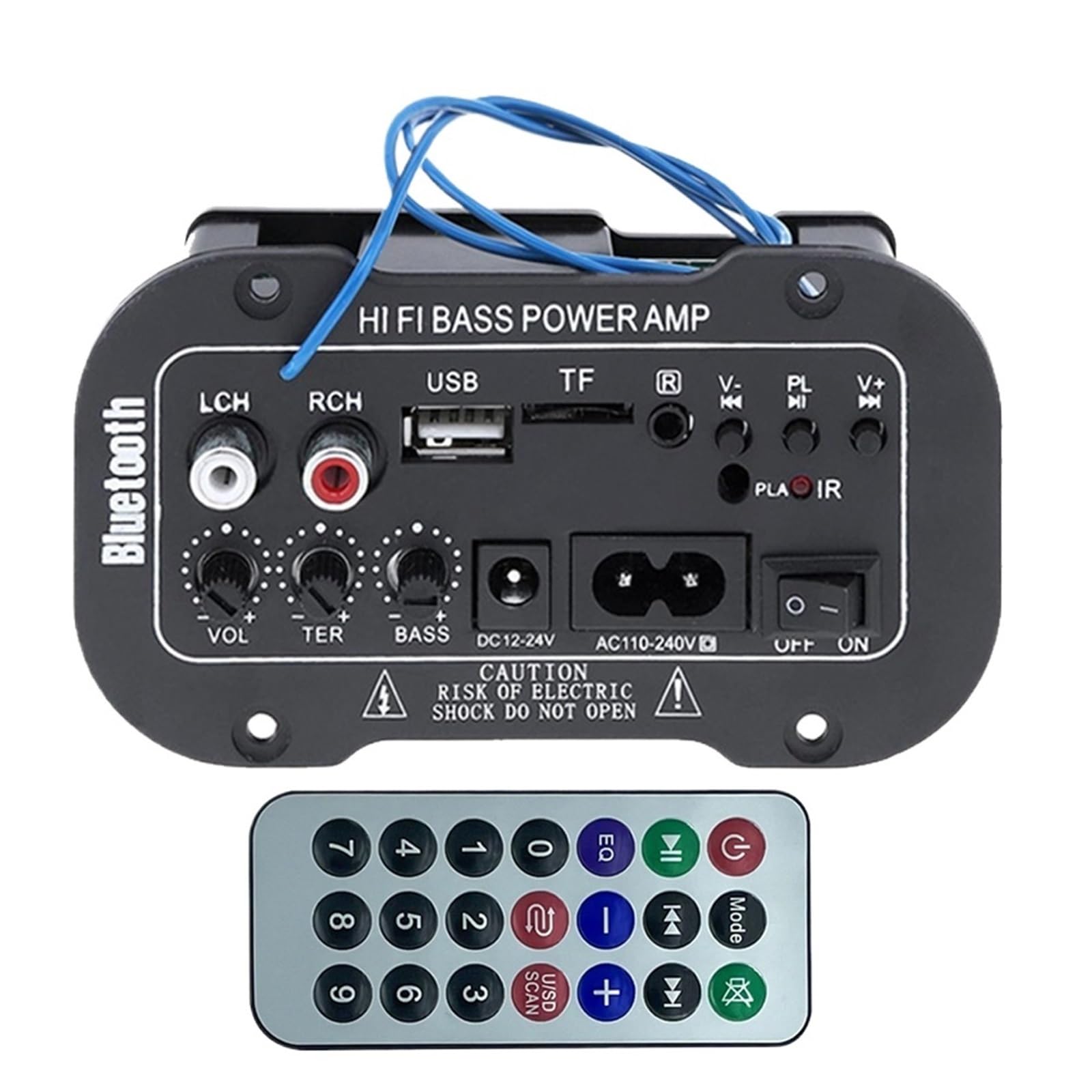
Daim duab 1: Tshajview of the VCHICS Digital Audio Amplifier Receiver Module.
3. Cov lus qhia tshwj xeeb
| Specification | Tus nqi |
|---|---|
| Bluetooth Version | 2.1 + EDR |
| Kev Ua Haujlwm Voltage | 9-20V DC |
| Lub zog ua haujlwm | 25-30 W |
| Codec | SBC |
| Impedance | 4 awm |
| Tus hais lus Unit Size | 133 XNUMXmm |
| rhiab heev | 200hv |
| Zaus teb | 20-20000 Hz |
| Yam Nyhav | 400 Nws |
| Tus naj npawb ntawm Channel | 1 |
| Qauv nab npawb | 1005005454581585 |

Figure 2: Product dimensions (11.7cm x 6.5cm x 4.5cm / 10cm x 4cm).
4. Kev Tswj Xyuas thiab Kev Sib Txuas
Familiarize yourself with the various controls and connection ports on your amplifier module:

Daim duab 3: Paub meej view of controls and connection points.
- LCH / RCH (Audio Input): Left and Right channel audio input for external devices.
- USB qhov: For connecting USB flash drives for MP3 playback.
- TF qhov: For inserting TF (MicroSD) cards for MP3 playback.
- Previous / Next (V- / V+): Navigate tracks or adjust volume in certain modes.
- Play / Pause (PL/IR): Play/pause audio, or initiate FM scan. IR indicates Infrared Sensor for remote control.
- Qhov taw qhia: Lub teeb xwm txheej.
- Infrared Sensor: For receiving signals from a remote control (if included or compatible).
- OFF / ON: Power switch for the module.
- AC110-240V: AC zog input.
- DC 12-24V: DC zog input.
- Bass Kho: Rotary knob to adjust bass levels.
- Treble Kho: Rotary knob to adjust treble levels.
- Ntim Kho: Rotary knob to adjust master volume.
- Bluetooth khawm: Qhib Bluetooth hom.
5. Teeb tsa
5.1 Kev sib txuas fais fab
- Xyuas kom cov amplifier module is switched OFF.
- Connect the appropriate power supply to either the AC 110-240V input or the DC12-24V input. Use only the specified voltage ntau yam los tiv thaiv kev puas tsuaj.
5.2 Hais lus txuas
Connect your speakers to the output terminals of the amplifier module. Ensure correct polarity (+/-) for optimal sound quality.
5.3 Antenna Connection (for FM Radio)
If using the FM radio function, connect the provided FM antenna to the designated antenna port for better reception.
6. Cov lus qhia ua haujlwm
6.1 Fais fab / Off
Toggle lub OFF / ON switch to power on or power off the module.
6.2 Bluetooth txuas
- Nias lub MODE button (or the Bluetooth button if labeled) to switch the amplifier to Bluetooth mode.
- On your mobile phone or Bluetooth device, open the Bluetooth settings and search for available devices.
- Xaiv tus amplifier's Bluetooth device name (usually "Bluetooth" or similar) from the list to connect.
- Once successfully paired, you can play audio from your device through the ampua neej nyob.
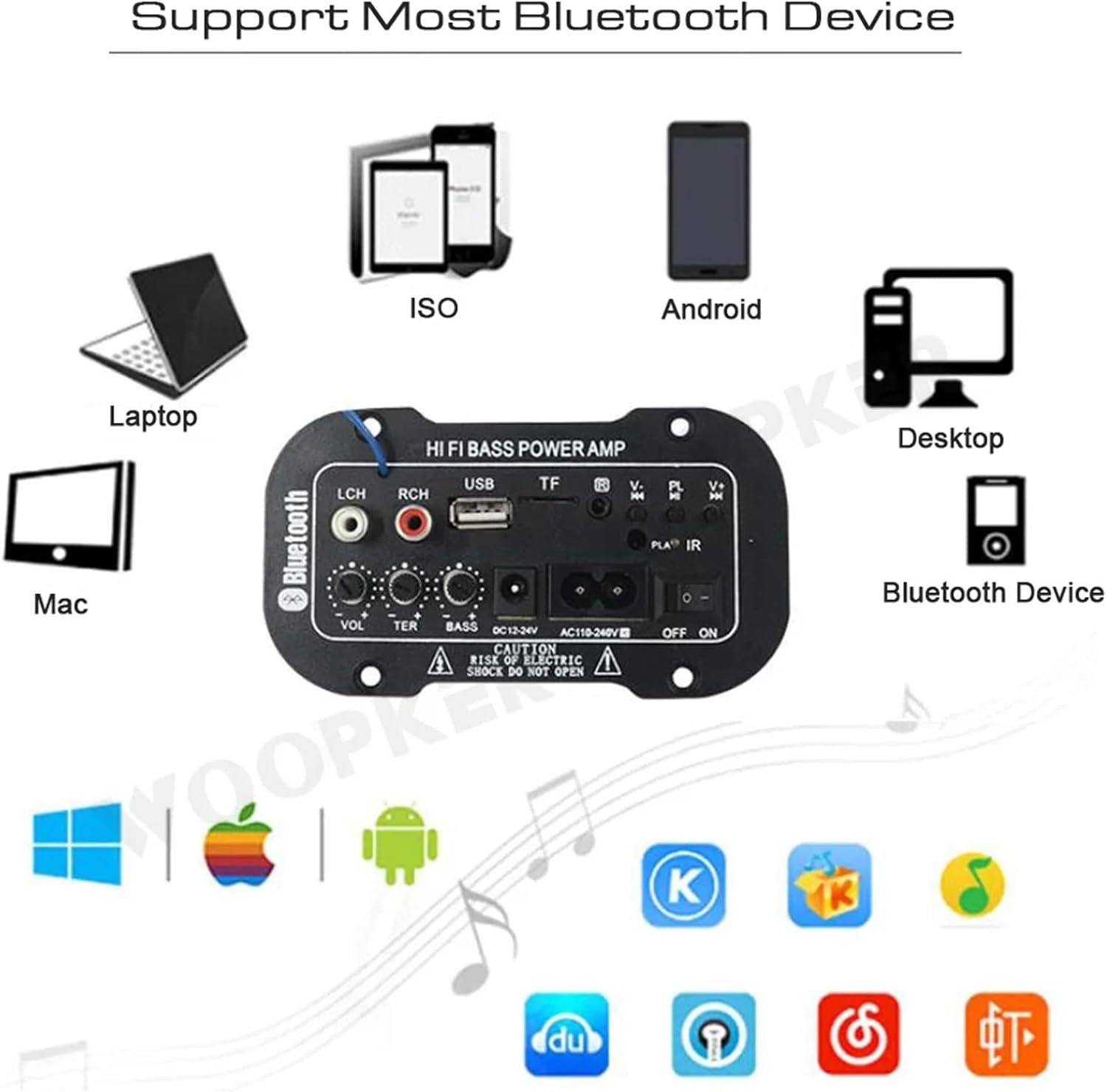
Figure 4: Ib amplifier module supports various Bluetooth devices including laptops, phones, and desktops.
6.3 FM xov tooj cua ua haujlwm
- Ensure the radio antenna is properly connected.
- Nias lub MODE khawm hloov lub amplifier to FM radio mode.
- Nias lub Ua si / Pause button to initiate an automatic scan for all available FM channels. The module will save them automatically.
- Siv cov Yav dhau los / Tom ntej buttons to switch between saved radio stations.
6.4 USB / TF Daim Npav Ua Si
- Ntxig ib USB flash drive rau hauv USB Qhov or a TF (MicroSD) card into the TF Qhov.
- The module should automatically detect the storage device and begin playing MP3 files. Yog tsis yog, nias lub MODE button to cycle through input sources until USB or TF mode is active.
- Siv cov Yav dhau los / Tom ntej buttons to change tracks and the Ua si / Pause khawm tswj playback.
6.5 AUX Input
Connect an external audio source (e.g., PC, phone, CD player) to the LCH / RCH (Audio Input) ports using an appropriate audio cable. Press the MODE button to select the AUX input source.
6.6 Adjusting Audio
Siv cov Ntim Ntim, Treble Kho, thiab Bass Kho rotary knobs to fine-tune your audio output to your preference.
7. Kev daws teeb meem
- Tsis muaj zog: Ensure the power cable is securely connected and the power switch is in the ON position. Verify the power source is active and providing the correct voltage (AC 110-240V or DC 12-24V).
- Tsis muaj suab: Check speaker connections for correct polarity. Ensure the volume is turned up. Verify the correct input mode (Bluetooth, FM, USB, TF, AUX) is selected. Test with a different audio source.
- Bluetooth Tsis Txuas: Xyuas kom tseeb tias cov amplifier is in Bluetooth mode. Ensure your device's Bluetooth is enabled and within range. Try restarting both the amplifier and your Bluetooth device.
- Kev Txais Xov Tooj FM Tsis Zoo: Ensure the FM antenna is properly connected and extended. Try repositioning the antenna or the amplifier for better signal.
- Daim Npav USB/TF Tsis Ua Si: Ensure the USB drive or TF card contains compatible MP3 audio files. Check that the storage device is inserted correctly and not corrupted.
8. Kev tu
- Khaws cov amplifier module clean by wiping it with a soft, dry cloth.
- Tsis txhob muab lub cuab yeej tso rau hauv dej noo, kub heev, lossis tshav ntuj ncaj qha.
- Do not attempt to disassemble or repair the module yourself, as this may void any warranty and cause damage.
9. Warranty thiab Support
Rau cov ntaub ntawv pov thawj thiab kev txhawb nqa kev pabcuam, thov saib cov ntaub ntawv muab thaum lub sijhawm yuav khoom lossis tiv tauj koj lub khw muag khoom. Khaws koj cov ntaub ntawv pov thawj ntawm kev yuav khoom rau txhua qhov kev lees paub.