
ASMAX ASMAXF1DP01
ASMAX F1 Motorcycle Bluetooth Headset User Manual
Model: ASMAX F1
1. Taw qhia
The ASMAX F1 Motorcycle Bluetooth Headset is an advanced communication system designed for motorcyclists. It features Bluetooth 5.3 technology, supporting up to 10 riders with a communication range of up to 1.8km. The F1 offers dual intercom modes (Free and Group Mesh), voice control, superior sound quality with ENC noise reduction, and an IP67 waterproof rating. Its magnetic mounting system and fast-charging capabilities ensure convenience and reliability for all your rides.
2. Cov ntaub ntawv kev nyab xeeb
- Always prioritize road safety. Do not operate the device in a manner that distracts you from riding.
- Ensure the headset is securely mounted to your helmet before riding.
- Adjust volume levels to ensure you can still hear ambient traffic sounds.
- Do not attempt to disassemble or modify the device, as this may void the warranty and pose safety risks.
- Khaws lub cuab yeej kom deb ntawm qhov kub thiab txias ncaj qha.
- Charge the device using only the provided cable and a compatible power source.
3. Cov ntsiab lus ntawm pob
Xyuas kom tseeb tias txhua yam khoom muaj nyob hauv koj pob:
- ASMAX F1 Bluetooth Headset Unit(s)
- Speaker and Microphone Kit(s)
- Magnetic Mounting Base(s)
- USB Charging Cable(s)
- Cov neeg siv phau ntawv
- Mounting Accessories (e.g., adhesive pads, clips)

Image: ASMAX F1 Headset and included accessories.
4. Khoom Tshajview
4.1 Cheebtsam
The ASMAX F1 unit features a sleek design with an illuminated cross-shaped indicator. It is designed for easy attachment to most motorcycle helmets.

Image: ASMAX F1 Bluetooth Headset units.
4.2 Tswj thiab ntsuas
The ASMAX F1 is equipped with intuitive controls and indicators for ease of use while riding.
- Intercom khawm: Initiates and manages intercom connections.
- Volume +/- Khawm: Kho lub suab ntim.
- Function Button: Multi-purpose button for various operations.
- Qhov taw qhia LED: Displays device status (e.g., power, pairing, charging).
- Lub suab tswj: Activates functions using voice commands (e.g., "Hi Max").

Image: ASMAX F1 controls and helmet compatibility.
5. Teeb tsa
5.1 Installation on Helmet
The ASMAX F1 features a magnetic mounting system for easy and secure attachment to your helmet.
- Choose a suitable location on the side of your helmet, typically on the left side, ensuring it does not obstruct your vision or helmet functionality.
- Clean the helmet surface thoroughly where the mounting base will be attached.
- Attach the magnetic mounting base to the helmet using the provided adhesive pad or clamp. Ensure it is firmly secured.
- Insert the speakers into the helmet's ear pockets. Ensure they are positioned directly over your ears for optimal sound.
- Route the microphone boom or wired microphone to a position near your mouth, ensuring clear voice pickup and minimal wind noise.
- Connect the speaker and microphone cables to the ASMAX F1 unit.
- Attach the ASMAX F1 unit to the magnetic mounting base. The strong magnet will secure it in place.
5.2 Pib Them Nqi
Before first use, fully charge the ASMAX F1 unit. The 1250mAh battery supports fast charging.
- Connect the provided USB charging cable to the ASMAX F1 unit's charging port.
- Txuas lwm qhov kawg ntawm txoj hlua rau lub USB fais fab adapter (tsis suav nrog) lossis lub computer USB port.
- The LED indicator will show charging status. Once fully charged, the indicator will change (refer to specific LED behavior in the full manual).
- Lub cuab yeej tuaj yeem them thaum siv.
6. Cov lus qhia ua haujlwm
6.1 Fais fab / Off
- Hwj chim On: Press and hold the Function Button for approximately 3 seconds until the LED indicator lights up and you hear a voice prompt.
- Fais fab tawm: Press and hold the Function Button for approximately 3 seconds until the LED indicator turns off and you hear a voice prompt.
6.2 Bluetooth Pairing with Mobile Device
The ASMAX F1 uses Bluetooth 5.3 for stable connections.
- With the ASMAX F1 powered off, press and hold the Function Button for approximately 5-7 seconds until the LED indicator flashes rapidly (usually blue/red alternating), indicating pairing mode.
- On your mobile phone, enable Bluetooth and search for new devices.
- Select "ASMAX F1" from the list of available devices.
- Once paired, the LED indicator will change (e.g., slow blue flashes) and you will hear a confirmation tone.

Image: Universal pairing capability of ASMAX F1.
6.3 Intercom Modes
The ASMAX F1 supports various intercom modes for group communication.
- Dawb hom: For spontaneous connections within range. Up to 10 riders can join instantly.
- Group Mode (MESH Communication): For private conversations with a team of up to 10 riders. Supports 1-on-1 chats within the group.
- CloudTalk Mode: (Requires app update) Supports cross-brand cloud intercom for up to 50 people, anywhere with a mobile network.

Image: ASMAX F1 10-Rider Mesh Group Intercom.
6.4 Lub Suab Tswj
Activate voice commands by saying "Hi Max" followed by your command. This allows for hands-free operation.
- "Hi Max, Music On"
- "Hi Max, Next Track"
- "Hi Max, Volume Up/Down"
- "Hi Max, Answer The Phone"
- "Hi Max, End Intercom"
- "Hi Max, Phone Pairing"
- "Hi Max, Group Mesh"
- "Hi Max, Free Mode"

Image: ASMAX F1 Voice Control feature.
6.5 Suab Multitasking
The ASMAX F1 allows for simultaneous audio streams, such as listening to music while receiving navigation instructions or participating in an intercom conversation.

Image: ASMAX F1 Audio Multitasking.
7. Kev tu
- Ntxuav: So lub tsev nrog qhov muag muag, damp daim ntaub. Tsis txhob siv cov tshuaj hnyav los yog cov tshuaj abrasive.
- Cia: Khaws lub cuab yeej rau hauv qhov chaw txias, qhuav thaum tsis siv.
- Kev kho roj teeb: Txhawm rau kom lub roj teeb zoo tshaj plaws, tsis txhob tso lub roj teeb kom nquag plias. Them tsis tu ncua.
- Dej tsis kam: The ASMAX F1 is IP67 waterproof. While it can withstand rain and splashes, avoid prolonged submersion.

Image: ASMAX F1 IP67 Waterproof feature.
8. Kev daws teeb meem
| Teeb meem | Ua Tau | Kev daws |
|---|---|---|
| Cov cuab yeej tsis siv hluav taws xob. | Tsawg roj teeb. | Them lub cuab yeej tag nrho. |
| Tsis tuaj yeem ua khub nrog xov tooj. | Lub cuab yeej tsis nyob hauv hom kev sib txuas; Bluetooth tua ntawm lub xov tooj. | Ensure device is in pairing mode (flashing LED). Turn on phone's Bluetooth. Forget previous pairings on phone. |
| Intercom connection issues. | Out of range; interference; incorrect mode. | Ensure units are within range. Check for obstacles. Verify correct intercom mode (Free/Group). |
| Poor audio quality / Noise. | Microphone position; speaker placement; high speed. | Adjust microphone closer to mouth. Ensure speakers are aligned with ears. ENC noise reduction works best with visor closed at high speeds. |
| Cov lus txib ntawm lub suab tsis teb. | Microphone issue; noisy environment; incorrect command. | Ensure microphone is clear. Speak clearly. Try again in a quieter environment. Refer to voice command list. |
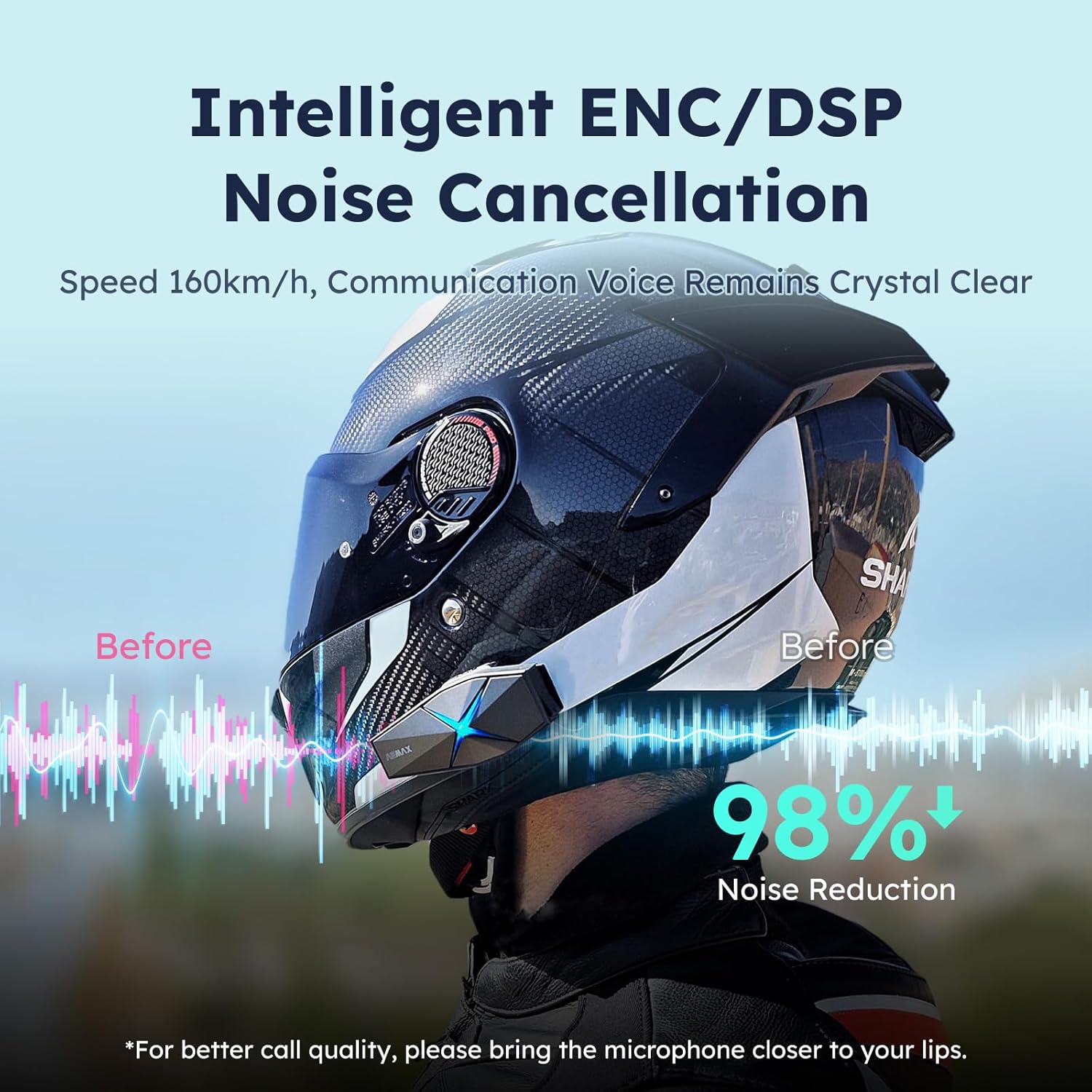
Image: ASMAX F1 Noise Cancellation technology.
9. Cov lus qhia tshwj xeeb
| Feature | Paub meej |
|---|---|
| Qauv Lub Npe | ASMAX F1 (F1 DP) |
| Bluetooth Version | 5.3 |
| Intercom Range | Up to 1.8 km (10 riders) |
| Roj teeb muaj peev xwm | 1250 mAh |
| Kev them nyiaj | Fast Charging, USB |
| Waterproof Rating | IP67 |
| Tsis Siv Neeg Tswj | Active Noise Cancellation (ENC/DSP) |
| Lub Suab Tswj | "Hi Max" commands |
| Suab Nta | Audio Multitasking, Superior Sound Quality |
| Qhov ntev | Approx. 86mm x 36mm x 23.6mm (unit) |
| Qhov hnyav | Approx. 50g (unit) |
| Pob ntseg tso | Hauv pob ntseg |
| Impedance | 32 awm |
| rhiab heev | 105dB ua |
| Zaus teb | 20 Hz (tsawg kawg) |

Image: ASMAX F1 Dual-Chip Octa-Core technology.
10. Warranty thiab Support
ASMAX products come with a standard manufacturer's warranty. For specific warranty terms and conditions, please refer to the warranty card included in your product packaging or visit the official ASMAX webqhov chaw.
For technical support, troubleshooting assistance, or any inquiries regarding your ASMAX F1 headset, please contact ASMAX customer service through their official channels. Contact information can typically be found on the ASMAX website los yog nyob rau hauv cov khoom ntim.
Regularly check the ASMAX website or app for firmware updates to ensure optimal performance and access to new features, such as CloudTalk Mode.
Ask a question about this manual
Ask about setup, troubleshooting, compatibility, parts, safety, or missing instructions. Manuals+ will review the question and use this page’s manual context to help answer it.