
Taw qhia
Thank you for choosing the VOLT PLUS TECH Portable Bluetooth Earbuds, Model VPT-1258-B. These earbuds are designed for wireless audio enjoyment and hands-free communication, featuring noise cancellation, a portable charging case with an LED display, and IPX4 water resistance. This manual provides detailed instructions for setup, operation, maintenance, and troubleshooting to ensure optimal performance.

Image: The VOLT PLUS TECH Portable Bluetooth Earbuds shown with their charging case, which features an LED display.
Dab tsi nyob hauv lub thawv
- Two (2) Earbuds
- One (1) Portable Power Bank Charging Case
- One (1) USB-C Charging Cable
- Three (3) Pairs of Ear Adapters (Small, Medium, Large)
- Ib (1) User Manual

Image: A visual representation of the earbuds and the charging case, highlighting their compact design.
Teeb tsa
1. Them lub mloog pob ntseg thiab Case
- Ua ntej siv thawj zaug, them tag nrho cov ntaub ntawv them nyiaj thiab lub mloog pob ntseg.
- Txuas lub USB-C them cable rau qhov chaw nres nkoj them ntawm rooj plaub thiab mus rau lub zog.
- Lub teeb LED ntawm lub thawv yuav qhia txog kev nce qib ntawm kev them.
- Muab cov pob ntseg tso rau hauv lub thawv them. Lawv yuav pib them cia.
2. Thawj Pairing
- Remove both earbuds from the charging case. They will automatically power on. Alternatively, press and hold the touch panel on both earbuds for 3 seconds until a blue indicator light flashes.
- After powering on, you will hear voice prompts, and both earbuds will flash blue and red indicators alternatively.
- Wait for the earbuds to pair with each other. Once successfully paired, the left earbud will continue to flash blue and red alternatively, indicating it is ready to connect to a device.
- Enable Bluetooth on your mobile device (e.g., Tecno Spark 10 Pro).
- Nrhiav rau Bluetooth devices and select "JS25" from the list. (If "JS25" is not found, try searching for "Mytrack").
- Once connected, the earbuds will prompt "Connected".

Image: A visual guide illustrating the quick pairing process for the earbuds, showing the steps to connect them to a mobile device.
3. Reconnecting
Once paired, the earbuds will automatically connect to the last paired device when removed from the charging case and Bluetooth is enabled on the device.

Image: Depicts the automatic connection feature of the earbuds to a smartphone upon removal from the charging case.
Cov lus qhia ua haujlwm
1. Fais fab / Off
- Hwj chim On: Remove earbuds from the charging case, or press and hold the touch panel for 3 seconds.
- Fais fab tawm: Place earbuds back into the charging case, or press and hold the touch panel for an extended period (refer to specific touch controls for exact duration).
2. Suab paj nruag Playback Controls
The earbuds feature touch controls for managing audio playback:
- Ua si / Pause: Ib zaug coj mus rhaub rau ntawm ob lub pob ntseg.
- Tom ntej no Nkauj: Muab ob npaug rau ntawm lub pob ntseg sab xis.
- Previous Song: Muab ob npaug rau ntawm lub pob ntseg sab laug.
- Volume Kho: Specific touch gestures for volume control are available (refer to product packaging or manufacturer's website for detailed gestures).
3. Hu rau Management
- Teb / Xaus Hu: Ib zaug coj mus rhaub rau ntawm ob lub pob ntseg.
- Tsis kam hu: Press and hold the touch panel on either earbud for 2 seconds.
4. Lub Suab Assistant
- Qhib lub suab pab: Triple kais ntawm ob lub pob ntseg (xws li Siri, Google Assistant).
5. LED Display Information
The charging case features an intelligent LED display that shows the battery level of both the charging case and the individual earbuds, allowing for easy monitoring of power status.

Image: The charging case with its LED digital display clearly showing the battery percentage.
Nta
- Bluetooth 5.3 Technology: Xyuas kom ruaj khov thiab ua haujlwm tau zoo wireless kev sib txuas.
- CVC 8.0 Noise Reduction: Reduces ambient noise for clearer calls and music listening.
- IPX4 Dej tsis kam: Earbuds are resistant to splashes and sweat, suitable for sports and outdoor activities. (Note: The charging case is not waterproof).
- Extended Battery Life: The 2000mAh charging case provides up to 24 hours of music playback and approximately 100 hours of call time for the earbuds.
- LED Cov Zaub: Clearly indicates battery levels of the case and earbuds.
- Wide Compatibility: Compatible with various Bluetooth-enabled devices including Android, iOS, Mac, Windows, and specifically Tecno Spark 10 Pro.
- 8D Stereo Sound: Delivers a rich audio experience.

Image: Highlights the compact design of the earbuds and mentions features such as touch control, intelligent digital display, and HD calling.
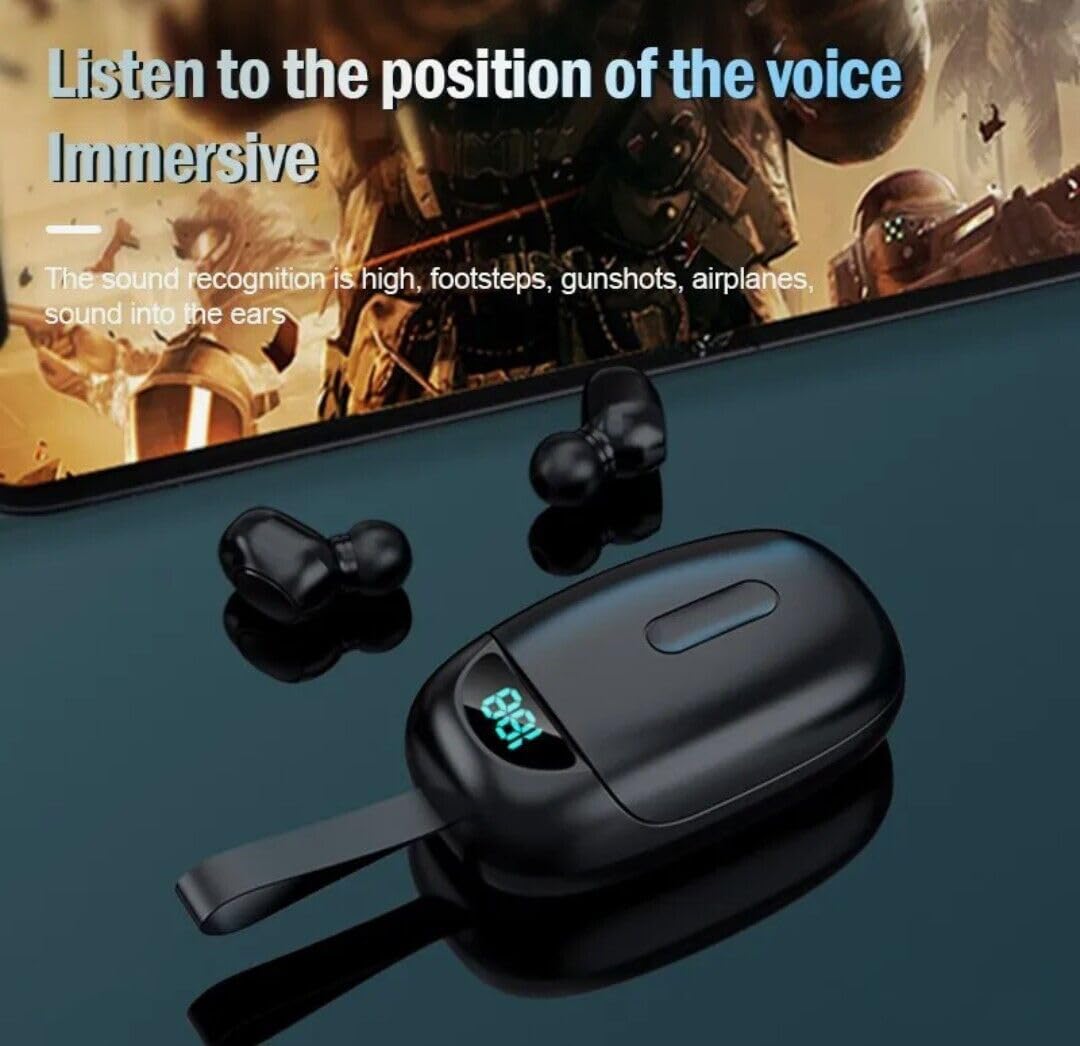
Image: Illustrates the immersive audio experience provided by the earbuds, particularly for applications like gaming where sound recognition is important.
Kev tu
1. Kev ntxuav
- Maj mam so lub pob ntseg thiab cov ntaub ntawv them nyiaj nrog cov ntaub mos muag, qhuav, tsis muaj lint.
- Tsis txhob siv cov tshuaj abrasive, cov kuab tshuaj, lossis cov tshuaj aerosol.
- Xyuas kom cov chaw them nyiaj ntawm ob lub pob ntseg thiab cov ntaub ntawv yog huv si thiab tsis muaj khib nyiab.
2. Dej tsis kam
- The earbuds are IPX4 water-resistant, meaning they can withstand splashes and sweat. They are not designed for submersion in water.
- The charging case is NOT waterproof. Avoid exposing the charging case to water or moisture.
- If earbuds get wet, dry them thoroughly before placing them back in the charging case.
3. Cia
- Khaws lub pob ntseg hauv lawv cov ntaub ntawv them nyiaj thaum tsis siv los tiv thaiv lawv thiab ua kom lawv them.
- Khaws rau hauv qhov chaw txias, qhuav kom deb ntawm qhov kub thiab txias.
Kev daws teeb meem
1. Earbuds Not Pairing with Each Other
- Xyuas kom tseeb tias ob lub earbuds tau them tag nrho.
- Place both earbuds back into the charging case, close the lid, wait a few seconds, then remove them again.
- If issues persist, try resetting the earbuds (refer to manufacturer's website for specific reset instructions if not detailed in this manual).
2. Earbuds Not Connecting to Device
- Xyuas kom tseeb tias Bluetooth qhib rau ntawm koj lub cuab yeej.
- Make sure the earbuds are in pairing mode (left earbud flashing blue and red).
- Forget "JS25" (or "Mytrack") from your device's Bluetooth settings and attempt to pair again.
- Xyuas kom lub earbuds txaus them.
3. Tsis muaj suab los yog lub suab qis
- Txheeb xyuas cov qib ntim ntawm koj lub cuab yeej thiab lub mloog pob ntseg.
- Xyuas kom lub earbuds txuas nrog koj lub cuab yeej zoo.
- Ntxuav cov khib nyiab ntawm lub pob ntseg hais lus mesh.
4. Charging Case Not Charging
- Xyuas kom tseeb tias USB-C cable txuas ruaj ntseg rau ob lub rooj plaub thiab lub hwj chim.
- Sim sib txawv USB-C cable lossis fais fab adapter.
- Ensure the charging port on the case is clean and free of obstructions.
Specifications
| Feature | Specification |
|---|---|
| Qauv Lub Npe | VPT-1258-B |
| Hom | VOLT PLUS TECH |
| Bluetooth Version | 5.3 |
| Bluetooth Ntau | 33 ft (10 m) |
| Tsis Siv Neeg Tswj | Active Noise Cancellation, Passive Noise Cancellation, Sound Isolation |
| Dej Resistance Level | IPX4 (Earbuds nkaus xwb) |
| Roj teeb lub neej (earbuds) | Mus txog 24 Teev (nrog cov ntaub ntawv them nyiaj) |
| Charge Case Battery Capacity | 2000 mAh (approximate, based on product description) |
| Lub mloog pob ntseg Jack | USB-C (rau lub thawv them) |
| Tswj Txoj Kev | Kov |
| Pob ntseg tso | Hauv pob ntseg |
| Yam Nyhav | 4 Ounces (total product) |
| Khoom Dimensions | 1 x 1.7 x 1.5 po |
| Khoom siv | Plastic, Aluminum, Hi Strength Plastic, Metal |
| Compatible Devices | Android, iOS, Mac, Tecno Spark 10 Pro, Windows |
Warranty thiab Support
For warranty information and customer support, please refer to the product packaging or contact the manufacturer directly through their official webqhov chaw. Khaws koj daim ntawv txais yuav khoom rau kev lees paub.