
1. Taw qhia
This manual provides essential information for the installation, operation, and maintenance of your XPG CORE Reactor II VE 850W Power Supply Unit (PSU). Please read this manual thoroughly before installation and retain it for future reference. The XPG CORE Reactor II VE is an 80 Plus Gold certified power supply designed for stable and efficient power delivery to your computer system.
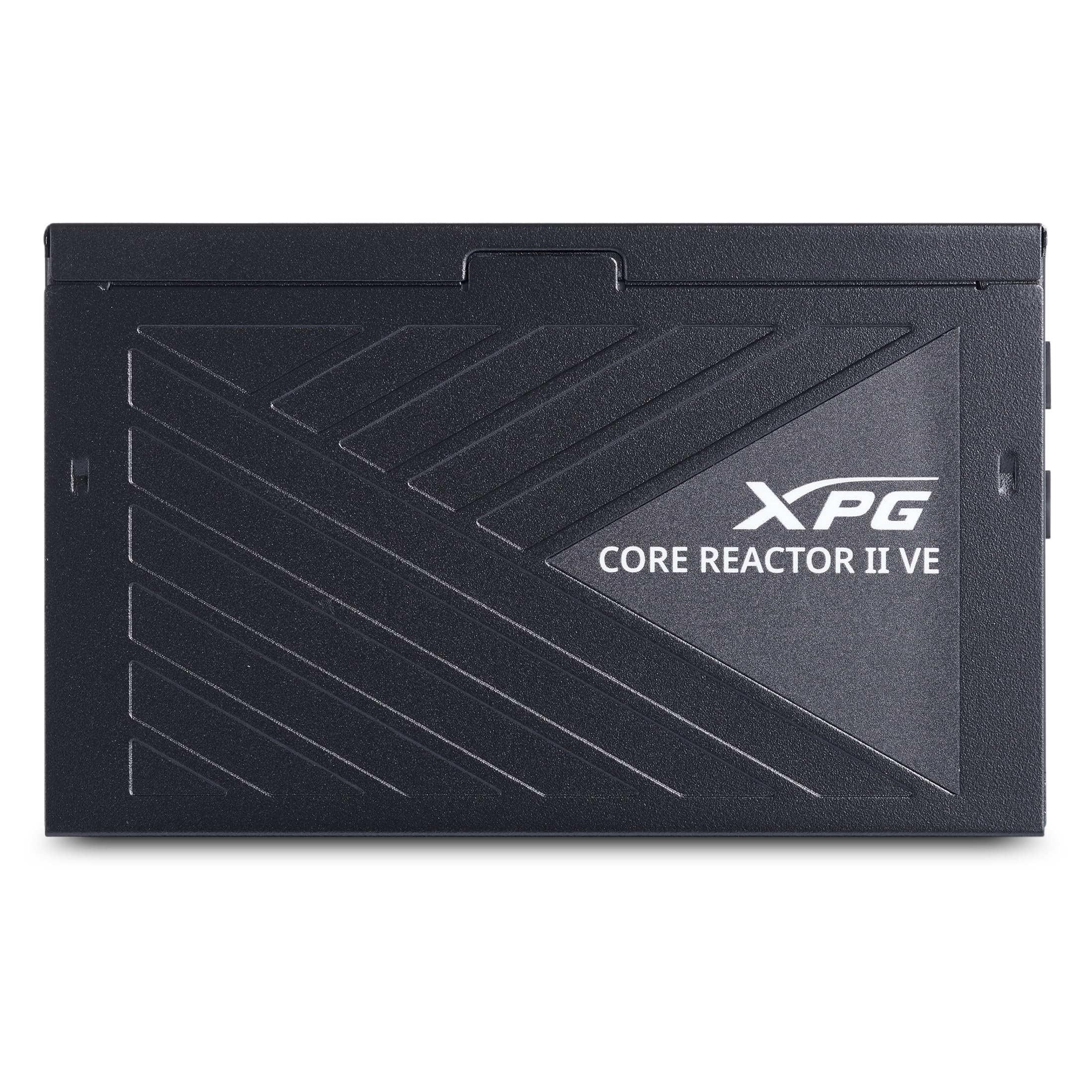
Image 1.1: XPG CORE Reactor II VE 850W Power Supply Unit, showcasing nws compact design.
2. Cov yam ntxwv tseem ceeb
- Daim Ntawv Pov Thawj Kub 80 Ntxiv: Ensures high power efficiency, reducing energy waste and operating costs.
- 12V-2x6 Connector: Provides direct and efficient power delivery to critical components, enhancing system stability and performance.
- DC-DC Circuit Design: Maximizes efficiency and reliability by converting power directly to the required output voltage, reducing heat and prolonging hardware lifespan.
- Low Ripple Noise Design: Features ripple levels below 60mV at +12V and below 40mV at +5V and +3.3V, ensuring stable power delivery and minimizing electrical interference.
- >15ms Hold Up Time: Exceeds Intel's standards for uninterrupted power delivery, ensuring reliable operation under challenging conditions.
- 8 Industrial Protections: Comprehensive protection suite including Over-Voltage Protection (OVP), Under-Voltage Protection (UVP), Over-Current Protection (OCP), Short-Circuit Protection (SCP), Over-Power Protection (OPP), Over-Temperature Protection (OTP), Surge & Inrush Protection (SIP), and No Load Operation (NLO).
- Compact 140mm Ntev: Maximizes space efficiency for easy integration into various PC setups and chassis.
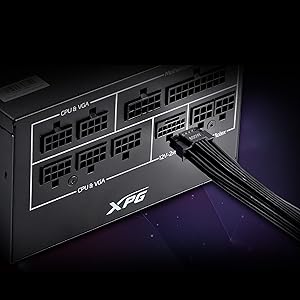
Image 2.1: Close-up of the 12V-2x6 connector for modern GPUs.
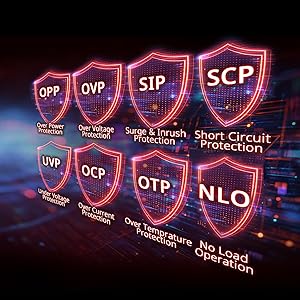
Image 2.2: Visual representation of the 8 industrial-grade protections.
3. Kev teeb tsa thiab kev teeb tsa
Before installing the XPG CORE Reactor II VE PSU, ensure your computer system is powered off and disconnected from the main power outlet. Refer to your PC case and motherboard manuals for specific installation instructions.
3.1 Unpacking
Carefully remove the PSU and all included cables from the packaging. Verify that all components listed in the product documentation are present.

Image 3.1: XPG CORE Reactor II VE PSU with its modular cables.
3.2 Mounting the PSU
- Position the PSU in the designated PSU bay of your PC case.
- Align the screw holes on the PSU with those on the case.
- Ruaj ntseg PSU siv cov screws muab.
3.3 Txuas Cables
The XPG CORE Reactor II VE is a fully modular PSU, allowing you to connect only the cables you need. This helps improve airflow and cable management within your PC case.

Image 3.2: Modular cable connection ports on the XPG CORE Reactor II VE PSU.
- Txuas lub 24-pin ATX cable rau koj lub motherboard.
- Connect the 8-pin (4+4) EPS/CPU cable(s) to your motherboard.
- Connect the 6+2 pin PCIe cables to your graphics card(s). The 12V-2x6 connector is specifically designed for modern high-power GPUs.
- Connect SATA power cables to your storage drives (HDDs/SSDs) and other SATA-powered devices.
- Connect Molex cables to any peripherals requiring them.
- Xyuas kom txhua qhov kev sib txuas muaj kev ruaj ntseg thiab zaum zoo.
4. Cov lus qhia ua haujlwm
Once the PSU is installed and all components are connected, you can power on your system.
- Ensure the power switch on the back of the PSU is in the "OFF" (0) position.
- Connect the AC power cord to the PSU and then to a wall outlet or surge protector.
- Flip the power switch on the PSU to the "ON" (I) position.
- Press the power button on your computer case to start the system.
The XPG CORE Reactor II VE is designed for continuous, stable operation. Its FDB 120mm fan provides efficient cooling while maintaining low noise levels.
5. Kev tu
Proper maintenance ensures the longevity and optimal performance of your PSU.
- Kev tshem tawm plua plav: Periodically clean the PSU fan and ventilation grilles to prevent dust buildup, which can impede airflow and lead to overheating. Use compressed air for this purpose, ensuring the system is powered off and unplugged.
- Kev Tswj Xyuas Cable: Ensure cables are neatly routed and do not obstruct airflow within the PC case.
- Ib puag ncig tej yam kev mob: Operate the PSU in a well-ventilated area, away from direct sunlight, excessive heat, and moisture.
6. Kev daws teeb meem
If you encounter issues with your XPG CORE Reactor II VE PSU, refer to the following common troubleshooting steps:
- Tsis muaj zog:
- Xyuas seb lub xov hluav taws xob AC puas txuas ruaj khov rau ob qho tib si PSU thiab lub qhov hluav taws xob ntawm phab ntsa.
- Ensure the PSU's power switch is in the "ON" (I) position.
- Verify that the 24-pin ATX and 8-pin EPS/CPU cables are correctly seated in the motherboard.
- Kuaj lub qhov hluav taws xob ntawm phab ntsa nrog lwm lub cuab yeej kom paub meej tias nws muaj hwj chim.
- System Instability / Crashes:
- Ensure all power connectors to components (motherboard, CPU, GPU, drives) are firmly connected.
- Check for any loose cables or short circuits within the case.
- If possible, test the PSU with a different set of components or in another system to isolate the issue.
- Tsis Txaus Ntshai:
- Check if the PSU fan is obstructed by dust or cables.
- Ensure the PSU is securely mounted to prevent vibrations.
- If the noise persists and is unusual, contact customer support.
If troubleshooting steps do not resolve the issue, contact XPG customer support for further assistance.
7. Cov lus qhia tshwj xeeb
| Feature | Paub meej |
|---|---|
| Qauv Lub Npe | COREREACTORIIVE850G-BKCUS |
| Hom | XPG |
| Tso zis Wattage | 850 Watts |
| Form Factor | ATX |
| Txoj kev txias | Cua |
| Yam khoom Dimensions (L x W x H) | 5.51 x 5.9 x 3.38 po |
| Yam Nyhav | 5 Ib |
| Fais Fab Tsim | Full Modular |
| Tus naj npawb ntawm Cov kiv cua | 1 |
| Tshaj Tawm Voltage | 240V (AC) |
| Yam tsawg kawg nkaus Input Voltage | 216V (AC) |
| UPC | 842243032468 |
8. Warranty thiab Support
The XPG CORE Reactor II VE 850W PSU comes with a 7 Xyoo Chaw Tsim Tshuaj Warranty. For warranty claims or technical support, please visit the official XPG website lossis hu rau lawv lub chaw pabcuam neeg siv khoom.
Yog xav paub ntxiv txog cov ntaub ntawv thiab cov khoom siv, koj tuaj yeem mus saib tau XPG Store on Amazon.
9. Cov yeeb yaj kiab khoom
Below are relevant product videos for the XPG CORE Reactor II VE Power Supply Unit. These videos provide additional visual information regarding the product's features and installation.
XPG Core Reactor Power Supply Review
Video 9.1: Cov ncauj lus kom ntxaws review of the XPG Core Reactor Power Supply, covering its features, design, and performance. This video is provided by Consumer Tech Review.
Core Reactor Review
Video 9.2: Ib qho dhau losview of the Core Reactor PSU, highlighting its integration into a PC build and general performance. This video is provided by Brayden Abear.