
1. Taw qhia
The XTOOL D6 is a portable and powerful OBD2 scanner and vehicle maintenance solution designed for professionals, DIY enthusiasts, and home mechanics. It offers comprehensive diagnostic capabilities across all vehicle systems, along to 15 essential reset functions, ensuring your vehicle remains in optimal condition. This manual provides detailed instructions for its effective use.
2. Dab tsi hauv lub thawv
- XTOOL D6 Cov Cuab Yeej Luam theej duab
- OBD2 kab
- Type C Cable for Charging
- Cov Lus Qhia Ceev
- Tech Support Information
3. Cov yam ntxwv tseem ceeb
- Comprehensive All System Diagnostics: Full access to vehicle systems including engine, transmission, ABS, airbag, and more.
- 15 Essential Reset Functions: Includes Oil Light Maintenance, Throttle Relearn, EPB (Parking Brake Reset), TPMS Reset, SAS Calibration, Injector Coding, ABS Bleeding, Gearbox Match, Suspension Adjustment, and Crank Sensor Relearn.
- CAN FD Protocol & FCA AutoAuth Support: Compatible with modern vehicles, including 2018 and newer FCA vehicles, without needing additional cables.
- Real-time Live Data Monitoring: Displays up to 4 dynamic data graphs simultaneously for accurate analysis.
- Tus neeg siv-phooj ywg interface: 5.45-inch high-resolution touchscreen (1440x720) for clear visibility.
- Kev Hloov Kho Tshiab Dawb Mus Ib Txhis: Access to the latest features via Wi-Fi updates with no subscription fees.
- Roj teeb Voltage Display: Monitors the vehicle's electrical system in real-time.
- Smart AutoVIN: Automatically identifies vehicle VIN for faster diagnostics (may not work on all vehicles).
- Built-in DTC Library: Helps interpret fault codes easily.
- Kev tsim qauv ruaj khov: Features silicone grips and reinforced cables for longevity.
- Wide Tsheb Compatibility: Works with OBDII-equipped vehicles made after 1996, covering over 90 brands.
4. Cov lus qhia tshwj xeeb
| Feature | Paub meej |
|---|---|
| Hom | XTOOL |
| Kev Ua Haujlwm | Linux |
| Zaub daws teeb meem | 1440 x 720 |
| Yam Nyhav | 1.76 puj |
| Cia | 32GB (exandable) |
| Roj teeb muaj peev xwm | 3150 mAh |
| Charging Chaw nres nkoj | Hom C |
| Kev sib txuas | Wi-nkaus, OBD2 Cable |
| Txhawb Cov Txheej Txheem | Most OBDII protocols, including CAN FD |
5. Teeb Qhia
5.1 Initial Power On and Connection
1. Ensure the XTOOL D6 is sufficiently charged using the provided Type C cable.
2. Locate your vehicle's OBD2 port, typically found under the dashboard on the driver's side.
3. Connect the OBD2 cable to the XTOOL D6 and then to your vehicle's OBD2 port.
4. Turn on the vehicle's ignition (do not start the engine unless instructed by a specific function).
5. The XTOOL D6 will power on automatically upon connection or can be manually powered on.
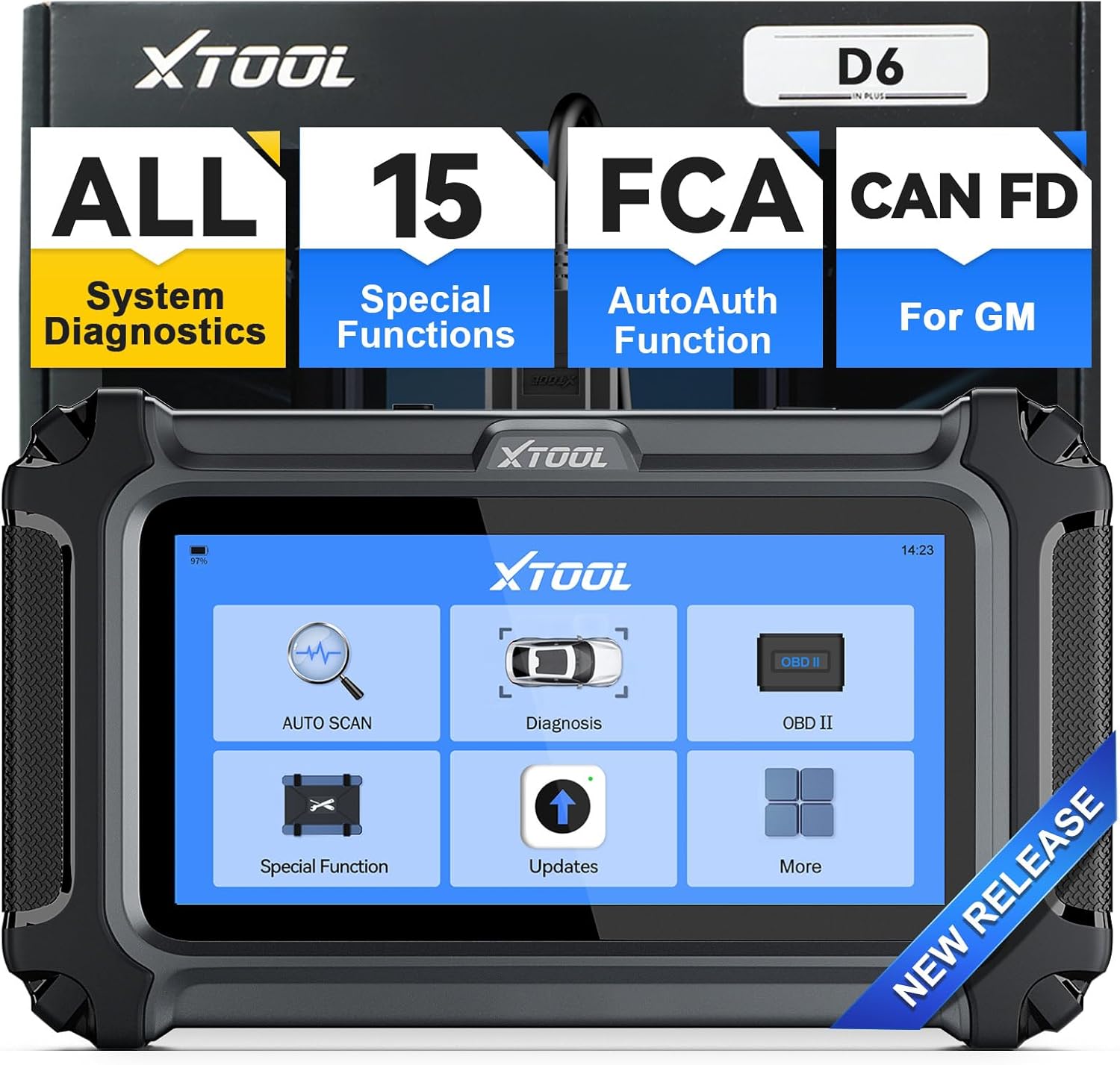 Image: The XTOOL D6 device displaying its main menu interface, ready for operation.
5.2 Software Hloov tshiab
The XTOOL D6 offers free lifetime updates via Wi-Fi. It is recommended to regularly update the software to ensure access to the latest features and vehicle compatibility.
- From the main menu, select 'Updates'.
- Txuas lub cuab yeej mus rau lub network ruaj khov Wi-Fi.
- Ua raws li cov lus qhia ntawm qhov screen kom rub tawm thiab nruab cov hloov tshiab muaj.
 Image: The XTOOL D6 showing its update interface, highlighting the one-click online update feature.
5.3 Kev teeb tsa lus
The device comes with a built-in English language option. For other languages, you may need to contact XTOOL customer service.
- Navigate to 'Settings' from the main menu.
- Select 'Language' to choose your preferred language.
- If your desired language is not available, send your serial number (S/N) along with the desired language to xtoolofficial@hotmail.com to request a language change.
6. Cov lus qhia ua haujlwm
6.1 General Navigation
The XTOOL D6 features a clear touchscreen interface. Use the touch screen to navigate through menus and select functions. The main menu provides quick access to core diagnostic features.
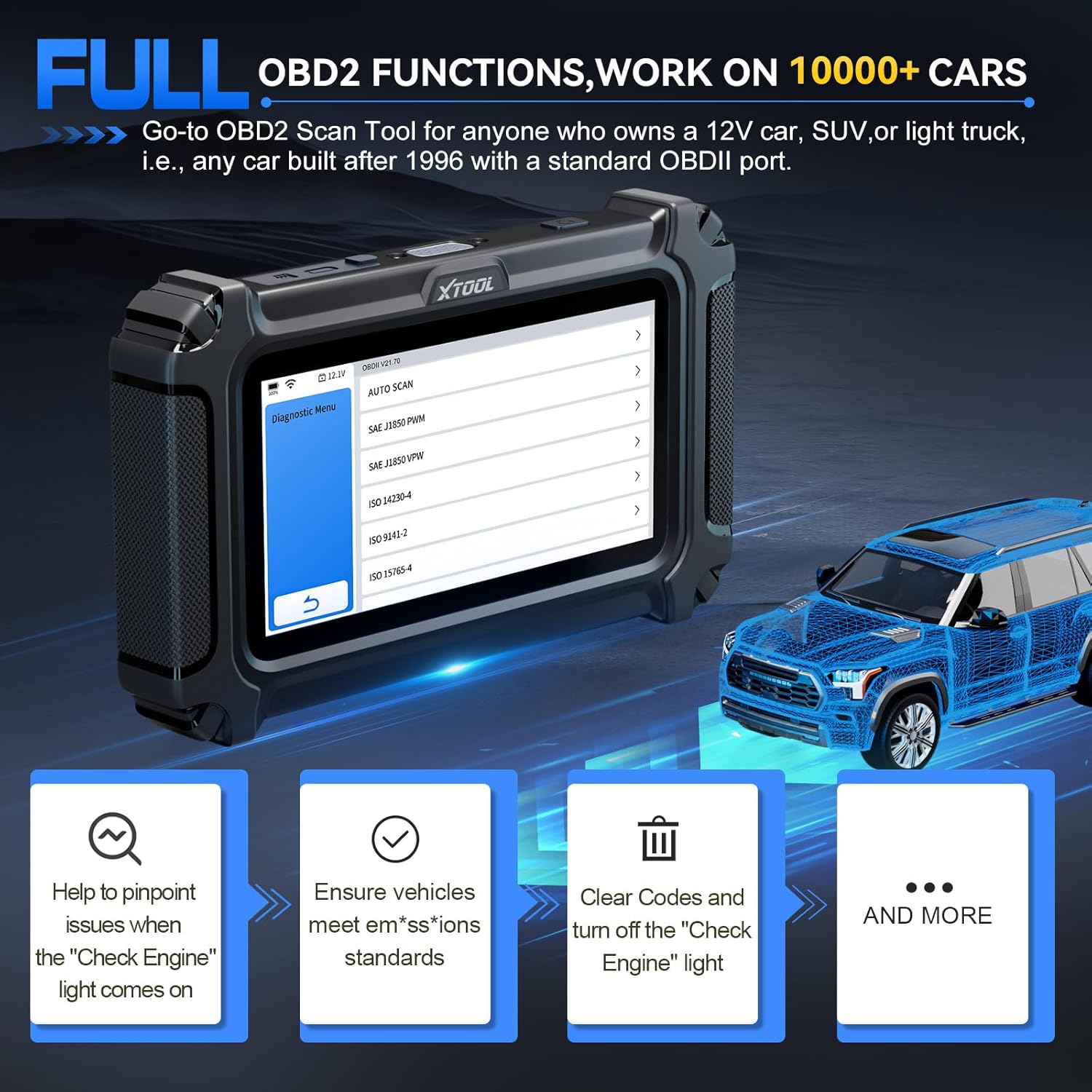 Image: The XTOOL D6 interface showing clear navigation options for various diagnostic tasks.
6.2 Kev Kuaj Mob Txhua Lub System
This function allows you to access and diagnose all available systems in your vehicle, including engine, transmission, ABS, airbag, and more.
- From the main menu, select 'Diagnosis' or 'Auto Scan'.
- The tool will automatically identify your vehicle (if AutoVIN is supported) or prompt for manual selection.
- Once connected, you can read and clear Diagnostic Trouble Codes (DTCs), view live data, and access vehicle information.
 Image: The XTOOL D6 performing an all-system diagnostic, illustrating its ability to read codes, view live data, and access ECU information.
6.3 Cov Haujlwm Tshwj Xeeb (15 Cov Kev Pabcuam Pib Dua)
The D6 offers 15 essential reset functions for various vehicle maintenance tasks. Select 'Special Function' from the main menu to access these options.
- Oil Light Reset: Resets lub teeb roj teeb tom qab hloov roj.
- EPB (Electronic Parking Brake) Reset: Rov pib dua lub tshuab nres tsheb hluav taws xob.
- TPMS rov pib dua: Rov pib dua cov sensors ntawm lub log tsheb saib xyuas lub zog.
- Kev Kho Kom Zoo ntawm SAS (Lub Rooj Tsav Tsheb Lub Rooj Tsav Tsheb): Calibrates lub kauj lub kaum ntse ntse sensor.
- Injector Coding: Cov lej tshiab ntawm cov injector rau ECU.
- ABS ntshav: Ua ABS brake bleeding kom rov qab tau qhov rhiab ntawm lub nres.
- Throttle Relearn: Adapts the throttle body to its new position after cleaning or replacement.
- Kev Sib Tw Gearbox: Adapts the transmission control unit.
- Suspension Adjustment: Adjusts the vehicle's suspension system.
- Kev Kawm Txog Crank Sensor: Relearns crankshaft position sensor.
- Headlight Adjustment: Adjusts headlight settings.
- Window Initialization: Initializes power windows.
- And more, depending on vehicle compatibility.
 Image: The XTOOL D6 showing its array of 15 essential maintenance functions, such as throttle relearn and ABS bleeding.
6.4 Kev soj ntsuam cov ntaub ntawv nyob
Monitor real-time live data streams from various sensors. This helps in diagnosing intermittent issues and verifying repairs.
- After selecting 'Diagnosis' and connecting to the vehicle, choose 'Live Data'.
- You can select up to 4 data streams to display simultaneously for comparative analysis.
 Image: The XTOOL D6 displaying multiple live data streams graphically, allowing for real-time monitoring and analysis.
6.5 DTC Definition
The built-in DTC library provides definitions for diagnostic trouble codes, helping you understand vehicle issues without needing external resources.
- When DTCs are read, select the code to view its definition and potential causes.
6.6 Roj Teeb Voltage Zaub
The D6 includes a real-time battery voltage display to monitor your vehicle's electrical system, helping prevent unexpected module breakdowns.
- Lub roj teeb voltage is typically displayed on the top bar of the device screen.
6.7 Diagnostic Report
Save and share diagnostic reports to keep track of your vehicle's performance and maintenance history.
- After completing a diagnostic scan, look for options to 'Save' or 'Share' the report.
7. Specific Operation: Throttle Body Relearn
This procedure is crucial after cleaning or replacing a throttle body to ensure proper engine idle and response. The XTOOL D6 simplifies this process.
7.1 Yam yuavtsum tau kawm uantej
- Ensure the XTOOL D6 is properly connected to the vehicle's OBD2 port.
- Turn on the vehicle's ignition (engine off).
- Lub tsheb roj teeb voltage yuav tsum muaj tsawg kawg yog 11.5V.
- The engine should have no active fault codes. Clear any existing DTCs before proceeding.
- Do not press the accelerator pedal during the procedure.
- Turn off all electrical equipment and accessories (e.g., radio, lights, AC).
- The engine should be at operating temperature (warmed up).
7.2 Step-by-Step Procedure
- From the XTOOL D6 main menu, select 'Special Function'.
- Choose 'Throttle Matching' or 'Throttle Relearn'.
- Select your vehicle's manufacturer from the list. The tool will attempt to recognize the vehicle.
- Confirm the prerequisites displayed on the screen. Press 'OK' to proceed.
- The device will connect and initialize the diagnostic program.
- You may be prompted to select a specific channel for the throttle body reset. Refer to your vehicle's service manual or online resources to find the correct channel (e.g., for a Skoda Fabia, it might be Type 1, 060 channel).
- Once the correct channel is selected, the throttle body relearn process will begin. You may hear clicking or buzzing sounds from the throttle body as it performs the reset. This process typically takes less than a minute.
- Once the process is complete, exit all menus on the XTOOL D6.
- Start the vehicle's engine. If the reset was successful, the engine should start immediately and idle normally.
- Disconnect the XTOOL D6 from the OBD2 port.
- It is recommended to take the vehicle for a short test drive to confirm improved throttle response and engine performance.
Video: A detailed demonstration of performing a throttle body relearn using an XTOOL diagnostic tool. The video shows connecting the device, navigating through the special functions menu, selecting the throttle matching option, confirming prerequisites, and observing the throttle body's physical movement during the reset process.
8. Kev tu
- Khaws huv si: So lub cuab yeej nrog ib daim ntaub mos, qhuav. Tsis txhob siv cov tshuaj hnyav hnyav lossis cov tshuaj abrasive.
- Khaws kom zoo: Store the XTOOL D6 in its original packaging or a protective case when not in use to prevent damage.
- Software hloov tshiab: Regularly perform software updates as described in Section 5.2 to ensure optimal performance and compatibility.
- Kev kho roj teeb: Them lub roj teeb tsis tu ncua, txawm tias tsis siv ntau zaus los xij, kom lub roj teeb noj qab nyob zoo.
9. Kev daws teeb meem
- Device Tsis Powering On: Ensure the device is fully charged or connected to the vehicle's OBD2 port with the ignition on. Check the OBD2 cable for any damage.
- Kev sib txuas lus yuam kev: Verify that the OBD2 cable is securely connected to both the device and the vehicle's port. Ensure the vehicle's ignition is on. Try a different vehicle if possible to rule out a vehicle-specific issue.
- Kev ua haujlwm tsis ua haujlwm: Ensure your vehicle model and year are compatible with the specific function you are trying to perform. Check for any pending software updates.
- Incorrect Readings/DTCs: Ensure the vehicle's VIN is correctly identified. Perform a full system scan to get a comprehensive overview.
- Kev Ruaj Khov Lub Cev: The XTOOL D6 is designed to be robust. A drop test video demonstrates its ability to withstand impacts and continue functioning, indicating good physical durability.
Video: A demonstration of the XTOOL D6's durability through a drop test. The device is shown being dropped multiple times and continuing to function, highlighting its robust construction.
10. Warranty thiab Support
XTOOL stands by its products with a 2-year warranty and continued technical support.
- Warranty: The XTOOL D6 comes with a 2-year warranty from the date of purchase. Please retain your proof of purchase for warranty claims.
- Kev pab txhawb nqa: For any technical issues, questions, or assistance, you can contact XTOOL technical support at xtoolofficial@hotmail.com.
- Cov ntaub ntawv online: Visit the official XTOOL website for additional resources, FAQs, and product information.