
Taw qhia
Thank you for choosing the SUNITEC BH880 Wireless Headset. This manual provides detailed instructions for setting up, operating, and maintaining your headset to ensure optimal performance and longevity. The BH880 headset is designed for clear communication and comfortable use in various environments, featuring advanced noise-cancelling technology and multiple connectivity options.

Image: SUNITEC BH880 Wireless Headset, showcasing its design with an adjustable microphone boom.
Dab tsi nyob hauv lub thawv
Xyuas kom tseeb tias txhua yam khoom muaj nyob hauv pob:
- 1 x SUNITEC BH880 Bluetooth Computer Headset with Microphone
- 1 x Type-C Charging Cable
- 1 x Bluetooth Audio USB-A Dongle Adapter
- 1 x 3.5mm Audio Cable
- 1 x User Manual (cov ntaub ntawv no)

Image: The SUNITEC BH880 headset, USB-C charging cable, USB-A dongle, and 3.5mm audio cable, illustrating the package contents.
Khoom Tshajview
Familiarize yourself with the components and controls of your SUNITEC BH880 headset.
Cov yam ntxwv tseem ceeb:
- AI Noise Cancelling Microphone: Blocks 99% of ambient noise for clear voice transmission.
- Qualcomm QCC3034 Chipset: Provides stable and fast Bluetooth transmission with aptX HD and aptX LL support.
- Yooj Yim Tsim: Soft dual ear pads and an adjustable headband for extended wear.
- 270° Rotatable Boom Microphone: Can be positioned on either the left or right side.
- Lub neej roj teeb ntev: Txog li 45 teev ntawm lub sijhawm tham ntawm ib qho nqi.
- Kev sib txuas ntau: Bluetooth, USB Dongle, and 3.5mm wired connection.

Image: Close-up of the memory foam earpads, highlighting the comfort feature of the headset.

Image: Detail of the individual mute button located on the microphone boom.

Duab: Internal view highlighting the Qualcomm QCC3034 chipset, responsible for stable and fast connections.
Teeb tsa
1. Them lub mloog pob ntseg
Before first use, fully charge the headset. Connect the Type-C charging cable to the headset's charging port and the other end to a USB power source (e.g., computer USB port, wall adapter). The LED indicator will show charging status. A full charge takes approximately 2 hours and provides up to 45 hours of talk time or 400 hours of standby time.
2. Fais fab / Off
- Hwj chim On: Nias thiab tuav lub khawm Fais Fab rau ob peb feeb kom txog thaum lub teeb LED ci.
- Fais fab tawm: Nias thiab tuav lub khawm Power rau ob peb feeb kom txog thaum lub teeb LED tua.
3. Kev xaiv kev sib txuas
The SUNITEC BH880 offers three ways to connect to your devices:
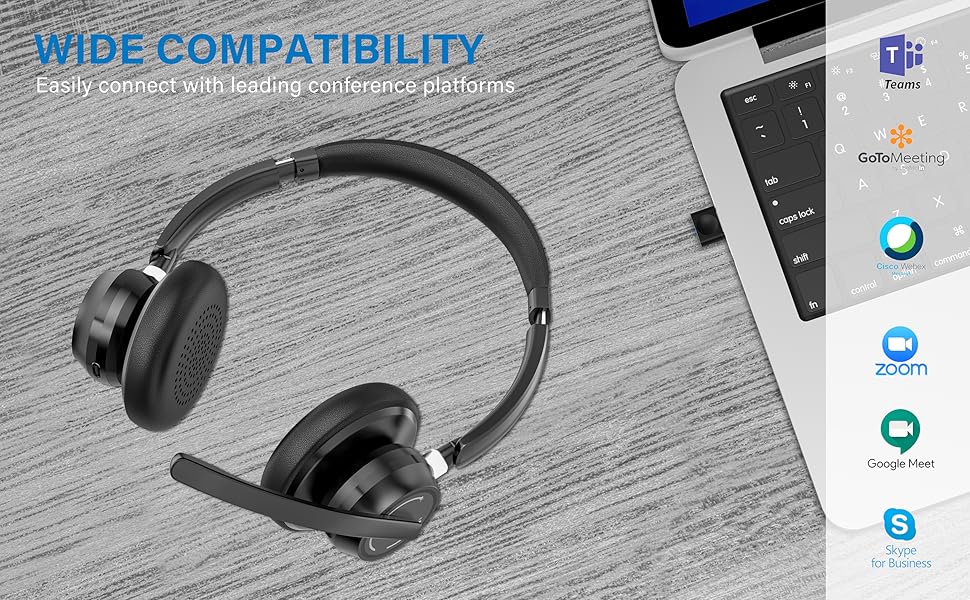
Image: Visual representation of Bluetooth, USB Dongle, and Wired connection methods for the headset.
Bluetooth Kev Txuas:
- Xyuas kom meej tias lub pob ntseg raug kaw.
- Nias thiab tuav lub Hwj chim khawm kom txog rau thaum LED qhov taw qhia flashes xiav thiab liab hloov pauv, qhia txog kev sib koom ua ke.
- Hauv koj lub cuab yeej (smartphone, tablet, computer), qhib Bluetooth thiab nrhiav cov cuab yeej tshiab.
- Select "SUNITEC BH880" from the list of available devices.
- Thaum txuas nrog, qhov taw qhia LED yuav nyem xiav maj mam.
USB Dongle kev twb kev txuas:
This method is ideal for computers without built-in Bluetooth or for a more stable connection.
- Plug the USB-A Dongle Adapter into an available USB port on your computer.
- Power on the SUNITEC BH880 headset. It will automatically attempt to connect to the dongle.
- The LED indicator on the dongle and headset will show a solid blue light once connected.
- You may need to select the "SUNITEC BH880" as the audio input/output device in your computer's sound settings.

Image: A USB dongle being inserted into a laptop's USB port, demonstrating the dongle connection method.
Kev sib txuas Wired:
Use the included 3.5mm audio cable to connect the headset directly to devices with a 3.5mm audio jack. Note that the microphone function is not available when using the 3.5mm wired connection; the headset will function as headphones only.

Image: The headset shown with logos of popular communication platforms like Teams, Zoom, Google Meet, and Skype, indicating wide compatibility.
Cov lus qhia ua haujlwm
Basic Functions:
- Volume Up / Down: Use the dedicated volume buttons on the earcup.
- Ua si / Pause: Nias lub Multi-function khawm ib zaug.
- Next Track: Nias thiab tuav lub Volume Up khawm.
- Yav dhau los khiav: Nias thiab tuav lub Volume Down khawm.
Hu rau Function:
- Teb / Xaus Hu: Nias lub Multi-function khawm ib zaug.
- Tsis kam hu: Nias thiab tuav lub Multi-function khawm rau 2 vib nas this.
- Rov qab tus lej xeem: Ob npaug nias lub khawm Multi-function.
Microphone Mute Function:
The headset features an individual mute button on the microphone boom for quick privacy control.
- Mute/Unmute: Press the mute button on the microphone boom. The LED indicator on the microphone will show red when muted.
- Nco tseg: For PC platforms, microphone mute functionality may also be controlled via the software application (e.g., Zoom, Teams).
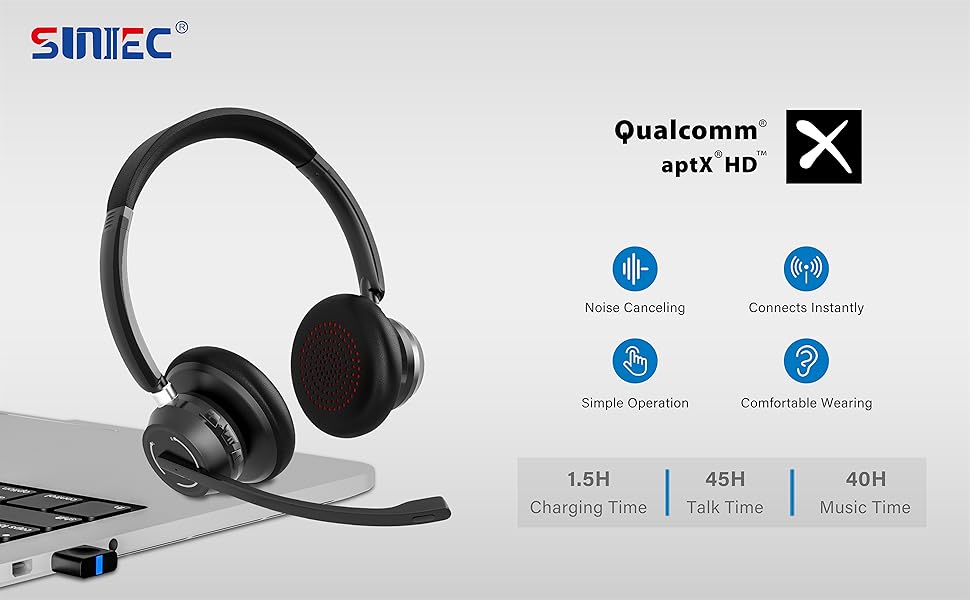
Image: A graphic demonstrating how the noise-cancelling microphone filters out background noise for clearer audio output.
Kev tu
Proper care ensures the longevity of your SUNITEC BH880 headset.
- Ntxuav: Siv daim ntaub mos mos thiab qhuav los ntxuav lub mloog pob ntseg. Tsis txhob siv cov tshuaj ntxuav uas ua rau tawv los yog cov tshuaj yaj.
- Cia: Khaws lub mloog pob ntseg hauv qhov chaw txias, qhuav kom deb ntawm tshav ntuj ncaj qha thiab qhov kub thiab txias.
- Kev kho roj teeb: Yuav kom lub roj teeb siv tau ntev, tsis txhob cia lub mloog pob ntseg tso roj ntau dhau. Muab nws them tas li, txawm tias tsis siv ntev los xij.
- Tsis txhob noo noo: The headset is not water-resistant. Keep it away from liquids and high humidity.
Kev daws teeb meem
If you encounter issues with your SUNITEC BH880 headset, refer to the following common solutions:
| Teeb meem | Kev daws |
|---|---|
| Lub mloog pob ntseg tsis qhib. | Ensure the headset is charged. Connect it to a power source using the Type-C cable. |
| Tsis tuaj yeem ua khub ntawm Bluetooth. |
|
| Tsis muaj suab lossis suab tsis zoo. |
|
| Microphone tsis ua haujlwm. |
|
| USB Dongle not connecting. |
|
Specifications
| Feature | Paub meej |
|---|---|
| Qauv Lub Npe | BH880 |
| Connectivity Technology | Wireless (Bluetooth), Wired (3.5mm), USB Dongle |
| Wireless Kev Sib Txuas Lus Technology | Bluetooth 5.1 |
| Bluetooth Ntau | Mus txog 15 meters (49 ko taw) |
| Tsis Siv Neeg Tswj | Kev Tshem Tawm Suab Nrov (Microphone) |
| Audio Driver Size | 40 hli |
| Hom Tsav Tsheb | Dynamic Tsav |
| Impedance | 32 awm |
| Pob ntseg Shape | Tshaj-pob ntseg |
| Roj teeb Lub Neej (Thaum tham) | Mus txog 45 Teev |
| Them sij hawm | Approximately 2 Hours (Type-C) |
| Yam Nyhav | 280 grams (9.9 ooj) |
| Khoom Dimensions | 5.91 x 3.94 x 1.96 po |
| Khoom siv | Yas |
| Compatible Devices | Computers, Communication Software (Skype, Zoom, MS Teams, Google Meet) |
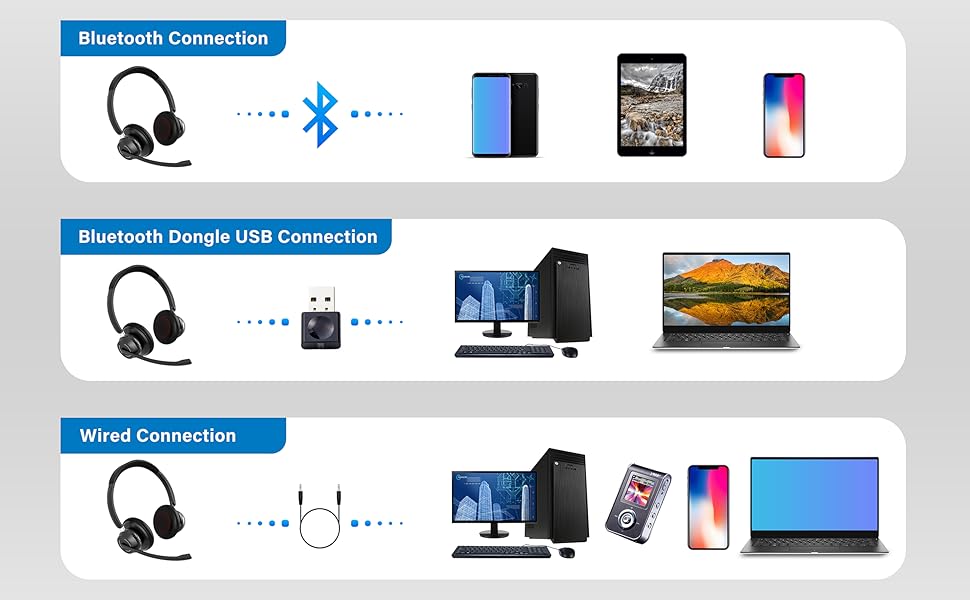
Image: An illustration highlighting the headset's battery performance, indicating up to 45 hours of wireless talk time.
Warranty thiab Support
SUNITEC products are designed for reliability and performance. For warranty information or technical support, please refer to the contact details provided with your purchase or visit the official SUNITEC webqhov chaw. Khaws koj daim ntawv yuav khoom ua pov thawj ntawm kev yuav khoom rau kev lees paub.
For further assistance, you may contact SUNITEC customer service through their official channels.