
1. Taw qhia
The RADIOMASTER Bandit ExpressLRS 915MHz RF Module is designed to provide robust and reliable radio frequency communication for remote control applications. This module integrates advanced features such as high output power, low power consumption, and an intuitive user interface, making it suitable for various hobby and industrial uses. This manual provides essential information for the proper setup, operation, and maintenance of your Bandit RF Module.
2. Cov ntaub ntawv kev nyab xeeb
- Always ensure the module is powered correctly within the specified voltage range (DC 6V ~ 16.8V). Incorrect voltage tuaj yeem ua rau lub cuab yeej puas.
- Do not operate the module without an antenna connected. Operating without an antenna can cause damage to the RF output stage.
- Keep the module away from water, moisture, and extreme temperatures.
- Avoid direct contact with the antenna during operation, especially at high power settings.
- Ensure proper ventilation around the module to prevent overheating, particularly during extended high-power use.
- Cov cuab yeej no tsis yog khoom ua si. Txhob nyob ze cov me nyuam.
3. Cov ntsiab lus ntawm pob
Xyuas kom tseeb tias txhua yam khoom muaj nyob hauv koj pob:
- Bandit Nano ExpressLRS RF Module
- 915/868MHz T Antenna
- Mounting accessories (e.g., Nano standard 8 pin connector, various adapters)
- XT30 Fais Fab Cable
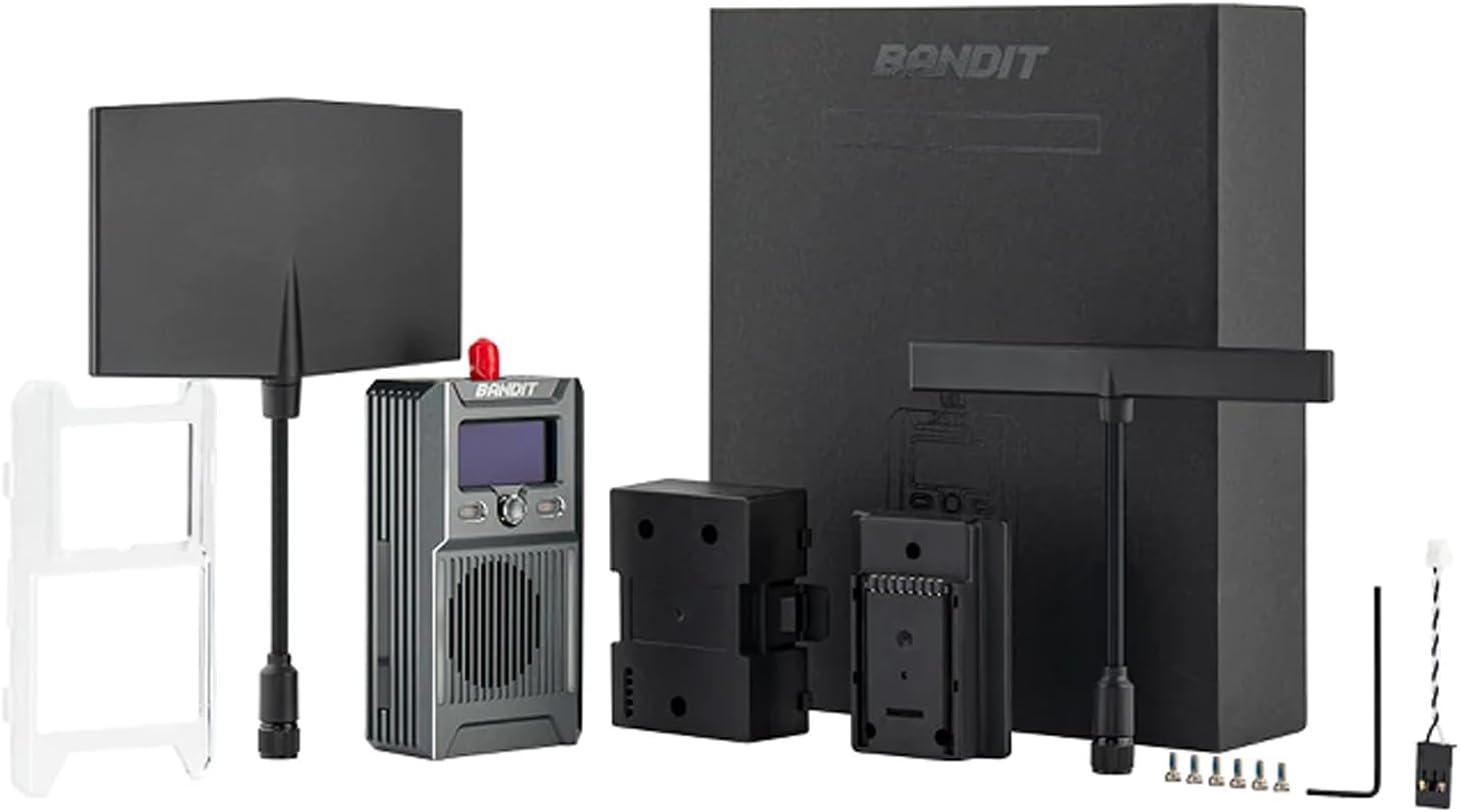
Daim duab 3.1: Bandit ExpressLRS RF Module and its accessories, including antennas, mounting hardware, and power cable.
4. Khoom Tshajview
The Bandit ExpressLRS RF Module features a compact design with an integrated OLED screen and a 5-directional navigation key for easy configuration. It supports high output power and efficient cooling for stable performance.
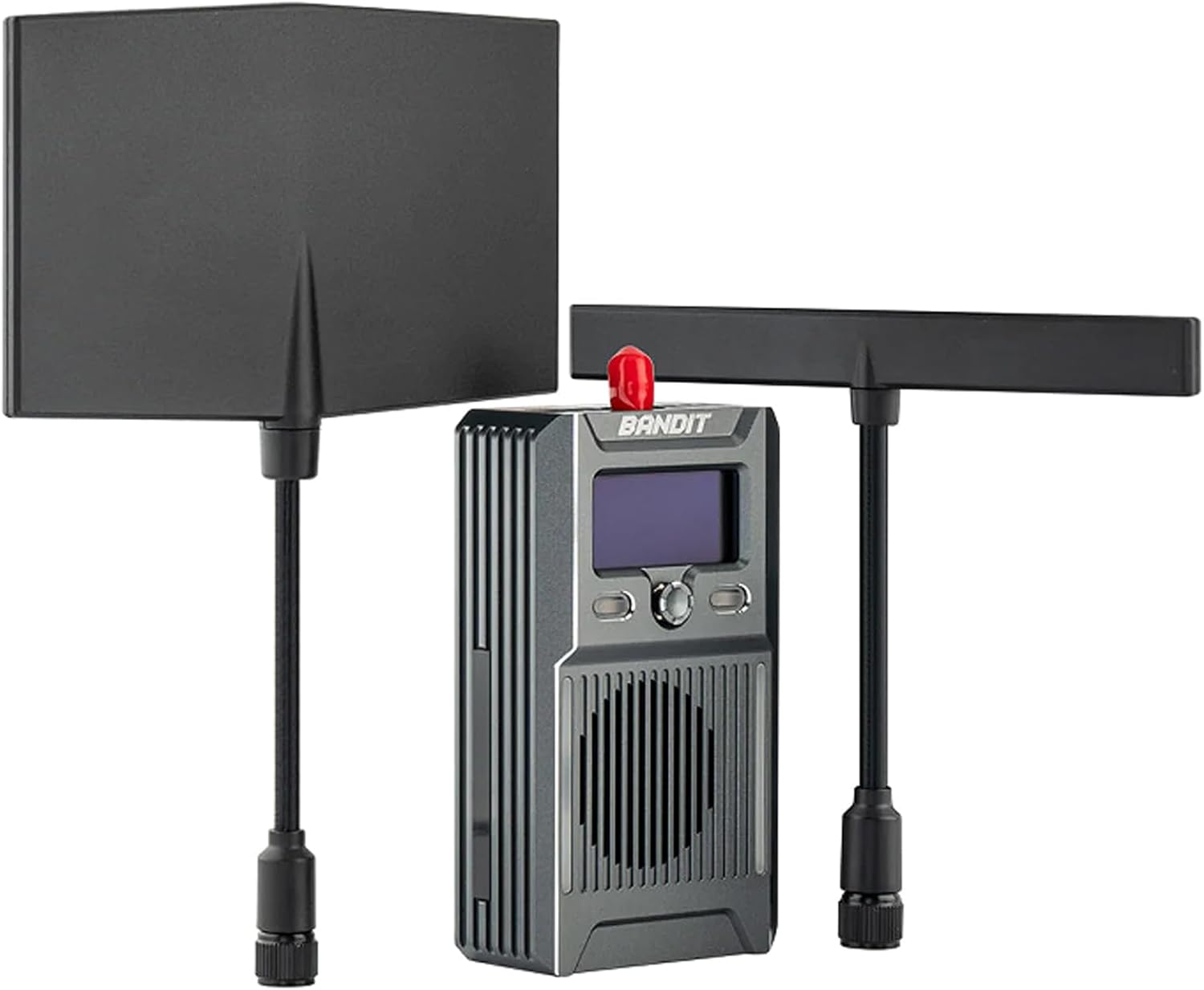
Daim duab 4.1: Pem hauv ntej view of the Bandit RF Module, showcasing the OLED display, control buttons, and cooling fins, with two T-style antennas attached.

Daim duab 4.2: Paub meej view of the module's user interface, including the high-contrast OLED display and the 5-directional navigation key for menu interaction.

Daim duab 4.3: Sab view showing the various connection ports: USB-C, CRSF, RT, and the XT30 power input (DC 6V-16.8V).
5. Teeb tsa
5.1 Module Installation
- Identify the Nano standard 8-pin connector slot on your compatible radio transmitter (e.g., Zorro, Pocket, MT12 Radio).
- Carefully align the Bandit RF Module with the connector slot.
- Gently push the module into place until it is securely seated. Ensure the connection is firm to prevent intermittent signal loss.
- Attach the 915/868MHz T Antenna to the module's antenna connector. Hand-tighten only; do not overtighten.
5.2 Kev sib txuas fais fab
The module requires an external power source via the XT30 connector.
- Connect the provided XT30 power cable to the XT30 port on the module.
- Connect the other end of the XT30 cable to a DC power source providing 6V to 16.8V. Ensure correct polarity.
5.3 Binding Process (ExpressLRS)
Refer to the official ExpressLRS documentation for detailed binding procedures. Generally, the process involves:
- Power on your radio transmitter with the Bandit module installed.
- Navigate to the ExpressLRS Lua script or menu on your radio.
- Select the 'Bind' option.
- Power on your ExpressLRS receiver (not included) within the binding window. The module and receiver should establish a connection.
- Confirm successful binding via the OLED screen on the module or the radio's display.
6. Kev khiav haujlwm
6.1 Kev ua haujlwm yooj yim
Once powered on, the OLED screen will display operational information such as current power output, refresh rate, and connection status. Use the 5-directional navigation key to:
- Navigate Menus: Move up, down, left, or right through menu options.
- Select/Confirm: Press the center button to select an option or confirm a setting.
- Exit/Back: Often, a long press or a specific direction will exit a menu or go back.
6.2 Power Output and Refresh Rate
The module supports up to 1 Watt (30dBm) power output and packet rates up to 200Hz. These settings can typically be adjusted via the ExpressLRS Lua script on your radio or directly through the module's menu, if available. Higher power output increases range but also power consumption and heat generation.
6.3 Kev sib txuas
The Bandit module includes Wifi and Bluetooth support, which can be used for firmware updates, configuration, and other advanced features as supported by the ExpressLRS ecosystem.
7. Kev tu
- Ntxuav: Use a soft, dry cloth to clean the module. Avoid using liquids or solvents.
- Cia: Store the module in a dry, cool place away from direct sunlight and extreme temperatures.
- Hloov tshiab Firmware: Regularly check for and install the latest ExpressLRS firmware updates to ensure optimal performance and access to new features. Updates can typically be performed via Wifi.
- Antenna Care: Ensure the antenna is not bent or damaged. A damaged antenna can significantly reduce range and performance.
8. Kev daws teeb meem
- Module Tsis Powering On: Check the XT30 power connection and ensure the power source is within the 6V-16.8V range and correctly polarized.
- No Signal/Poor Range: Verify the antenna is securely attached and undamaged. Check power output settings. Ensure the receiver is powered and bound correctly.
- Cov Teeb Meem Kev Sib Txuas Lus: Ensure both module and receiver are running compatible ExpressLRS firmware versions. Follow the binding procedure carefully.
- OLED Screen Not Displaying: Check power supply. If power is present, try restarting the module. If the issue persists, contact support.
- Overheating: Ensure the module has adequate airflow. Reduce power output if operating in high ambient temperatures.
9. Cov lus qhia tshwj xeeb

Daim duab 9.1: The Bandit RF Module on a scale, indicating its weight for reference.
| Feature | Specification |
|---|---|
| Yam khoom | Bandit Nano ExpressLRS RF Module |
| Regulatory Domain | FCC 915 |
| MCU | ESP32 (main), ESP8285 (aux, as ESP backpack) |
| RF nti | SEMTECH SX1276 |
| Refresh Rate Min/Max | 25 Hz / 200 Hz |
| RF tso zis zog | Up to 1000mW / 30dBm |
| Connector Standard | Nano standard 8 pin connector |
| Zaub | Built-in OLED npo |
| Hwj chim Mov Voltage | DC 6V ~ 16.8V (XT30) |
| Qhov hnyav | 62.5 grams (with T antenna) |
| Qhov ntev | 68.5 * 41.0 * 27.0 hli |
| Nta ntxiv | Optimized circuitry for ultra-low power consumption, Built-in TCXO oscillator, High efficiency cooling system, Wifi and Bluetooth support, Built-in ExpressLRS backpack, 5 Directional nav key |
10. Warranty thiab Support
RADIOMASTER products are designed and manufactured to high-quality standards. For warranty information, technical support, or service inquiries, please refer to the official RADIOMASTER website lossis hu rau koj tus neeg muag khoom tso cai. Thov khaws koj cov ntaub ntawv pov thawj ntawm kev yuav khoom rau kev lees paub.