
1. Khoom Tshajview
The Cillso H97 Wireless Earbuds are designed to provide a high-quality audio experience with advanced features. This manual will guide you through the setup, operation, and maintenance of your earbuds.

Image: Cillso H97 Wireless Earbuds and their charging case, showcasing the sleek design.
2. Cov ntsiab lus ntawm pob
- Cillso H97 Lub Pob Ntseg Wireless (Sab laug thiab sab xis)
- Charge Case
- USB-C Charging Cable
- Cov neeg siv phau ntawv
3. Teeb tsa
3.1 Pib Them Nqi
Before first use, fully charge the earbuds and the charging case. The charging case features a dual LED battery display, showing the battery percentage of each earbud in real-time. The charging case fully charges in approximately 1.5 hours.
- Connect the provided USB-C charging cable to the charging port on the case and to a standard charger (5V/1A or 5V/2A).
- LED zaub yuav qhia txog kev nce qib.
- For optimal performance, ensure the earbuds are fully charged before their first use, which provides up to 4 hours of call time.

Image: The Cillso H97 charging case with its dual LED display indicating battery levels for both earbuds and the case itself.
3.2 Pairing nrog koj ntaus ntawv
The H97 earbuds utilize an advanced Bluetooth 5.4 chip for stable and efficient connections.
- Xyuas kom lub earbuds raug them.
- Qhib cov ntaub ntawv them nyiaj. Lub earbuds yuav cia li qhib thiab nkag mus rau hom kev sib koom ua ke.
- Ntawm koj lub cuab yeej (smartphone, ntsiav tshuaj, laptop), qhib Bluetooth.
- Nrhiav rau available Bluetooth devices and select "H97" from the list.
- Once connected, the earbuds will automatically pair with your device whenever the case is opened, provided Bluetooth is enabled on your device. The connection range is up to 15 meters.
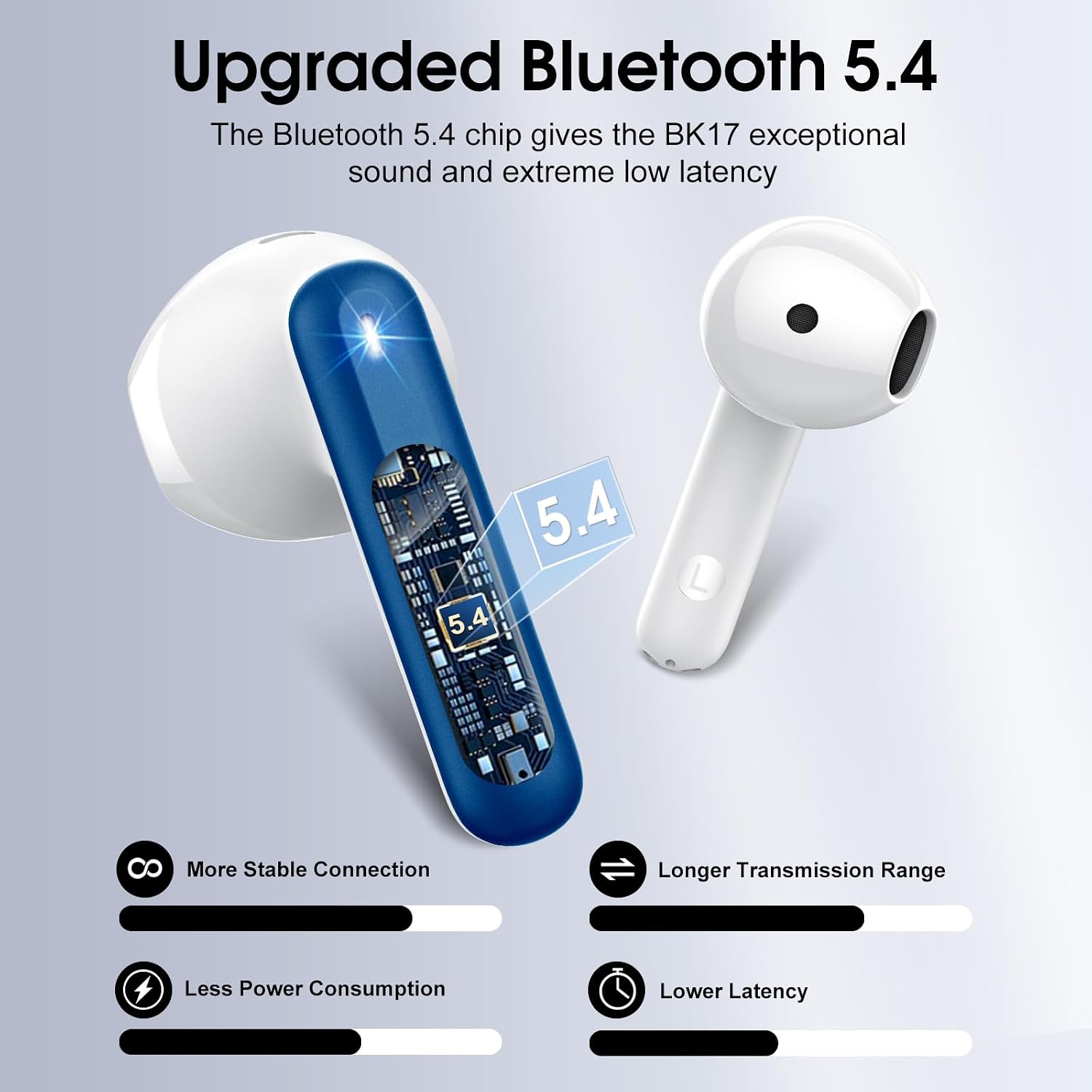
Image: A visual representation of the upgraded Bluetooth 5.4 chip, highlighting benefits such as stable connection, longer range, lower power consumption, and reduced latency.
4. Cov lus qhia ua haujlwm
4.1 Kev Tswj Xyuas Kov Ntse
The H97 earbuds feature high-precision touch sensors for easy control of various functions.
- Ua si / Pause: Coj mus rhaub rau sab laug lossis sab xis ob lub mloog pob ntseg.
- Teb / Xaus Hu: One tap the left or right earbud.
- Tom ntej no Nkauj: Nias lub pob ntseg sab xis ntev li 2 vib nas this.
- Previous Song: Nias lub pob ntseg sab laug ntev li 2 vib nas this.
- Qhib lub suab pab: (Specific gesture not provided, typically a triple tap or long press on one earbud. Refer to the image for visual cues if available.)
- Volume Control: (Specific gesture not provided. Refer to the image for visual cues if available.)

Image: A diagram illustrating the touch control functions on the earbuds, including gestures for play/pause, answering calls, and skipping tracks.
4.2 Audio Quality and Calls
The earbuds feature 14.2mm diaphragm drivers and AAC/SBC audio encoding for immersive sound. Equipped with 4 ENC (Environmental Noise Cancelling) microphones, they effectively filter out 85% of background noise for clear calls.

Duab: Ib qho tawg view diagram of the earbud's internal structure, highlighting the 13mm diameter speaker and components responsible for Hi-Fi stereo sound.

Duab: Ib qho pob tshab view of an earbud showing the placement of four microphones designed for crystal-clear calls and effective background noise suppression.
5. Kev tu
5.1 Dej tsis kam
The H97 earbuds feature IP7 nano-coating technology, making them resistant to daily splashes, sweat, and rain. This protection allows for use during workouts or in light rain conditions.

Image: A woman with water splashing on her face while wearing an earbud, demonstrating the IPX7 waterproof capability against water, sweat, and rain.
5.2 Charging Best Practices
Always use a standard 5V/1A or 5V/2A charger for the charging case. Using incompatible chargers may damage the device or affect charging efficiency.
5.3 Kev ntxuav
To maintain optimal sound quality and hygiene, regularly clean your earbuds. Use a soft, dry, lint-free cloth to wipe the earbuds and charging case. Avoid using abrasive materials or harsh chemicals.
6. Kev daws teeb meem
6.1 Cov teeb meem kev sib txuas
- Earbuds tsis sib xws: Ensure both earbuds are in the charging case, then open the lid. Check that Bluetooth is enabled on your device. If issues persist, try forgetting the device in your phone's Bluetooth settings and re-pairing.
- Intermittent kev twb kev txuas: Ensure you are within the 15-meter Bluetooth range. Avoid physical obstructions between the earbuds and your device.
6.2 Teeb meem them nyiaj
- Case tsis them: Verify the USB-C cable is securely connected to both the case and the power adapter. Ensure the power adapter is a standard 5V/1A or 5V/2A model and is functioning correctly.
- Cov pob ntseg tsis them nyiaj yog tias: Ensure the earbuds are properly seated in the charging slots. Clean the charging contacts on both the earbuds and the case with a dry cotton swab to remove any debris.
6.3 Qhov Teeb Meem Zoo
- Lub suab qis lossis lub suab tsis meej: Check the volume levels on both your device and the earbuds. Ensure the earbuds are clean and free from earwax buildup.
- Lack of noise cancellation: Ensure the earbuds are properly seated in your ears to create a good seal. Refer to the earbud fit diagram for optimal placement.

Image: A diagram illustrating the recommended angles (90-degree and 60-degree) for proper earbud placement within the ear canal to ensure a secure fit and optimal sound.
6.4 Earbud Fit
The H97 earbuds feature a semi-in-ear ergonomic design. If you experience discomfort or if the earbuds feel loose, try adjusting their position in your ear. Proper fit is crucial for both comfort and sound performance.
7. Cov lus qhia tshwj xeeb
| Hom | Cilso |
| Qauv nab npawb | H97 |
| Bluetooth Version | 5.4 |
| Bluetooth Ntau | 15m ua |
| Lub Sijhawm Ua Si Pob Ntseg | Mus txog 8 teev (ib zaug them) |
| Tag nrho Playtime (nrog Case) | Mus txog 40 teev |
| Lub sij hawm them nqi (Case) | 1.5 hnu |
| Dej tsis kam | IP7 |
| Audio Driver Size | 14.2 XNUMXmm |
| Tsis Siv Neeg Tswj | Kev tshem tawm ib puag ncig lub suab nrov (ENC) |
| Tswj hom | Kov Tswj |
| Pob ntseg luj | 3.5 grams (txhua) |
| Charge Case hnyav | 32g ua |
| Compatible Devices | iOS 9.0+/Android 5.0+ with Bluetooth 4.0+ |
8. Khoom Video
Video: An official product video from Harson-US providing an overview of the Cillso H97 Wireless Earbuds, demonstrating key features and design.
9. Warranty thiab Support
9.1 Warranty Information
Your Cillso H97 Wireless Earbuds are covered by a 30-day refund/replacement policy from the date of purchase. Please retain your proof of purchase for warranty claims.
9.2 Kev Pabcuam Cov Neeg Siv Khoom
For any questions, technical assistance, or warranty claims, please contact Cillso customer service. You can find more information and contact details on the official Cillso store page: Cillso Store.