
1. Taw qhia
The ORGBRO Z3 Bluetooth Thermal Label Printer is a versatile and portable device designed for efficient label creation. It supports a wide range of label sizes from 0.8 to 3.15 inches, making it suitable for various applications including home organization, small business needs, and office use. This manual provides detailed instructions to help you set up, operate, and maintain your label printer.
2. Cov ntsiab lus ntawm pob
Thov xyuas kom meej tias txhua yam khoom teev hauv qab no suav nrog hauv koj pob:
- ORGBRO Z3 Label Printer
- USB Charging Cable
- Tus neeg siv phau ntawv qhia
- Roll of Labels (1.97"x1.18" square labels)
- USB Flash Drive (for PC drivers)
3. Khoom Tshajview
Familiarize yourself with the physical components and controls of your ORGBRO Z3 Label Printer.
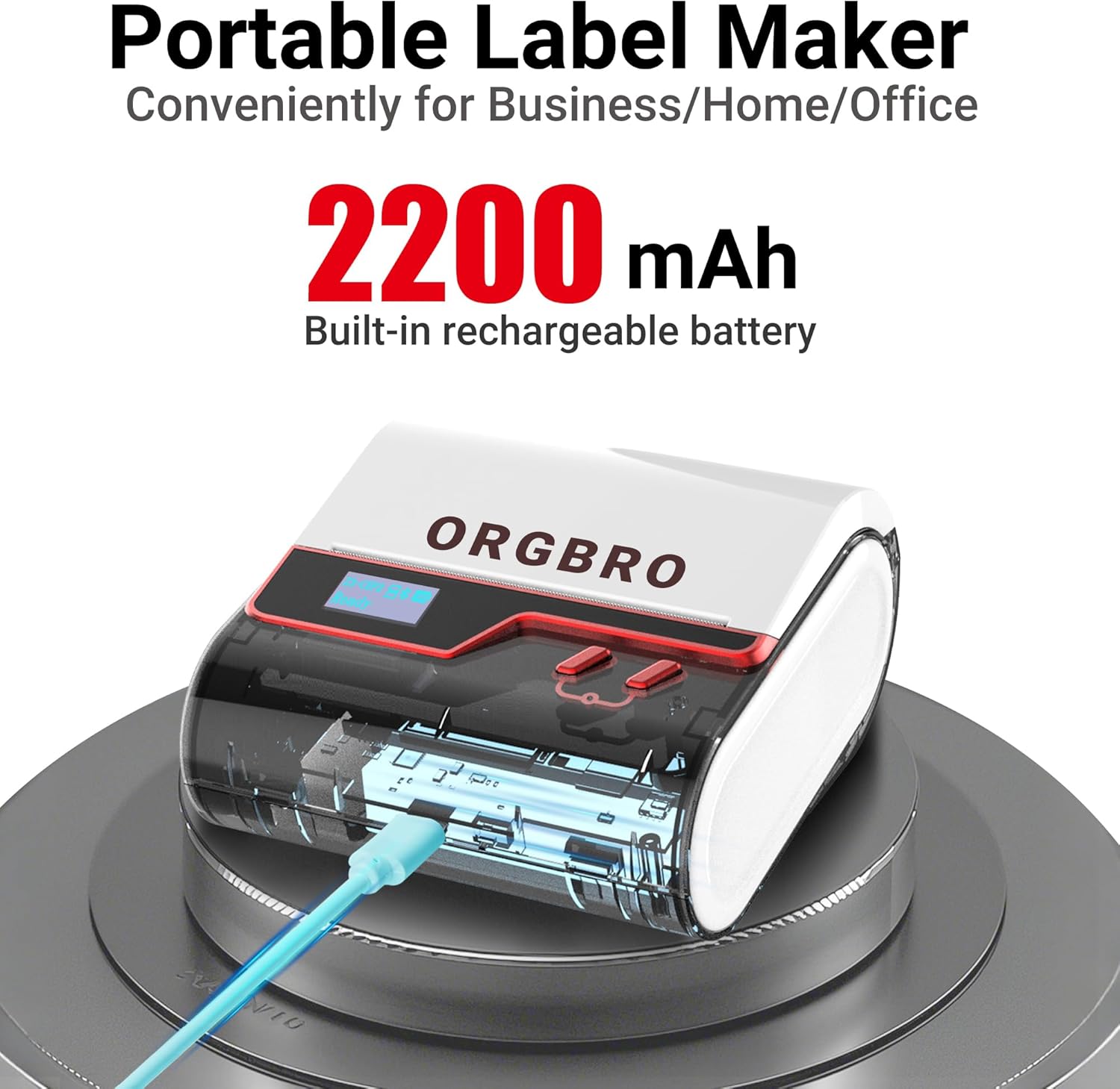
The ORGBRO Z3 Label Maker features a portable design with a built-in 2200mAh rechargeable battery, ensuring long-lasting use on the go.
The device includes a power button, an open cover button for loading labels, and a charging port. An LED screen displays essential information such as battery life, Bluetooth status, and print progress.
4. Cov yam ntxwv tseem ceeb
- Versatile Label Compatibility: Supports labels from 0.8 to 3.15 inches wide, including square, round, transparent, and file daim ntawv lo.
- High-Quality Printing: Achieves crisp 203dpi resolution at speeds up to 50mm/s, ensuring clear text, graphics, and barcodes without smudging.
- Inkless Thermal luam ntawv: Utilizes thermal printing technology, eliminating the need for ink or toner cartridges.
- Lub roj teeb ntev ntev: Equipped with a 2200mAh rechargeable battery, providing up to 4 weeks of runtime on a single charge.
- Smart App Integration: Connects via Bluetooth to the free '4BarCode' app (Android/iOS) or via USB to computers (Windows/Mac/Chrome OS/Linux) for label customization.
- Customizable Labels: The '4BarCode' app offers over 80 fonts, 150+ frames, 670+ icons, and allows importing images for personalized labels.

The ORGBRO Z3 supports a wide range of label paper widths, from 0.78 to 3.15 inches, accommodating various label styles for diverse applications.

Experience fast and clear printing with the ORGBRO Z3, capable of producing up to 52 labels per minute with a crisp 203 DPI resolution.

The ORGBRO Z3 is ideal for various business applications, including creating shipping labels, product labels, QR codes, and clothing tags.

Organize your home efficiently with the ORGBRO Z3, perfect for labeling kitchen canisters, storage bins, and other household items.
5. Teeb Qhia
5.1. Kev them nyiaj yug ntaus ntawv
Before first use, fully charge the ORGBRO Z3 Label Printer using the provided USB cable. Connect the cable to the charging port on the device and a compatible USB power source. The LED screen will indicate charging status.
5.2. Chaw thau khoom
- Press the open cover button on the side of the printer to open the top cover.
- Insert the roll of thermal labels into the compartment, ensuring the printing side faces upwards and the label edge is aligned with the print head.
- Kaw lub npog sab saum toj kom ruaj khov kom txog thaum nws nyem rau hauv qhov chaw.
5.3. Kev Teeb tsa thiab Kev Txuas ntawm App
The ORGBRO Z3 can be connected via Bluetooth to your smartphone or via USB to your computer.
5.3.1. Smartphone Connection (Bluetooth)
- Download the free '4BarCode' app from your device's app store (available for Android and iOS).
- Xyuas kom tseeb tias Bluetooth qhib rau ntawm koj lub smartphone.
- Power on the ORGBRO Z3 Label Printer.
- Open the '4BarCode' app and follow the on-screen instructions to connect to your printer via Bluetooth. The printer's name (e.g., Z3-XXXX) should appear in the app's device list.
5.3.2. Computer Connection (USB)
- Connect the ORGBRO Z3 Label Printer to your computer using the provided USB cable.
- Install the necessary drivers from the included USB flash drive or download them from the official ORGBRO webqhov chaw.
- Follow the installation prompts to complete the driver setup.

The ORGBRO Z3 supports seamless connection to both phones (Android/iOS via Bluetooth) and computers (Windows/Mac/Chrome OS/Linux via USB).
6. Cov lus qhia ua haujlwm
Once connected, you can start creating and printing labels.
6.1. Creating Labels (Using '4BarCode' App)
- Open the '4BarCode' app on your smartphone.
- Select 'Create' to start a new label project.
- Choose your desired label size and orientation.
- Use the app's tools to add text, icons, images, barcodes, or QR codes. You can customize fonts, sizes, and styles.
- Arrange elements on the label canvas as needed.
6.2. Cov ntawv luam tawm
- After designing your label, tap the 'Print' button in the app.
- Review luam preview to ensure the layout is correct.
- Adjust printing density or number of copies if necessary.
- Confirm the print command. The label will be printed from the device.
- Gently tear off the printed label along the serrated edge.

The '4BarCode' app provides multiple labels and templates, along with extensive customization options including over 80 fonts, 150+ frames, and 670+ icons.
7. Cov lus qhia tshwj xeeb
| Feature | Paub meej |
|---|---|
| Sau Media | Thermal ntawv |
| Max Input Sheet Muaj peev xwm | 230 nplooj ntawv |
| Max Copy Speed (Dub & Dawb) | 2 ppm |
| Maximum Print Resolution | 203dpi ib |
| Sheet Size (Included) | 1.97 nti (dav) |
| Ntau tshaj Media Size | 3.15 nti (dav) |
| Dual-sided luam ntawv | Tsis yog (Simplex) |
| Kev Kho Vajtse Interface | USB |
| Connectivity Technology | Bluetooth, USB |
| Tshwj xeeb Feature | Portable |
| Lub tshuab luam ntawv tso zis | Monochrome |
| Yam Nyhav | 1.21 phaus (0.55 Kilograms) |
| Khoom Dimensions | 4.42 x 4.42 x 2.41 po |
| Roj teeb | 1 AA batteries required (included) - 2200mAh rechargeable |
8. Kev tu
- Ntxuav: Regularly clean the print head with a soft, lint-free cloth moistened with isopropyl alcohol. Ensure the device is powered off before cleaning.
- Cia: Khaws lub tshuab luam ntawv rau hauv qhov chaw txias, qhuav kom deb ntawm tshav ntuj ncaj qha thiab qhov kub thiab txias.
- Kev kho roj teeb: Txhawm rau kom lub roj teeb lub neej ntev, tsis txhob tso lub roj teeb tas li ntau zaus. Them lub cuab yeej tsis tu ncua, txawm tias tsis siv rau lub sijhawm ntev.
- Label Rolls: Use only high-quality thermal label rolls compatible with the ORGBRO Z3 to ensure optimal print quality and prevent damage to the print head.
9. Kev daws teeb meem
- Printer Not Connecting:
- Ensure the printer is powered on and fully charged.
- Verify Bluetooth is enabled on your device and the '4BarCode' app has permission to use it.
- For USB connection, ensure drivers are correctly installed and the cable is securely connected.
- Try restarting both the printer and your connecting device.
- Tsis zoo luam ntawv:
- Check if the label roll is inserted correctly with the printing side facing up.
- Ntxuav lub taub hau luam ntawv raws li tau piav qhia hauv ntu Kev Saib Xyuas.
- Adjust the printing density settings in the '4BarCode' app.
- Ensure you are using compatible thermal labels.
- Cov Ntawv Sau Tsis Pub Noj Kom Yog:
- Ensure the label roll is properly seated and not jammed.
- Xyuas seb puas muaj kev cuam tshuam hauv txoj kev daim ntawv lo.
- Verify the label width is within the supported range (0.8-3.15 inches).
10. Warranty thiab Support
ORGBRO products are designed for reliability and performance. For warranty information, technical support, or service inquiries, please refer to the contact details provided in your product packaging or visit the official ORGBRO webqhov chaw. Khaws koj daim ntawv yuav khoom ua pov thawj ntawm kev yuav khoom rau kev lees paub.