
Taw qhia
Thank you for choosing the Princess 2600W Steam Iron. This powerful appliance is designed to make ironing efficient and effortless, featuring a ceramic soleplate, a 220 ml water tank, and various steam functions. Please read this manual carefully before first use to ensure safe operation and optimal performance. Keep these instructions for future reference.
Cov lus qhia kev nyab xeeb
- Nco ntsoov xyuas voltage qhia rau ntawm daim ntawv ntsuam xyuas sib tw koj lub ntsiab voltage.
- Tsis txhob muab tso rau hauv cov hlau, cov hlua hluav taws xob, lossis ntsaws rau hauv dej lossis lwm yam kua dej.
- Khaws cov hlau kom tsis txhob ncav cuag menyuam yaus thiab tsiaj.
- The soleplate of the iron can reach very high temperatures. Avoid direct contact with skin.
- Ib txwm muab cov hlau tso rau ntawm qhov chaw ruaj khov, kub-resistant thaum tsis siv.
- Tshem tawm cov hlau los ntawm lub qhov hluav taws xob ua ntej sau lossis tshem tawm lub tank dej, thiab thaum tsis siv.
- Do not operate the iron with a damaged cord or plug, or if the iron malfunctions or has been dropped or damaged.
- Never leave the iron unattended while it is switched on or connected to the mains.
- Use only distilled or demineralized water in the water tank to prevent limescale buildup.
Khoom Tshajview
Familiarize yourself with the components of your Princess Steam Iron:
- Water Spray Nozzle: Rau moisten tawv tawv creases.
- Qhov Chaw Sau Dej: Rau kev ntxiv dej rau lub tank.
- Steam Shot Button: Muab ib qho vapor muaj zog heev.
- Txau khawm: Activates the water spray.
- Lub Rooj Tswj Xyuas Pa: Adjusts continuous steam output (Dry, Min, Max).
- kov: Ergonomic tuav kom yooj yim siv.
- Kub Control Dial: Xaiv qhov kub kom haum rau cov ntaub sib txawv.
- Qhov taw qhia teeb: Illuminates when the iron is heating and turns off when the set temperature is reached.
- Fais fab Cord: Txuas cov hlau mus rau lub qhov hluav taws xob.
- Dej Tank: Holds up to 220 ml of water.
- Ceramic Soeplate: Smooth, scratch-resistant surface for effortless gliding.
- Self-Clean Button: For activating the self-cleaning function.
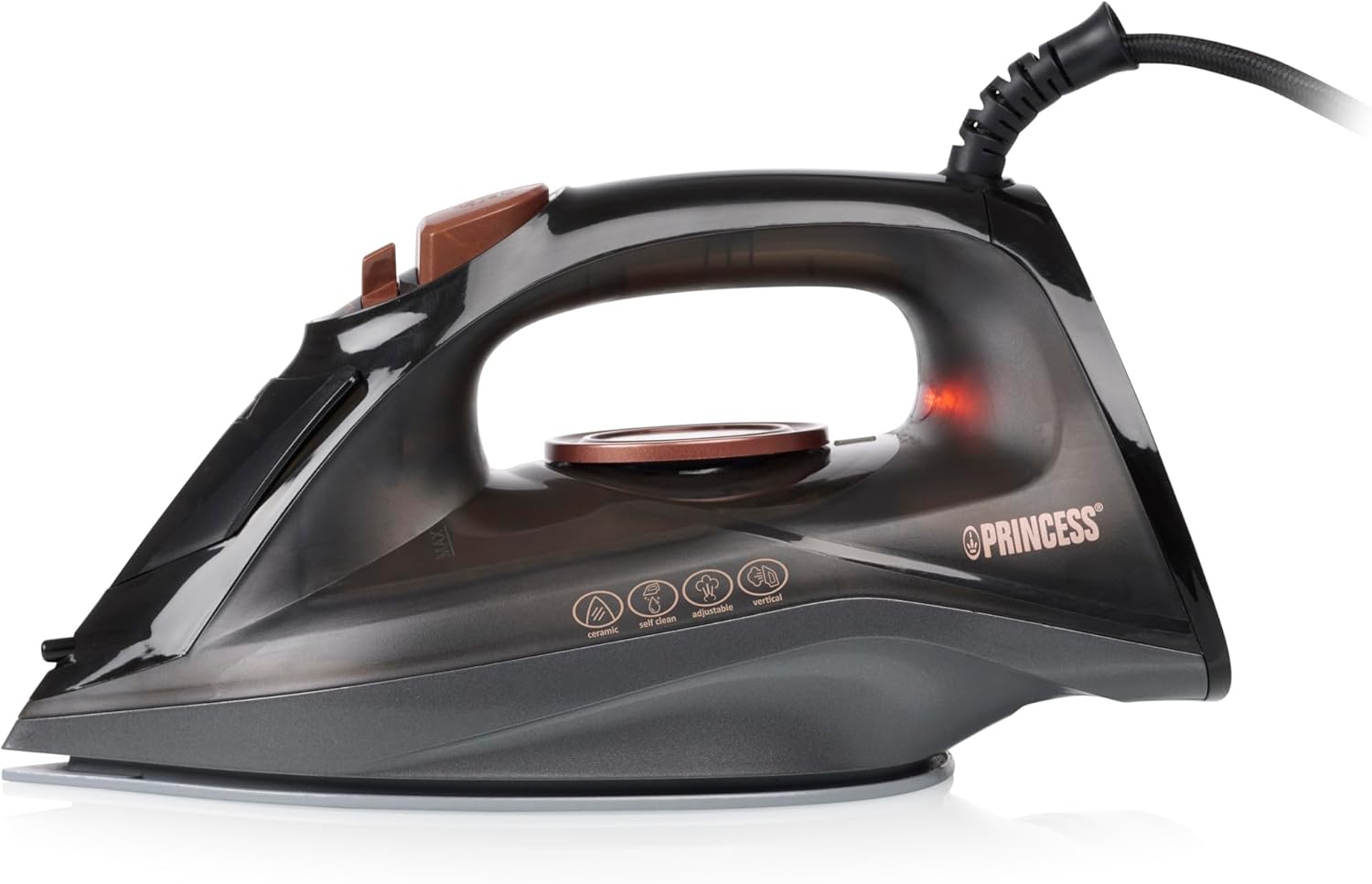
Duab: Sab view of the Princess Steam Iron, showing its overall design and handle.

Duab: Sab saum toj view of the Princess Steam Iron, highlighting the temperature control dial and various function icons.

Image: Close-up of the ceramic soleplate of the Princess Steam Iron, showing steam vents and 'Smooth Glide Scratch Resistant' text.
Teeb tsa
Ua ntej siv thawj zaug
- Remove any labels, protective film, or stickers from the soleplate.
- It is normal for a slight odor or smoke to occur during the first few minutes of use as manufacturing residues burn off. This is harmless.
- Test the iron on an old piece of fabric to ensure no residue is transferred to your garments.
Sau Cov Dej Tank
- Xyuas kom tseeb tias cov hlau yog unplugged los ntawm lub hwj chim qhov hluav taws xob.
- Set the steam control slider to the 'Dry' (no steam) position.
- Qhib cov dej filling inlet cover.
- Using the provided measuring cup, carefully pour distilled or demineralized water into the water tank up to the 'MAX' level indicator. Do not overfill.
- Kaw cov dej filling inlet npog ruaj ntseg.
Cov lus qhia ua haujlwm
Kev xaiv kub
- Plug the iron into a suitable power outlet. The indicator light will illuminate.
- Tig lub pob tswj qhov kub mus rau qhov chaw uas koj xav tau raws li hom ntaub. Saib cov ntawv qhia txog kev saib xyuas ntaub ntawm koj cov khaub ncaws.
- The indicator light will turn off when the set temperature is reached, indicating the iron is ready for use. It will cycle on and off during ironing to maintain the temperature.
- Fabric Settings:
- Low temperature: Synthetics, Silk
- Medium temperature: Wool
- High temperature: Cotton, Linen
Qhuav Ironing
- Ensure the water tank is empty or the steam control slider is set to the 'Dry' position.
- Xaiv qhov kub kom haum rau koj cov ntaub.
- Once the indicator light turns off, begin ironing.
Ncu Ironing
- Fill the water tank as described in the 'Setup' section.
- Set the temperature control dial to a steam-suitable setting (typically between 'Wool' and 'Linen' or higher). Steam is only generated at higher temperatures.
- Once the indicator light turns off, slide the steam control to the desired steam level (Min or Max). Continuous steam will be emitted from the soleplate.
- For stubborn creases, press the Khawm Txhaj Tshuaj for an extra burst of steam (80 g/min). Wait a few seconds between shots to allow the iron to reheat.
Ntsug Chav
- This function is ideal for removing creases from hanging clothes, curtains, or delicate fabrics.
- Fill the water tank and set the temperature to the maximum setting.
- Tuav cov hlau ntsug, ob peb centimeters deb ntawm cov ntaub.
- Nias lub Khawm Txhaj Tshuaj repeatedly to release bursts of steam.
Txau muaj nuj nqi
- The spray function can be used with or without steam.
- Nias lub Txau khawm to emit a fine mist of water, which helps to dampen fabrics and ease crease removal.
Kev tu
Tom qab siv txhua
- Tshem tawm cov hlau thiab cia nws txias kom tag.
- Tshem tawm cov dej seem ntawm lub tank kom tsis txhob muaj limescale buildup.
- So daim kab xev nrog adamp cloth if necessary. Do not use abrasive cleaners or scouring pads.
- So sab nrauv ntawm cov hlau nrog ib tug mos mos, damp daim ntaub.
Self-tu Function
The self-cleaning function helps to remove scale and impurities from the steam chamber and vents.
- Sau lub tank dej mus rau qib 'MAX'.
- Plug in the iron and set the temperature control dial to the maximum setting.
- Thaum lub teeb qhov taw qhia tig tawm, tshem tawm cov hlau.
- Tuav lub hlau horizontally hla lub dab dej.
- Nias thiab tuav lub Khawm Ntxuav Tus Kheej (if available, otherwise use the steam shot button repeatedly while shaking gently). Hot water and steam will be expelled from the soleplate, carrying impurities with it.
- Txuas ntxiv mus kom txog thaum lub tank dej tas lawm.
- Plug the iron back in, let it heat up, and iron an old cloth to dry the soleplate.
Cia
- Ensure the iron is completely cool and empty of water.
- Khaws cov hlau ncaj ntawm nws pob taws hauv qhov chaw nyab xeeb, qhuav.
Kev daws teeb meem
| Teeb meem | Ua Tau | Kev daws |
|---|---|---|
| Hlau tsis kub. | Not plugged in; power outlet faulty; temperature dial set to 'OFF' or too low. | Check power connection; try another outlet; adjust temperature dial. |
| Tsis muaj chav lossis chav tsis txaus. | Water tank empty; temperature too low for steam; steam control set to 'Dry'; steam vents blocked. | Fill water tank; set temperature higher; adjust steam control; perform self-clean. |
| Cov dej ntws los ntawm soleplate. | Water tank overfilled; temperature too low for steam; steam control set to steam at low temperature. | Do not overfill; ensure temperature is high enough for steam; set steam control to 'Dry' for low temperatures. |
| Soleplate sticking to fabric. | Temperature too high for fabric; residue on soleplate. | Reduce temperature; clean soleplate with a damp cloth (when cool). |
Specifications
- Qauv nab npawb: 01.322890.01.001
- Lub zog: 2600 Watts
- Voltage: 230 Volts
- Dej Tank Capacity: 220 ml
- Nruam Chav: 25 g / min
- Chav txhaj tshuaj: 80 g / min
- Soeplate Khoom: Ceramic
- Tshwj xeeb nta: Self-cleaning, Vertical Steam, Adjustable Thermostat
- Khoom Dimensions (L x W x H): 12 x 11 x 0.1 cm
- Yam khoom hnyav: 900 Nws
- Lub Tebchaws Keeb Kwm: Tuam Tshoj
Warranty thiab Support
This Princess product comes with a standard manufacturer's warranty. For detailed warranty terms and conditions, please refer to the warranty card included with your purchase or visit the official Princess website. In case of any issues, questions, or if you require technical assistance, please contact Princess customer support. Have your model number (01.322890.01.001) and purchase details ready when contacting support.