
Taw qhia
Welcome to the user manual for your INTERPHONE Portable Air Compressor. This device is engineered for convenient and efficient inflation of motorcycle, car, and bike tires, and also features a power bank function for charging your electronic devices. Please read this manual thoroughly before use to ensure safe and optimal performance.
Cov ntaub ntawv tseem ceeb ntawm kev nyab xeeb
- Always read and understand all instructions before operating the device.
- Khaws lub cuab yeej kom deb ntawm cov menyuam yaus thiab tsiaj.
- Tsis txhob tso lub cuab yeej rau hauv dej los yog qhov kub thiab txias.
- Ensure the correct pressure is set for the item being inflated to prevent over-inflation, which can cause damage or injury.
- Siv cov cuab yeej siv rau hauv qhov chaw uas muaj cua zoo.
- Tsis txhob sim disassemble lossis kho lub cuab yeej koj tus kheej. Hu rau cov neeg ua haujlwm tsim nyog tau txais kev pab.
- Pov tseg cov cuab yeej thiab nws cov roj teeb lub luag haujlwm raws li cov cai hauv zos.
Ntim Cov Ntsiab Lus
Thov kos lub thawv rau cov khoom hauv qab no:
- INTERPHONE Portable Air Compressor
- USB-C Charging Cable
- Inflation Nozzles/Adapters (e.g., for bicycle valves, ball needles)
- Cov neeg siv phau ntawv
Khoom Tshajview
Familiarize yourself with the main components of your INTERPHONE Portable Air Compressor.

Daim duab 1: Pem hauv ntej View. This image displays the front of the portable air compressor, featuring a large digital display that shows pressure readings in PSI, BAR, and KPA. Below the screen are intuitive control buttons for operation.

Daim duab 2: Rov qab View. Tom qab view of the device, highlighting the manufacturer's label with model information and the USB-C charging port.
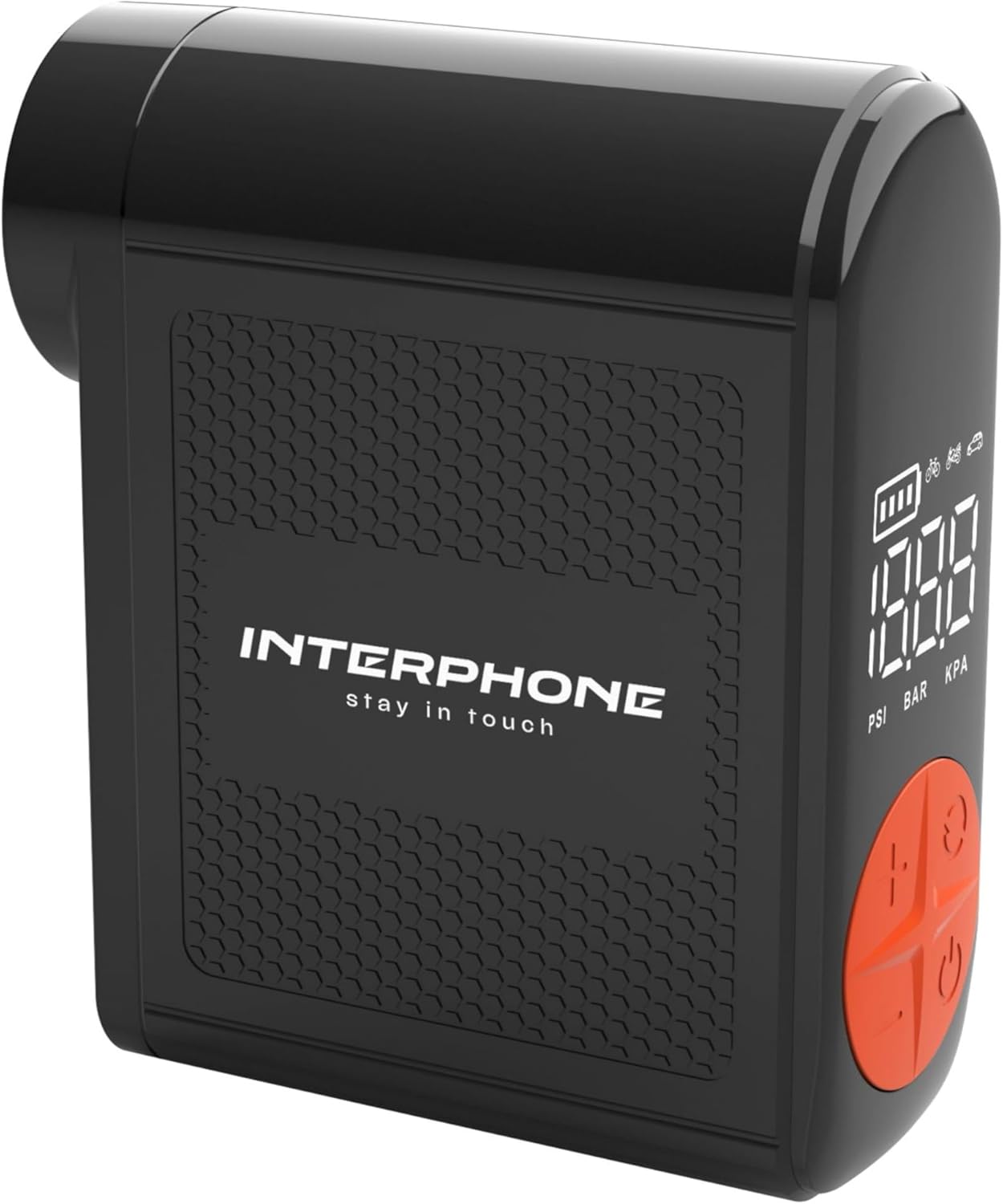
Daim duab 3: Sab View with Hose. This image shows the side of the compressor where the integrated inflation hose is stored, ready for use.
Teeb tsa
Kev them nyiaj yug Device
Before first use, fully charge the portable air compressor. Connect the provided USB-C cable to the charging port on the device and the other end to a suitable USB power adapter (not included). The battery indicator on the digital display will show the charging status. A full charge ensures optimal performance and standby time.
Txuas lub Hose
The device features an integrated inflation hose. Gently pull out the hose from its storage slot on the side of the compressor. Select the appropriate nozzle adapter for your tire valve (e.g., Presta, Schrader) and securely attach it to the end of the hose.
Cov lus qhia ua haujlwm
Lub hwj chim On / Off
Txhawm rau tig lub cuab yeej on, press and hold the power button (usually marked with a power symbol) for a few seconds until the display illuminates. To turn the device tawm, press and hold the power button again until the display turns off.
Teem Cov Cuab Yeej Siab
After powering on, you can cycle through the available pressure units (PSI, BAR, KPA) by briefly pressing the 'M' (Mode) or unit selection button. Select the unit appropriate for your needs.
Teem Lub Hom Phiaj Siab
Use the '+' and '-' buttons on the control panel to adjust the desired target pressure. The dual backlit display will show the current pressure and the target pressure simultaneously. Refer to your vehicle's manual or tire sidewall for recommended pressure values.
Cov txheej txheem nce nqi
- Securely connect the inflation hose with the correct adapter to the tire valve. Ensure there are no air leaks.
- Once connected, the display will show the current tire pressure.
- Press the start/inflate button (often marked with a play symbol or a circle) to begin the inflation process.
- The compressor will automatically stop when the set target pressure is reached.
- Carefully disconnect the hose from the tire valve.
Power Bank Function
The INTERPHONE Portable Air Compressor can also function as a power bank. Locate the USB-A output port on the device. Connect your electronic device (e.g., smartphone, tablet) to this port using its charging cable. The compressor will then provide power to charge your device.
LED Teeb Ua Haujlwm
The built-in LED light is useful for operating in low-light conditions or as an emergency light. Press the dedicated light button (or a multi-function button, refer to device markings) to turn the LED light on or off.
Kev tu
Proper maintenance ensures the longevity and reliability of your air compressor.
- Ntxuav: Wipe the device with a soft, dry cloth. Do not use harsh chemicals or abrasive cleaners. Ensure no liquids enter the device.
- Cia: Store the compressor in a cool, dry place away from direct sunlight and extreme temperatures. Ensure the integrated hose is properly retracted into its slot.
- Kev kho roj teeb: For long-term storage, charge the battery to approximately 50-70% every 3-6 months to maintain battery health. Avoid fully discharging the battery frequently.
Kev daws teeb meem
If you encounter issues with your INTERPHONE Portable Air Compressor, refer to the table below for common problems and solutions.
| Teeb meem | Ua Tau | Kev daws |
|---|---|---|
| Ntaus ntawv tsis qhib. | Lub roj teeb uas tsis muaj lossis tsis muaj zog. | Them lub cuab yeej tag nrho siv USB-C cable. |
| Air is not inflating or inflating slowly. | Hose not securely connected to valve; incorrect nozzle adapter; hose kinked. | Ensure the hose is tightly screwed onto the tire valve. Check that the correct adapter is used and the hose is not bent. |
| Device stops before reaching target pressure. | Battery is low; internal safety mechanism (overheat protection). | Recharge the device. If the device feels hot, allow it to cool down for 15-20 minutes before resuming operation. |
| Display shows error message. | Internal malfunction or sensor error. | Turn off the device, wait a few seconds, and turn it back on. If the error persists, contact customer support. |
Specifications
Detailed technical specifications for the INTERPHONE Portable Air Compressor.
| Feature | Specification |
|---|---|
| Chaw tsim tshuaj paus | Cellularline SpA |
| Hom | Interphone |
| Qauv | INTERPHOAIRPUMP3K |
| Pob Dimensions | 18 x 12.1 x 4.1 cm |
| Yam Nyhav | 400 g ib |
| Inflation Capacity | Up to 4 motorcycle tyres on a single charge |
| Lub Sijhawm Inflation | Less than 4 minutes per tyre |
| Standby Sijhawm | Ntau tshaj 6 lub hlis |
| Chav ntsuas siab | PSI, BAR, KPA |
| Nta ntxiv | Power bank function, Built-in LED light, Integrated inflation tube, Dual backlit display, Auto-stop function |
Warranty Information thiab Customer Support
This product comes with a standard manufacturer's warranty. Please refer to the warranty card included in your package for specific terms and conditions regarding coverage and duration.
For technical support, service, or any inquiries regarding your INTERPHONE Portable Air Compressor, please visit the official Interphone webqhov chaw: