
1. Taw qhia
Thank you for choosing the Edifier X1 Lite True Wireless Earbuds. These earbuds are designed to provide a high-quality audio experience with features like Bluetooth 5.4 connectivity, clear call technology, and a comfortable, lightweight design. This manual will guide you through the setup, operation, and maintenance of your new earbuds.
2. Cov ntsiab lus ntawm pob
- Edifier X1 Lite True Wireless Earbuds (Left and Right)
- Charge Case
- USB Charging Cable
- Cov neeg siv phau ntawv
3. Khoom Tshajview
The Edifier X1 Lite earbuds feature a compact design for comfortable wear and a charging case for extended battery life. Each earbud is equipped with touch controls for easy management of audio playback and calls.
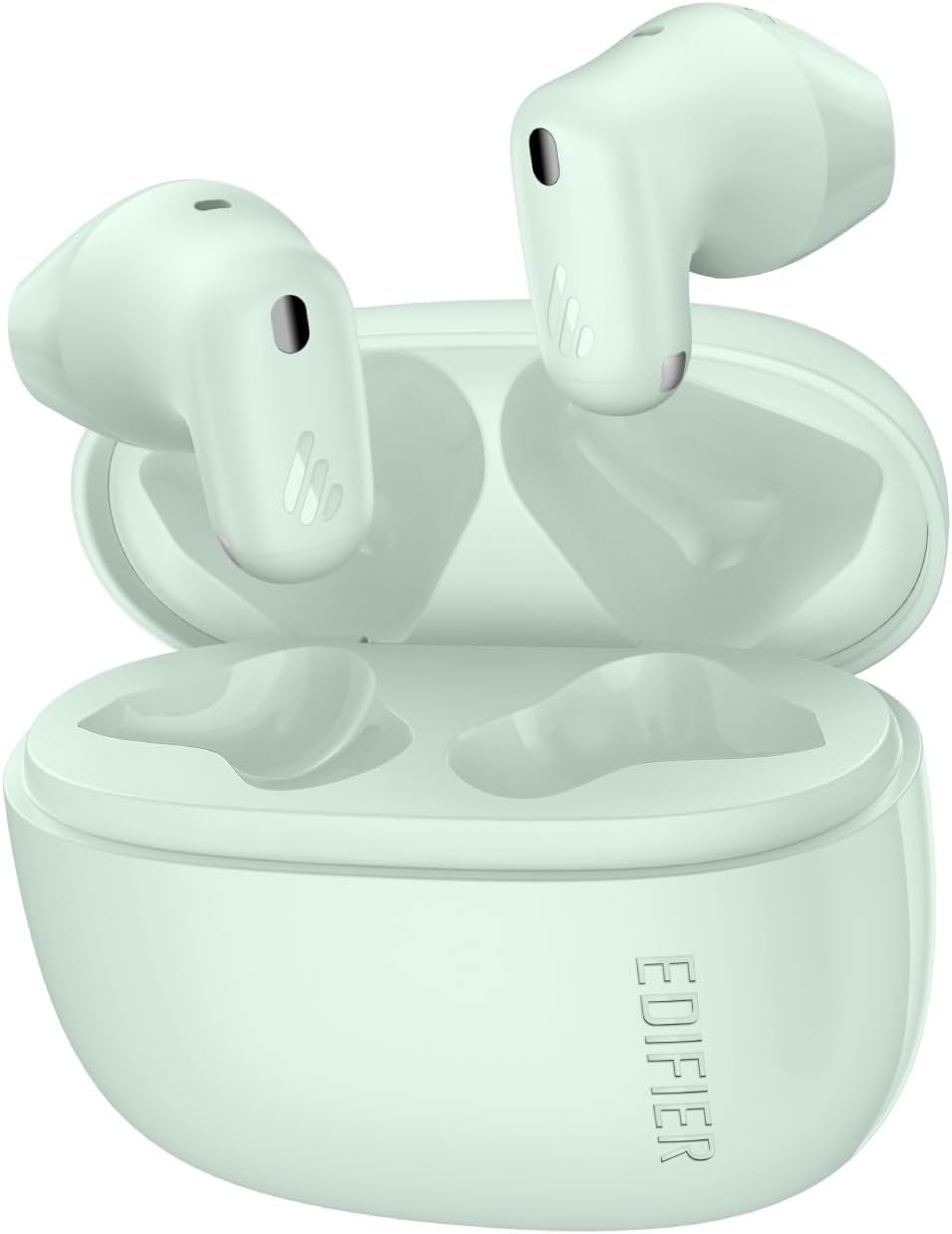
Image: Edifier X1 Lite True Wireless Earbuds and their charging case. The earbuds are shown in their compact, in-ear form factor.
Lub Npe Lub Npe:
- Kov Tswj Cheeb Tsam: For playback, call management, and voice assistant activation.
- Microphone: Rau kev hu thiab lub suab hais kom ua.
- Kev them nyiaj yug: Rau kev them nyiaj hauv rooj plaub.
Charging Case Cheebtsam:
- Earbud Charging Slots: To hold and charge the earbuds.
- USB-C Charging Port: Rau them cov ntaub ntawv.
- Qhov taw qhia teeb: Qhia txog qhov xwm txheej them thiab qib roj teeb.
4. Teeb tsa
4.1 Them lub mloog pob ntseg thiab Case
Ua ntej siv thawj zaug, them tag nrho lub mloog pob ntseg thiab cov ntaub ntawv them nyiaj.
- Muab lub pob ntseg tso rau hauv lub hnab ntim khoom. Xyuas kom lawv zaum kom raug.
- Txuas cov ntaub ntawv them nyiaj rau lub zog siv lub USB them cable.
- The indicator light on the charging case will show the charging status. Once fully charged, the light will indicate completion (refer to specific light patterns in the full manual if available).
A 15-minute fast charge provides approximately 1.5 hours of playback time. A full charge offers up to 7 hours of playtime for the earbuds, with an additional 19 hours from the charging case, totaling 26 hours.
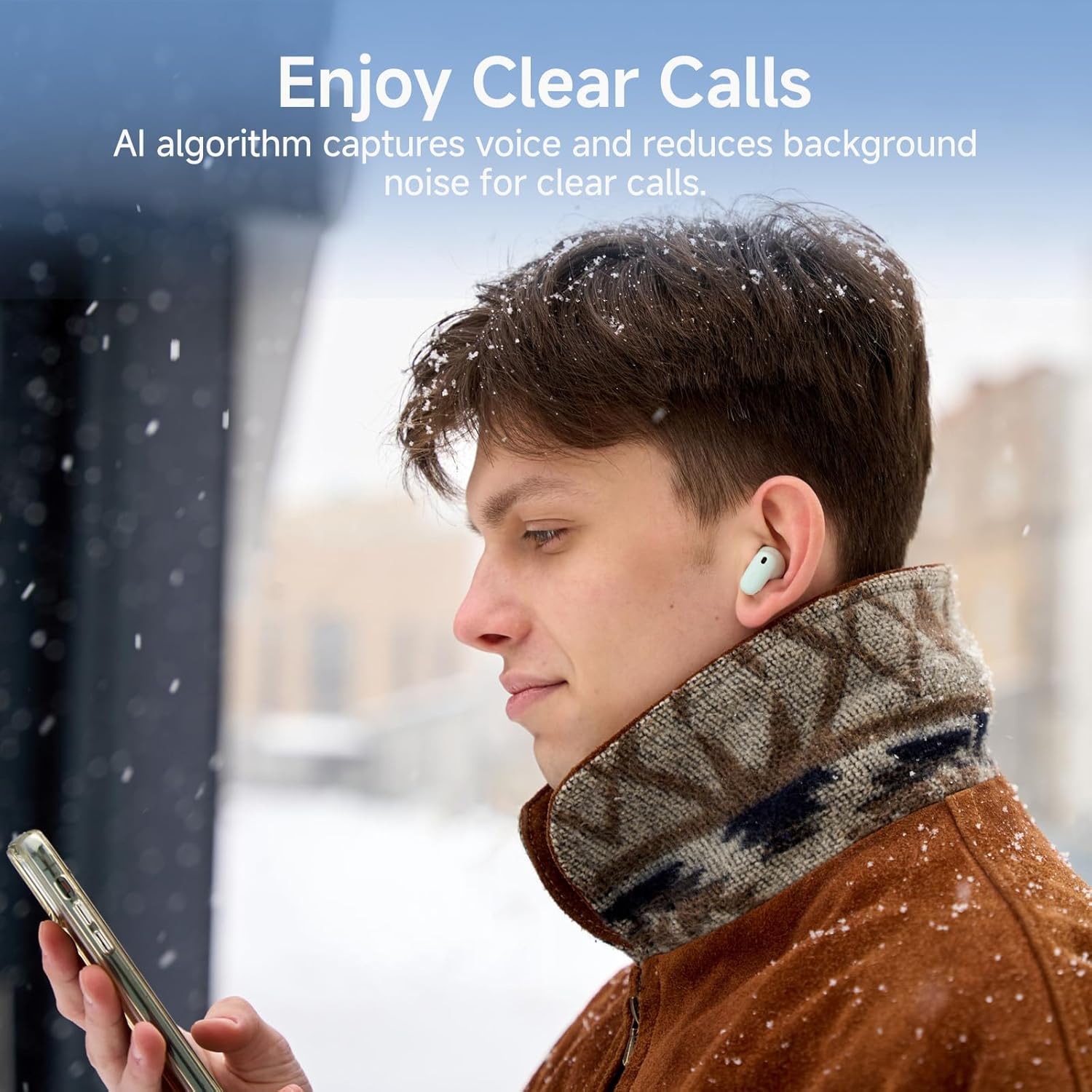
Image: Diagram illustrating the Edifier X1 Lite earbuds' battery life: 7 hours on a single charge, 19 hours with the charging case, and 1.5 hours of playback from a 15-minute fast charge.
4.2 Bluetooth Pairing
To connect your Edifier X1 Lite earbuds to a device:
- Open the charging case. The earbuds will automatically enter pairing mode, indicated by a flashing light (refer to specific light patterns in the full manual if available).
- Ntawm koj lub cuab yeej (smartphone, ntsiav tshuaj, laptop), qhib Bluetooth thiab tshawb nrhiav cov khoom siv muaj.
- Select "EDIFIER X1 Lite" from the list of found devices.
- Once connected, the earbuds will indicate successful pairing (e.g., a steady light or audio prompt).
The earbuds utilize Bluetooth 5.4 for faster speeds, lower power consumption, and a stable connection.

Image: Edifier X1 Lite earbuds shown with a laptop and smartphone, illustrating Bluetooth 5.4 connectivity for various devices.
5. Cov lus qhia ua haujlwm
5.1 Kov Tswj
The Edifier X1 Lite earbuds feature intuitive touch controls. The specific functions may be customized via the EDIFIER ConneX app.
| Kev ua | Muaj nuj nqi |
|---|---|
| Ib Leeg Kais (Sab laug / Txoj Cai Pob Ntseg) | Play/Pause Music, Teb/Xaiv Hu |
| Coj mus rhaub dua (Sab laug Earbud) | Yav dhau los Track |
| Ob Chav Kais (Right Earbud) | Next Track |
| Kov Peb Zaug (Sab laug/Sab Xis Pob Ntseg) | Qhib Lub Suab Assistant |
| Ntev Xovxwm (Sab laug / Txoj Cai Pob Ntseg) | Tsis kam hu |
5.2 Tshem Tawm Cov Lus Hu
The earbuds feature AI algorithm voice pick-up technology to ensure clear communication by reducing background noise, even in noisy environments.

Image: A person wearing Edifier X1 Lite earbuds in a snowy outdoor setting, demonstrating the clear call feature in challenging environments.
5.3 Kev Paub Txog Suab
Experience powerful sound quality with Φ13mm dynamic drivers, delivering good bass performance and crisp audio. The EDIFIER ConneX app allows for personalization of your listening experience.

Duab: Ib qho tawg view of an Edifier X1 Lite earbud, highlighting the 13mm dynamic driver responsible for sound quality, including wide soundstage, excellent bass, and detailed highs and mids.
5.4 Tsawg Latency Hom
For gaming and streaming, the earbuds offer a 60ms low-latency design, ensuring smooth and uninterrupted audio-visual synchronization.

Image: A person holding a smartphone displaying a game, with Edifier X1 Lite earbuds in the foreground, emphasizing the 0.06s ultra-low latency feature for gaming and video playback.
6. Kev tu
6.1 Kev ntxuav
- Tsis tu ncua ntxuav lub pob ntseg thiab cov ntaub ntawv them nyiaj nrog cov ntaub mos muag, qhuav, tsis muaj lint.
- Tsis txhob siv cov tshuaj abrasive, cawv, lossis tshuaj kuab tshuaj.
- Ensure charging contacts are free from dust and debris.
6.2 Kev Tiv Thaiv Dej thiab Hws
The Edifier X1 Lite earbuds are IP54 certified, making them sweat-resistant and suitable for active use. This means they are protected against dust ingress and splashing water from any direction. However, they are not waterproof and should not be submerged in water.

Image: A person wearing an Edifier X1 Lite earbud during physical activity, with an icon indicating IP54 certification for sweat and splash resistance.
6.3 Cia khoom
Thaum tsis siv, khaws lub mloog pob ntseg hauv lawv cov ntaub ntawv them nyiaj los tiv thaiv lawv thiab xyuas kom lawv nyob twj ywm.
7. Kev daws teeb meem
If you encounter issues with your Edifier X1 Lite earbuds, try the following steps:
- Tsis muaj suab: Xyuas kom tseeb tias lub mloog pob ntseg tau them tas lawm, txuas nrog koj lub cuab yeej, thiab qhib lub suab kom nrov.
- Ua tsis tau Pair: Make sure Bluetooth is enabled on your device and the earbuds are in pairing mode. Try forgetting the device on your phone and re-pairing.
- Kev sib txuas sib txuas: Xyuas kom tseeb tias tsis muaj dab tsi thaiv ntawm lub mloog pob ntseg thiab koj lub cuab yeej. Txav mus ze dua koj lub cuab yeej.
- Ib lub Earbud tsis ua haujlwm: Place both earbuds back in the case, close it, then open it again. Check battery levels.
- Cov teeb meem them nqi: Ensure the charging cable is securely connected and the charging contacts on the earbuds and case are clean.
For further assistance, refer to the official Edifier support website lossis hu rau cov neeg siv khoom.
8. Cov lus qhia tshwj xeeb
| Feature | Paub meej |
|---|---|
| Hom | Edifier |
| Qauv Lub Npe | X 1 Lite |
| Qauv nab npawb | x1lite |
| Connectivity Technology | Wireless (Bluetooth) |
| Bluetooth Version | 5.4 |
| Pob ntseg tso | Hauv pob ntseg |
| Hom Tsav Tsheb | Dynamic Driver (Φ13mm) |
| Ntau zaus | 20Hz - 20,000Hz |
| Impedance | 140 awm |
| Roj teeb lub neej (earbuds) | Mus txog 7 Teev |
| Tag nrho Playtime (nrog Case) | Mus txog 26 Teev |
| Ceev ceev | 15 feeb rau 1.5 teev playback |
| Tsawg latency | 60ms ib |
| Dej tsis kam | IP54 (Sweat Resistant) |
| Tswj Txoj Kev | Kov |
| Qhov Hnyav ntawm Khoom (Ntses Pob Ntseg) | Kwv yees li. 4g rau earbud |
| Compatible Devices | Laptops, Desktops, Gaming Consoles, Tablets, Telephones |
9. Warranty thiab Support
Edifier products are designed and manufactured to the highest quality standards. For detailed warranty information, please refer to the warranty card included in your package or visit the official Edifier website. For technical support, product registration, or frequently asked questions, please visit www.edifier.com or contact Edifier customer service directly.