
1. Khoom Tshajview
The eLinkSmart H8 Fingerprint Door Knob Lock offers a secure and convenient keyless entry solution for various interior and exterior doors. This smart lock integrates multiple unlocking methods, robust construction, and user-friendly installation.
Cov yam ntxwv tseem ceeb:
- 5 Txoj Kev Xauv Xauv: Fingerprint, Passcode, Mobile App, Apple Watch, and Mechanical Key.
- Kev ruaj ntseg siab: Constructed from durable Alloy Steel and Zinc.
- Yooj yim DIY Installation: Designed for simple installation with a screwdriver, no extra drilling required.
- Lub neej roj teeb ntev: Low power consumption for extended use, with low battery reminders and emergency power options.
- Reversible Handle: Suitable for both left and right-handed doors.

2. Cov ntsiab lus ntawm pob
Xyuas kom tseeb tias tag nrho cov khoom muaj nyob ua ntej pib kev teeb tsa:
- 1 x H8 Smart Handle Lock (all necessary parts)
- 1 x Screwdriver
- 1 x User Manual
- 2 x Spare Keys

3. Lus Qhia Nruab Nruab
The eLinkSmart H8 lock is designed for easy DIY installation, typically requiring only a screwdriver. No additional drilling is needed for standard door preparations.
Qhov rooj Compatibility:
- Backset: 2-3/8" los yog 2-3/4" (60mm los yog 70mm)
- Qhov Rooj Thickness: 1-3/16" txog 2-1/8" (30mm txog 55mm)
- Qhov taub: 1-17/20" txog 2-3/8" (47mm txog 60mm)

Cov kauj ruam installation:
- Remove your existing door knob and latch.
- Install the new latch into the door edge, ensuring it is correctly oriented.
- Insert the exterior handle, routing the battery cable and square spindle through the latch hole.
- Attach the interior handle, connecting the battery cable and securing it with screws.
- Install 4 AAA alkaline batteries into the interior handle.
- Test the lock's functionality to ensure proper operation.
Installation Video:
This video provides a detailed guide on how to install the eLinkSmart H8 Fingerprint Door Knob Lock.
4. Cov lus qhia ua haujlwm
The eLinkSmart H8 offers multiple convenient ways to unlock your door.
Xauv Txoj Kev:
- Tsi tes: Place your registered finger on the fingerprint sensor for quick access. The lock features a self-learning AI fingerprint reader for improved accuracy and speed (0.2s recognition).
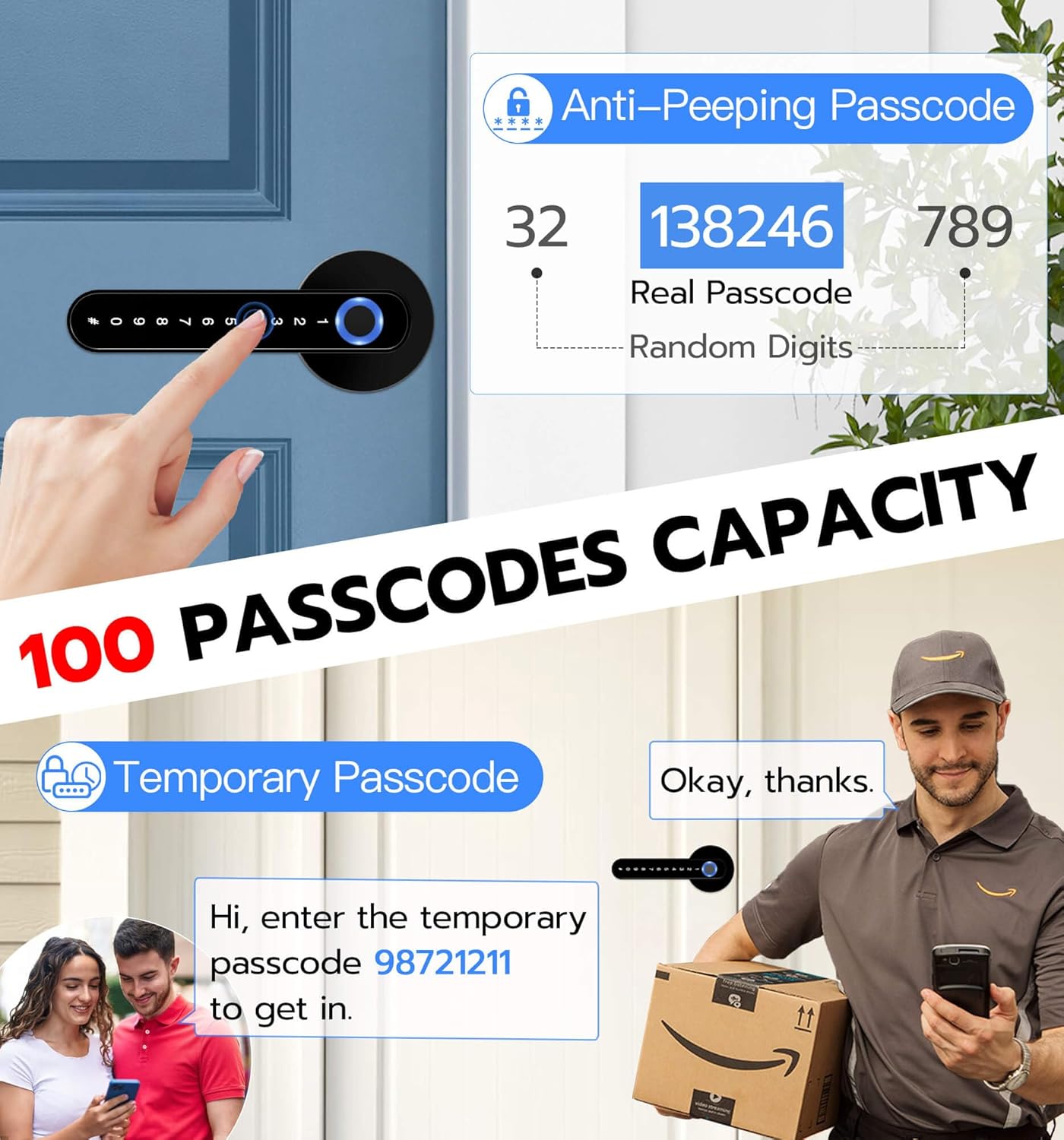
- Passcode: Enter your programmed passcode on the numeric keypad. The lock supports up to 100 passcodes and includes an anti-peeping function for enhanced security.
- Mobile App: Use the dedicated mobile application to unlock the door remotely via Bluetooth.
- Apple Watch: For added convenience, unlock the door using your Apple Watch through the compatible app.
- Mechanical Key: In case of emergency or battery depletion, use the provided spare mechanical keys.


Khoom Tshajview Video:
Daim vis dis aus no qhia txog ntau yamview of the eLinkSmart H8-Black lock's features and operation.
5. Kev tswj roj teeb
The eLinkSmart H8 lock is designed for low power consumption, providing up to 12 months of standby time on 4 AAA alkaline batteries (not included). The lock will provide a warning when the battery level is low.
Lub Hwj Chim Xwm Ceev:
If the batteries completely deplete, you can use a power bank connected via the emergency power port (USB-C) to temporarily power the lock and gain access. Alternatively, the mechanical spare keys can be used.

6. Kev tu
To ensure optimal performance and longevity of your eLinkSmart H8 lock, follow these maintenance guidelines:
- Regularly clean the fingerprint sensor and keypad with a soft, dry cloth to remove dust and smudges.
- Avoid using abrasive cleaners or solvents, as these can damage the finish and electronic components.
- Check battery levels periodically and replace all 4 AAA batteries when the low battery warning is indicated.
- Ensure the door and frame are properly aligned to prevent undue stress on the lock mechanism.
7. Kev daws teeb meem
If you encounter issues with your eLinkSmart H8 lock, refer to the following common troubleshooting steps:
- Fingerprint Tsis lees paub: Xyuas kom koj tus ntiv tes huv thiab qhuav. Sim rov sau koj tus ntiv tes dua yog tias qhov teeb meem tseem muaj.
- Passcode Not Working: Double-check that you are entering the correct passcode. Ensure the keypad is clean and responsive.
- Xauv Tsis Teb: Check the battery level. If batteries are low or depleted, replace them or use the emergency power option.
- Door Not Locking/Unlocking Smoothly: Inspect the door and frame for any obstructions or misalignment. Ensure the latch is installed correctly.
- Cov teeb meem kev sib txuas App: Ensure Bluetooth is enabled on your mobile device and you are within range of the lock. Restart the app or re-pair the lock if necessary.
Yog xav tau kev pab ntxiv, thov hu rau kev pabcuam rau cov neeg siv khoom.
8. Cov lus qhia tshwj xeeb
| Hom | eLinkSmart |
| Qauv nab npawb | H8 |
| Hom xauv | Fingerprint, Code, Smart, Keypad Handle |
| Unlocking Ways | Fingerprint, Passcode, Mobile App, Apple Watch, Mechanical Key |
| Khoom siv | Alloy Steel, Zinc |
| Yam khoom Dimensions (L x W x H) | 6.3 x 2.6 x 2.6 po |
| Yam Nyhav | 1.8 Ib |
| Hwj chim Source | 4 x AAA roj teeb (tsis suav nrog) |
| Kev sib txuas lus raws tu qauv | Bluetooth |
| Tswj Txoj Kev | App |
| Pom zoo siv | Bedroom, Interior, Front Door, Room, Home, Hotel, Garage, Apartment, Cloakroom, Pantry, Closet, Office, School, etc. |
9. Warranty thiab Support
eLinkSmart provides a 12-month warranty for the H8 Fingerprint Door Knob Lock, ensuring peace of mind for your purchase. We also offer free lifetime technical support to assist you with any queries or issues you may encounter.
Tiv tauj xov tooj:
- For technical support or warranty claims, please contact us via email: hongjdzwj@outlook.com
We are committed to providing hassle-free replacements or refunds within the 12-month warranty period.