
1. Taw qhia
The Monster S380 Bluetooth Speaker delivers powerful 40W stereo sound with deep bass and clear highs. Featuring advanced Bluetooth 6.0 for stable connections, it offers up to 20 hours of playtime on a single charge. Its IPX6 waterproof rating makes it suitable for various environments, from poolside to outdoor adventures. The speaker supports TWS (True Wireless Stereo) pairing for an immersive stereo experience, and includes versatile connectivity options such as AUX and TF card input. A built-in microphone allows for convenient hands-free calling.
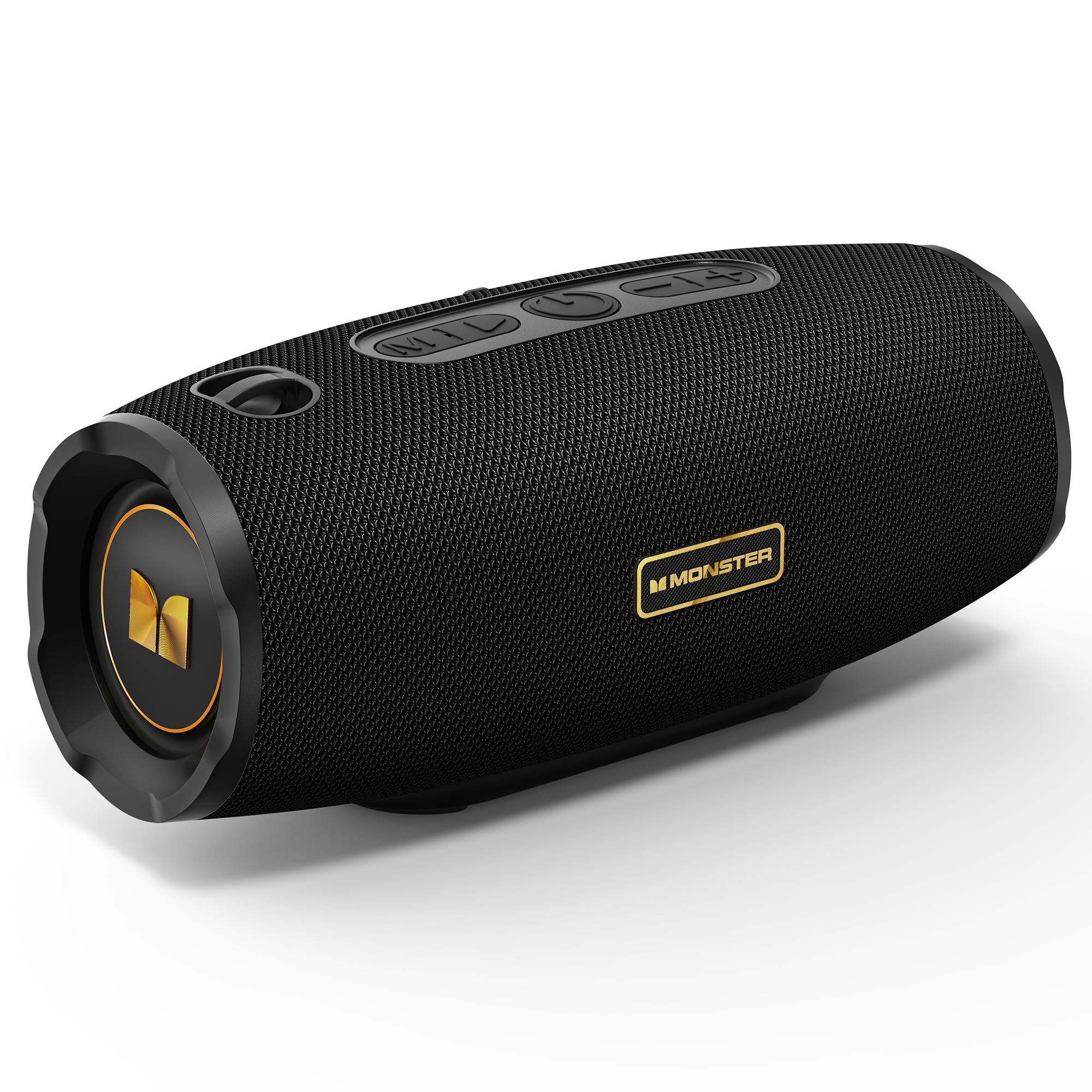
Figure 1: Monster S380 Bluetooth Speaker
2. Dab tsi hauv lub thawv
Thov xyuas cov ntsiab lus ntawm pob thaum unboxing kom paub meej tias txhua yam khoom muaj nyob:
- Monster S380 Speaker x 1
- USB-C Charging Cable x 1
- AUX-hauv Cable x 1
- Cov lus qhia ceev pib x 1
- Portable Rope x 1

Daim duab 2: Cov ntsiab lus ntawm pob
3. Khoom Tshajview
3.1. Khawm thiab tswj

Figure 3: Speaker Buttons Overview
- Hom Khawm: Switches between Bluetooth, AUX, and TF Card modes.
- Ua si / Pause khawm: Plays or pauses audio. Answers/ends phone calls.
- Lub zog khawm: Qhib lossis kaw lub tshuab hais lus.
- Khawm Txo Suab / Zaj Nkauj Dhau Los: Decreases volume (short press) or skips to the previous song (long press).
- Khawm Nce Suab / Zaj Nkauj Tom Ntej: Increases volume (short press) or skips to the next song (long press).
3.2. Input Ports

Figure 4: Speaker Input Ports
- USB Chaw nres nkoj: Rau kev ua si USB drive.
- TF Daim npav qhov: For TF (microSD) card playback.
- Chaw nres nkoj AUX-hauv: For wired audio connection via 3.5mm AUX cable.
- Charging Chaw nres nkoj: USB-C port for charging the speaker.
4. Teeb tsa
4.1. Them nyiaj rau tus hais lus
Before first use, fully charge the speaker. Connect the provided USB-C charging cable to the speaker's charging port and the other end to a compatible USB power adapter (e.g., phone charger, computer USB port). The charging indicator light will show the charging status and turn off once fully charged.
4.2. Fais fab / Off
Yuav kom qhib lub tshuab hais lus, nias thiab tuav lub Lub hwj chim khawm for approximately 2-3 seconds until you hear an audible prompt or see the indicator light illuminate. To power off, press and hold the Lub hwj chim khawm again for 2-3 seconds.
5. Cov lus qhia ua haujlwm
5.1. Bluetooth khub

Daim duab 5: Bluetooth 6.0 Connectivity
- Turn on the Monster S380 speaker. It will automatically enter Bluetooth pairing mode, indicated by a flashing LED light.
- Ntawm koj lub xov tooj ntawm tes (smartphone, ntsiav tshuaj, thiab lwm yam), qhib Bluetooth thiab tshawb nrhiav cov khoom siv muaj.
- Xaiv "Dab S380"los ntawm daim ntawv teev cov khoom siv.
- Once connected, the speaker will emit a confirmation sound, and the LED light will become solid.
5.2. TWS (True Wireless Stereo) Pairing

Figure 6: TWS Connection Setup
To achieve a true wireless stereo experience with two Monster S380 speakers:
- Ensure both Monster S380 speakers are powered on and are not connected to any Bluetooth device.
- Ntawm ib lub tso suab (qhov no yuav yog koj lub tso suab tseem ceeb), nias thiab tuav lub Ua si / Pause khawm for 3 seconds. The speaker will indicate it is searching for another speaker.
- The two speakers will automatically connect to each other. A confirmation sound will be heard once TWS pairing is successful.
- Now, connect your mobile device via Bluetooth to the primary speaker (the one you initiated TWS pairing on) as described in section 5.1.
5.3. AUX hom
Insert the 3.5mm AUX cable into the speaker's AUX-in port and connect the other end to your audio device. The speaker will automatically switch to AUX mode. Use your connected device to control playback and volume, or the speaker's volume buttons.
5.4. TF Card Hom
Ntxig daim npav TF (microSD) nrog lub suab files into the TF card slot. The speaker will automatically switch to TF card mode and begin playback. Use the speaker's control buttons to manage playback and volume.
5.5. Hu Xov Tooj Tsis Siv Tes
When your speaker is connected to your smartphone via Bluetooth, you can use it for hands-free calls:
- Teb Hu rau: Nias lub Ua si / Pause khawm ib zaug.
- Xaus Hu: Nias lub Ua si / Pause khawm ib zaug thaum hu.
- Tsis kam hu: Nias thiab tuav lub Ua si / Pause khawm rau 2 vib nas this.
5.6. Kev Tswj Xyuas Qhov Ntim thiab Txoj Kev
Use the dedicated buttons on the speaker for audio control:
- Ua Kom Ntim: Luv nias lub Volume Up (+) Khawm.
- Txo Ntim: Luv nias lub Khawm Txo Qhov Ntim (-).
- Tom ntej no Nkauj: Ntev nias lub Volume Up (+) Khawm.
- Previous Song: Ntev nias lub Khawm Txo Qhov Ntim (-).
6. Kev tu
6.1. Kev ntxuav
So tus neeg hais lus nrog mos, damp cloth. Do not use harsh chemicals, abrasive cleaners, or solvents, as these may damage the surface or internal components.
6.2. Dej tsis kam (IPX6)

Figure 7: IPX6 Waterproof Feature
The Monster S380 speaker is rated IPX6 waterproof, meaning it can withstand powerful water jets. It is resistant to splashes, rain, and spills. Tsis txhob submerge tus neeg hais lus hauv dej. Always ensure the rubber flap covering the input ports is securely closed to maintain its water resistance.
6.3. Cia
Store the speaker in a cool, dry place away from direct sunlight, extreme temperatures, and excessive humidity. If storing for an extended period, charge the battery periodically to maintain its lifespan.
7. Kev daws teeb meem
| Teeb meem | Ua Tau | Kev daws |
|---|---|---|
| Speaker tsis muaj hwj chim rau | Tsawg roj teeb; Lub hwj chim khawm tsis nias kom raug | Them tus hais lus kom tag. Nias thiab tuav lub hwj huam khawm rau 2-3 vib nas this. |
| Tsis muaj suab | Volume too low; Incorrect mode; Not paired/connected | Increase volume on speaker and device. Press Mode button to select correct input. Re-pair Bluetooth or check AUX/TF card connection. |
| Bluetooth pairing ua tsis tau | Speaker not in pairing mode; Device too far; Interference; Already connected to another device | Ensure speaker LED is flashing. Move device closer. Turn off other Bluetooth devices. Forget "Monster S380" on your device and try again. |
| TWS pairing fails | Speakers already connected to other devices; Incorrect pairing steps | Ensure both speakers are disconnected from all devices. Repeat TWS pairing steps carefully (Section 5.2). |
| Lub suab tsis zoo | Weak Bluetooth signal; Low-quality audio source | Move device closer to the speaker. Use high-quality audio files/streaming services. |
8. Cov lus qhia tshwj xeeb
- Hom Tshuaj: Dab
- Qauv nab npawb: MS62153 (S380)
- Kev sib txuas: Bluetooth 6.0, AUX, TF Card, USB
- Audio Output: 40W Stereo Sound (up to 80W with TWS pairing)
- Roj teeb lub neej: Mus txog 20 teev
- Dej tsis kam: IPX6
- Khoom Dimensions: 8.5 x 21 x 8.8 cm
- Khoom hnyav: 880 g ib
- Tswj txoj kev: Kov (khawm)
- Hom Tsav Tsheb: Dynamic Tsav
9. Warranty thiab Support
The Monster S380 Bluetooth Speaker comes with a standard manufacturer's warranty. For detailed warranty information, technical support, or service inquiries, please refer to the Quick Start Guide included in your product package or visit the official Monster weblub xaib rau cov peev txheej txhawb nqa tshiab tshaj plaws.