
Taw qhia
This manual provides detailed instructions for the safe installation, operation, and maintenance of your TCL 62-inch ceiling fan. Please read this manual thoroughly before installation and keep it for future reference. Ensure all safety precautions are followed to prevent injury or damage.
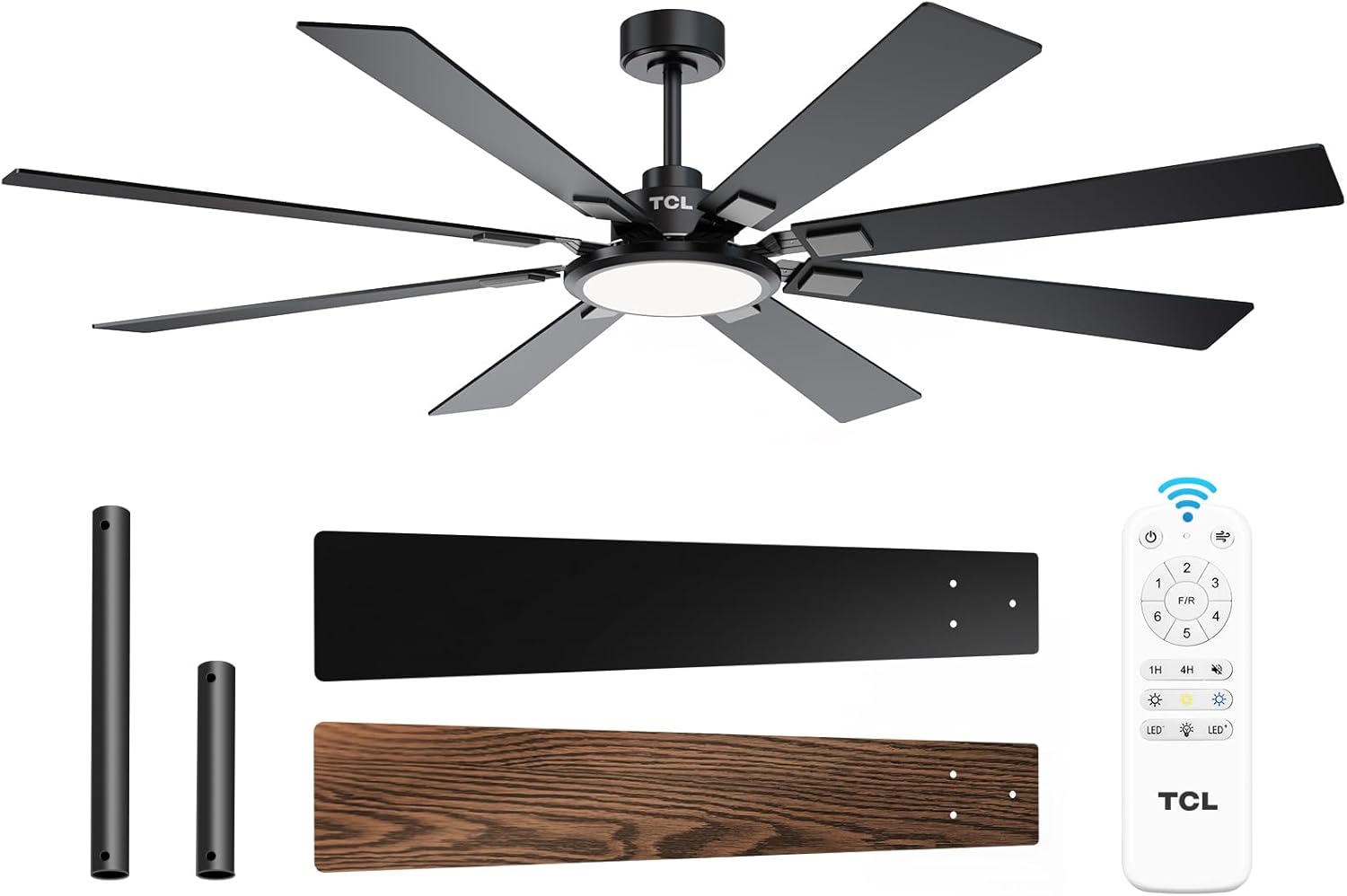
Figure 1: TCL 62-Inch Ceiling Fan Overview
Cov ntaub ntawv kev nyab xeeb
Nco ntsoov ua raws li kev ceev faj txog kev nyab xeeb thaum txhim kho thiab ua haujlwm cov cuab yeej no kom txo tau qhov kev pheej hmoo ntawm hluav taws kub, hluav taws xob poob siab, thiab kev raug mob ntawm tus kheej.
- Nyeem tag nrho cov lus qhia: Familiarize yourself with the fan's components and installation steps before beginning.
- Kev Nyab Xeeb Hluav Taws Xob: Ensure the power is turned off at the circuit breaker before installation or servicing. All wiring must be in accordance with national and local electrical codes.
- Mounting: The fan must be mounted to a structurally sound ceiling joist or outlet box capable of supporting the fan's weight (12.4 lbs).
- Hniav Clearance: Khaws qhov chaw tsawg kawg yog 7 feet ntawm hauv pem teb mus rau cov hniav kiv cua.
- Professional Installation: If you are unsure about wiring or installation, consult a qualified electrician.
Kev teeb tsa thiab kev teeb tsa
Cov Cheebtsam suav nrog
Before beginning installation, verify that all parts are present:
- 1 Ceiling Fan with 8 Blades
- Instruction Manual (cov ntaub ntawv no)
- Chaw taws teeb tswj
- Downrods (10-inch and 5-inch switchable)

Figure 2: Fan Components and Features
Cov kauj ruam installation
- Fais fab tuag: Disconnect power at the main circuit breaker to avoid electrical shock.
- Mounting Bracket: Securely attach the mounting bracket to the ceiling outlet box or a structural support. Ensure it can safely hold the fan's weight.
- Sib dhos Downrod: Choose the appropriate downrod (5-inch or 10-inch) and assemble it with the fan motor unit.
- Hang Fan: Ua tib zoo nqa cov kiv cua sib dhos thiab dai rau ntawm lub mounting bracket.
- Kev xaim: Connect the electrical wires according to the wiring diagram provided in the separate installation guide. Ensure all connections are secure.
- Txuas Hniav: Securely attach the 8 fan blades to the motor housing. Note that blades are reversible with black and wood-grain sides.
- Install Light Kit: Connect and install the LED light panel to the bottom of the fan.
- Rov Qab Fais Fab: Once installation is complete and all connections are checked, restore power at the circuit breaker.
Installation Video Guide
Video 1: Step-by-step guide on how to install the TCL ceiling fan, demonstrating the ease of assembly and mounting.
Cov lus qhia ua haujlwm
Your TCL ceiling fan is operated using the included remote control. Ensure batteries are correctly installed in the remote.
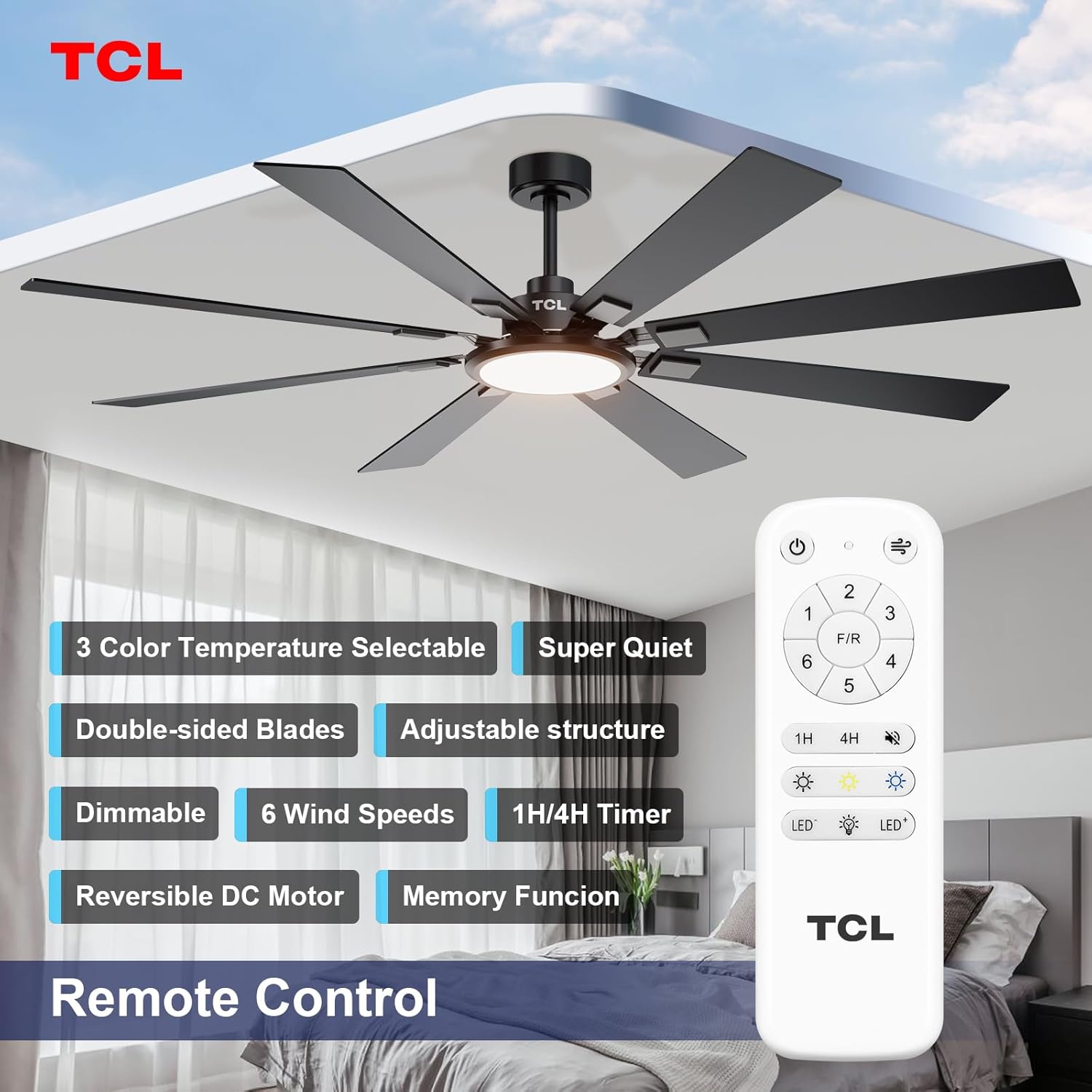
Daim duab 3: Chaw taws teeb tswj layout
Ntxuam Ceev Tswj
The fan features 6 adjustable speeds to suit your comfort needs. Use the '1' through '6' buttons on the remote to select your desired speed.
- Qib 1-2: Low, comfortable wind for gentle air circulation.
- Qib 3-4: Medium, natural wind for moderate cooling.
- Qib 5-6: High, powerful wind for maximum cooling.
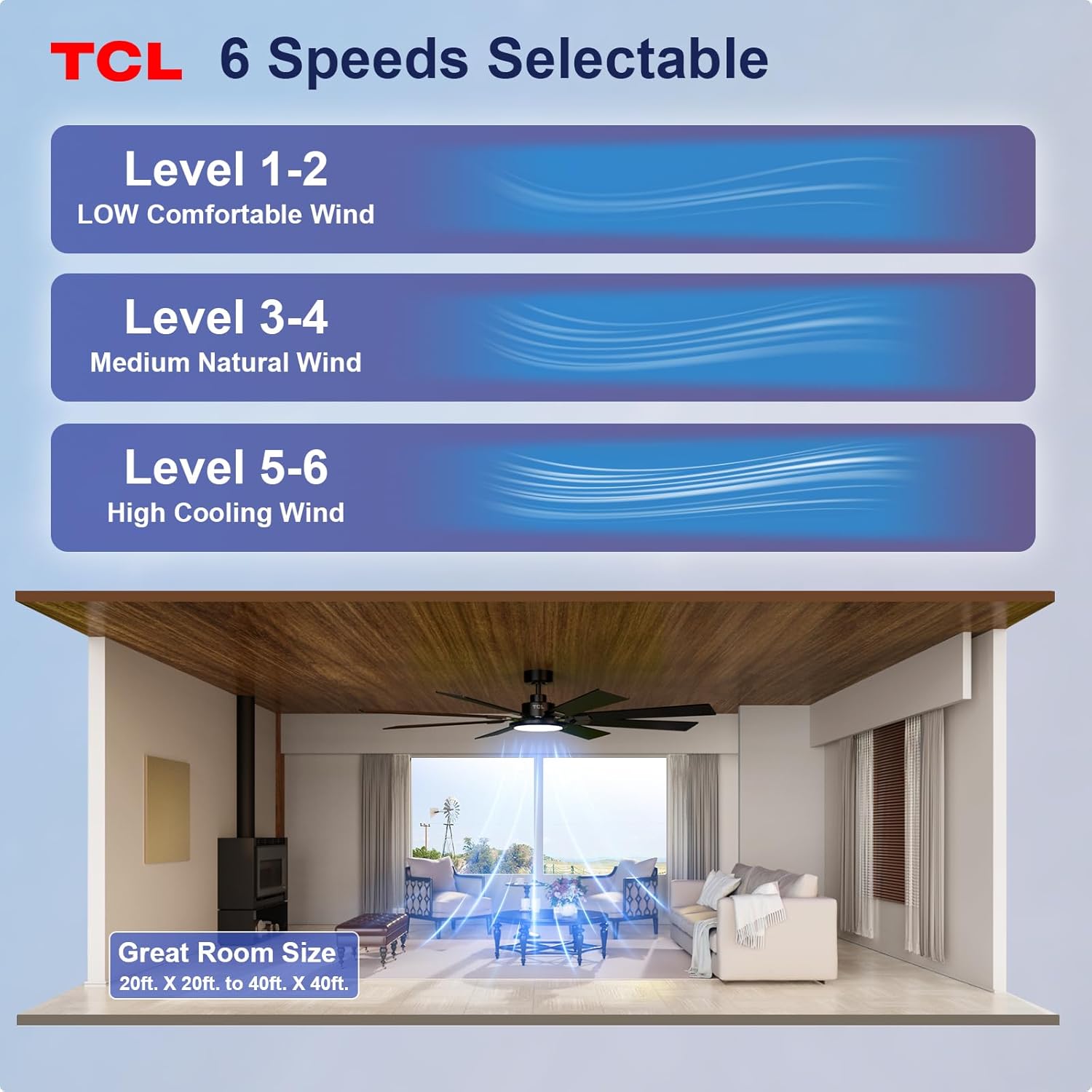
Figure 4: Fan Speed Settings
Lub teeb ua haujlwm
The integrated LED light offers dimmable brightness and 3 color temperature options:
- On/off: Use the light button on the remote to turn the light on or off.
- Dhuav: Use the dimming buttons (up/down arrows) to adjust brightness from 10% to 100%.
- Xim kub: Cycle through 3000K (Warm White), 4000K (Natural White), and 6000K (Cool White) using the color temperature button.
- Memory Function: The fan remembers your last light setting (brightness and color temperature) when turned off and on again. To ensure memory function works correctly, wait at least 20 seconds after turning off the light before turning it back on.

Figure 5: Customizable Light Settings
Reversible DC Tsav
The fan features a reversible DC motor, allowing you to change the direction of airflow for year-round comfort. Use the 'F/R' button on the remote control.
- Hom Lub Caij Ntuj Sov (Nyob hauv Airflow): Blades rotate counter-clockwise, creating a downward breeze that provides a cooling effect.
- Lub caij ntuj no hom (Upward Airflow): Blades rotate clockwise, drawing cool air up and pushing warm air down from the ceiling, helping to balance indoor heating.

Figure 6: Reversible DC Motor Function
Timer muaj nuj nqi
Set the fan to automatically turn off after a specified period using the timer buttons (1H/4H) on the remote control.
Ua haujlwm ntsiag to
The fan is designed for noiseless operation, ensuring a peaceful environment.

Figure 7: Noiseless Operation Comparison
Kev ua yeeb yaj kiab
Video 2: Tshajview of the TCL ceiling fan, highlighting its modern design and large size suitable for various rooms.
Video 3: Demonstrates the cooling power and stylish lighting features of the TCL ceiling fan.
Video 4: Kev qhia davview of the TCL ceiling fan's features and benefits.
Kev tu
Regular maintenance ensures optimal performance and extends the lifespan of your ceiling fan.
- Ntxuav: Ib ntus ntxuav cov kiv cua thiab lub cev muaj zog nrog cov mos mos, damp daim ntaub. Tsis txhob siv cov tshuaj ntxuav uas ua rau tawv los yog cov tshuaj yaj. Xyuas kom tseeb tias fais fab raug tua ua ntej ntxuav.
- Hniav tshuaj xyuas: Check fan blades for any cracks or damage. Replace damaged blades immediately.
- Tighten Screws: Over time, screws may loosen. Periodically check and tighten all screws on the motor housing and blade attachments.
- Lub teeb npog: Xyuas kom tseeb tias lub hau teeb tau khi ruaj khov.
Kev daws teeb meem
Yog tias koj muaj teeb meem nrog koj lub kiv cua, saib cov teeb meem thiab kev daws teeb meem hauv qab no:
| Teeb meem | Ua Tau | Kev daws |
|---|---|---|
| Ntxuam tsis pib | Tsis muaj zog rau kiv cua; Xoo hlau txuas; Chaw taws teeb tswj roj teeb tuag. | Tshawb xyuas lub tshuab hluav taws xob; Xyuas kom tseeb tias txhua qhov kev sib txuas xov hlau ruaj khov; Hloov cov roj teeb tswj chaw taws teeb. |
| Lub teeb tsis ua haujlwm | Loose wire connection; LED panel issue. | Check light kit wiring; Contact customer support if LED panel is faulty. |
| Tshaj wobbling | Cov hniav riam xoob lossis cov khoom siv mounting; Cov hniav riam tsis sib npaug. | Ensure all blade screws and mounting screws are tight; Use a balancing kit (not included) if necessary. |
| Kev ua haujlwm nrov nrov | Loose screws; Motor issue. | Tighten all screws; If noise persists, contact customer support. |
Specifications
Detailed technical specifications for the TCL 62-inch ceiling fan:
| Feature | Paub meej |
|---|---|
| Hom | TCL |
| Qauv nab npawb | HFSB-000000D |
| Loj | 62 nti |
| Xim | Dub |
| Khoom siv | Hlau, Ntoo |
| Style | Niaj hnub |
| Kev siv sab hauv / sab nraum zoov | Sab hauv, Sab nraum zoov |
| Hwj chim Source | DC |
| Tswj Txoj Kev | Chaw taws teeb |
| Lub teeb Source | LED |
| Number of Light Sources | 1 |
| Voltage | 120 Volts |
| Xim Xim | Warm to Cool White (2700K-6500K) |
| Wattage | 66 watt |
| Brightness | 3000 Lumen (Max) |
| Kev ua tau zoo | LED, Dimmable |
| Yam Nyhav | 12.4 Ib |
| Qhov Loj (L x W x H) | 72"L x 72"W x 20"H (Note: Product is 62-inch, this dimension might refer to overall span) |
| UPC | 846042019989 |
Warranty thiab Support
Warranty Information
This TCL ceiling fan is covered by a limited manufacturer's warranty. Please refer to the warranty card included in your product packaging for specific terms, conditions, and duration. Retain your proof of purchase for warranty claims.
Kev Pab Txhawb Cov Neeg Siv Khoom
For technical assistance, troubleshooting not covered in this manual, or warranty inquiries, please contact TCL customer service. Contact information can typically be found on the product packaging or the official TCL webqhov chaw.