
1. Khoom Tshajview
The Pomya 1080P Full HD Action Camera is a versatile and compact device designed for capturing high-quality video and photos in various environments. Featuring a 180° rotatable lens, night vision capabilities, and built-in WiFi, it is suitable for activities such as cycling, vlogging, and general outdoor recording.

Image: The Pomya Action Camera highlighting its 1080P Full HD resolution and 180-degree rotatable lens. Icons indicate video, photo, and recording capabilities.
Cov yam ntxwv tseem ceeb:
- 1080P Full HD Recording: Captures clear and smooth video at 1080p resolution.
- 180 ° Lub Lens Tig Tau: Allows flexible adjustment of the camera angle for diverse shooting perspectives.
- Night Vision & LED Fill Light: Enables recording in low-light conditions with enhanced clarity.
- Built-in WiFi: Facilitates wireless transfer of media to smartphones for easy sharing.
- Loop Recording: Sau dua cov foo qub dua tsis siv neegtage los xyuas kom meej cov ntaubntawv povthawj siv tas mus li.
- 1.5-nti Screen: Provides a clear display for framing shots and reviewhauv cov ntsiab lus.
- 1000mAh Roj teeb: Offers extended recording time.
2. Dab tsi hauv lub thawv
Thov xyuas cov ntsiab lus ntawm pob thaum unboxing kom paub meej tias txhua yam khoom muaj nyob:
- 1 x Pomya Video Recorder (Action Camera)
- 1 x User Manual
- 1 x Charging Cable
3. Teeb tsa
3.1 Kev them nyiaj yug ntaus ntawv
Before initial use, fully charge the camera's internal 1000mAh battery. Connect the provided charging cable to the camera's charging port and a standard USB power adapter (not included) or a computer's USB port. The charging indicator will typically show the charging status and turn off or change color when fully charged.
3.2 Ntxig ib daim npav nco
This camera supports external memory for storing recordings. Locate the memory card slot, typically protected by a cover. Insert a compatible microSD card (not included) with the contacts facing the correct direction until it clicks into place. Ensure the card is formatted correctly (e.g., FAT32) for optimal performance. The camera supports loop recording, which requires a memory card.
3.3 Hwj chim Rau/Tawm
- Txhawm rau Fais Fab: Press and hold the Power button for a few seconds until the screen illuminates.
- Mus Faib Tawm: Press and hold the Power button again until the device shuts down.
4. Cov lus qhia ua haujlwm
4.1 Yees duab kaw
To record video, ensure the camera is powered on and in video mode. Press the independent recording button to start recording. Press it again to save the recording and stop. The camera captures video in 1080P Full HD resolution.
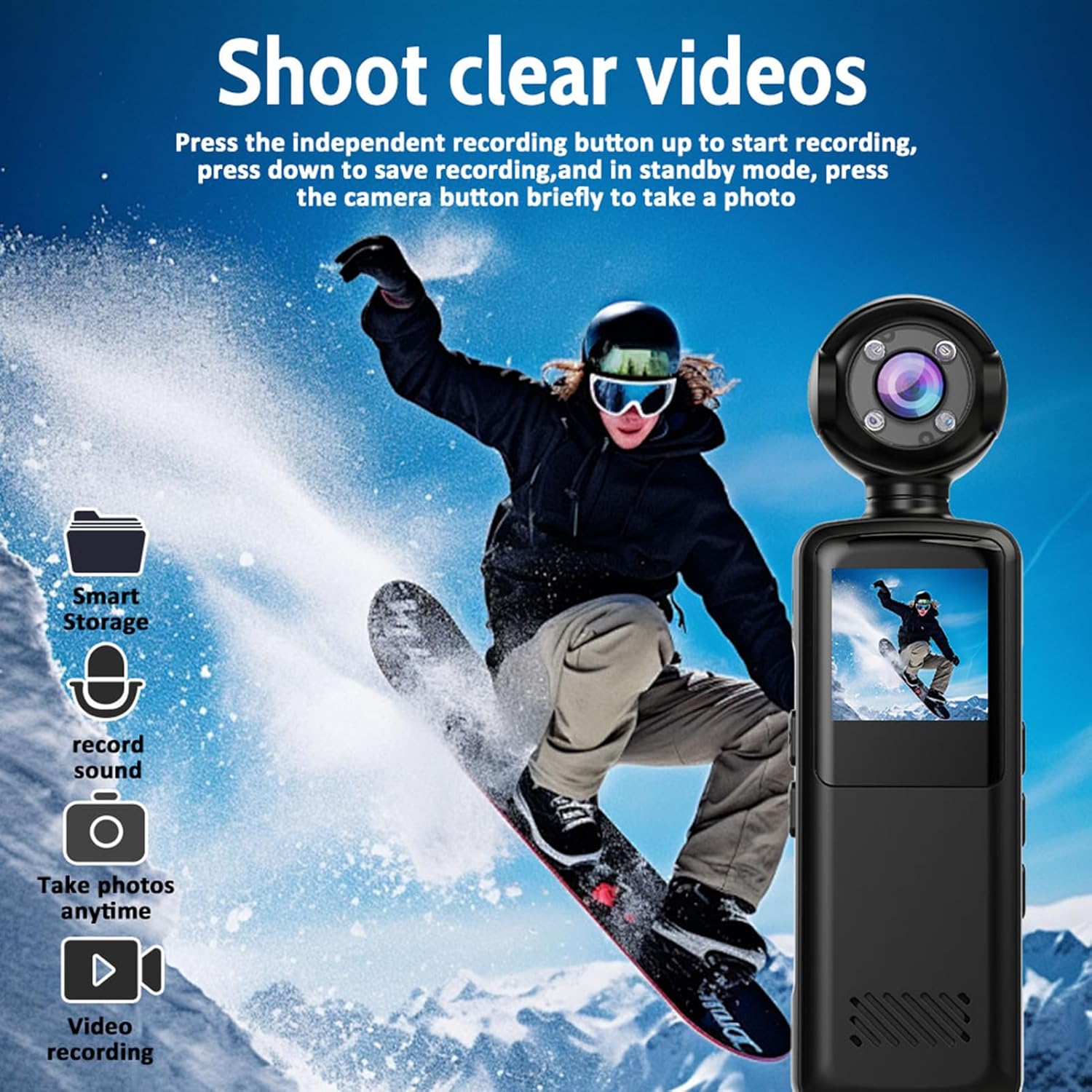
Image: The action camera capturing a snowboarder, illustrating its video recording capability. Icons for smart storage, sound recording, photo taking, and video recording are visible.
4.2 Yees Duab
In standby mode, briefly press the camera button to take a photo. The camera supports capturing still images alongside video recording.

Image: Illustrates the camera's three-in-one functionality: video recording (cyclist), photo capture (group of friends), and audio recording (MP3 file icon).
4.3 180° Rotatable Lens
The camera features a lens that can rotate 180 degrees. This allows you to easily adjust the viewing angle to capture different perspectives without repositioning the entire device. Simply manually rotate the lens to your desired orientation.

Image: Demonstrates the 180-degree rotatable lens feature, showing the camera used by a snowboarder and a person working on a laptop, highlighting its versatility and WiFi connectivity.
4.4 Hmo Ntuj Pom Kev
The camera is equipped with advanced night vision and an LED fill light. This feature allows for clear recording in low-light environments, capturing vivid colors during the day and maintaining high-definition clarity at night.
4.5 Loop Recording
When the memory card is full, the loop recording function automatically overwrites the oldest footage with new recordings. This ensures continuous recording without manual intervention, making it ideal for extended use.
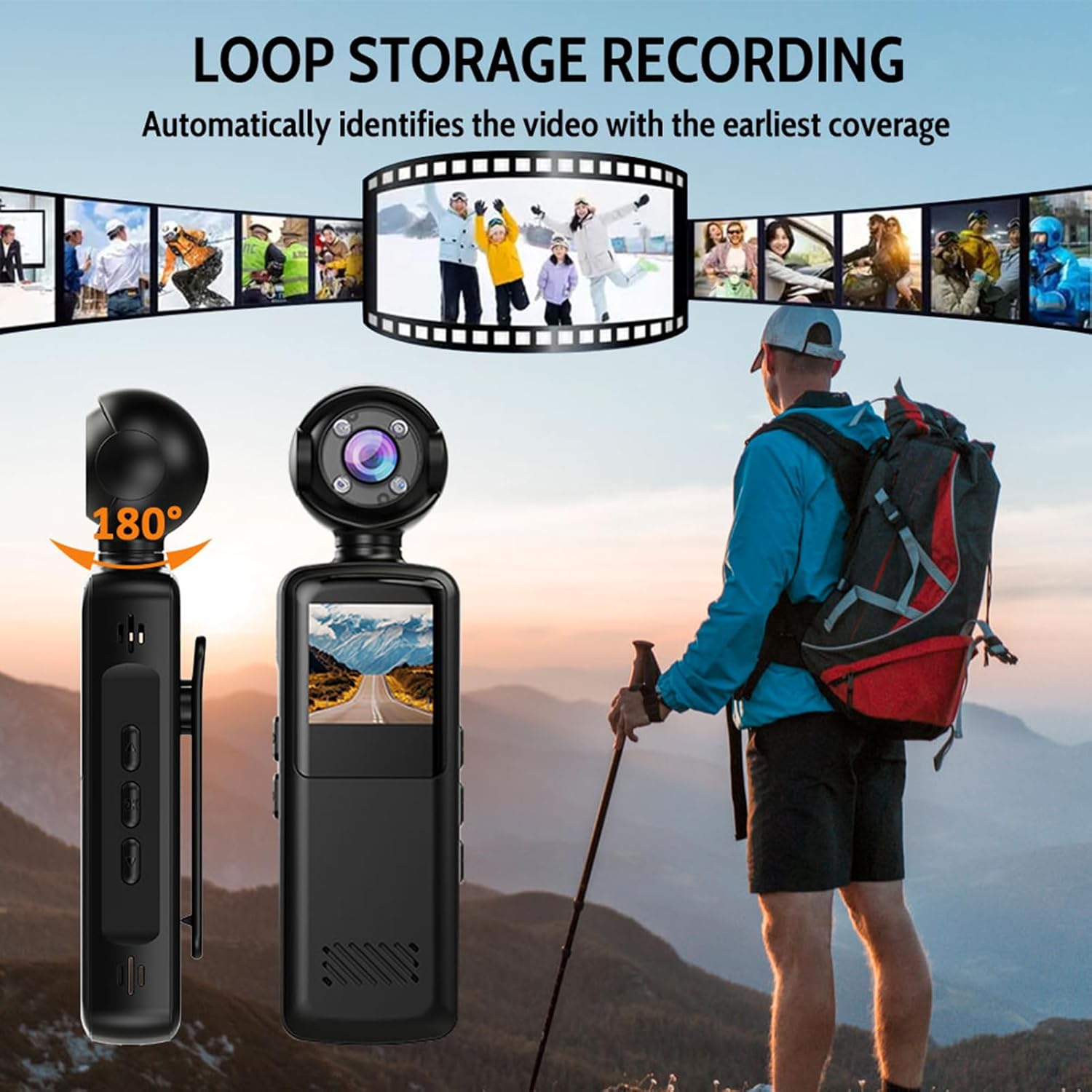
Image: Illustrates the loop storage recording feature, showing the camera alongside a hiker, with a filmstrip graphic indicating automatic identification and overwriting of the earliest video footage.
4.6 Wireless WiFi Connection
The camera has built-in WiFi for seamless transfer of videos and photos to your smartphone. Activate the WiFi hotspot on the camera, connect your phone to it, and use the dedicated app (if available, refer to product documentation for app details) to access and share your media without quality loss.

Image: Shows the camera wirelessly connected to a smartphone via WiFi, demonstrating how videos can be shared while maintaining high-definition image quality.

Image: A collage showing the camera capturing various moments: a person hiking, a soccer game, a celebration, and a road view from the camera's perspective, emphasizing its ability to 'Capture more moments'.
5. Kev tu
5.1 Ntxuav lub koob yees duab
Use a soft, dry cloth to clean the camera body. For the lens, use a specialized lens cleaning cloth and solution to avoid scratches. Do not use harsh chemicals or abrasive materials.
5.2 Cia khoom
Khaws lub koob yees duab rau qhov chaw txias thiab qhuav uas tsis txhob raug tshav ntuj ncaj qha thiab kub heev. Yog tias khaws cia ntev, xyuas kom lub roj teeb tau them ib nrab (kwv yees li 50%) kom nws siv tau ntev.
5.3 Roj Teeb Kho
Avoid fully discharging the battery frequently. Recharge the battery regularly, even if the camera is not in use, to maintain battery health. Do not expose the battery to high temperatures.
6. Kev daws teeb meem
- Lub koob yees duab tsis tig rau: Xyuas kom lub roj teeb raug them. Txuas mus rau lub hwj chim thiab sim dua.
- Tsis tuaj yeem sau tseg: Xyuas seb daim npav nco tau muab tso thiab puas muaj chaw txaus. Xyuas kom daim card formatted kom raug.
- Tsis zoo video zoo: Ensure the lens is clean. Check lighting conditions; use night vision if necessary.
- Cov teeb meem kev txuas WiFi: Ensure the camera's WiFi is enabled. Restart both the camera and your smartphone.
- Ntaus tsis teb: If the camera freezes, locate the reset button (if available, often a small pinhole) and gently press it with a thin object.
7. Cov lus qhia tshwj xeeb
| Feature | Specification |
|---|---|
| Qauv nab npawb | Pomyabpnrimkcs2 |
| Duab daws teeb meem | 1080P Full HD daws teeb meem |
| Video Format | MP4 (AVI mentioned in specifications, MP4 in description, prioritizing description for user clarity) |
| Microphone | Built-in High-Sensitivity Mic |
| Roj teeb muaj peev xwm | 1000 mAh |
| Viewhauv Angle | 140 ° Wide Angle |
| Hmo Ntuj Pom Kev | Supported (Infrared) |
| Zaub | 1.5-nti npo |
| Khoom siv / tiav | PC + ABS with Matte Oil Finish |
| Kev ntsuas IP | IP65 |
| Dimensions (kwv yees) | 127.8mm (5.03in) Length, 35.5mm (1.39in) Width, 23.7mm (0.93in) Height |

Image: Technical drawing showing the approximate dimensions of the Pomya Action Camera: 127.8mm (5.03in) length, 35.5mm (1.39in) width, and 23.7mm (0.93in) height.
8. Warranty thiab Support
8.1 Chaw tsim tshuaj paus Warranty
This product is covered by a manufacturer's warranty for 90 days from the date of purchase. Please retain your proof of purchase for warranty claims. The warranty covers defects in materials and workmanship under normal use.
8.2 Kev Pabcuam Cov Neeg Siv Khoom
For technical assistance, troubleshooting, or warranty inquiries, please refer to the contact information provided with your purchase documentation or visit the official Pomya webqhov chaw.