
1. Taw qhia
The CELLO Gem 35L Air Cooler is designed to provide efficient cooling for various indoor environments. This manual provides essential information for the safe and effective use, maintenance, and troubleshooting of your air cooler. Please read all instructions carefully before operating the appliance.
2. Cov lus qhia kev nyab xeeb
Txhawm rau txo qhov kev pheej hmoo ntawm hluav taws kub, hluav taws xob poob siab, lossis raug mob, nco ntsoov ua raws li cov kev ceev faj txog kev nyab xeeb:
- Nyeem tag nrho cov lus qhia ua ntej siv lub cuab yeej.
- Do not operate the air cooler with a damaged power cord or plug.
- Xyuas kom lub hwj huam mov voltage matches the rating label on the appliance (230 Volts).
- Tsis txhob muab tso rau hauv chav tsev, qaum, lossis ntsaws rau hauv dej lossis lwm yam kua dej.
- Khaws cov khoom siv kom tsis txhob ncav cuag menyuam yaus thiab tsiaj.
- Always unplug the air cooler from the power outlet before cleaning, maintenance, or when not in use.
- Place the air cooler on a stable, level surface to prevent tipping.
- Ensure adequate ventilation around the unit; do not block air inlets or outlets.
- Tsis txhob muab cov khoom tso rau hauv lub qhov cua.
- Siv dej huv hauv lub taub dej xwb.
3. Cov ntsiab lus ntawm pob
Xyuas kom tseeb tias tag nrho cov khoom muaj nyob rau hauv lub ntim:
- CELLO Gem 35L Air Cooler Unit
- Cua Lim
- Cooling Pad (High-Density Honeycomb)
- Cov neeg siv phau ntawv
4. Parts and Features Overview
Familiarize yourself with the main components of your air cooler:
- Tswj Vaj Huam Sib Luag: Buttons for power, speed, and other functions.
- Dej Inlet: Located on the top side for manual water filling.
- Dej Tank: Muaj peev xwm 35-liter rau kev ua haujlwm ntev.
- Honeycomb Cooling Pads: Located on the sides/rear for efficient cooling.
- Cua Lim: Filters dust from incoming air.
- Air Outlet Louvers: Direct airflow.
- Castor Log: Multidirectional wheels for easy mobility.
- Auto-Fill Connection: Port for connecting to a continuous water supply.

Daim duab 4.1: Pem hauv ntej view of the CELLO Gem 35L Air Cooler, highlighting its vertical design and air outlet louvers.
Daim duab 4.2: Sab saum toj view of the air cooler, illustrating the water inlet and the control panel with various buttons.
5. Kev teeb tsa thiab kev teeb tsa
- Unpacking: Carefully remove the air cooler from its packaging. Retain packaging materials for future storage or transport.
- Qhov chaw: Position the air cooler on a flat, stable surface. Ensure there is sufficient space around the unit for proper airflow. The multidirectional castor wheels allow for easy movement.
- Kev Sau Dej (Phau Ntawv Qhia): Open the water inlet on the top side of the unit. Pour clean water into the tank until it reaches the 'MAX' level indicator. Do not overfill. The reservoir capacity is 35 Liters.
- Water Filling (Auto-Fill): For continuous operation, connect a water hose to the auto-fill port. Ensure the connection is secure to prevent leaks. The system will automatically maintain the optimal water level.
- Kev sib txuas fais fab: Plug the power cord into a standard 230 Volt AC electrical outlet.
6. Cov lus qhia ua haujlwm
The air cooler features button controls and 3 speed settings.
- Fais fab / Off: Press the 'POWER' button on the control panel to turn the unit on or off.
- Kho Ntxuam Ceev: Press the 'SPEED' button to cycle through the available fan speeds (Low, Medium, High). The current speed setting will be indicated.
- Cooling Function: Ensure the water tank is filled. The cooling function activates automatically when the unit is running with water.
- Louvers: The air cooler may feature motorized louvers for 4-way air deflection. Adjust as desired for optimal air distribution.
- Ua haujlwm ntsiag to: The unit is designed for low noise operation, providing a comfortable environment.
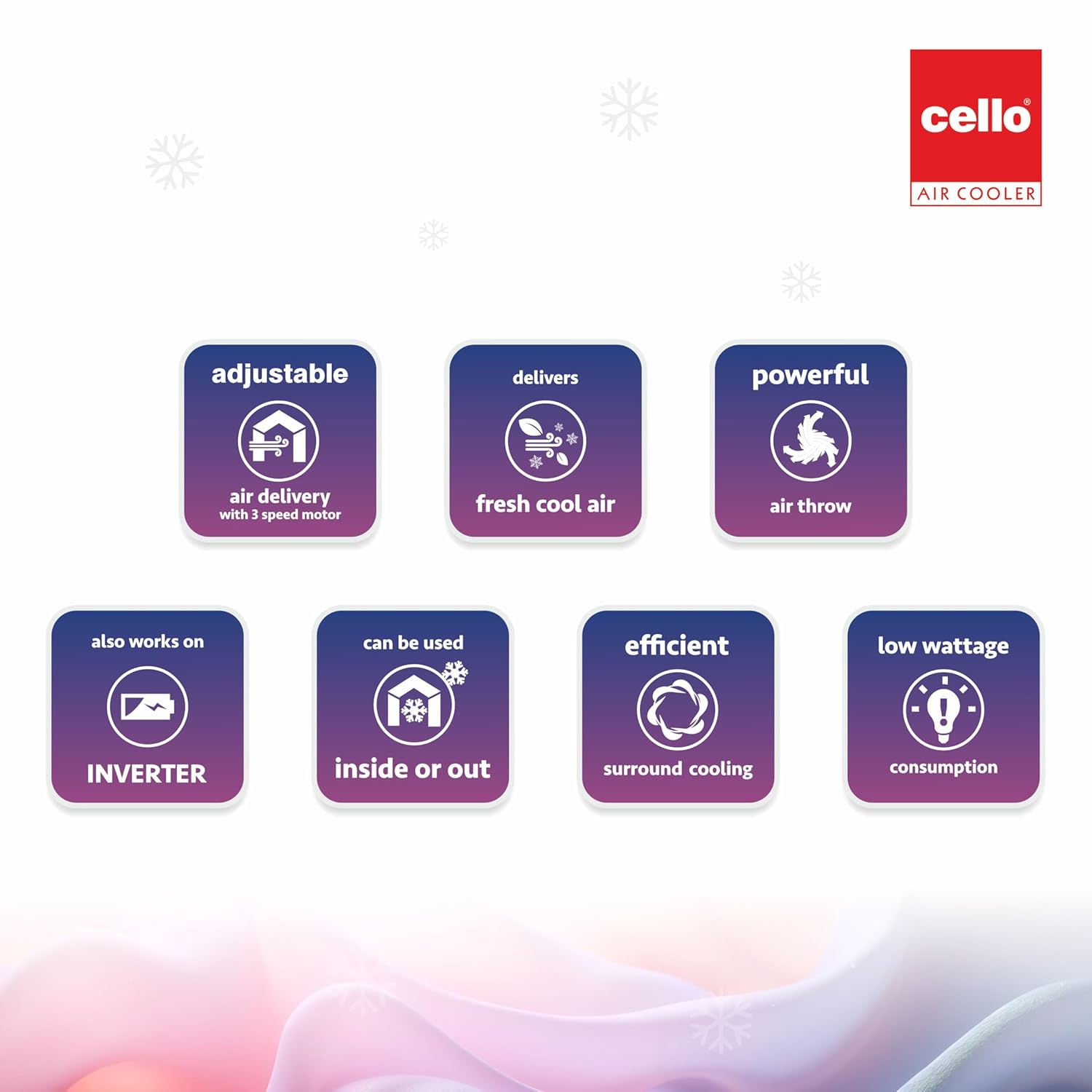
Daim duab 6.1: Visual representation of key operational aspects such as adjustable air delivery, fresh cool air output, and efficient cooling.
7. Kev tu thiab tu
Kev saib xyuas tsis tu ncua ua kom pom kev ua haujlwm zoo thiab ua haujlwm ntev ntawm koj lub tshuab cua txias.
- Cleaning Sab nrauv: So cov txheej sab nrauv nrog ib qho muag, damp daim ntaub. Tsis txhob siv cov tshuaj abrasive los yog cov kuab tshuaj.
- Ntxuav lub tank dej: Drain the water tank regularly (at least once a week) to prevent the buildup of algae, mold, or mineral deposits. Rinse the tank thoroughly with clean water.
- Cleaning Honeycomb Cooling Pads: Periodically remove the cooling pads and rinse them under running water to remove dust and mineral deposits. Ensure they are completely dry before reinserting. Replace pads if they show signs of significant wear or damage.
- Ntxuav Cov Cua Lim: Remove the air filter and wash it with mild soap and water. Rinse thoroughly and allow it to dry completely before reattaching.
- Cia: Before storing the air cooler for an extended period, drain all water from the tank, clean all components, and ensure they are dry. Store the unit in a cool, dry place, preferably in its original packaging.
8. Kev daws teeb meem
Yog tias koj ntsib teeb meem nrog koj lub tshuab cua txias, xa mus rau cov teeb meem thiab cov kev daws teeb meem hauv qab no:
| Teeb meem | Ua Tau | Kev daws |
|---|---|---|
| Air cooler does not turn on. | No power supply; Power cord not connected; Faulty outlet. | Check if the power cord is securely plugged in. Test the outlet with another appliance. Check your home's circuit breaker. |
| Weak or no cooling effect. | Low water level; Dirty cooling pads; Pump malfunction. | Ensure the water tank is filled to the 'MAX' level. Clean the honeycomb cooling pads. If the pump is not working, contact customer support. |
| Tsis muaj cua txaus. | Dirty air filter; Obstruction in air vents. | Clean the air filter. Remove any obstructions from the air inlet or outlet. |
| Cov dej ntws tawm. | Overfilled water tank; Loose drain plug; Damaged tank/hose. | Do not overfill the water tank. Ensure the drain plug is securely closed. Check for cracks or loose connections, especially if using auto-fill. |
| Cov suab nrov txawv txawv thaum ua haujlwm. | Chav tsev tsis nyob ntawm qhov chaw; Obstruction hauv kiv cua. | Place the air cooler on a flat, stable surface. Turn off and unplug the unit, then check for any foreign objects obstructing the fan. |
9. Cov lus qhia tshwj xeeb
| Feature | Paub meej |
|---|---|
| Hom | CELLO |
| Qauv Lub Npe | Gem 35L Air Cooler |
| Khoom siv | Yas |
| Mounting Hom | Pem Teb Mount |
| Tshwj xeeb nta | Adjustable Speed, Auto Fill, Built-In Wheel, Portable, Silent Operation |
| Xim | Dawb |
| Tswj Hom | Khawm |
| Reservoir Capacity | 35 litr |
| Pem Teb Kev Pabcuam | 235 square feet |
| Yam Nyhav | 500 Nws |
| Pom zoo siv | Commercial, Personal |
| Wattage | 200 Watts |
| Tus naj npawb ntawm Speeds | 3 |
| Voltage | 230 Volts |
| Dimensions (D x W x H) | 48D x 37W x 79H cm |
| Cov Cheebtsam suav nrog | Air Filter, Cooling Pad, User Manual |
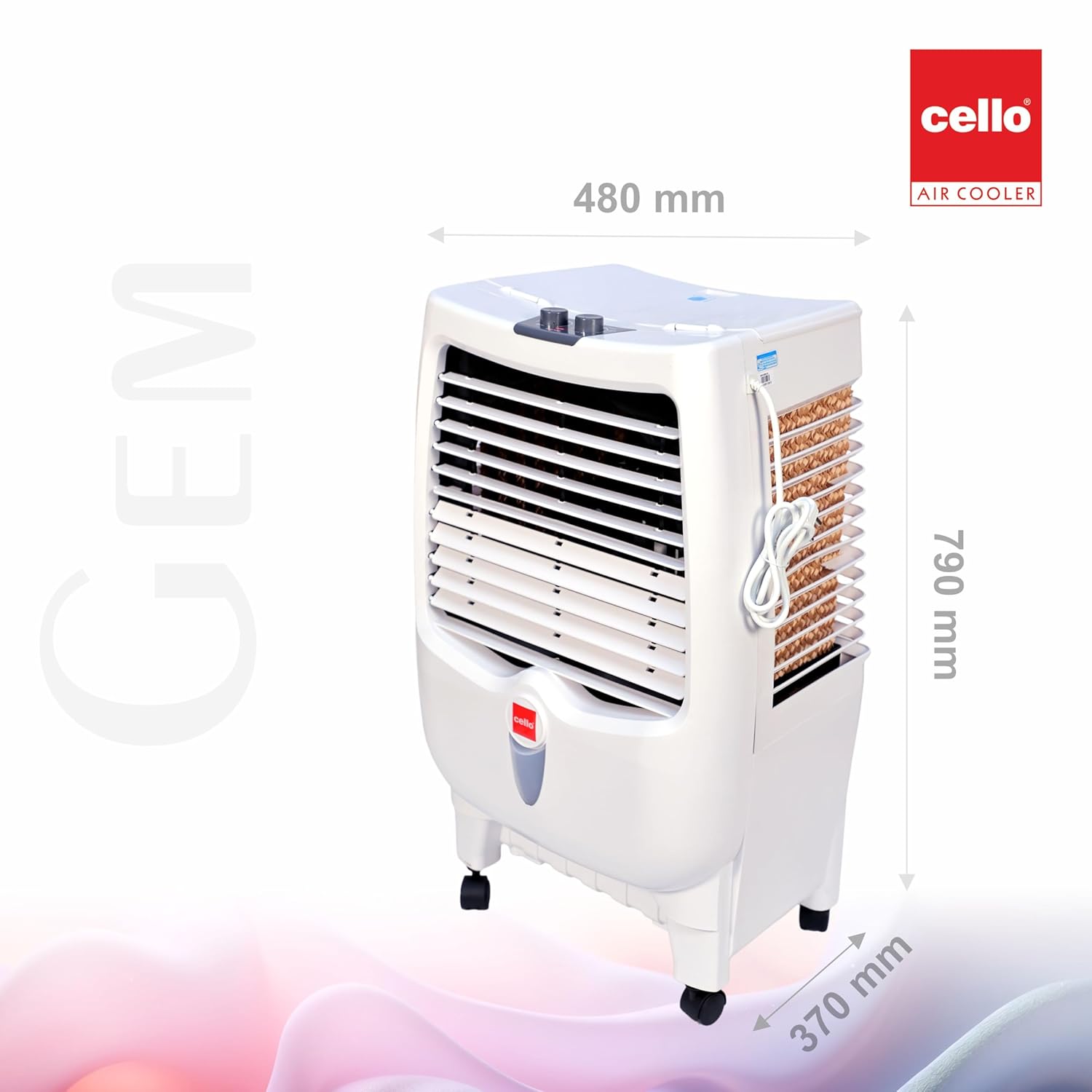
Daim duab 9.1: Dimensions of the CELLO Gem 35L Air Cooler (Depth: 480mm, Width: 370mm, Height: 790mm).
10. Warranty Information
This product is eligible for a 10-day replacement policy from the date of purchase. For detailed warranty terms and conditions, please refer to your purchase receipt or contact customer support. Extended warranty plans may also be available for purchase separately.
11. Cov neeg siv khoom txhawb nqa
For any queries, assistance, or service requests, please contact CELLO customer support:
- Xov tooj: +91-74000 01799, +91-7400423300
- Webqhov chaw: www.cellocoolers.com
- CELLO Store on Amazon: Visit the CELLO Store