Taw qhia
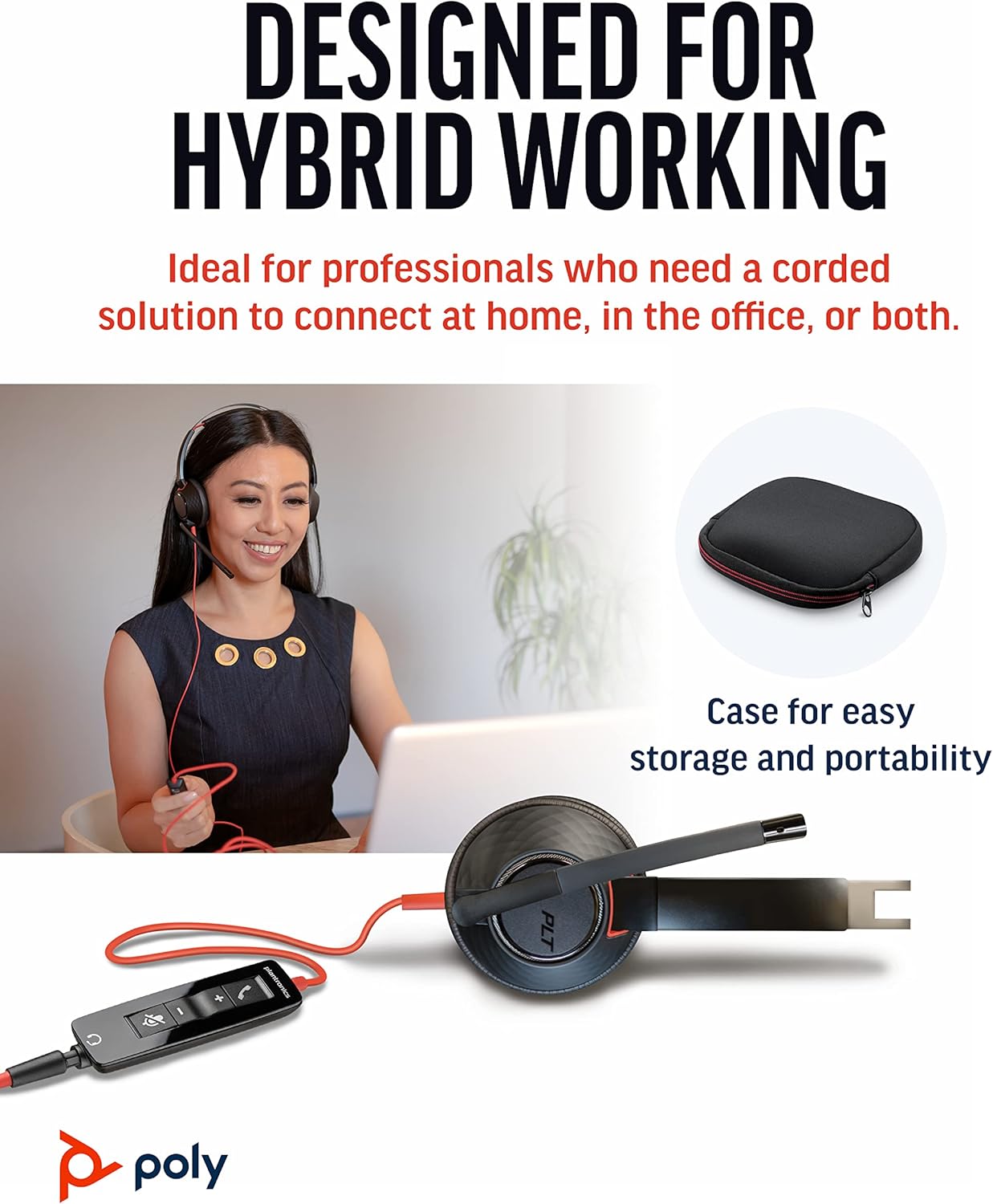
The Poly Blackwire 5220 USB-A Headset is designed for enhanced compatibility, exceptional comfort, and universal connectivity, making it ideal for all-day use in various communication environments. This headset features a noise-canceling microphone with a flexible boom, intuitive inline controls, and soft, conforming ear cushions for passive noise cancellation. It offers flexible connectivity options including USB-A and 3.5 mm, ensuring clear audio and improved productivity for PC, Mac, tablet, and mobile phone users.
Dab tsi nyob hauv lub thawv
- Poly Blackwire 5220 USB-A Headset
Khoom Tshajview



Teeb tsa
Txuas lub Headset
- For PC/Mac: Connect the headset's USB-A connector directly to an available USB-A port on your computer. The headset is plug-and-play, meaning it should be automatically recognized by your operating system.
- For Mobile Phone/Tablet: Connect the headset's 3.5 mm jack to the audio port on your mobile device.
Once connected, your operating system or communication application (e.g., Microsoft Teams, Zoom) should automatically detect the headset as the primary audio input and output device. If not, you may need to select it manually in your device's sound settings or the application's audio preferences.
Cov lus qhia ua haujlwm
Inline Tswj
The Blackwire 5220 features an intuitive inline control unit for easy call management:
- Teb / Xaus Hu khawm: Press to answer an incoming call or end an active call.
- Volume Up (+) Khawm: Nias kom nce lub suab nrov.
- Volume Down (-) Khawm: Nias kom txo lub suab nrov.
- Lub Pob Kom Ncauj: Press to mute or unmute the microphone. A voice alert may indicate the mute status.
Kho Kho Duab Microphone
Position the flexible boom microphone approximately two finger-widths from the corner of your mouth for optimal voice pickup. The microphone is designed to be noise-canceling, focusing on your voice and minimizing background distractions.
SoundGuard Digital Protection
The headset incorporates SoundGuard Digital technology to protect your hearing. It safeguards against sound levels over 118 dBA, sudden loud sounds, and long-term exposure to noise, ensuring a safe listening experience.
Kev tu
Ntxuav
- Wipe the headset, including ear cushions and microphone boom, with a soft, dry cloth.
- Tsis txhob siv cov tshuaj hnyav hnyav lossis cov tshuaj abrasive.
Cia
- Store the headset in a cool, dry place away from extreme temperatures.
- Utilize the included carrying case for protection during travel or storage.
Kev daws teeb meem
No Sound or Microphone Not Working
- Ensure the headset is securely plugged into the correct port (USB-A or 3.5 mm).
- Check your computer's or device's sound settings to ensure the Poly Blackwire 5220 is selected as the default playback and recording device.
- Verify that the microphone is not muted using the inline control.
- Test the headset with another application or device to rule out software-specific issues.
Suab zoo
- Ensure the microphone boom is properly positioned near your mouth.
- Check for any physical obstructions or damage to the cables.
- If using with a computer, ensure your audio drivers are up to date.
Specifications
| Feature | Paub meej |
|---|---|
| Qauv Lub Npe | Hiav Txwv 5220 |
| Yam khoom Model Number | 207576-01 : kuv |
| Connectivity Technology | Wired (USB-A, 3.5 mm Jack) |
| Hnav Style | Over-the-head, On-ear, Dual Ear (Stereo) |
| Microphone | Noise-canceling boom microphone |
| Audio Protection | SoundGuard Digital (protects above 118 dBA) |
| Zaus teb (Headphones) | 20 Hz |
| Frequency Range (Microphone) | 100 Hz - 6,800 Hz |
| Cable Ntev | 45 Nws |
| Khoom siv | Yas |
| Xim | Dub |
| Yam Nyhav | 0.035 ooj (kwv yees li 1 grams) |
| Compatible Devices | PC, Cellphones, Tablets, Mac |
Warranty thiab Support
Warranty Information
The Poly Blackwire 5220 USB-A Headset comes with a 2-xyoo warranty thoob ntiaj teb txij hnub ntawm kev yuav khoom. Thov khaws koj cov ntaub ntawv pov thawj ntawm kev yuav khoom rau kev lees paub.
Txhawb ntxiv
For detailed information, advanced settings, or further assistance, please refer to the official User Guide (PDF) available online:
You can also visit the official Poly support weblub xaib rau cov FAQs, kev rub tawm software, thiab cov ntaub ntawv tiv tauj.


