1. Taw qhia
The Fanvil PA3 is designed for internal installations, particularly for public broadcasting. It offers HD audio and rich interfaces, enabling real-time and fixed-time MP3 broadcasting, and one-touch intercom functionality when connected to external devices. The PA3 is suitable for integrated broadcasting solutions in various environments such as campuses, shopping malls, railway stations, and buildings.
2. Cov ntaub ntawv kev nyab xeeb
- Nyeem tag nrho cov lus qhia ua tib zoo ua ntej siv lub cuab yeej.
- Tsis txhob tso lub cuab yeej rau dej los yog dej noo.
- Use only the specified power supply adapter (12-24V/2Amp, not included).
- Tsis txhob sim qhib lossis kho lub cuab yeej koj tus kheej. Xa tag nrho cov kev pabcuam rau cov neeg ua haujlwm tsim nyog.
- Khaws lub cuab yeej kom deb ntawm qhov chaw tshav kub thiab ncaj qha tshav ntuj.
3. Cov ntsiab lus ntawm pob
Xyuas kom tseeb tias txhua yam khoom muaj nyob hauv koj pob:
- Fanvil PA3 SIP Paging Gateway Unit
- Audio in/out cables
- Programmable keys with indicator light (likely integrated or included as accessories)
4. Khoom Tshajview
The Fanvil PA3 features a compact design with various interfaces for connectivity and control. Key features include SIP lines, speaker and microphone interfaces, USB/TF card support, audio input/output, and programmable keys.

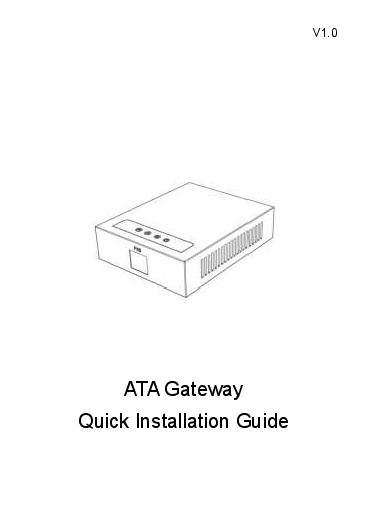
Image: Fanvil PA3 SIP Paging Gateway, front view.
Cov yam ntxwv tseem ceeb:
- 2 SIP Kab
- 1 Speaker Interface and 1 Microphone Interface
- Support for USB or TF card Connectivity (Max 32GB)
- 1 Audio in and 1 Audio out Interface
- 2 Interfaces of Programmable Keys with Indicator Light
5. Teeb tsa
5.1 Kev teeb tsa lub cev
- The Fanvil PA3 supports multiple mounting types. Choose a suitable location for installation, considering network and power access.
- The device is constructed from metal and plastic, suitable for indoor use.
5.2 Kev sib txuas fais fab
- Connect a compatible 12-24V/2Amp DC power supply adapter (not included) to the power input port on the PA3.
- Ensure the power source is stable and meets the device's requirements.
5.3 Kev Sib Txuas Network
- Connect an Ethernet cable from your network switch or router to the LAN port on the PA3.
- The device will obtain an IP address via DHCP by default.
5.4 Suab Connections
- Connect external speakers to the speaker interface.
- Connect a microphone to the microphone interface for two-way communication.
- Utilize the audio in/out interfaces for connecting other audio sources or destinations as required by your broadcasting setup.
6. Cov lus qhia ua haujlwm
6.1 SIP Line Configuration
- The Fanvil PA3 supports 2 SIP lines. Access the device's web interface to configure SIP accounts, server addresses, and authentication details.
- Refer to your SIP server documentation for specific configuration parameters.
6.2 Public Broadcasting
- The PA3 can be used for real-time and fixed-time MP3 broadcasting. Configure broadcasting schedules and audio sources through the device's management interface.
- Ensure audio input sources are correctly connected and configured.
6.3 One-Touch Intercom
- Connect external devices or configure SIP extensions to enable one-touch intercom functionality.
- The programmable keys can be assigned for quick intercom calls.
6.4 Programmable Keys
- The PA3 features 2 programmable keys with indicator lights. These keys can be customized via the web interface to perform various functions, such as initiating broadcasts, intercom calls, or controlling external devices.
6.5 USB/TF Card Usage
- Insert a USB drive or TF card (up to 32GB) into the designated slot for media storage or playback. This can be used for pre-recorded announcements or background music.
7. Kev tu
7.1 Kev ntxuav
- Siv daim ntaub mos mos thiab qhuav los so sab nraud ntawm lub cuab yeej.
- Do not use liquid cleaners, aerosols, or solvents, as they may damage the device.
7.2 Firmware Hloov tshiab
- Periodically check the official Fanvil website for the latest firmware updates for the PA3.
- Firmware updates can improve performance, add new features, and resolve potential issues. Follow the instructions provided by Fanvil for the update process.
8. Kev daws teeb meem
8.1 Device Tsis Powering On
- Xyuas kom lub hwj chim adapter txuas ruaj ntseg rau ob lub cuab yeej thiab lub qhov hluav taws xob ua haujlwm.
- Verify that the power adapter meets the specified voltage and current requirements (12-24V/2Amp DC).
8.2 Tsis Muaj Suab Tso Tawm
- Check all speaker connections to ensure they are secure and correctly wired.
- Verify the volume settings on the PA3 and any connected audio equipment.
- Confirm that the audio source is active and properly configured.
8.3 Cov teeb meem kev sib txuas hauv Is Taws Nem
- Ensure the Ethernet cable is securely connected to the LAN port on the PA3 and your network device.
- Check your network settings (IP address, subnet mask, gateway) via the device's web interface.
- Verify that the SIP accounts are registered successfully.
8.4 Intercom Not Working
- Check the connections to external intercom devices.
- Verify the configuration of intercom extensions or programmable keys.
8.5 General Performance Issues
- Consider performing a firmware update as described in the Maintenance section.
- If issues persist, contact Fanvil support for further assistance.
9. Cov lus qhia tshwj xeeb
| Feature | Kev piav qhia |
|---|---|
| Qauv Lub Npe | PAB 3 |
| Hom | Fanvil |
| Mounting Hom | Multiple mounting types |
| Khoom siv | Hlau, yas |
| Tshwj xeeb Feature | Programmable Keys with Indicator Light |
| Pom zoo siv | For Public Broadcasting, Integrated Broadcasting Solutions, and One-touch Intercom |
| Compatible Devices | Desktop |
| Surround Sound Channel Configuration | 2.0 (Audio output capability) |
| Xim | Dub |
| Cov Cheebtsam suav nrog | Audio in/out cables, Programmable keys with indicator light |
| Dej Resistance Level | Tsis Water Resistant |
| Tswj Txoj Kev | Kov |
| Wireless Kev Sib Txuas Lus Technology | Bluetooth (for auxiliary functions) |
| Hwj chim Source | 12-24V / 2Amp Power Supply adapter (Not Included) |
| Cov lus qhia Voltage | 12V (DC) |
| Connectivity Technology | USB |
| Suab Tso Tawm Hom | Lub tso suab |
| Yam Nyhav | 11.7 hli |
| Pob Dimensions | 8.39 x 5.04 x 2.8 po |
| Kev siv sab hauv / sab nraum zoov | Sab hauv |
| UPC | 889837001608 |
10. Warranty Information
For warranty details, please refer to the documentation provided with your purchase or contact Fanvil customer support directly. Keep your proof of purchase for warranty claims.
11. Txhawb nqa
For technical assistance, product inquiries, or further support, please visit the official Fanvil website or contact their customer service department. You can typically find contact information and FAQs on their webqhov chaw.