
Taw qhia
This manual provides comprehensive instructions for the safe and efficient operation, maintenance, and troubleshooting of your BWT ES800 Robotic Pool Cleaner. Please read this manual thoroughly before using the appliance and retain it for future reference.
Cov ntaub ntawv kev nyab xeeb
Yuav tsum ua raws li cov kev ceev faj txog kev nyab xeeb hauv qab no:
- Xyuas kom tseeb tias lub hwj chim raug txiav tawm ua ntej ua kev saib xyuas lossis kev ntxuav.
- Do not operate the cleaner if the power cable is damaged. Contact qualified service personnel for repairs.
- Thaum lub tshuab ntxuav ua haujlwm, tsis txhob cia cov menyuam yaus thiab cov tsiaj nyob deb ntawm thaj chaw pas dej ua ke.
- Only use the cleaner in pools with appropriate water chemistry levels.
- Do not use the cleaner to remove large debris such as leaves, twigs, or rocks, as this may damage the unit.
- Always remove the cleaner from the pool after each cleaning cycle.
Ntim Cov Ntsiab Lus
Xyuas kom tseeb tias tag nrho cov khoom muaj nyob hauv pob:
- BWT ES800 Robotic Pool Cleaner Unit
- Fais fab mov Unit
- Floating Cable (59ft)
- Filter Basket
- Instruction Manual (cov ntaub ntawv no)
Teeb tsa
1. Unpacking thiab Initial Inspection
Carefully remove all components from the packaging. Inspect the cleaner and its accessories for any signs of damage. If any damage is found, do not operate the unit and contact customer support.
2. Txuas lub Fais Fab
- Place the power supply unit at least 3.5 meters (11.5 feet) from the edge of the pool. Ensure it is in a shaded area and protected from direct sunlight and splashing water.
- Connect the floating cable from the cleaner to the power supply unit. Ensure a secure connection.
- Plug the power supply unit into a grounded electrical outlet.
3. Placing the Cleaner in the Pool
Gently lower the BWT ES800 into the pool. Allow it to sink to the bottom. Ensure that all air trapped inside the cleaner is released by gently rocking it from side to side until no more bubbles emerge. Spread the floating cable evenly across the pool surface to prevent tangling.
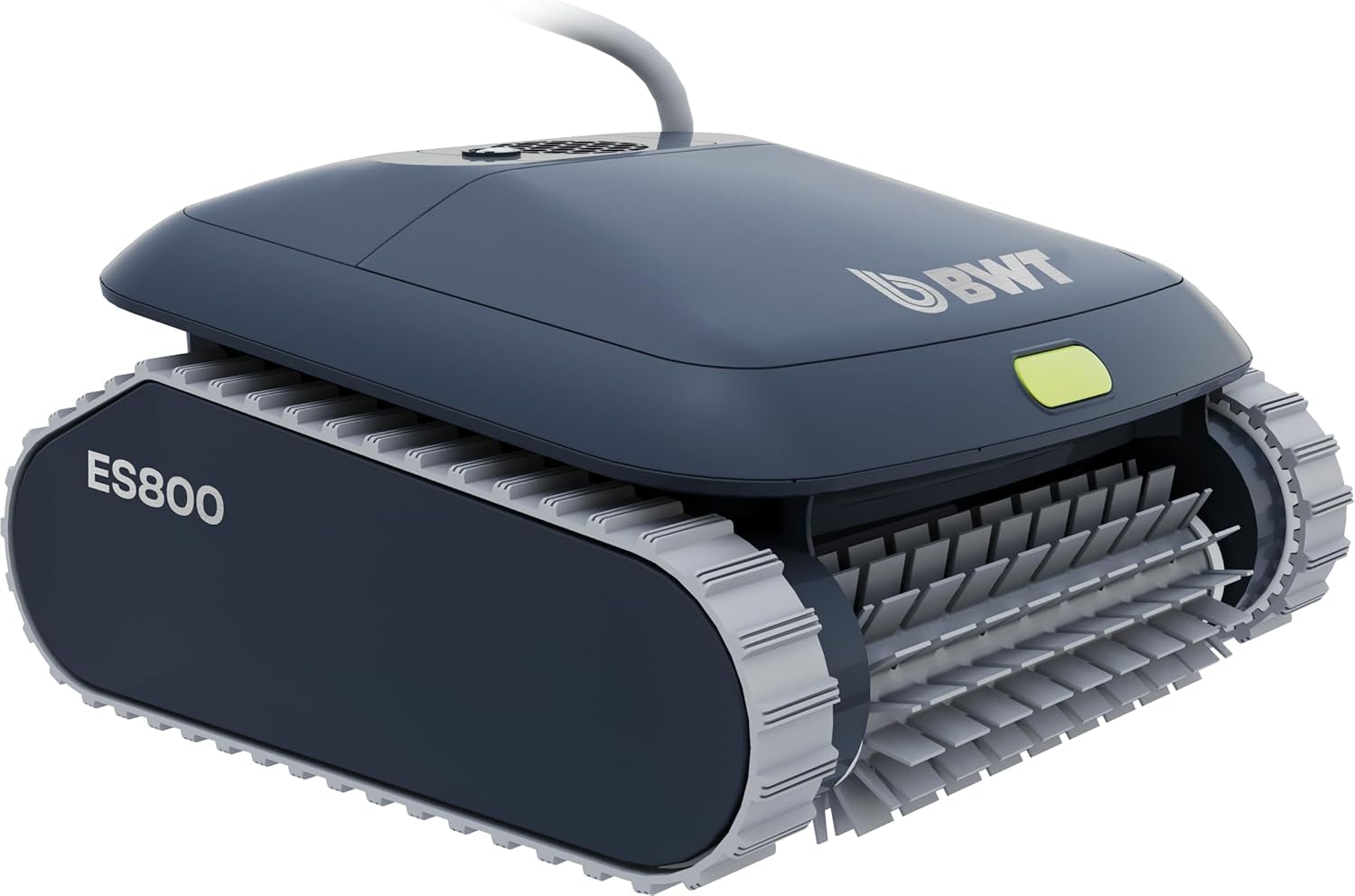
Image: The BWT ES800 Robotic Pool Cleaner submerged in a pool, ready for operation.
4. App Control Setup (BWT Best Water App)
The BWT ES800 features Bluetooth connectivity for app control. Download the "BWT Best Water App" from the Apple App Store or Google Play Store. Follow the in-app instructions to pair your device with the cleaner. This allows for remote control, cycle selection, and software updates.

Image: The BWT ES800 cleaner next to a smartphone displaying the BWT Best Water App interface for remote control.
Kev ua haujlwm
1. Pib lub voj voog ntxuav
Once the cleaner is submerged and powered on, you can initiate a cleaning cycle using the button on the unit or through the BWT Best Water App.
2. Cleaning Modes and Cycles
The BWT ES800 offers multiple cleaning modes and cycles to suit your pool's needs:
- Hom kev ntxuav:
- Floor: Focuses cleaning on the pool floor.
- Wall & Waterline: Cleans the pool walls and waterline.
- Overall: Provides comprehensive cleaning of the entire pool (floor, walls, and waterline).
- Kev tu lub voj voog: Selectable durations of 1.5 hours, 2 hours, or 2.5 hours.
The cleaner utilizes a smart navigation system with an integrated gyroscope to adapt its driving pattern to your pool's shape, ensuring complete coverage and avoiding cable tangles.

Image: The BWT ES800 cleaner ascending a pool wall, demonstrating its smart cable control and anti-entanglement system.

Image: The BWT ES800 efficiently cleaning the bottom, walls, and waterline of a pool.
Video: Ib zaug ntxivview of the BWT ES800 Robotic Pool Cleaner's features, including its compact design, PVC brush, powerful suction, high-performance filter, and smart cable control with multiple cleaning modes and cycles.
Kev tu
1. Cleaning the Filter Basket
After each cleaning cycle, it is essential to clean the filter basket to maintain optimal performance. The ES800 features an easy-to-access filter basket.
- Tshem lub tshuab ntxhua khaub ncaws los ntawm lub pas dej ua ke siv tus kov.
- Open the top cover of the cleaner.
- Lift out the filter basket.
- Rinse the filter basket thoroughly with a garden hose to remove all debris.
- Reinsert the clean filter basket and close the cover securely.

Image: A hand lifting the filter basket from the BWT ES800, illustrating the "Lift & Rinse" ease of use.
2. Brush Maintenance
Periodically inspect the PVC brushes for wear or damage. If the brushes are worn, they may need replacement to ensure effective cleaning. Contact customer support for replacement parts.

Duab: Ib qho ntxaws view of the BWT ES800's PVC brush, designed for effective scrubbing.
3. Kev Tswj Xyuas Cable
After each use, coil the floating cable neatly to prevent kinks and tangles, which can affect the cleaner's movement and longevity.
4. Cia
When not in use, store the BWT ES800 in a cool, dry, and shaded area, away from direct sunlight and extreme temperatures. Ensure the cleaner and its power supply are completely dry before storage.
Kev daws teeb meem
| Teeb meem | Ua Tau | Kev daws |
|---|---|---|
| Lub tshuab nqus tsev tsis pib. | No power, loose connection, power supply fault. | Check power outlet, ensure all cables are securely connected. Verify power supply unit is functioning. |
| Cleaner moves slowly or erratically. | Clogged filter, tangled cable, debris in brushes/tracks. | Clean filter basket. Untangle cable. Remove debris from brushes and tracks. |
| Cleaner does not clean walls effectively. | Worn brushes, air trapped in unit, incorrect cleaning mode. | Inspect and replace brushes if worn. Ensure all air is expelled from the unit. Select "Wall & Waterline" or "Overall" cleaning mode. |
| Cov teeb meem kev sib txuas ntawm App. | Bluetooth range, app not updated, pairing issue. | Ensure device is within Bluetooth range. Update the BWT Best Water App. Re-pair the device with the cleaner. |
Specifications
| Feature | Paub meej |
|---|---|
| Qauv | ES 800 |
| Khoom Dimensions (L x W x H) | 15 "x 14.6" x 9" (38.1cm x 37.1cm x 22.9cm) ntev |
| Qhov hnyav | Under 13 lbs (5.9 kg) |
| Cable Ntev | 59 ft (18 m) |
| Kev tu lub voj voog | 1.5h, 2h, 2.5 hnu |
| Suction zog | 4,000 GPH (15 m³/h) |
| Filter Fineness | 100;m ua |
| Hom Pas Dej | In-ground pools up to 49 ft (15 m) in length |
| Cov chaw tu | Pem teb, Phab ntsa, Dej |
| Tswj | On-unit button, BWT Best Water App (Bluetooth) |
| Navigation System | Smart Navigation with integrated gyroscope, Gen Core 7 |
| Txhuam Hom | PVC |
| Hwj chim Source | AC |
| UPC | 810045773032 |

Image: The BWT ES800 Robotic Pool Cleaner highlighting its key features and specifications.

Image: Internal components of the BWT ES800, showing the propeller motor, left motor, and right motor, emphasizing their efficiency and durability.
Warranty
The BWT ES800 Robotic Pool Cleaner is backed by a 3 xyoo warranty. This warranty covers manufacturing defects and ensures high-quality build and long-lasting performance. Please retain your proof of purchase for warranty claims. For detailed warranty terms and conditions, refer to the official BWT website lossis hu rau cov neeg siv khoom txhawb nqa.
Kev Pab Txhawb Cov Neeg Siv Khoom
For further assistance, technical support, or to inquire about replacement parts, please contact BWT customer service. You can find contact information on the official BWT website or through the BWT Best Water App.
Cov ntaub ntawv online: Mus saib lub BWT Store on Amazon rau cov ntaub ntawv khoom thiab kev txhawb nqa.