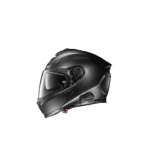
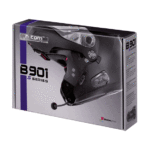
Cov Ntawv Qhia thiab Cov Lus Qhia rau N-Com
N-Com specializes in integrated communication systems for Nolan, X-lite, and Grex motorcycle helmets, offering Bluetooth intercoms and emergency signaling technology.
Txog cov phau ntawv qhia N-Com Manuals.plus
N-Cov (Nolan Communication system) is the dedicated communication division of Nolangroup, a world-renowned manufacturer of motorcycle helmets. Established to provide seamless integration between helmet and technology, N-Com designs specific communication kits for Nolan, X-lite, and Grex helmets. Unlike universal aftermarket units, N-Com systems are often engineered to fit into pre-set recesses within the helmet shell, ensuring minimal aerodynamic drag and optimal audio quality.
The brand offers a range of products from basic Bluetooth kits for rider-passenger communication to advanced mesh intercom systems for group riding. N-Com devices also feature connectivity with mobile phones, GPS systems, and MP3 players. A standout innovation is the ESS (Emergency Stop Signal) system, an LED light integrated into the helmet that signals sudden braking to other road users, enhancing rider safety.
Cov ntawv qhia ntawm N-Com
Cov ntaub ntawv tshiab los ntawm manuals+ curated rau hom no.
N-Com Android Bluetooth Pairing / Suab paj nruag / GPS lus qhia
n-com B602 Kev Sib Txuas Lus Tus Neeg Siv Qhia
n-com B602 Helmet Communication System Cov neeg siv phau ntawv
n-com ESS III Executive Presence thiab Braking Signaling Indicator User Manual
n-com B602 Ib Daim Ntawv Qhia Kev Tsav Tsheb Ib Leeg Intercom
n-Com B101 Kev Sib Txuas Lus Tus Neeg Siv Qhia
n-Com B602 R Series Blue Hniav RCS Phau Ntawv Qhia Txog Kev Qhia Txog Kev Qhia Txog Kev Tsav Tsheb
n-com B902 thiab Garmin BMW Navigator VI Cov Lus Qhia
n-com B901 Bluetooth Helmet Intercom Tus neeg siv phau ntawv
N-Com SPCOM00000109 Battery Replacement Instructions
Instructions for Replacing N-Com SPCOM00000072 Connector Cover
Instructions for Replacing N-Com SPCOM00000069 Adapter
Instructions for Replacing SPCOM00000033
N-COM SPCOM00000039 Left Wiring Replacement Instructions
Guía del Usuario N-Com Mesh: Funciones, Instalación y Solución de Problemas
Guida Utente N-Com Mesh
N-Com Mesh User Guide: Features, Operation, and Troubleshooting
N-COM HPS Hearing Protection System User Manual - Noise Reduction Earplugs
N-Com B602 Helmet Communication System Quick Guide
N-Com B602 XSERIES Uporabniška Navodila in Varnost
N-Com B601 S Motorcycle Bluetooth Intercom System User Manual
N-Com support FAQ
Cov lus nug nquag hais txog phau ntawv qhia, kev sau npe, thiab kev txhawb nqa rau lub hom phiaj no.
-
How do I update the firmware on my N-Com system?
You can update your system using the N-Com EASYSET program for PC or Mac. Download the software from the Support section of the official N-Com website and connect your device via USB.
-
Is my N-Com system waterproof?
The electronic components mounted inside the helmet are not waterproof. Ensure the inside comfort padding and system components remain dry to prevent damage.
-
How do I pair my N-Com with a mobile phone?
With the system off, press and hold the 'On' button until the LED flashes rapidly (Pairing Mode). Then, search for Bluetooth devices on your phone and select your N-Com model.
-
What constitutes the ESS system?
The ESS (Emergency Stop Signal) serves as an LED brake light on the back of the helmet. It detects sudden deceleration and flashes to alert vehicles behind you.